


woodennickel
Member
- Consent to Access & Modify
- I authorize Pabbly Support to log in to my account and make changes to the specified workflow for troubleshooting.
I have used the classic view with excel and been able to map the fields I want to the excel columns no problem, adding a row of data each time.
However, I do not understand what this step is in the new beta view.
How do we map a field to a column?
Listing the data in the order of the columns does not work.
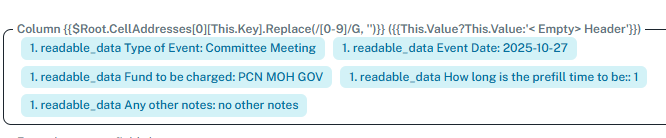
In this example I am trying map these 5 fields to 5 fields in Excel.
However, I do not understand what this step is in the new beta view.
How do we map a field to a column?
Listing the data in the order of the columns does not work.
In this example I am trying map these 5 fields to 5 fields in Excel.


