1 POST request consumed 4250 tasks
Status: Closed · Asked by Fale1994 on · 0 views
Hi! I'm trying to integrate my web shop with Pabbly and 360Dialog.
I created the workflow with webhook trigger and 360Dialog action. So, to test the workflow I took provided Pabbly webhook URL, put it into the Postman app and made a test POST request. I was surprised when 10 messages got delivered to Whatsapp because I only sent 1 POST request.
Now when I check the Pabbly connect history and tasks count, I can see that this 1 specific POST request consumed 4250 paid tasks and 4253 free tasks.
I disabled this workflow, but I would like to know what happened and how to fix it. I haven't done anything wrong.
And, honestly, I would like to get back those 4250 tasks
Attachments
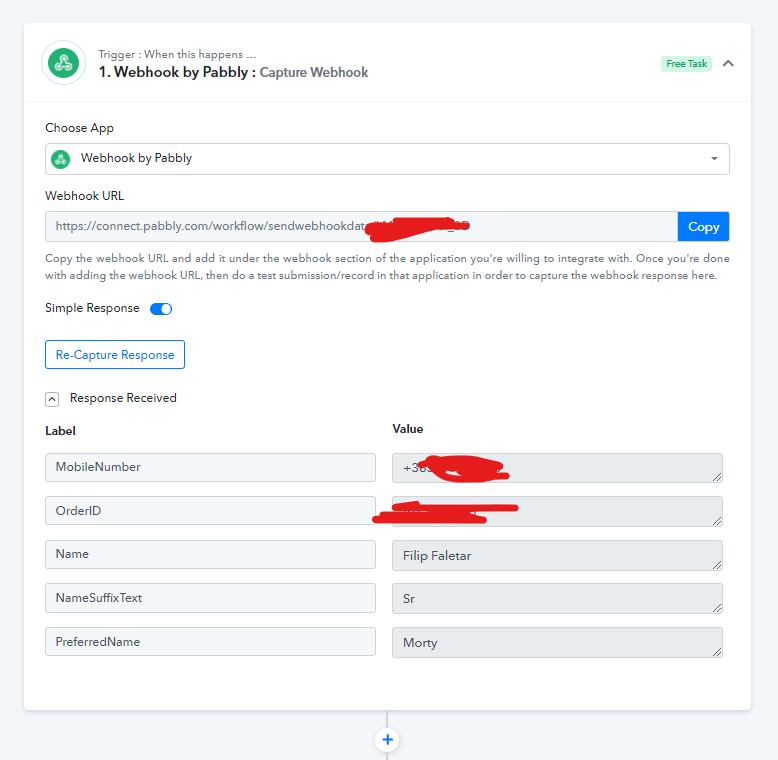
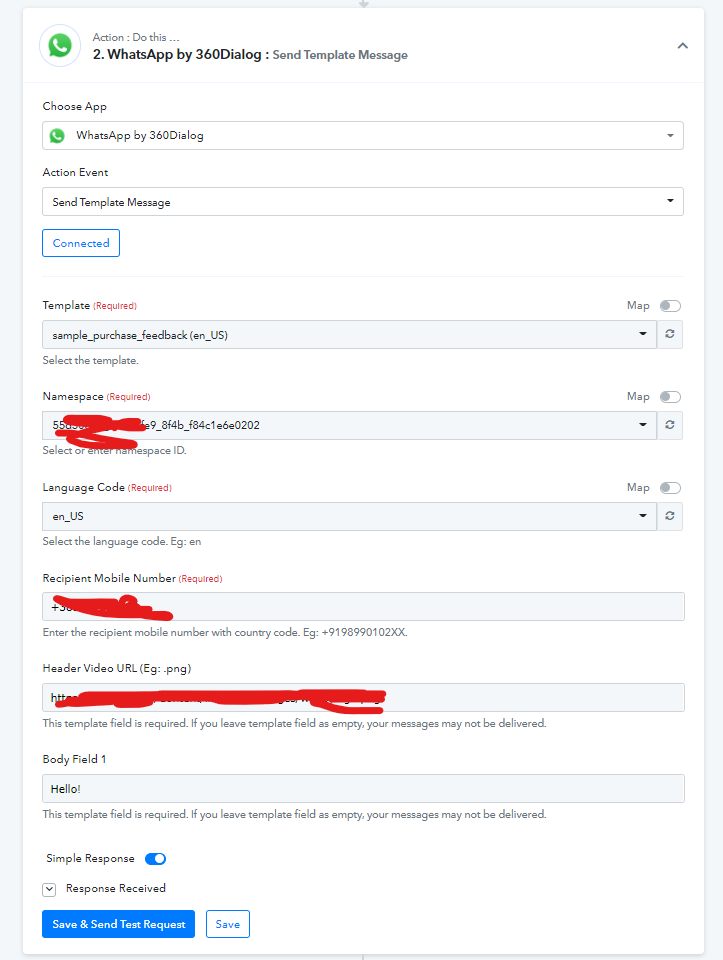
Hi! I'm trying to integrate my web shop with Pabbly and 360Dialog.I created the workflow with webhook trigger and 360Dialog action. So, to test the workflow I took provided Pabbly webhook URL, put it into the Postman app and made a test POST request. I was surprised when 10 messages got delivered to Whatsapp because I only sent 1 POST request.
Now when I check the Pabbly connect history and tasks count, I can see that this 1 specific POST request consumed 4250 paid tasks and 4253 free tasks.
I disabled this workflow, but I would like to know what happened and how to fix it. I haven't done anything wrong.
And, honestly, I would like to get back those 4250 tasks
Could you please confirm why you're adding the webhook URL in the Postman? Instead, you need to add the webhook URL in the application form where you need to get the details. i.e. you should add the webhook URL in your webshop application only.
Go through this video tutorial to understand how to work with webhooks -
youtube.com/watch?v=EoxGTmpSIj8
Meanwhile, we have reset your task limit in your Pabbly Connect account. Please check at your end.
Thank you for your reply and thank you for resetting my task limit. I am using Postman for testing purposes. Postman is an app used to send HTTP requests. Are you completely sure the Postman is the problem?
It's easier to use Postman to send HTTP request then my code.
Thank you for your reply and thank you for resetting my task limit. I am using Postman for testing purposes. Postman is an app used to send HTTP requests. Are you completely sure the Postman is the problem?It's easier to use Postman to send HTTP request then my code.
We can see that the same webhook URL is being added somewhere else as well apart from the Postman. Most probably in your 360Dialog account itself. Can you please check and confirm the same?
Well, I think I added a webhook URL in 360dialog in the process of creating 360Dialog. Right now I can't find it in their app. Do you think that is the problem?
Well, I think I added a webhook URL in 360dialog in the process of creating 360Dialog. Right now I can't find it in their app. Do you think that is the problem?
Yes. As a workaround, please delete the current workflow and then create a fresh workflow. That should solve the problem.
Thank you. I can still use Postman, right? It's definitely easier to develop the request in the Postman and then apply them in the real code
Thank you. I can still use Postman, right? It's definitely easier to develop the request in the Postman and then apply them in the real code
Yes, you can do that. But don't add the same webhook URL in your 360Dialog account. Thanks!