(#135000) Generic user error WhatsApp Cloud API
Status: Closed · Asked by ajikgung on · 0 views
Hi I got this error message starting from today, before today everything is fine and the message always delivered, please help.
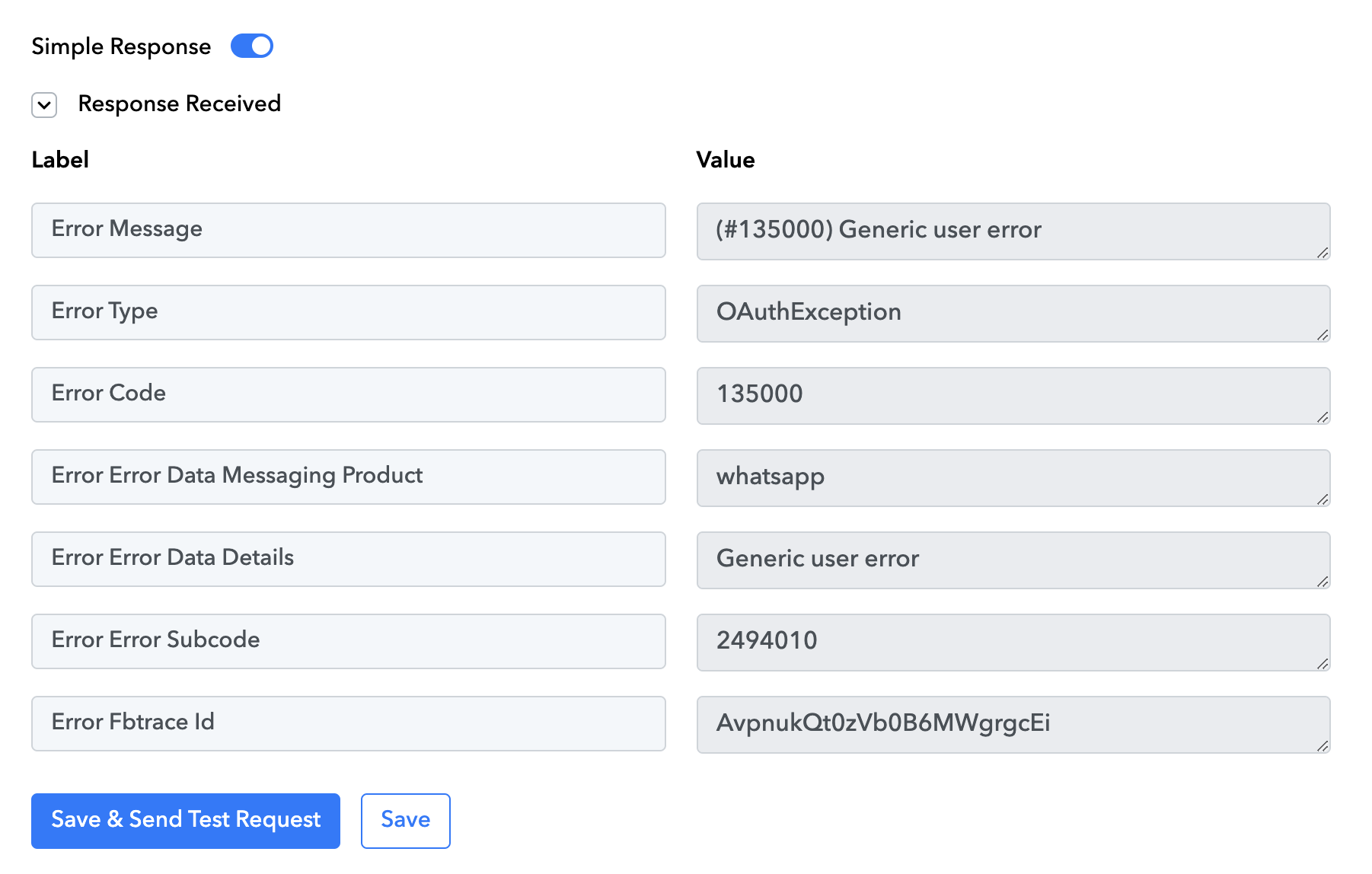
"(#135000) Generic user error"
Attachments
Hey @ajikgung
Can you please share the workflow URL in which you have noticed the same so that we can look into it?
Hey @ajikgungCan you please share the workflow URL in which you have noticed the same so that we can look into it?
https://connect.pabbly.com/workflow/mapping/IjU3NjUwNTZjMDYzNjA0MzA1MjY1NTUzNjUxMzMi_pc
why i cant send the url here?
The problem seems to have its roots within WhatsApp's system. I came across a discussion where users solved a similar issue by generating a new template. It might be worthwhile for you to attempt this solution. If trying this doesn't fix the problem, reaching out to Meta's support team could be the next step to get the issue resolved.
https://developers.facebook.com/community/threads/995084775028384/
Thanks a lot for your help, creating new template didn't solve the problem. I have posted on Meta support team and surely will wait for weeks if not months for the response fyuh....
I use Pabbly only for this WhatsApp Cloud API Integration, now when it's down I have no idea what to do next :rolleyes:
Hey @ajikgung
Can you please try making a new connection once and then try again?
Hi, I have added new connection, deleted not only template message but also my phone number, registered new phone number, recreated my Meta API app, yet the problem still persist. I did test with Meta Graph API Explorer and got the same (#135000) Generic user error, so it's clearly a problem in Meta side, or to be more specific; with my Meta business account.
I have been talking with the Meta support team since 30 Nov, it's been a week and they still do not have any solution for my problem.
My last not-so-fancy option is to delete all my business asset on Meta developer platform and start fresh with new account, but I am giving it another week to hopefully see if they can manage to solve the problem.
We regret the inconvenience caused. Based on the error response received from Meta, our best recommendation would be to reach out to their Meta team directly. Alternatively, you might consider creating a new account using a different phone number for WhatsApp Cloud API access.