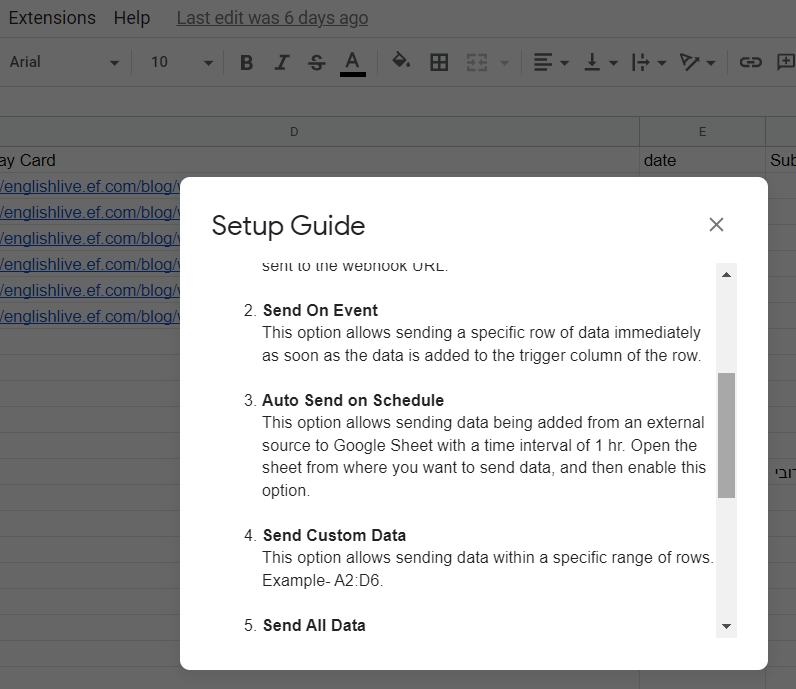
1st use of Pabbly.. Will not send test.. webhook waiting.. no test result.
Status: Closed · Asked by eric@lsame.com on · 0 views
Followed your instructions.. Not working. Have added sheet on Google Sheets, rows are matched to your example. I have added a line.. I have added an extension and it is showing, I am hitting the initial set-up and when I get to send the test nothing happens, and no results returned.. Pabbly still says "waiting on webhook"
Hey @egodfrey
Can you please record a short video on how you have tried configuring the initial setup in your Google Sheets?
rebooted pc and tried again.. that did not change anything
I am now trying to add via excel on OneDrive. It will allow me to connect to my personal channel, but not to the channel I am working on building. The Youtube channel is verified, has 10 videos on it now and is enabled for all access.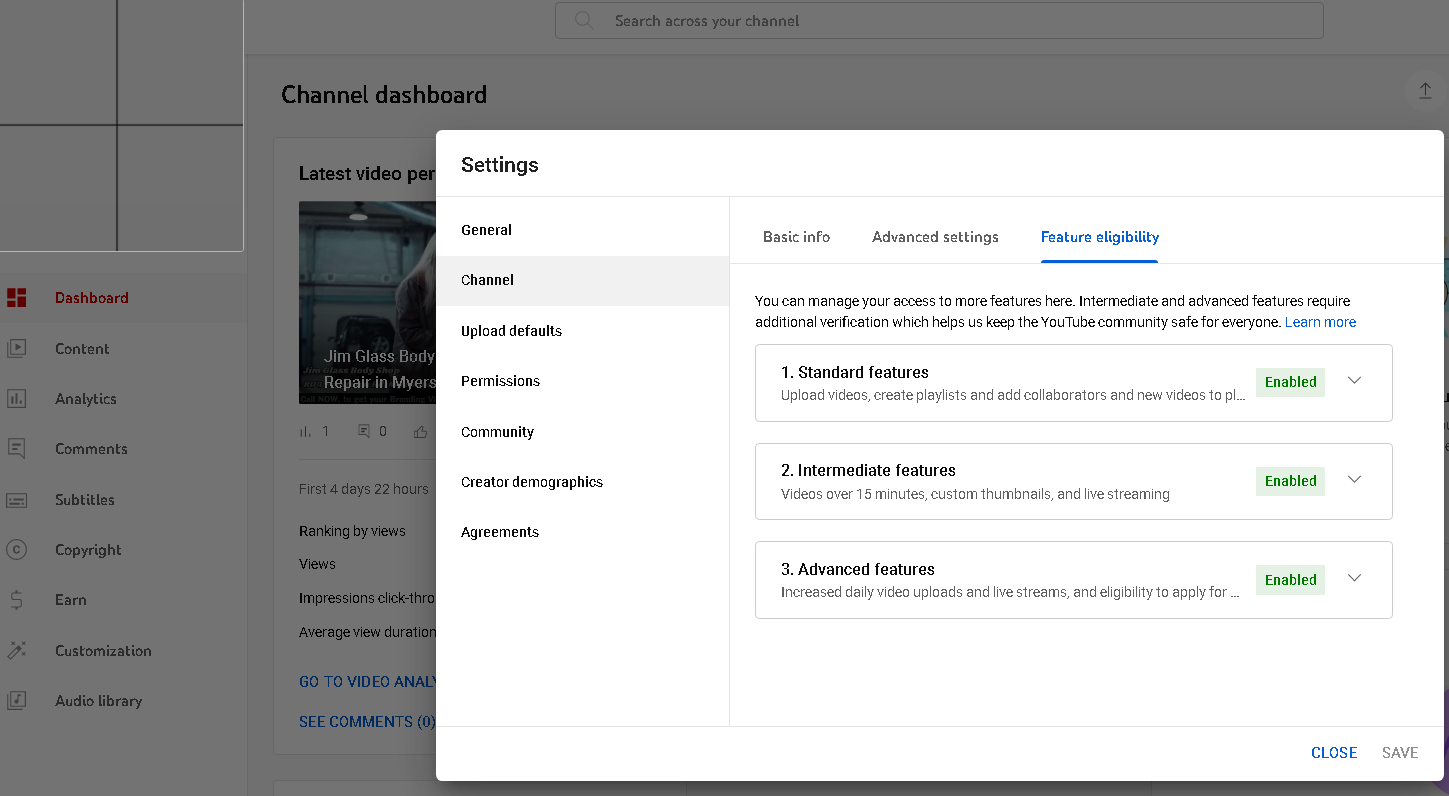
Here is the video for Pabbly app not connecting to youtube:
OK, I am working on this. Appears no one there is. It also appears that any brand account created after a date in 2021 will not work with your software. That might have been good to know before sending you a ton of money on a lifetime ultimate subscription.
I created a new channel and set up a non-brand account and lo and behold it works..
Got 1st video to work.. I added 4 more.. They have not run yet, I will check back shortly
so what setting should the Extension and webhook be left in after the initial set-up?
We add batches of videos.. what happens when it sees multiple lines of new content?
I added 4 more rows and it did nothing.. I then had it re-capture webhook and it grabbed the first video that it already did?
so what setting should the Extension and webhook be left in after the initial set-up?
We add batches of videos.. what happens when it sees multiple lines of new content?
I added 4 more rows and it did nothing.. I then had it re-capture webhook and it grabbed the first video that it already did?
For Google Sheets integration with YouTube, we've created a video on our channel. You can access it through the following link:
youtube.com/watch?v=MNljcjmjAAQ
.Regarding Google Sheets not receiving webhook responses, here's a summary:
- If you have "Send on Event" enabled and manually add data to Google Sheets, values will be instantly sent to the Pabbly Connect workflow in real time
.
- With "Auto Send on Schedule" enabled, responses from Google Forms will be in real-time. However, if the data comes from an external source, the workflow triggers every hour.
I added 20 videos in one copy-and-paste function and intend to do this about 5x per week. I had it set that way (send on event) and it did not send for over an hour.. I then clicked on send all data and it sent all of them at once. What is best method to do so.. I followed your video above, but I do not believe it ever gave a setting for the method to leave the sheet.
You can only use "Send On Event" when setting up Google Sheets if the data is coming from a Google application or if you manually enter it. If the data is coming from a third-party application, however, you may need to choose "Auto Send On Schedule" or "Send on Event," which will forward the data in exactly one hour.