2 Errors to Highlevel
Status: Closed · Asked by joshua on · 0 views
One is trying to just update a custom field. Pretty simple, webhook in to Update Contact. Get error.
https://www.loom.com/share/18c5656b66af4c04a1a88a5bb18d24a9
The other is Google Sheet to Create Contact. It might work, but when the Google Sheet gets a new row, it's not firing the workflow.
https://www.loom.com/share/6127016222414bf3b224acbcd0b0429b
One is trying to just update a custom field. Pretty simple, webhook in to Update Contact. Get error.
https://www.loom.com/share/18c5656b66af4c04a1a88a5bb18d24a9The other is Google Sheet to Create Contact. It might work, but when the Google Sheet gets a new row, it's not firing the workflow.
https://www.loom.com/share/6127016222414bf3b224acbcd0b0429b
For 2nd Issue(Google Sheet) not firing new row added trigger,
How is new row added to Gsheet
If it is added through third party API then you need to check mark Send on Schedule also and it will send all new rows to pabbly every one hour.
If that still does not work let me know on FB Messanger, I will help you - https://www.facebook.com/fagun.shah.7/
Hey @HoosierLife
One is trying to just update a custom field. Pretty simple, webhook in to Update Contact. Get error.
Due to some changes at Highlevel API the required field has been changed. Now you have to fill in the full name and Contact id to update the contact.
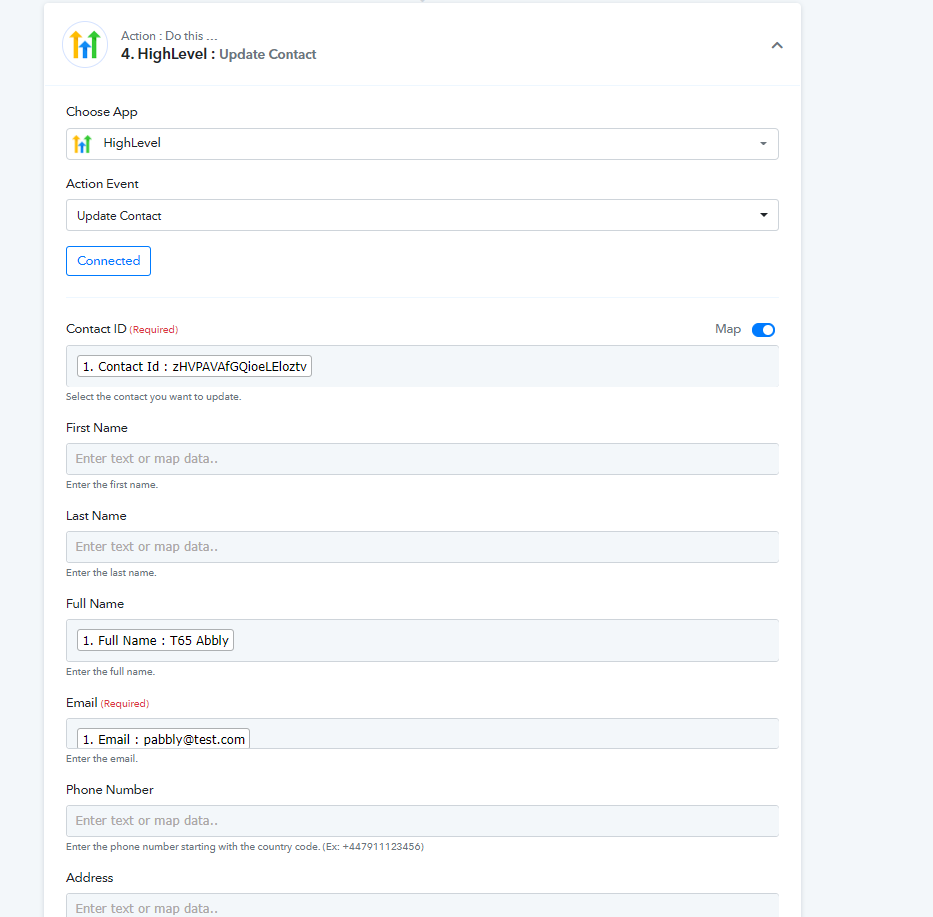
The other is Google Sheet to Create Contact. It might work, but when the Google Sheet gets a new row, it's not firing the workflow.
Also, while creating the contact you need to fill in the email id and phone number to create the contact.
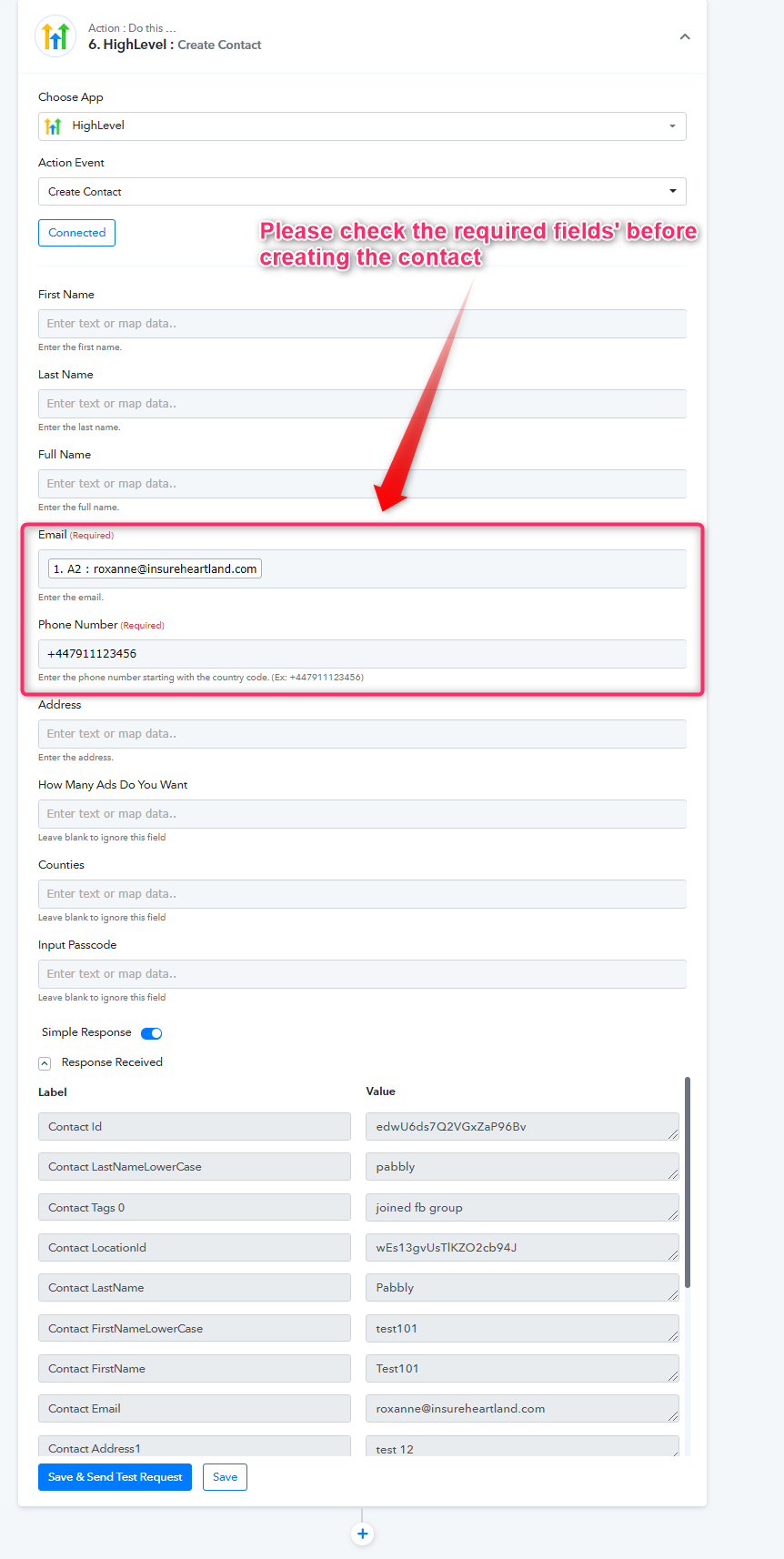
Please try again at your end and let us know if that works for you.
For 2nd Issue(Google Sheet) not firing new row added trigger,How is new row added to Gsheet?
If it is added through third party API then you need to check mark Send on Schedule also and it will send all new rows to pabbly every one hour.
If that still does not work let me know on FB Messanger, I will help you - https://www.facebook.com/fagun.shah.7/
It is added by 3rd party API. But I was trying to manually add rows to see if it triggered the workflow.
Hey @HoosierLifeDue to some changes at Highlevel API the required field has been changed. Now you have to fill in the full name and Contact id to update the contact.
Also, while creating the contact you need to fill in the email id and phone number to create the contact.
Please try again at your end and let us know if that works for you.
I'm not getting a phone number for the google sheet. The zap works just fine with only Name and email.
It is added by 3rd party API. But I was trying to manually add rows to see if it triggered the workflow.
If you're adding new row manually then it should work, if possible let's connect on FB chat to check this - https://www.facebook.com/fagun.shah.7/
Hey @HoosierLife
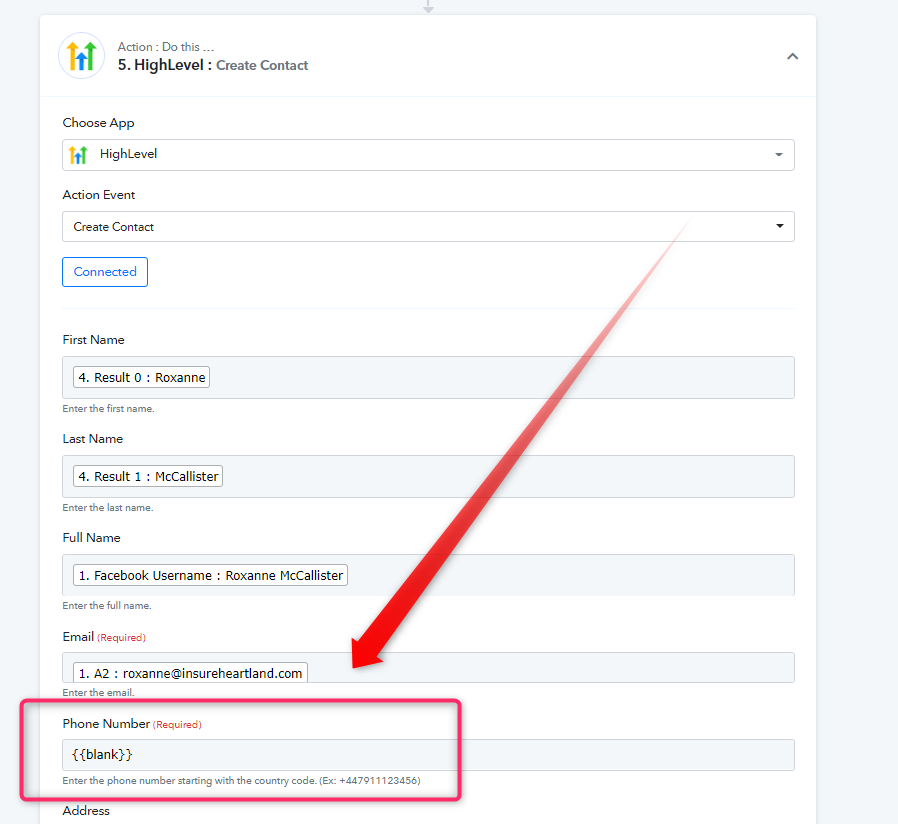
Please try to create the contact in Highlevel by using {{blank}} in a phone number field, so it would interrupt your action even if you don't have a phone number in case.
Although, we have set this up in your workflow. So please give it a try and let us know if that works for you.
The update contact step worked. But when my team tried to make a copy of the workflow for another High Level user, it keeps failing.
Hey @HoosierLife
1) After changing in any action and after clicking on "save and send request", you only need to refresh the tab and it will update the further steps.
2) To update the contact that particular ID has to be in your high-level account. Because it seems like it is not present in your account currently. You can match it with the email_id of that lead.
Further, you can re-authorize the respective high-level account when you are cloning/copying the workflow.