(#200) User does not have sufficient administrative permission for this action on this page. If the page business requires Two Factor Authentication,
Status: Closed · Asked by Ale_romero on · 0 views
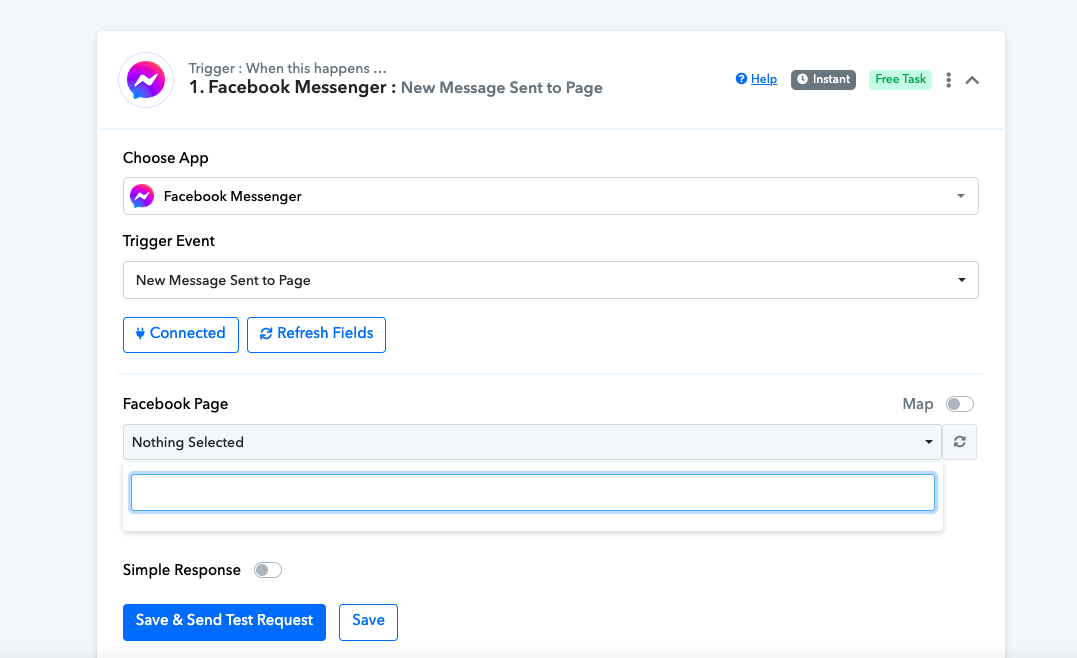
I tried to connect my Facebook Messenger account to receive messages. I attempted to do it from my own account, which is the creator of the page, but when I tried to connect, the Facebook pages didn't appear for me to select the one I wanted. Later, I tried it with my partner's Facebook account, who has full control of the page, and I encountered the error (#200) "User does not have sufficient administrative permission for this action on this page. If the page business requires Two Factor Authentication." I need to know what I have to do to connect my Facebook Messenger.
Hi @Ale_romero,
Could you please try enabling the two-factor authentication in the account through which you have made the connection and see if that fixes the issue for you?
This account have two-factor authentication...
Hey @Ale_romero
Can you please share the workflow URL once and please try disabling the 2FA from your Facebook account once and then check again?
Also can you please make a new connection in the Incognito mode of your browser?
I'm in incognito mode and logged in with a different Facebook account from the other two, and I'm encountering the same issue as the first time: the Facebook pages aren't appearing for me to select them, and therefore, I can't run the test.
What do I have to do?
Thanks
Attachments
Please follow the steps given in the video shared below to fix this issue that you are encountering.
It worked...... thank you very much.