360Dialog Tasks are not delivering and delivering in the same Workflow!
Status: Closed · Asked by zest83 on · 0 views
Hi team,
Please check:
Task ID: IjU3NjcwNTZiMDYzNjA0MzI1MjY5NTUzNzUxMzI1MTYwNTQzOSI_3D_pc
The Error is template does not Exist but the same tempalte has been used since June 2022. It was working perfectly fine till 1st Jan 2023.
All Other 360 seem to be working well except for a few chosen templates, which have started to fail automatically
Please Help
Hey @zest83
Please check:
Task ID: IjU3NjcwNTZiMDYzNjA0MzI1MjY5NTUzNzUxMzI1MTYwNTQzOSI_3D_pcWorkflow URL: https://connect.pabbly.com/task/his...TY1MDYzMTA0Mzc1MjY1NTUzNCI_3D_pc&per_page=100
Please check your task history id once you are getting the phone number with country code double time.
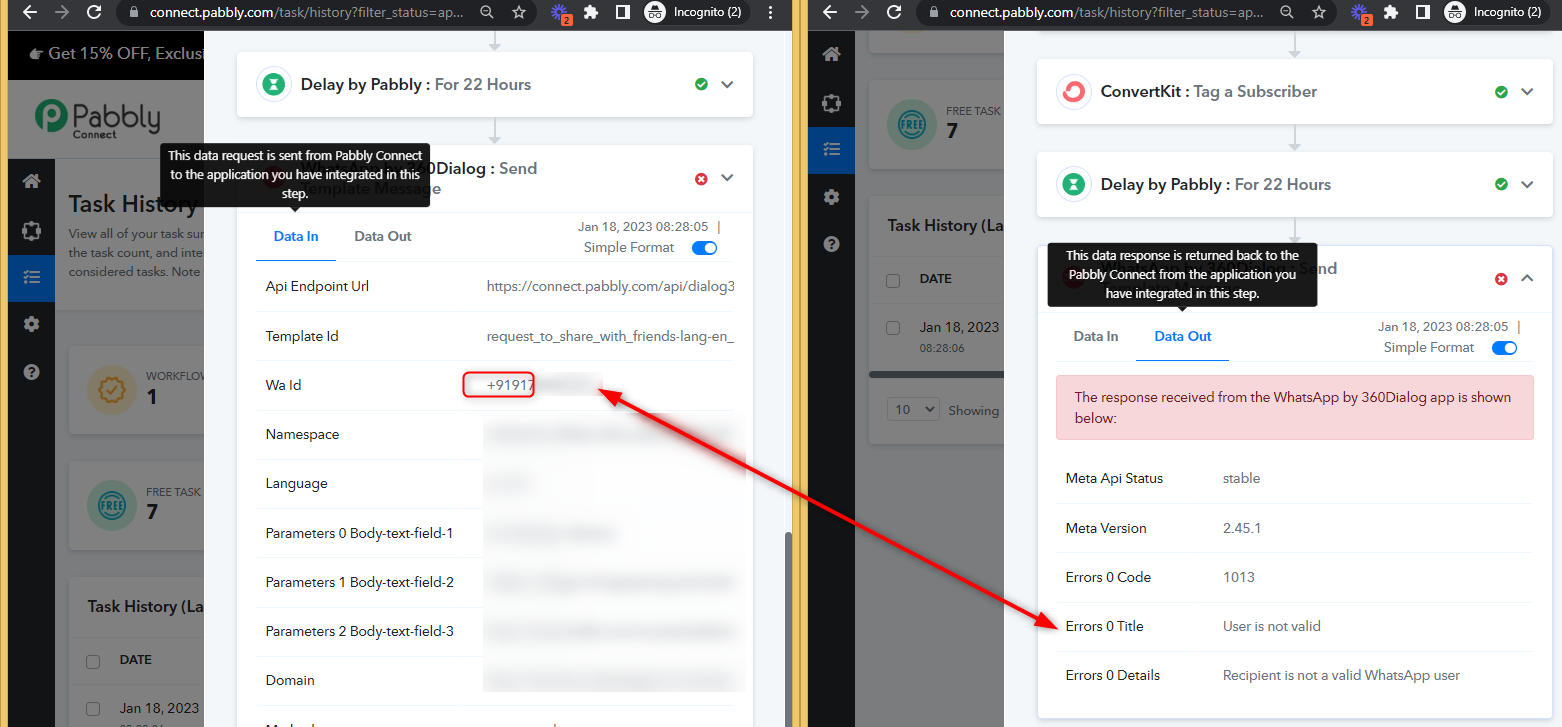
Hi team,
Please check:
Task ID: IjU3NjcwNTZiMDYzNjA0MzI1MjZhNTUzMjUxMzA1MTY1NTQzMCI_3D_pc
The Error is template does not Exist but the same tempalte has been used since June 2022. It was working perfectly fine till 1st Jan 2023.
All Other 360 seem to be working well except for a few chosen templates, which have started to fail automatically
Please Help
Hey @zest83
Task ID: IjU3NjcwNTZiMDYzNjA0MzI1MjZhNTUzMjUxMzA1MTY1NTQzMCI_3D_pcThe Error is template does not Exist but the same tempalte has been used since June 2022. It was working perfectly fine till 1st Jan 2023.
All Other 360 seem to be working well except for a few chosen templates, which have started to fail automatically
Please check the 360 Dialog team once since the template you are attempting to send either doesn't exist in Meta Business Manager or hasn't been given the approval to be used. If the template is not already accessible and approved for use, please check WhatsApp Manager > Account Tools> Message Templates.
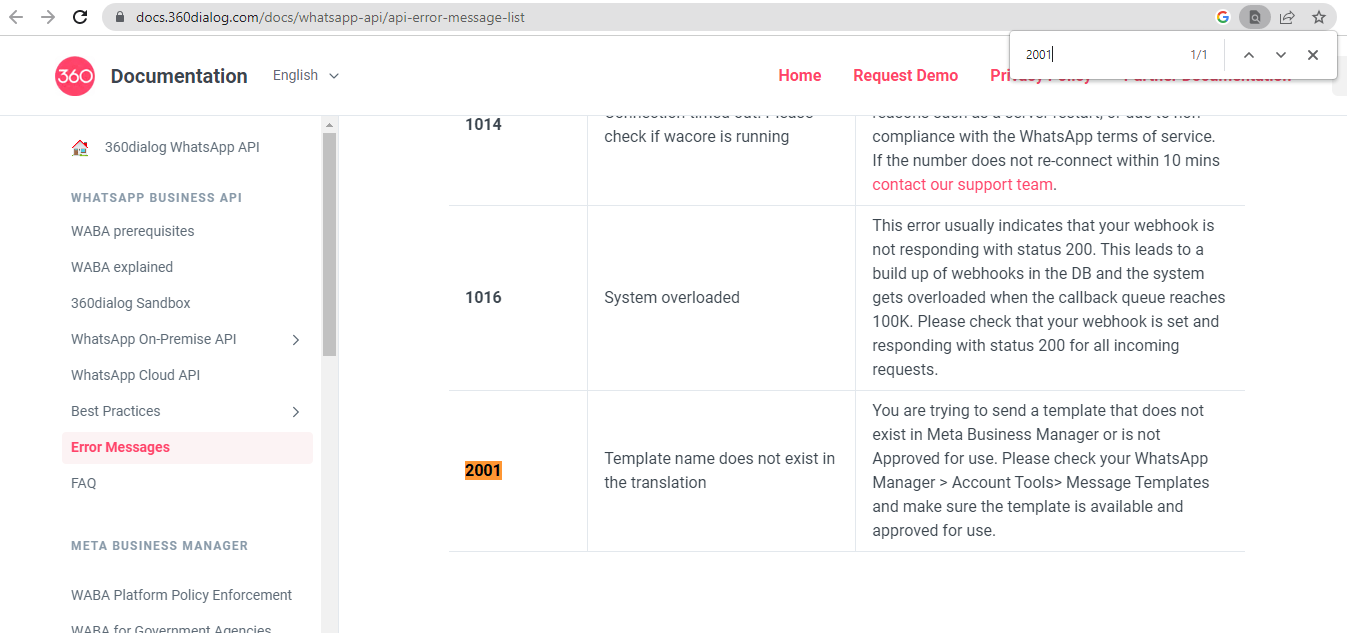
Thanks
I have checked with them.
They are saying Template is Approved.
My Dashboard is showing Template is Approved.
Yet my Approved Templates are not working. These templates have been in-action since 6 months now. May be more
Very Strange
Hey @zest83
Please check again, we cannot see any template with the name you are trying to run. Kindly check your account for the template.
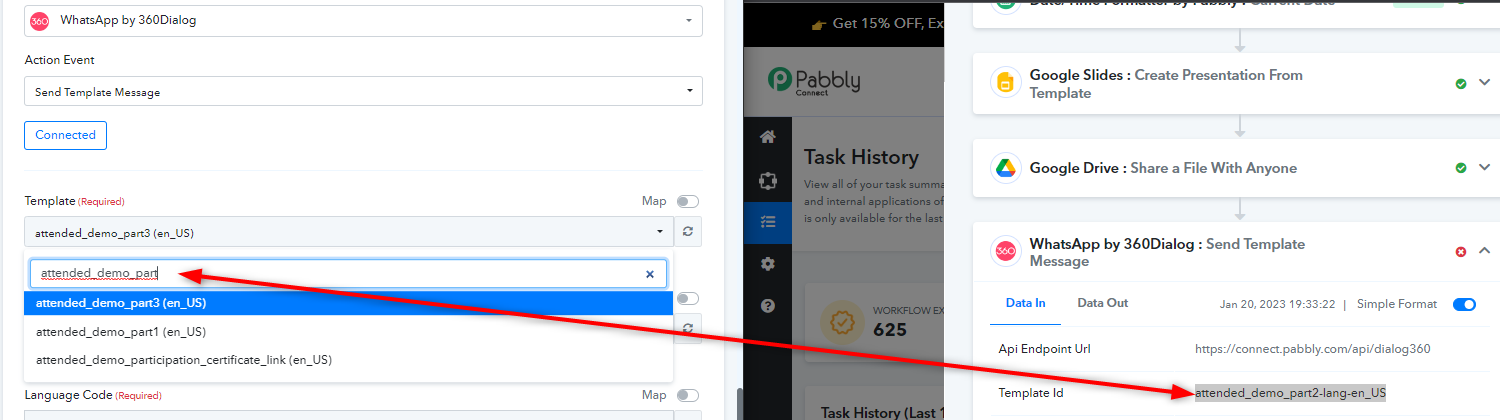
Yes, we checked.
The team has deleted part2.
Got part3 approved and restarted work.
Actually other templates stopped working as well with this same Weird reason - so we started to duplicate and make new templates for all now.
Its an inconvenience but we cannot think of any other solution
Hey @zest83
Yeah, so please reconnect the step once, check the template and then try again.