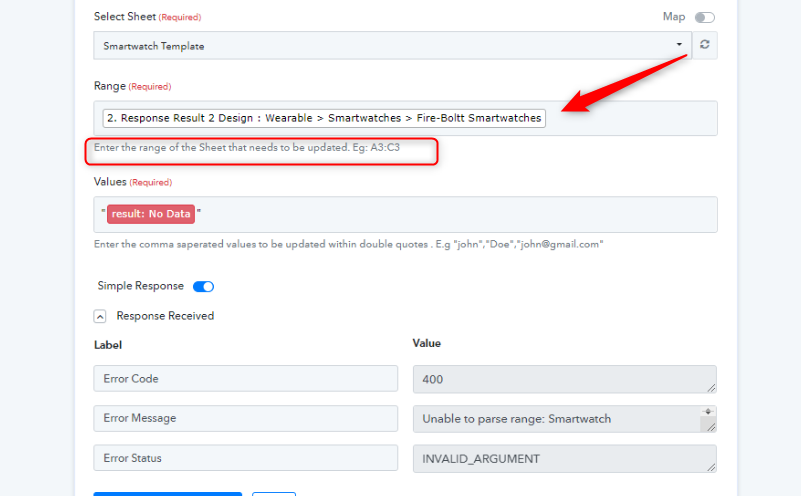
400 error code for (Wearable > Smartwatches > Fire-Boltt Smartwatches)
Status: Closed · Asked by Sourabh Jain on · 0 views
i want to receive this text (Wearable > Smartwatches > Fire-Boltt Smartwatches) but pabbly shows 400 error code (Unable to parse range)
how to get this value without an error in google sheet
Attachments
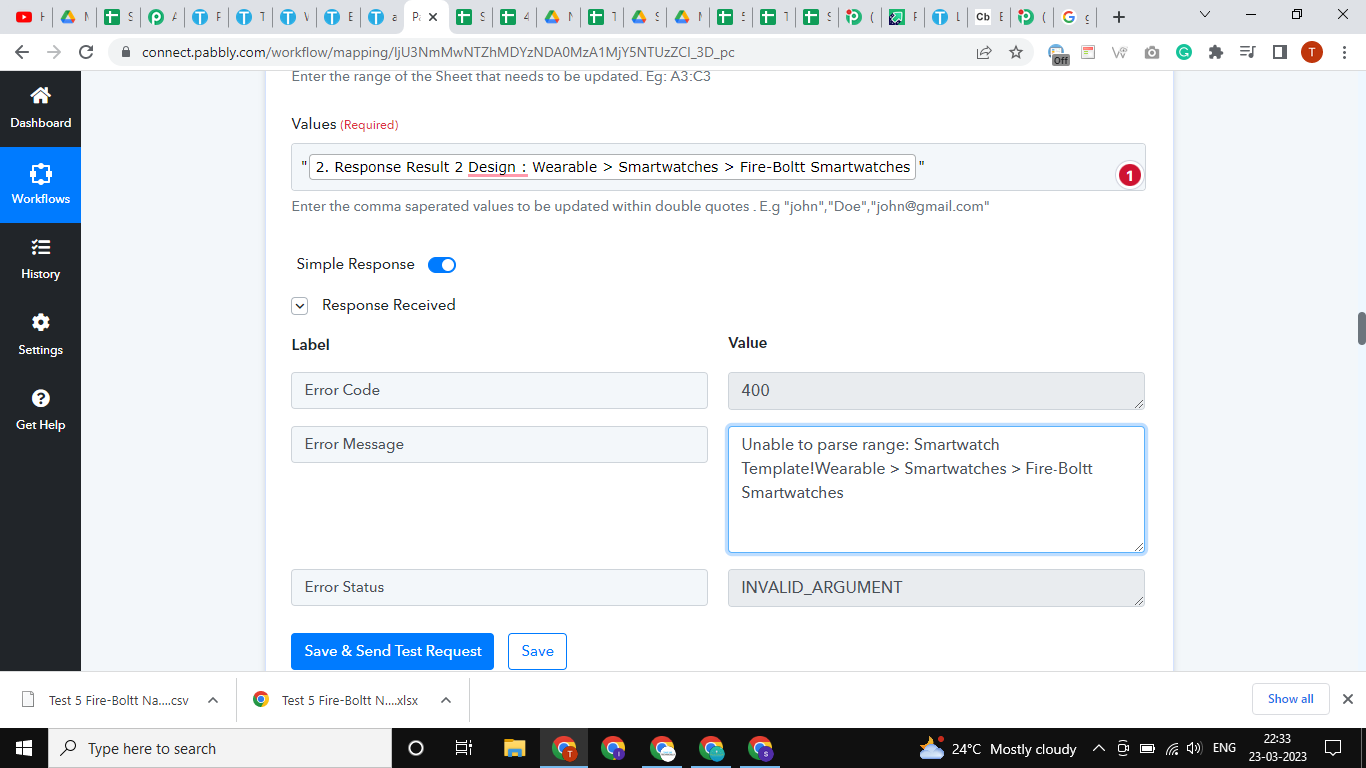
i want to receive this text (Wearable > Smartwatches > Fire-Boltt Smartwatches) but pabbly shows 400 error code (Unable to parse range)how to get this value without an error in google sheet
Please share the workflow name so that we can review the workflow setup you have done.
2 Google Sheet to New Woo Commerce Product
https://connect.pabbly.com/workflow/share/D0dVZwBXAmFSGFc6UxgBJg8bBQFUDQdmVE0JGwQLB38ATgdCAkMPZQ5CBCZVFlU0A0oDaVINVzIAFAQAUgRVJlRaVEFdQgBdVGdUEQNcDScPbQ##
It appears that you have passed the products name in the Range field whreas you need to pass the Google Sheets range.
Please cehck the helptext carefully and try again.