Abandoned cart
Status: Closed · Asked by meni99 on · 0 views
hey guys
I did all of your WhatsApp guides, including the one about the abandoned abomination and including a permanent token
I'm trying to figure out how do I set up the abandoned cart through pabbly? i mean
At the moment it does not send WhatsApp messages to customers who have abandoned a cart, where do I configure the abandoned cart and sending of WhatsApp messages and is it possible to configure it to send after 30 minutes or the day after tomorrow or 3 days?
Hey @meni99
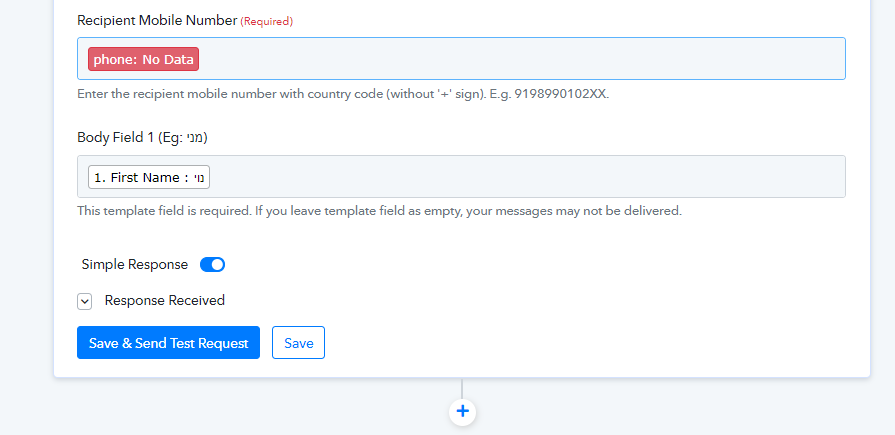
It appears that you have not correctly mapped the phone number field, so please pass the phone number from the trigger response and ensure that it has the country code in the prefix without the (+) sign.
Hi, thanks for the reply
Is there a video on how to do this?
Yes, please refer to the following video tutorial for a better understanding:
youtube.com/watch?v=qAzhxOpv5JY
qAzhxOpv5JY, list: PLgffPJ6GjbaIwdpXaAfY2Y8Ga4_lY3LvQ
Hi, thanks for the response
I think I already went through these videos, maybe you accidentally sent me 2 same videos? I don't see the solution in these videos
Attachments
Hey @meni99
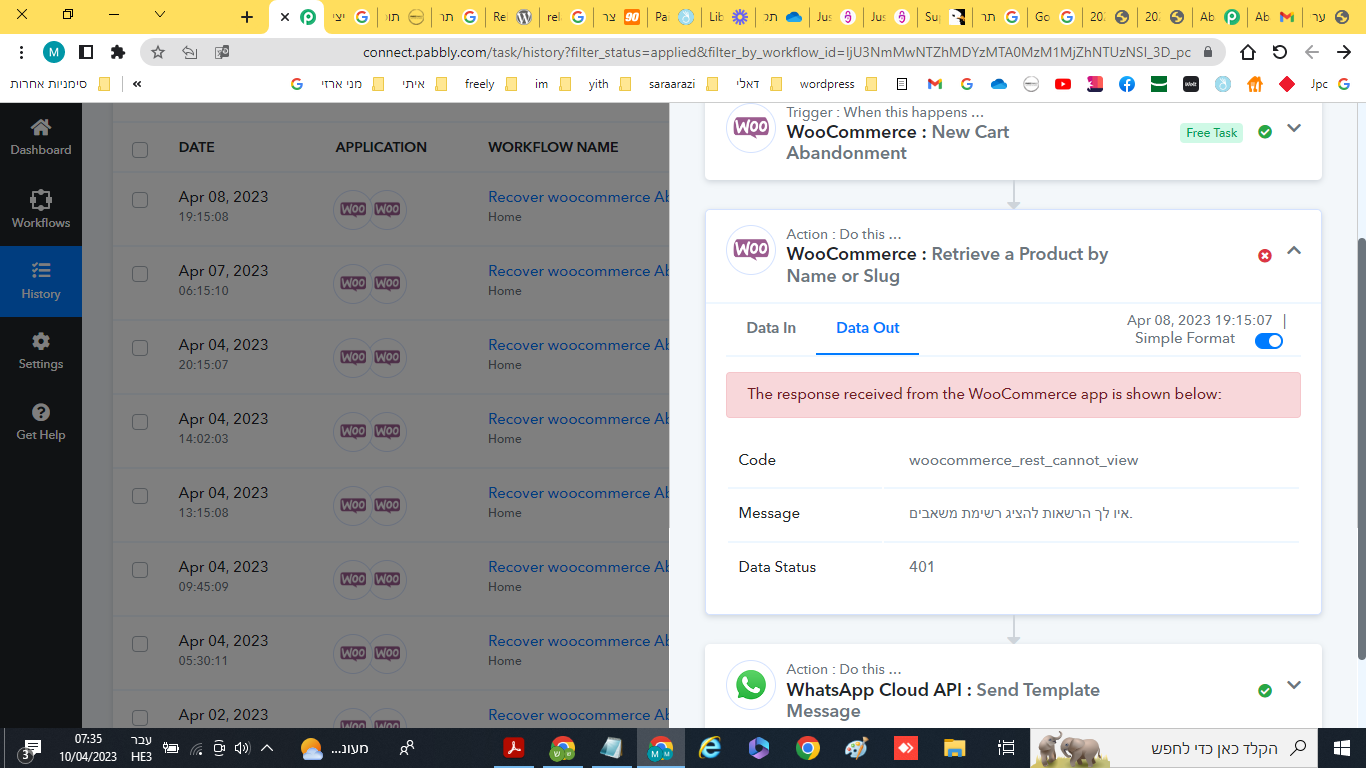
It appears from your WordPress action step you haven't installed the Basic Auth plugin in your WooCommerce to use the WooCommerce action step.
Please follow the following thread to add the Basic Auth plugin to your WordPress.
Attachments