About Zoom Recording, YouTube & Google Drive
Status: Closed · Asked by Kaustubh Dixit on · 0 views
Can you please introduce following workflows ?
1. Trigger = Zoom Cloud Recording
Action = Upload Video Youtube as MP4
Action = Upload Video in Google Drive Folder
I am currently trying Zapier & Integrately for the above function. But an error - "Media type 'text/html;charset=utf-8' not supporting is coming.
Pabbly Connect can surely find a solution and introduce this feature.
2. Additionally, I am using Integromat for 'Download Zoom Recording' and 'Delete Zoom Recording' features.
Hey @Kaustubh Dixit
As of now, you can integrate Zoom and Google Drive to get the recording and then can upload the video (MP4) in Google Drive. But currently, we don't have Youtube's Upload Video action. Note that the max file size limit that can be uploaded is 50MB.
Further, you can put the integration request here for missing triggers and action - https://pabbly.hellonext.co/.
The integration team will look into it.
Ok. That will not solve my problem for now. Never mind thanks for your quick response @Supreme Verma
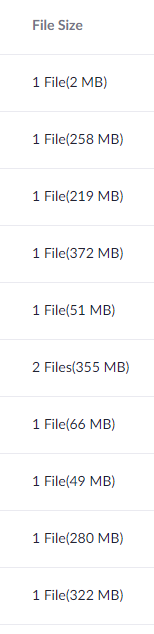
Currently I use Zapier to copy recordings from Zoom to YouTube. There is no file size limit. I have the list below of ones I have successfully copied to YouTube via the Zoom MP4 URL. I have requested this functionality for over a year from Pabbly Connect as it is the only thing still on Zapier.
Hey @Kaustubh DixitAs of now, you can integrate Zoom and Google Drive to get the recording and then can upload the video (MP4) in Google Drive. But currently, we don't have Youtube's Upload Video action. Note that the max file size limit that can be uploaded is 50MB.
Further, you can put the integration request here for missing triggers and action - https://pabbly.hellonext.co/.
The integration team will look into it.
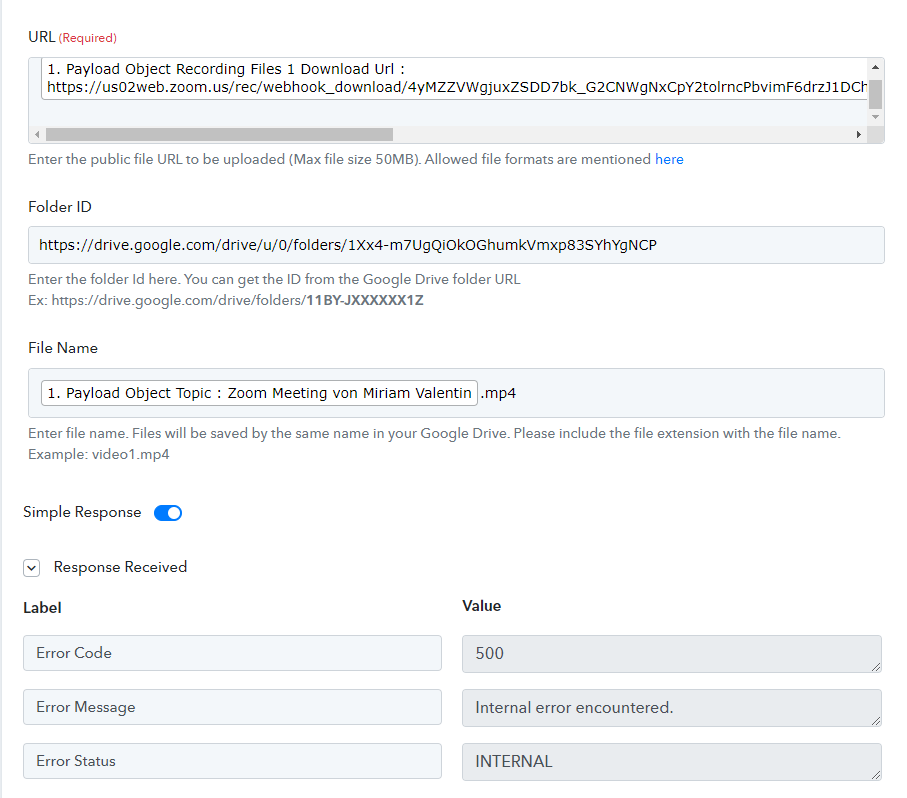
Is there any update on this? I need to be able to upload Zoom recordings (preferably directly) to Youtube. I've set up an automation, but am getting the an error message (see screenshot attached). What am I doing wrong?
Attachments
Hey @missmiri
I need to be able to upload Zoom recordings (preferably directly) to Youtube.
As of now, Youtube's upload action event is not available on the Pabbly.
I've set up an automation, but am getting the an error message (see screenshot attached). What am I doing wrong?
Could you please check once if the file URL is publicly accessible or not and the size of the file is under 50MB?
Please, I would Like to upload all my Zoom video in Google Drive (G-Suite).
Do you have any tutorial to follow, I am not a tech guy. Thanks.
Hey @Piggy69
Please, I would Like to upload all my Zoom video in Google Drive (G-Suite).
Do you have any tutorial to follow, I am not a tech guy. Thanks.
Regarding your concern, you can refer to the following video tutorial -
(Watch the first part of the video to capture the webhook response from Zoom)
youtube.com/watch?v=sW11eeCfYuU
(Watch the second part of the video to configure the Google Drive action step to save the recordings)
youtube.com/watch?v=a7XndcsRUAw
Kindly try this at your end and let us know if that helps you out.
Hi
Thanks Its kinda help.
But I am still confused because I don't know which line I have to choose to get what I want.
Can you please help me?
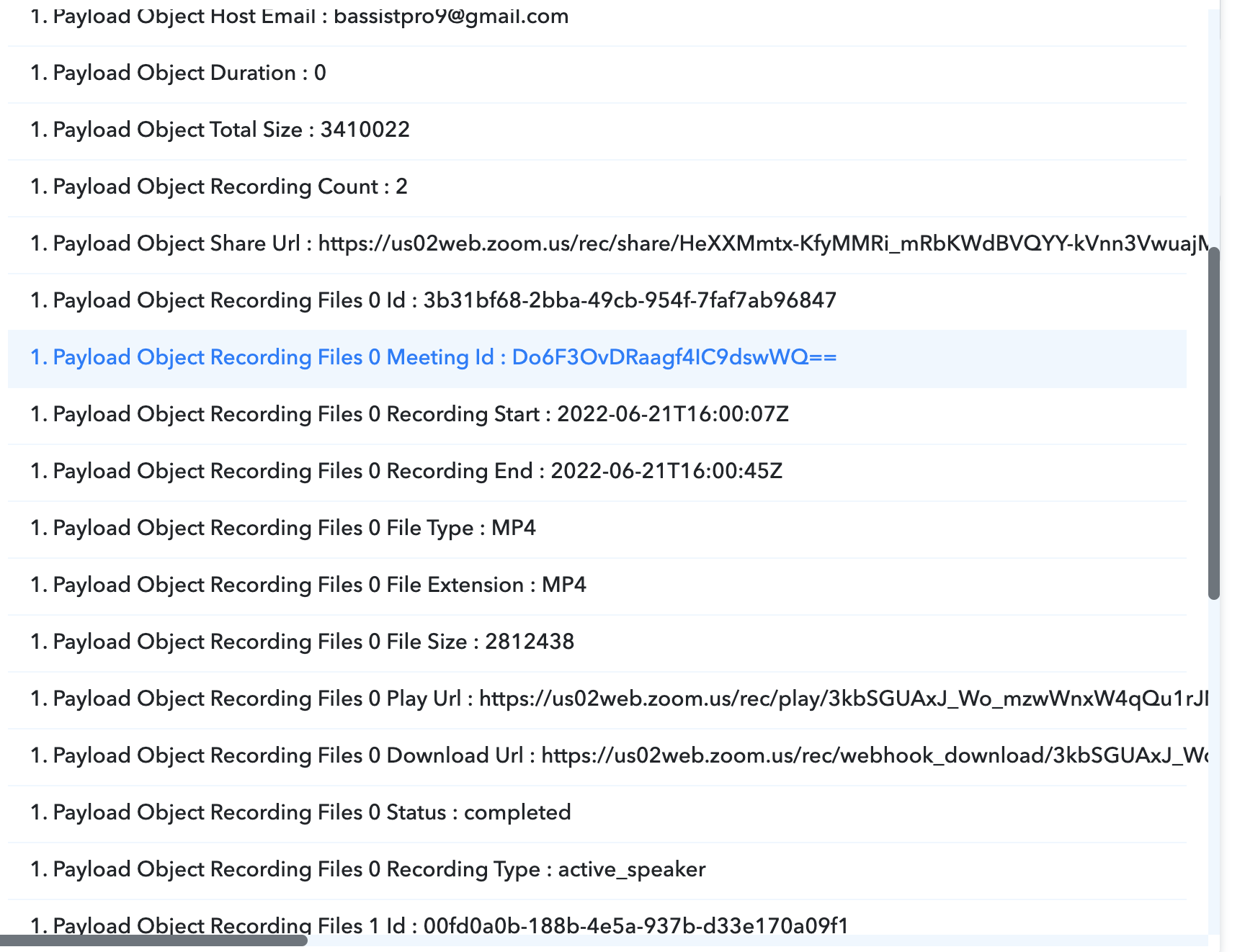
Hi again, I tried every line, 1 by 1
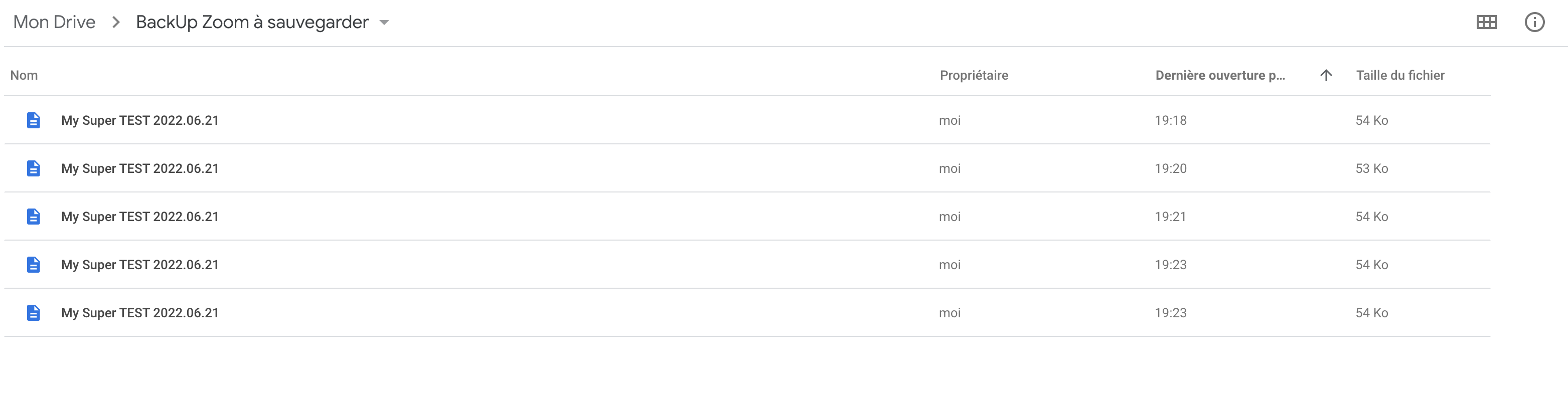
But I don't get how to makes this works, the only thing I am getting in my G Suite Google Drive is documents with weird code inside.
Can you please help me with a short video?
Thanks in advance :-)
Hey @Piggy69
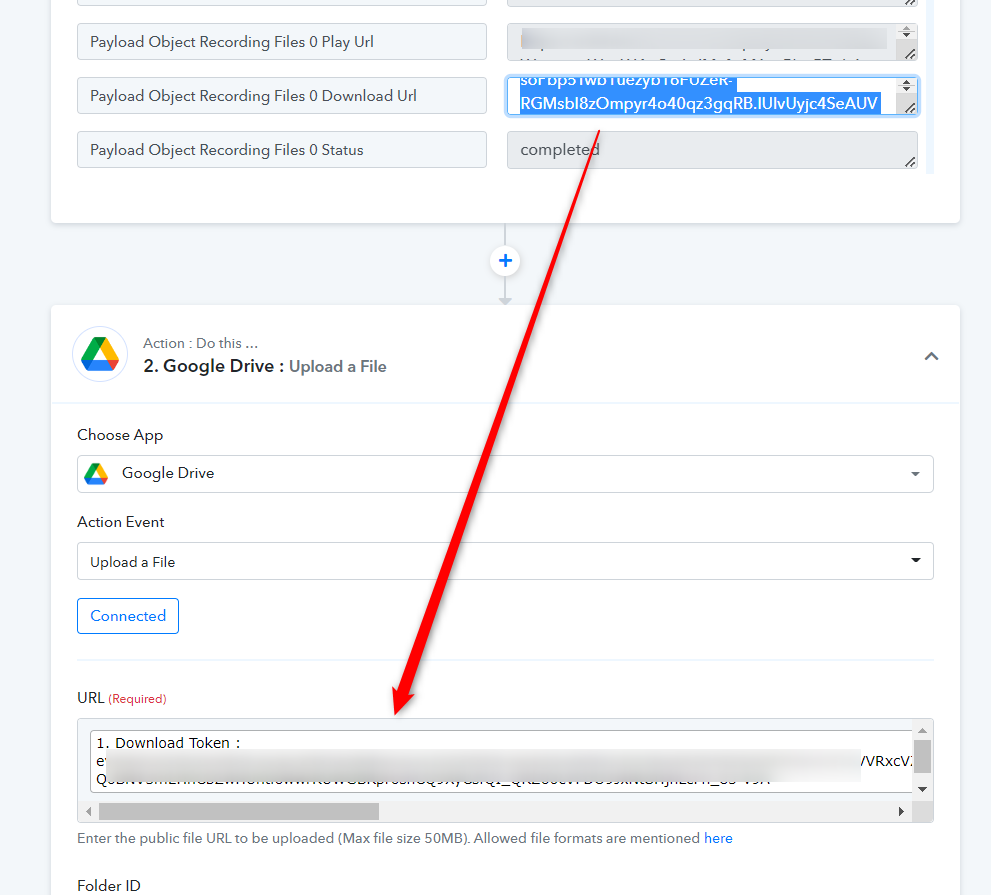
In the URL field of the " Google Drive: Upload a File" action step, you have to pass the Downloadable file instead of Token ID.
Also, do make sure that the Zoom recording must not be password protected since Google Drive requires a publicly accessible file URL to upload the file.
Hi @Supreme
Thanks, I just recorded a video for you : https://www.loom.com/share/123e8c9d5fa44e0b910ac51cb74cac10
That's not working, can watch the video and tell me where are my mistakes?
Thanks.
Hey @Piggy69
As we have already told you to need to pass the Downloadable file instead of Token ID. Hence the trigger response video URL was an old video recording.
Kindly map the download URL from the Zoom Trigger response and then make a test submission from your Zoom to Google Drive.
[IMG width="521px" alt="2022-06-22_10h21_01.png"]https://forum.pabbly.com/attachments/2022-06-22_10h21_01-png.12304/[/IMG]
Thank you very much @Supreme
That a good step :)
This is now in my google Drive G Suite, but I don't have the extension (.mp4) and when I download the file and add the extension (.mp4) this is more like a mp3 file and not a video.
Did I again forget something?
Thank you very much.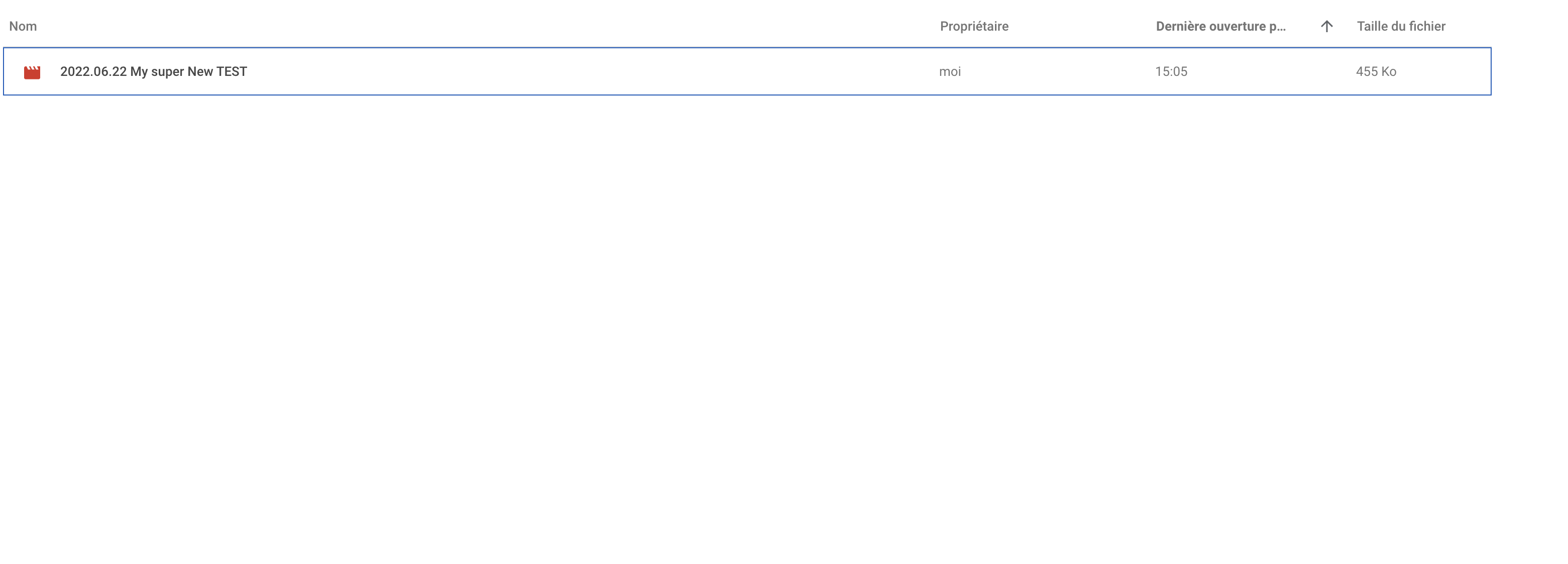
Hey @Piggy69
Perhaps you have selected the MP3 version of the clip, kindly pass the MP4 version of the clip in the URL field from your Zoom Trigger response.
Kindly pass the file in the correct format and try again.
You can take the reference from the following video tutorial.
@Supreme
Awesome, that working perfectly!!!!
Thank you very Much :-)