(Active Campaign) Most Recent Lists Are Not Showing On Pabbly
Status: Closed · Asked by Ryan.Macromarketing on · 0 views
I have reset to my connection to my Active Campaign account but I still cannot get a majority of my recently created lists to show in the drop.
I have also tried to toggle the map option and enter the Title of the list but still no success.
Has anyone been able to find a solution to getting your recent Active Campaign lists to populate in Pabbly?
Hi @Ryan.Macromarketing,
Every list has an ID associated with it, even those that do not appear in the dropdown.
https://drive.google.com/file/d/1ekT1WXsr6pwF8a9v72urZ34VA9DtUuGD/view?usp=sharing
You need to enable mapping and enter the List ID manually.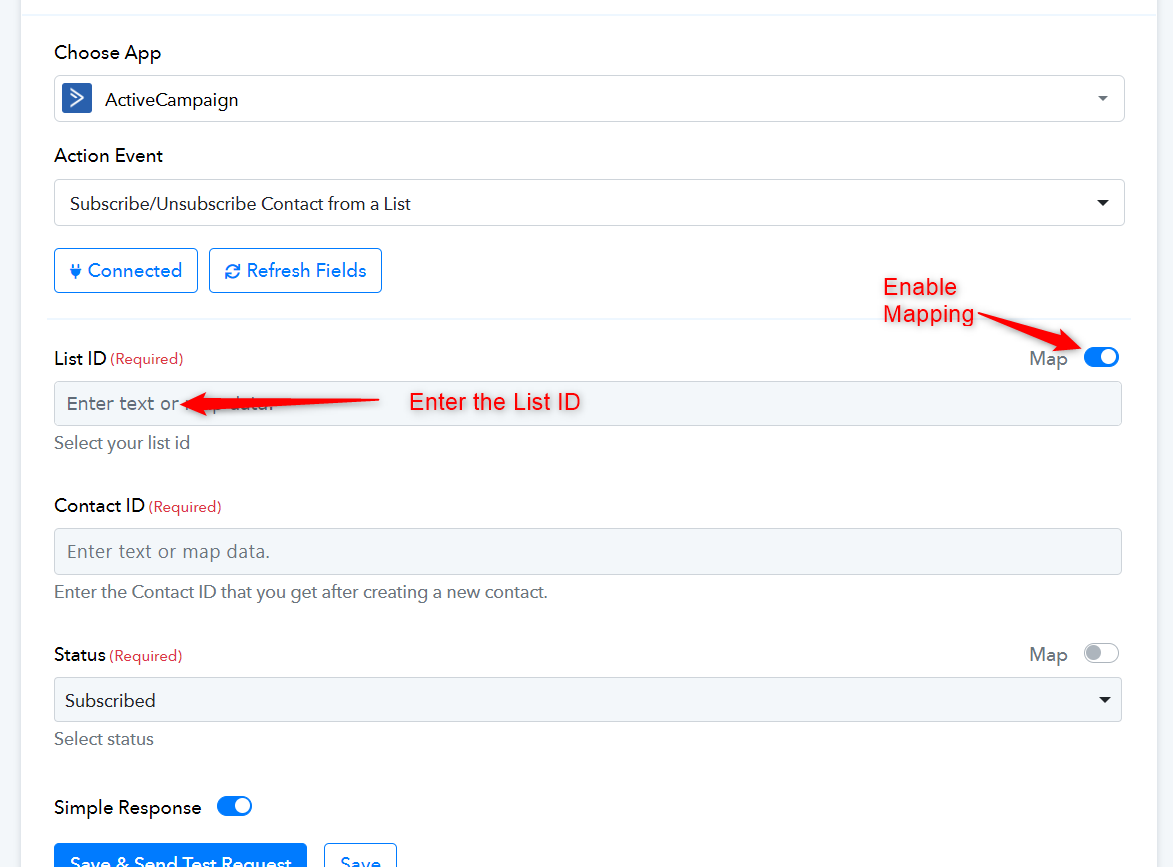
Thank you for the response Arshil.
I have manually entered the list ID based on the list's URL but I am receiving these errors when sending the Test through
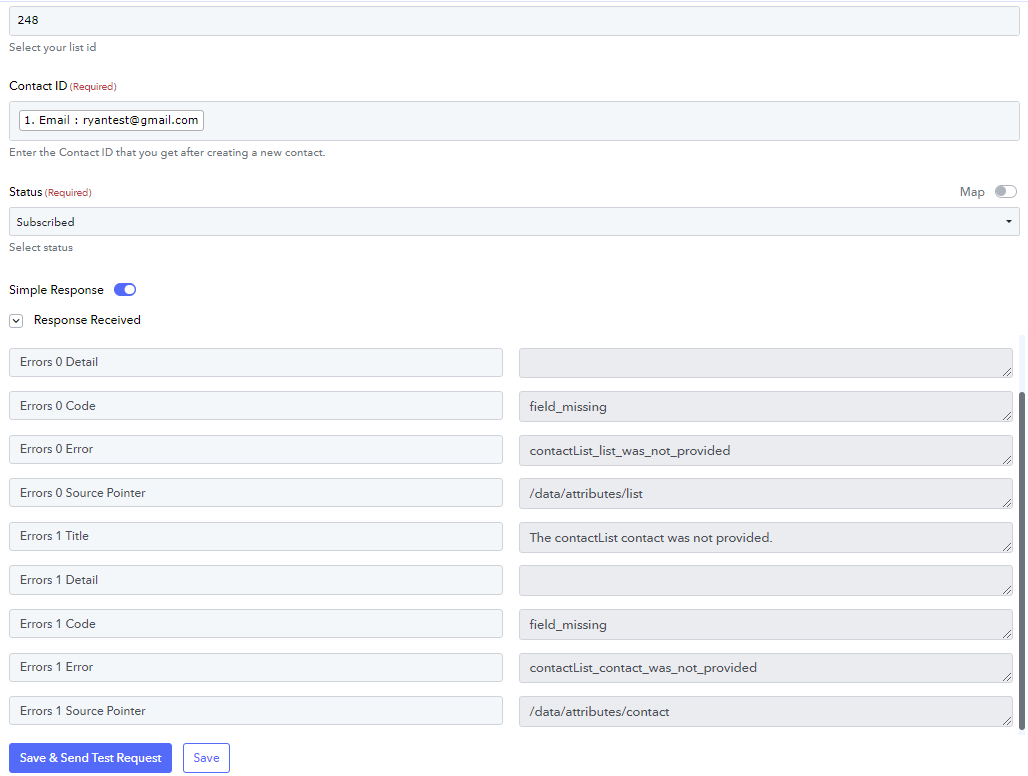
Could you please share the Workflow URL where you have tried this?
In the Contact ID field, you are supposed to map the ID associated with a contact and not the contact email. We have made the necessary changes on your behalf, which seems to have fixed your issue.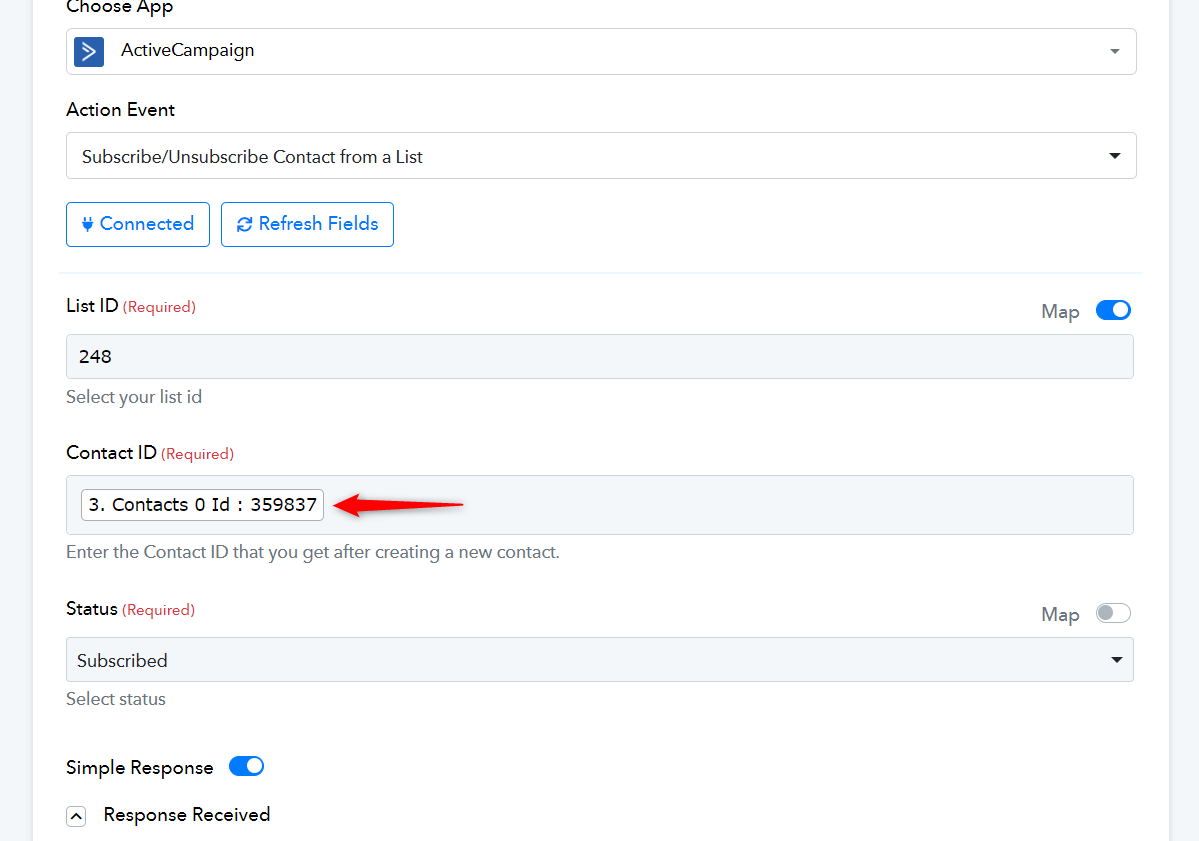
Great thank you! So We'd need the "Search Contact" action prior to the "subscribe" action in order to get the contact ID
Yes, that is correct.
Thank you. In the case of Fluent Forms - The test payload that gets outputted seems to be different than the Facebook Form Test Leads (see below).
It does not provide a variable for the Custom Id
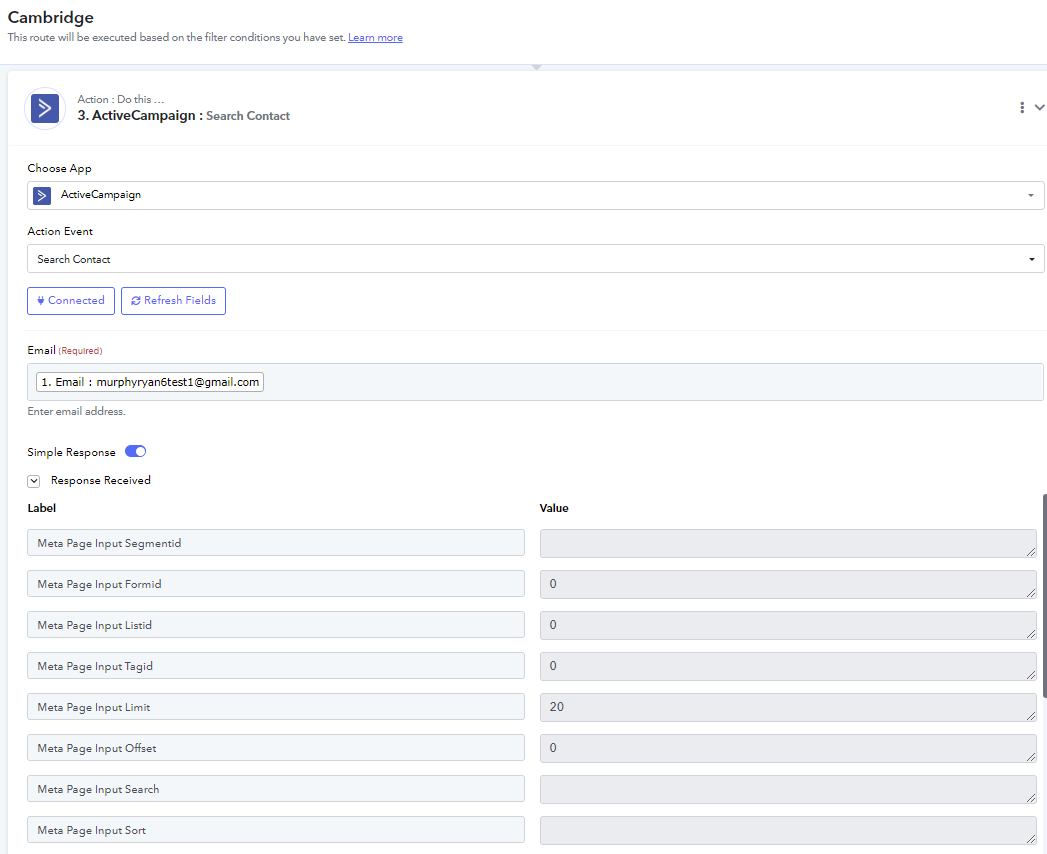
This issue occurs when the email address you are trying to search for does not exist in your ActiveCampaign account. Please ensure that there is a contact associated with this email address in your ActiveCampaign account.
Very helpful - thank you sir