ActiveCampaign Custom Fields.
Status: Closed · Asked by giulicasco on · 0 views
Hi,
I am switching from Zapier to Pabbly.
I am having difficulties setting up an integration between activecampaign and salesforce in Pabbly.
I have created a custom field in activecampaign and need to send that data to salesforce. The integration triggers when a contact is added to a list. When mapping the fields, I don't see the custom fields I have in ActiveCampaign.
Is this something missing in Pabbly? Any thoughts on a workaround?
Thanks
Hey @giulicasco
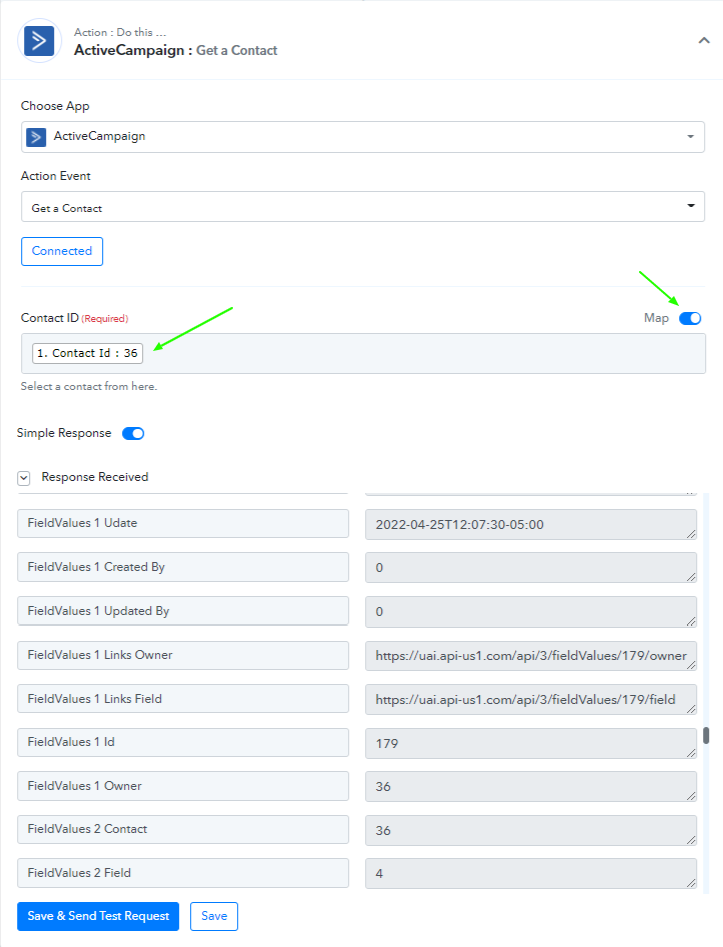
You can use the below-mentioned step after your Active Campaign trigger to check on the custom fields-
I Hope, this can work for you to bring in the custom fields for the contacts added.
Hi Supreme,
I am having a similar issue.
Pabbly Connect only brings in the core contact details for ActiveCampaign Triggers.
Pabbly Connect brings in core contact details and custom fields for ActiveCampaign Actions.
No, the Map toggle does not make a difference with ActiveCampaign Triggers.
How can we get core contact details and custom fields for ActiveCampaign Triggers?
Hope this helps to understand the issue your ActiveCampaign users are having.
Let us know.
Thanks!
Hey @PMG
How can we get core contact details and custom fields for ActiveCampaign Triggers?
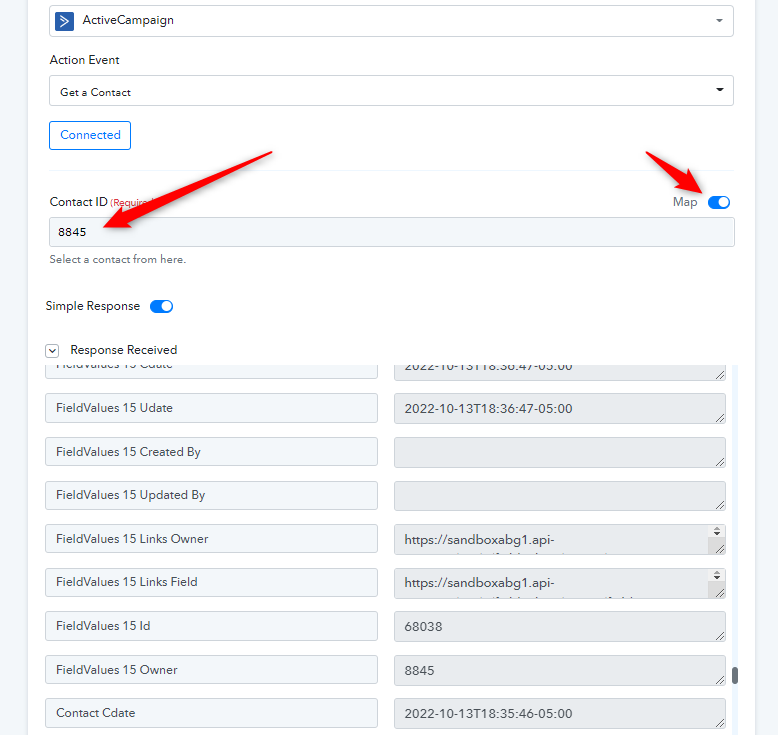
You can try the "ActiveCampaign: Get a Contact" action step which will bring the relative data from your Active Campaign with custom fields.
Please check this out on your end and let us know if that helps you out.
Hi Supreme,
Thanks for your quick reply!
"Get a Contact" helps.
The flow is then:
- Trigger: ActiveCampaign : Contact Added
This will only show the core contact details, not any custom field values. - Action: ActiveCampaign : Get a Contact
This will show the core contact values AND any custom field values. The field values are labelled like "FieldValue N"
After that, you have the custom field values to work with. Pay attention to "FieldValues N Id" to ensure you have the correct Custom Field by it's ID in ActiveCampaign.
Next up, realizing that selecting a List in "ActiveCampaign : Contact Added" trigger doesn't work. That trigger executes on ANY contact added to ANY list. My guess would be "Action : Filter by Pabbly" on the "ContactLists N List" field.
All-in-all, 3 Tasks to get the correct ActiveCampaign contact's data. Better than 4. :)
Hope this helps other out.
Thanks!
PMG.
Hey @PMG
Next up, realizing that selecting a List in "ActiveCampaign : Contact Added" trigger doesn't work. That trigger executes on ANY contact added to ANY list. My guess would be "Action : Filter by Pabbly" on the "ContactLists N List" field.
Yes, you would be required a Filter action step after the trigger event to only process the selected list.