Acuity Scheduling with google contacts - How to avoid duplicate contacts
Status: Closed · Asked by bluelightstudio on · 0 views
I have successfully connect my Acuity Scheduling New Appointment to my Google Contacts, and when a new appointment is made, it makes a new google contact. This functions properly, however the issue is that every new appointment creates a new contact, even repeat customers. We have clients that come over and over, so for instance if someone booking 5 appointments, it creates 5 duplicate contacts in google contacts that are exactly the same.
You can probably see how this is annoying and creates a whole new amount of work delete duplicate contacts, which makes the whole this a lot less useful.
Does anyone know how I can fix this?
Thanks in advance!
Hi @bluelightstudio,
I have added a 'Search Contact' and filter to your workflow, which will ensure that contacts are not added to Google Contacts if the email address associated with the contact already exists in your Google Contacts.
@ArshilAhmad That is great thank you!
So I can better understand what you did so next time I am able to do it on my own, can you show me/explain what you did? I looked in the workflow and I don't see anything different.
Thanks!
I have made changes to this workflow. I added 'Search Contact' as the second step to verify if a contact with the email address you received from Acquity already exists in your Google Contacts. As the third step, I included a Filter to ensure that only new contacts are created in your Google Contacts. If a contact already exists in your Google Contacts list, the workflow will stop at step 3.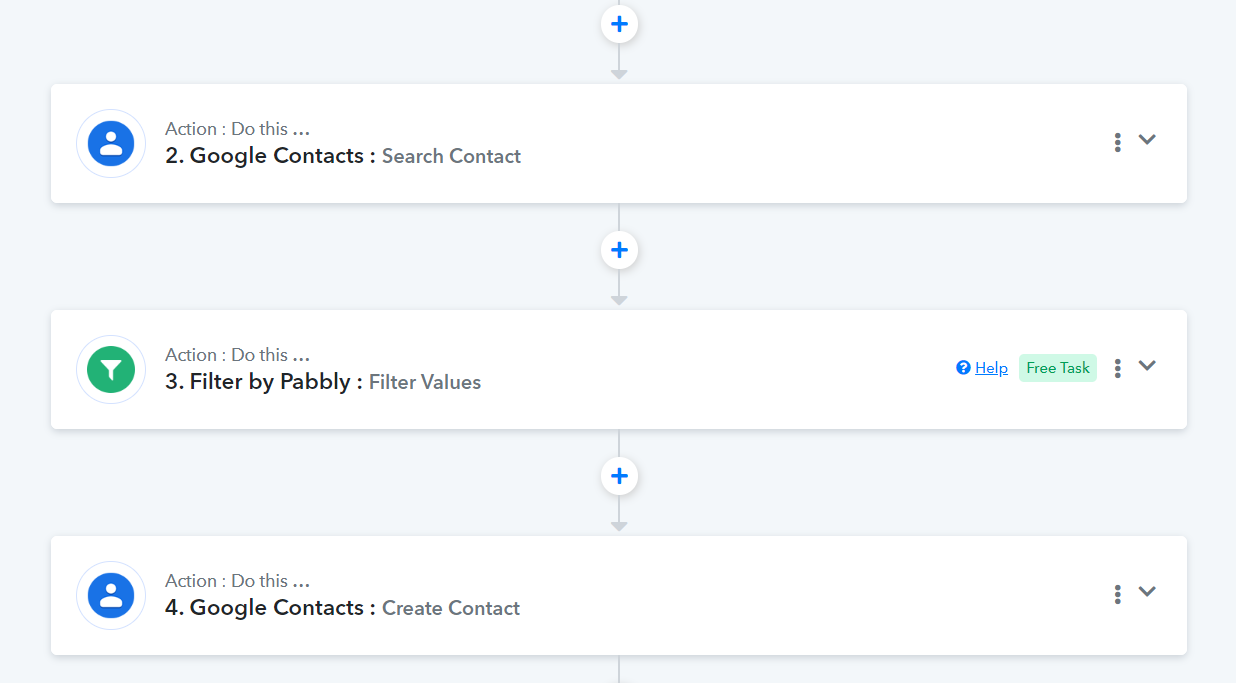
Amazing thank you for your help! I really appreciate the quick response as well.