Add a tag in Mailchimp
Status: Closed · Asked by Keith Dream on · 0 views
Do I have to add a router for each time I want to add a tag in Mailchimp
I am connecting ThriveCart to Mailchimp so we can tag them.
As I understand, we have to check (via Router) if the email address exists in Mailchimp first.
Then if it does exist, "update" the member with the tag.
If the email does not exist (not a Mailchimp subscriber yet), then add the tag.
Is this correct Here is my workflow: https://connect.pabbly.com/workflow/share/AUkAMl4VCWlVHFMXDk0HLltMCzJUHlIEBGNVRw##
Thank you,
Keith
https://keithdream.tech
Hey @Keith Dream
Do I have to add a router for each time I want to add a tag in Mailchimp?
Are you trying to assign new tags every time or tagging the persons normally with already existing tags?
Hi! I'm trying to add a tag that already exists in Mailchimp.
https://keithdream.tech
Hey @Keith DreamAre you trying to assign new tags every time or tagging the persons normally with already existing tags
We usually set up the tags in Mailchimp first. I assume it is easier in Pabbly this way
https://keithdream.tech
Hey @Keith Dream
Do I have to add a router for each time I want to add a tag in Mailchimp?
I am connecting ThriveCart to Mailchimp so we can tag them.As I understand, we have to check (via Router) if the email address exists in Mailchimp first.
Then if it does exist, "update" the member with the tag.
If the email does not exist (not a Mailchimp subscriber yet), then add the tag.Is this correct? Here is my workflow: https://connect.pabbly.com/workflow/share/AUkAMl4VCWlVHFMXDk0HLltMCzJUHlIEBGNVRw##
Yes, we have reviewed your workflow and it seems according to your use case. Kindly try the workflow at your end and let us know if you get stuck at any step.
Great! Thanks for the help getting started.
https://keithdream.tech
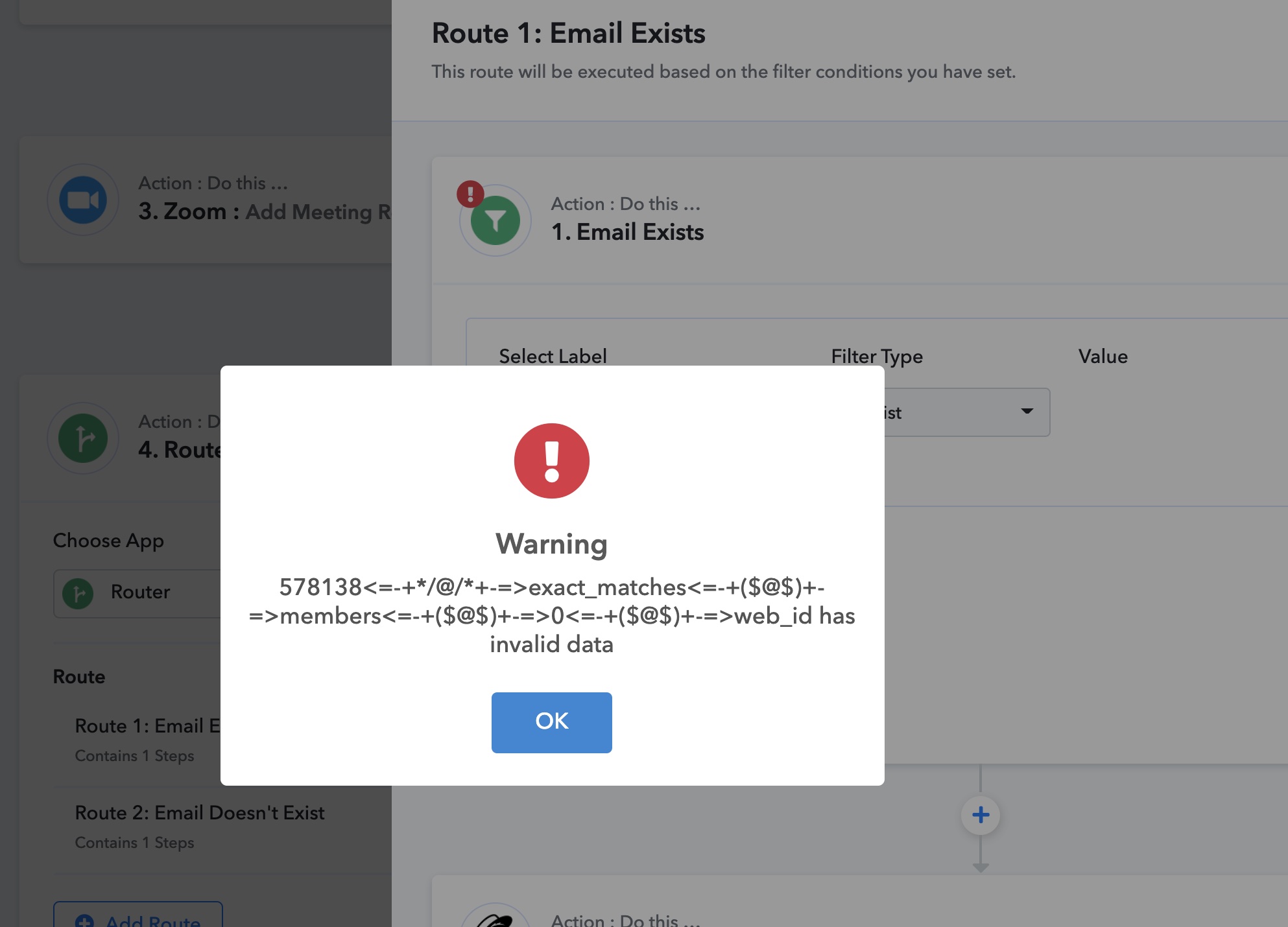
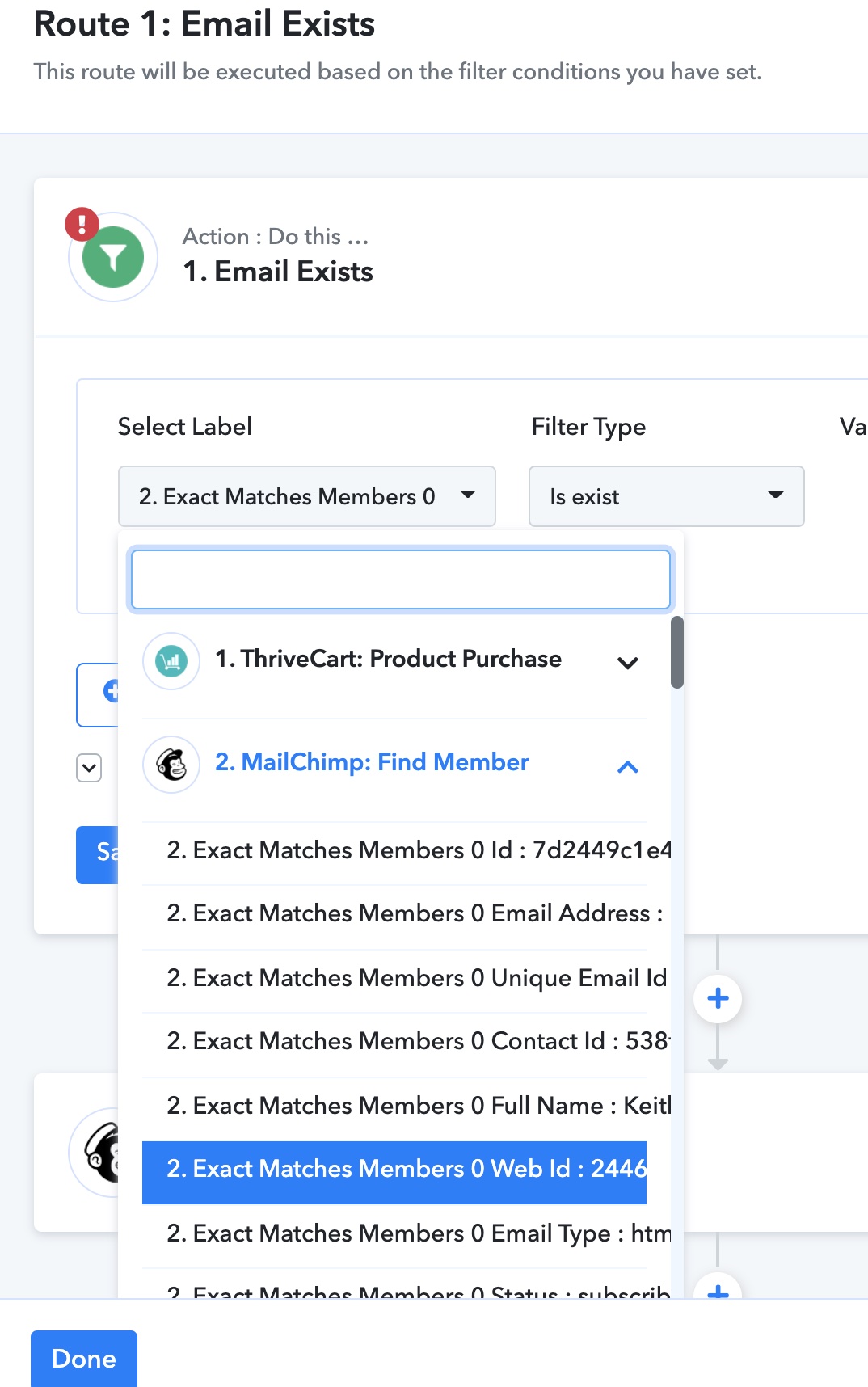
Hi again, everything looks good until I got to my router. Both routes (Mailchimp subscriber 1. exists 2. doesn't exist) give the same error.
Each router's first step is to look through "Mailchimp: Find Member" -> Exact Matches Members 0 Web Id
This was working before, but I can't understand what the error is. I've run a couple transactions on the actual product, then "Save and Send Test Request".
Any advice
Attachments
https://keithdream.tech
Interestingly, it appears to be working since I did get tagged in Mailchimp when going through the process, even though the error still shows up.
https://keithdream.tech
Hey @Keith Dream
The HTTP Status Code which you are referring to is nothing but the server has accepted the full request but has not displayed a response.
So, you do not have to worry about that, it will work accordingly. Let us know if you get stuck at any step.
Great to know. Looks like it is all set now.
Thanks for the help!
https://keithdream.tech