Add delay + Google Sheet
Status: Open · Asked by sportinvest on · 0 views
Hello,
Thanks so much for you help
So I have a Google Spreadsheet where I take data:
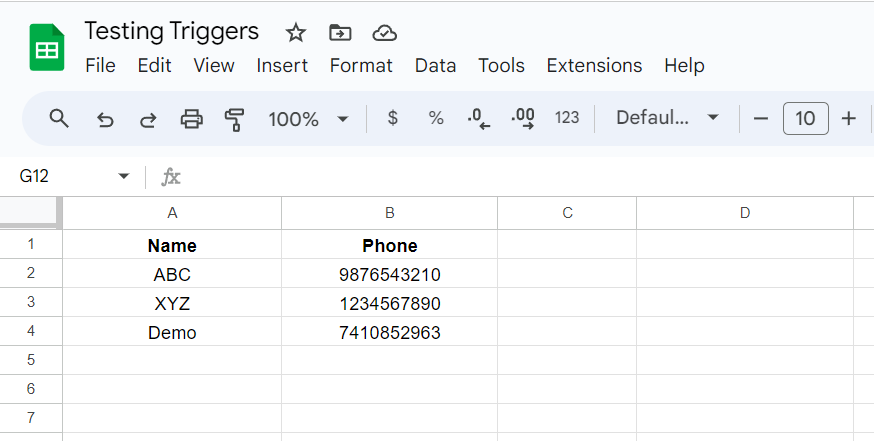
Each rows as a mobile number (more then 2000)
Raw 1) +39 13455069609
2) +39 1325064609
etc.
On the other step I take these number and send SMS
The problem is I want to add Delay between the messages, at the moment the workflows take all the rows (so all the number) and send all the number together.
I cannot add the normal delay because I should:
- add delay,
-extract from Google Spreadsheet raw by raw,
- and send message
all this task raw by raw (one by one) and workflow would be infinitive (more than 4000 steps).
The same thing happen If I use Iterator, right?
How can I do?
Thanks
Hi @sportinvest,
You can set up your workflow in a manner similar to the one demonstrated in the video below, with the scheduler configured to trigger every 1 minute. This will help you capture the phone number from Google Sheets and send a message every 1 minute. You can replace Slack with whichever application you want to use for sending the messages.
youtube.com/watch?v=PBU2fm4JWbA
Note: Make sure to disable the workflow once all the messages have been sent to every row.
Hi @sportinvest,You can set up your workflow in a manner similar to the one demonstrated in the video below, with the scheduler configured to trigger every 1 minute. This will help you capture the phone number from Google Sheets and send a message every 1 minute. You can replace Slack with whichever application you want to use for sending the messages.
youtube.com/watch?v=PBU2fm4JWbA
Note: Make sure to disable the workflow once all the messages have been sent to every row.
Yes, I see it can be helpful, but when this workflow start and when it finish, since I set every minute?
In this example workflows starts every day at 10.00 AM, but If I set at regular interval (minute) when it starts?
You can disable the workflow during setup, and once you enable it, it will start sending messages.
Ok Good, last question, how can I restart the counter? (just one time)
Select 'Yes' in the 'Reset on Execution' field, then click 'Save & Send Test Request.' Next, choose 'No' in the same field and click the 'Save & Send Test Request' button. This action will reset your counter.
https://drive.google.com/file/d/1kl1wtTD7Yx9C7wJqt0Tk5HSoud85H1jJ/view?usp=sharing