Add Square Orders to Google Sheets - Square Google Sheets Integration
Status: Closed · Asked by Thomash on · 0 views
Hi all,
I'm attempting to create a basic Workflows. Add order details to a new row in Google Sheets for each new Square order. My plan is to use "payment.created" webhooks and then "Get Order by ID" to get the order details to add to Google Sheets.
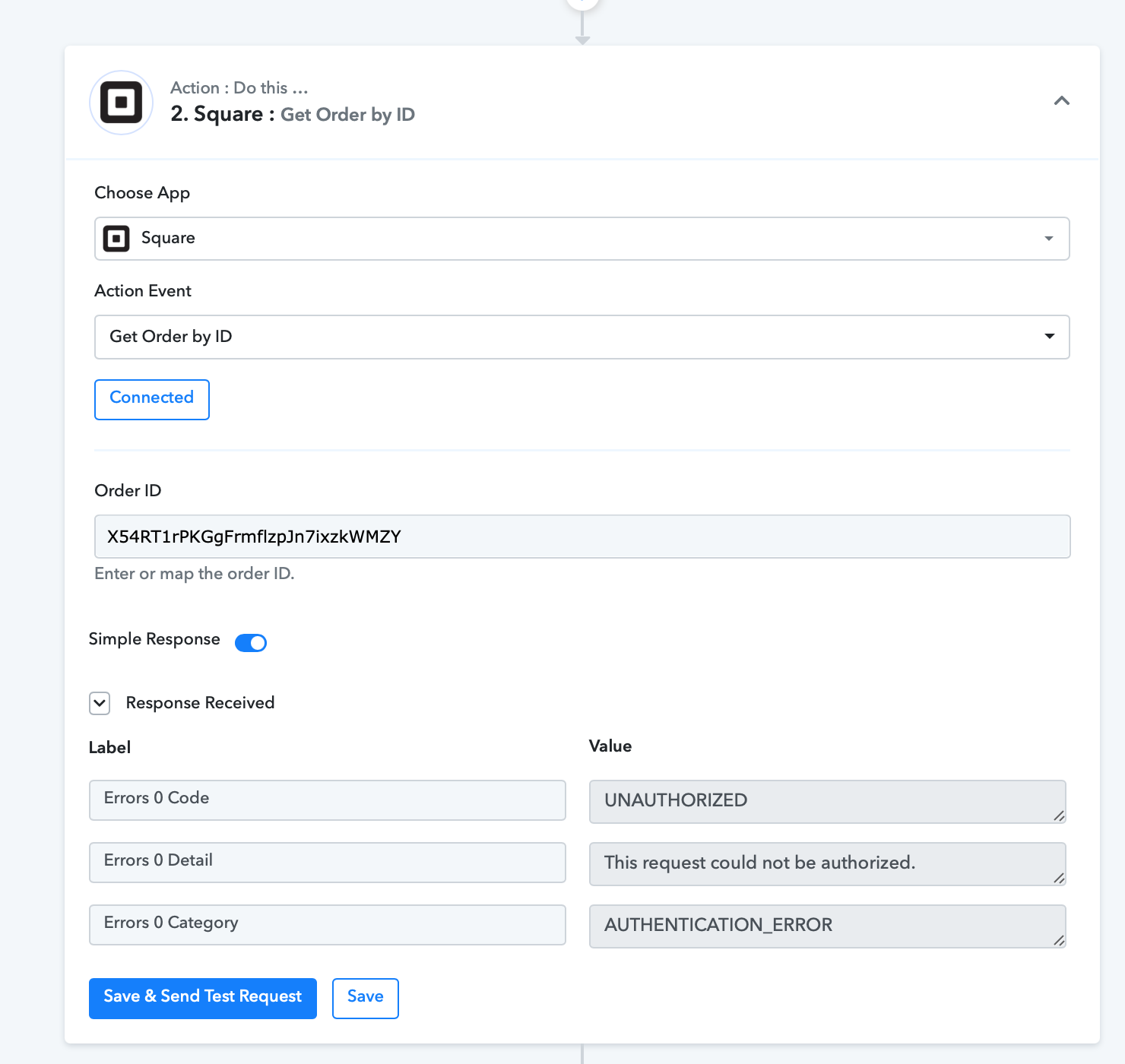
However, the "Get Order by ID" step returns an "Unauthorized" error. I've tried several times to reset the token. I even tried switching the token between "Credentials" and "OAuth," but I kept getting the same error message.
I'd be grateful if someone could assist me in getting this to work.
Attachments
Hey @Thomash
Could you please add a new connection in the Square app and call the Square app using the new connection and let me know if you are still getting the same issue?
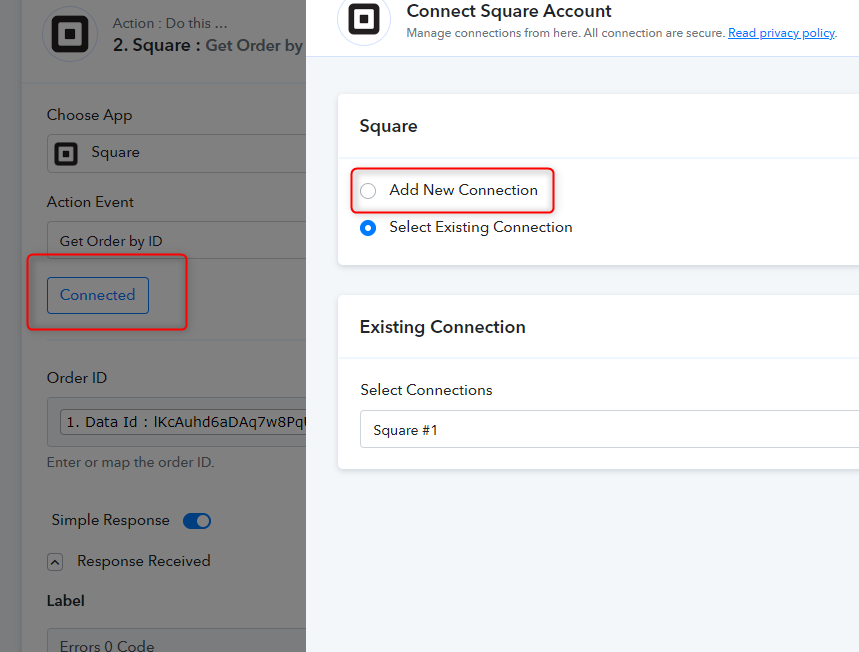
Hey @ThomashCould you please add a new connection in the Square app and call the Square app using the new connection and let me know if you are still getting the same issue?
Thank you for your help. I just tried to do that, but I'm still getting the same error. Please help.......I'm pulling my hair out.
Hey @Thomash
We have checked the issue and got to know that the endpoint was calling the Sandbox version because of which you were getting the issue. We have not corrected the endpoint and now you are getting the correct data.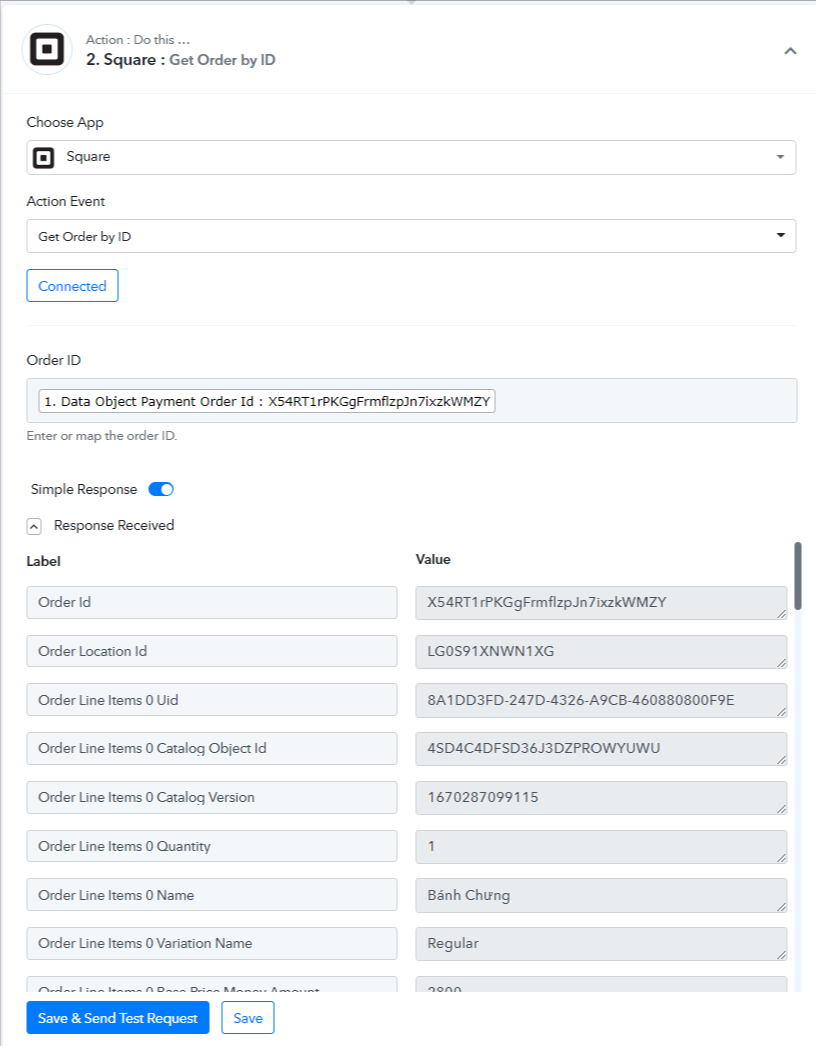
Thanks
Kunal
Hey @ThomashWe have checked the issue and got to know that the endpoint was calling the Sandbox version because of which you were getting the issue. We have not corrected the endpoint and now you are getting the correct data.
Thanks
Kunal
Awesome! Thank you so much for your help. It's working now.
I have one last question: Is there a difference or advantage to using the Square App vs. the API?
Thanks!
Hey @Thomash
We are also calling Square API inside our app. So there will be no difference or advantage for using Square App or API.
Thanks
Kunal
Hey @ThomashWe are also calling Square API inside our app. So there will be no difference or advantage for using Square App or API.
Thanks
Kunal
Thank you for your help!