Added Data in Sheet but Trigger is not Working
Status: Open · Asked by rachnanaisha on · 0 views
I have done everything...... Send on event
and auto send on schedule
still not working
please help
I have done everything...... Send on eventand auto send on schedule
still not working
please help
Please share the workflow URL so that we can check.
Did you checked the history of the workflow? It seems to be working fine.
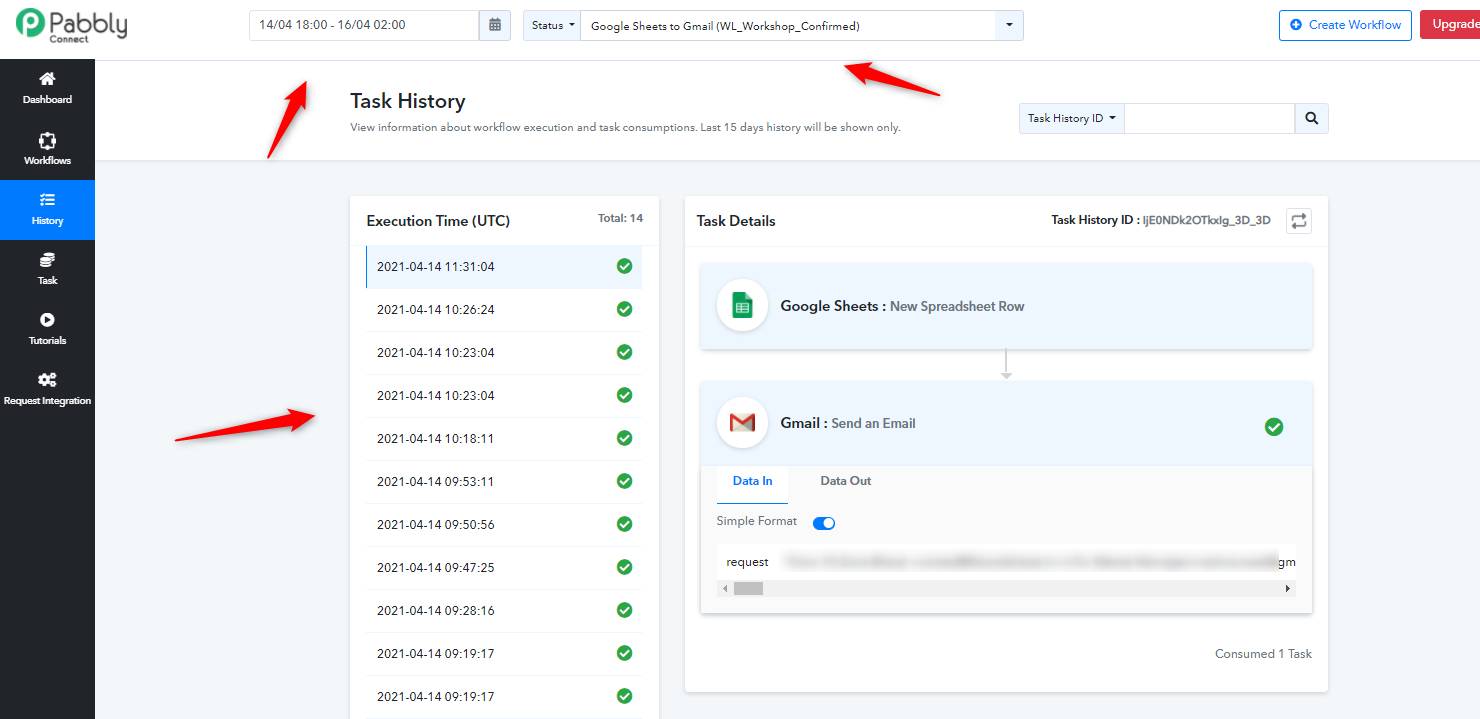
I am sending custom data manually.... it is not working automatically
I am sending custom data manually.... it is not working automatically
How is your new data getting added to the Sheet? Are you using some form solution to add your data to the Google Sheet or Are you adding the data manually yourself?
If the new row is added inside Google Sheets from an external source like Google Forms. It will be triggered immediately if the Send on Event checkbox is ticked and enabled.
If the new row is ad=dded inside Google Sheets from an external source besides Google Forms. It will be triggered every 1 hour if the Send on Event checkbox is ticked and enabled.
The Auto send on schedule trigger inside Google Sheets trigger sends the row every 1 hour.
So all new rows added since the last trigger will be sent in the next hour.
You can also do the test run through webhook.site, which is a webhook testing website.
During the initial setup inside the addon, instead of adding Pabbly Connect webhook URL, add the webhook url from webhook.site and see the response coming in after an hour on schedule.
If your test works fine, it will work fine on Pabbly Connect as well.
Dear Sir,
I am updating my google sheets from another google sheets by creating connection between the two as the source google sheet is having multiple data and I have to filter the same to another google (attached with this workflow). I am using the formula (IMPORTRANGE) from the source sheet to extract the data. As soon as a new row is added in the source file it automatically add the new row and update the data accordingly.
Extracting data from google sheet to another google sheet (formula)
Or can you tell me if I can create multiple workflows in a google sheet having multiple sheets (each workflow for different sheets). If it is possible then it will be great
Hey Rachna!
Can you share your Google Sheet link with permission to edit on admin@pabbly.com, so that we can check on the issue and rectify it for you.
Hope to hear from you soon.
Shared the files with permission to edit on admin@pabbly.com
List of Sheets with role
Instamojo Buyers -ALL (Data from Instamojo automatically):
Main Original File (In this file there is a sheet: Webinar Confirmed (where there is a formula to filter the data based on Product Details: Here I filter the data
In this file there is a sheet: 10X Results (where there is a formula to filter the data based on Product Details : Here I filter the data
In this file there is a sheet: Advance WL Program (where there is a formula to filter the data based on Product Details: Here I filter the data
Webinar Confirmed_199 (autoupdate from instamojo sheet):
This is a separate file (Google Sheet) to get all the filtered data based on product details (here the product is (Weight Loss And Management Workshop Workshop (2hrs LIVE) 90% Off)
In this sheet, I created a workflow to send e-mail through pabbly connect.
10X_Result (WL)_Auto update from Instamojo sheet
This is a separate file (Google Sheet) to get all the filtered data based on product details (here the product is (10X YOUR RESULTS OF Weight Loss WORKSHOP BUNDLE!)
In this sheet, I created a workflow to send e-mail through pabbly connect.
WL_Advanced_Program_Auto_Update_IM_Sheet
This is a separate file (Google Sheet) to get all the filtered data based on product details (here the product is (Weight Loss Management Program (Advanced)
In this sheet, I created a workflow to send e-mail through pabbly connect.
Thanks for sharing, we are looking into this for you and update you soon.
Hey There!
We were checking on your sheets and out of the four, three sheets were added to the Pabbly Connect with single Webhook.
We would like to know which sheet(name) is the final sheet, so that we can suggest you on it.
Hope to hear from you soon.