Adding data from Kartra forms to Google Sheets
Status: Closed · Asked by JenniDFA on · 0 views
Hi,
I'm trying to add data from Kartra forms to Google Sheets. It appears that you can only add the data from Kartra forms to one spreadsheet.
I have over 100 Kartra forms and I want to be able to add the data from each form to a separate google sheet.
Does anyone have any ideas?
Thanks in advance. :)
Hey @JenniDFA
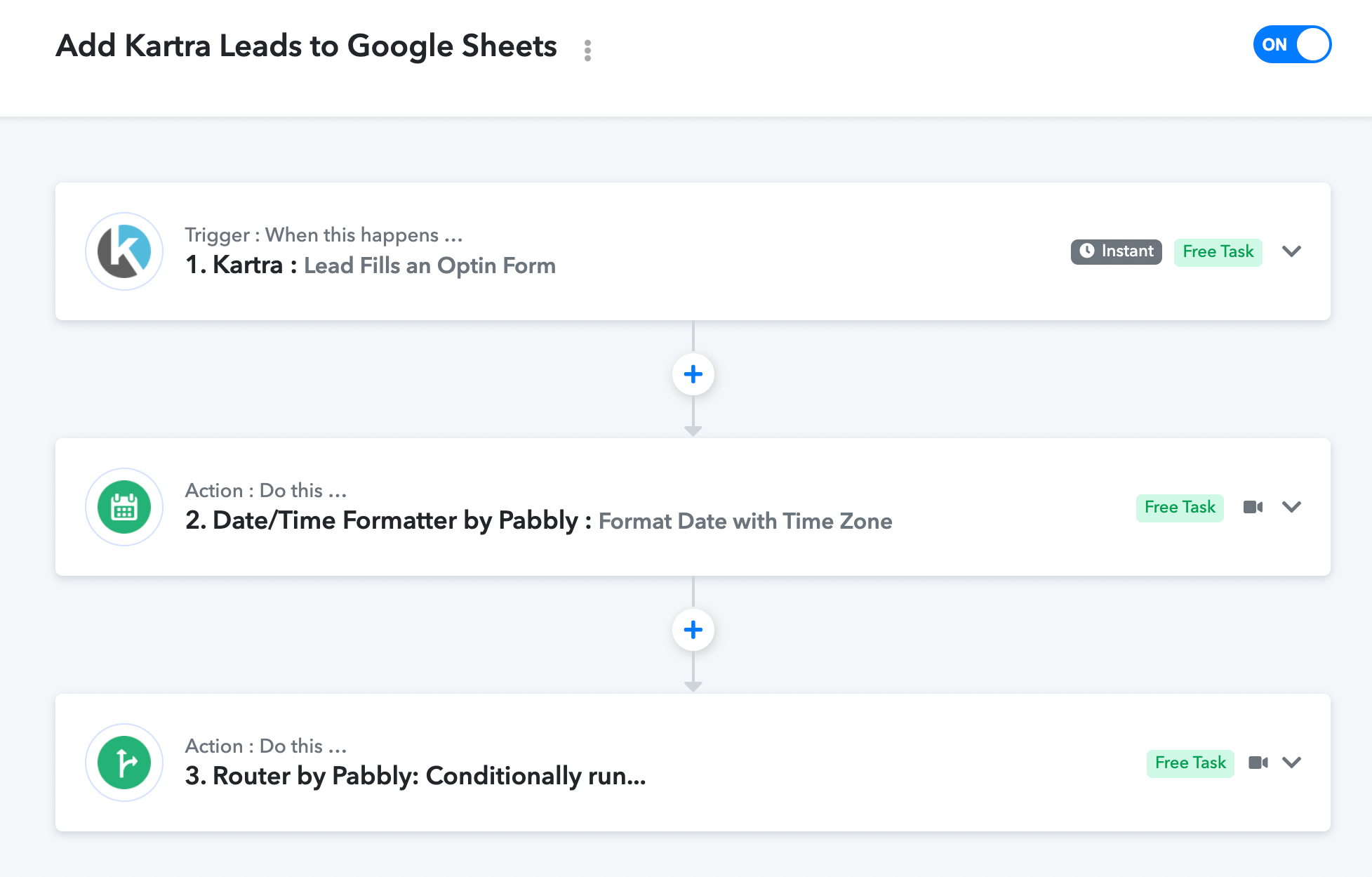
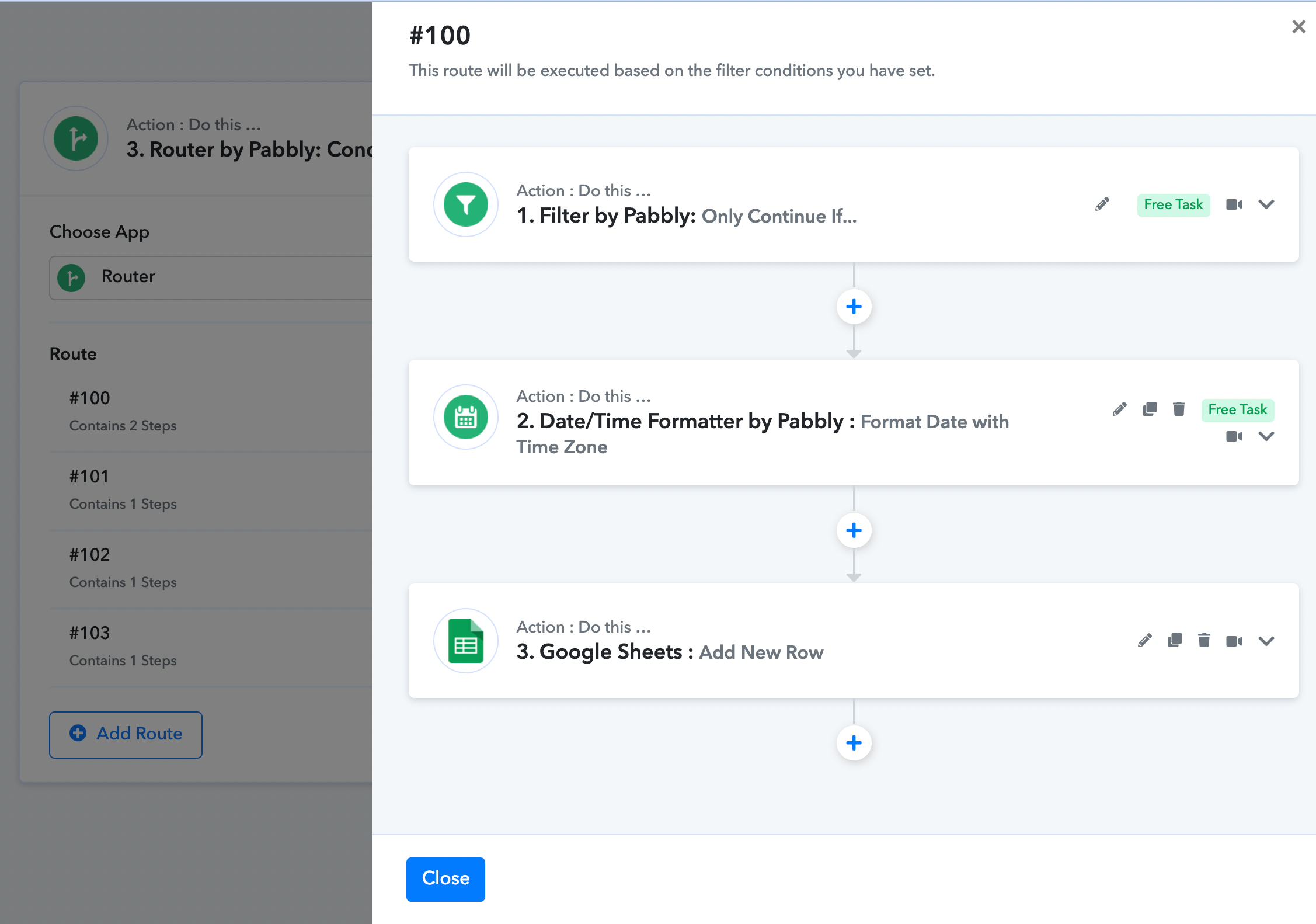
If you are getting data from all the forms of your Katra then you can use the Router action step where you can define individual routes to send the data into separate Google Sheets.
You can also refer to the following video tutorial on using the Router action in your workflow.
Hi @Supreme,
This is fantastic! Thank you so much for you message! ☺️?
It works fine when I do the 'tests', however, it isn't working when I try it in reality...I don't know if it's something to do with this - it's not pulling through the 'webhook response', and I'm not sure why?
Thanks so much for your help!
Attachments
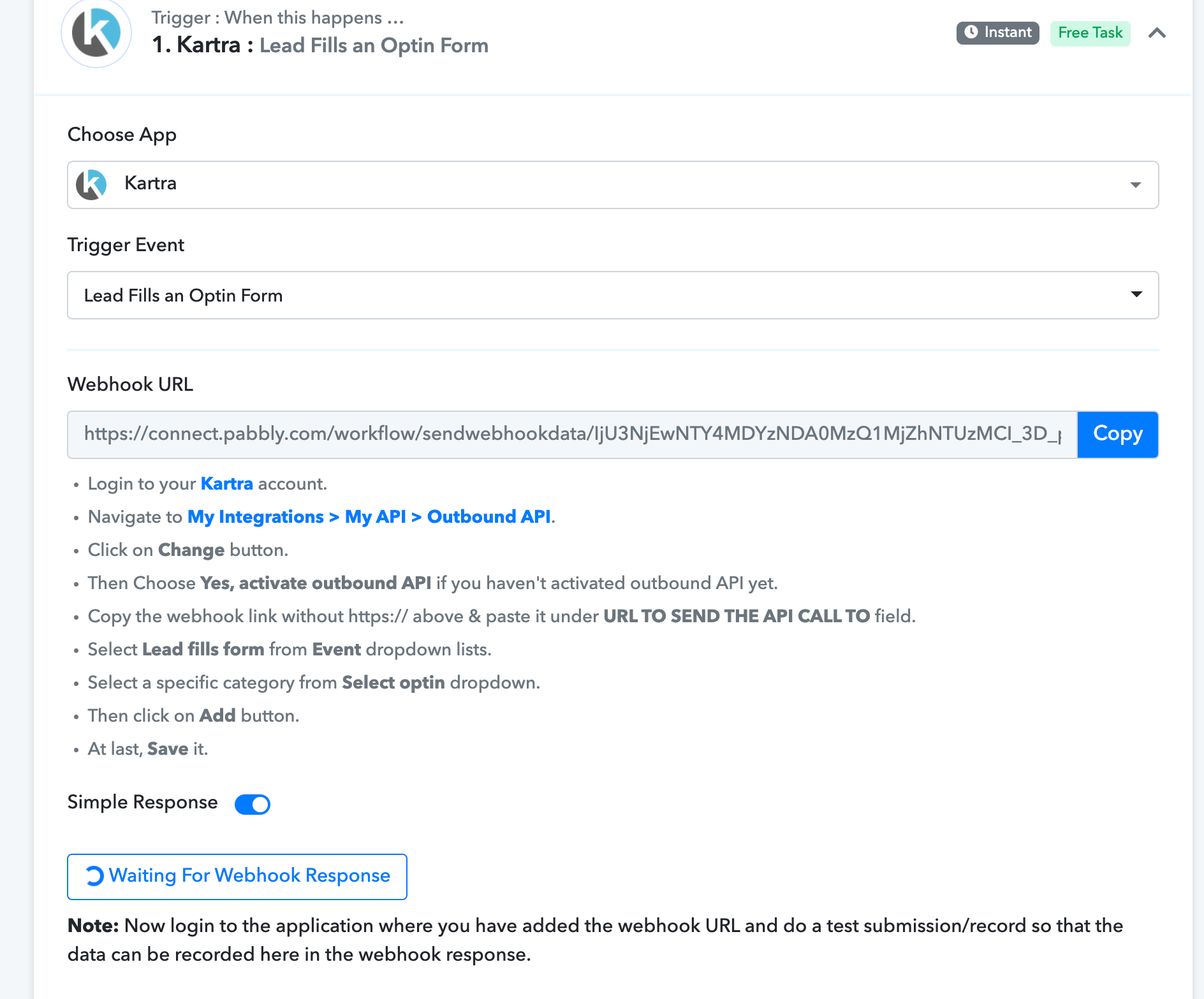
Hi @Supreme,This is fantastic! Thank you so much for you message! ☺️?
It works fine when I do the 'tests', however, it isn't working when I try it in reality...I don't know if it's something to do with this - it's not pulling through the 'webhook response', and I'm not sure why?
Thanks so much for your help!
Please try recapturing the webhook response once and then try again.
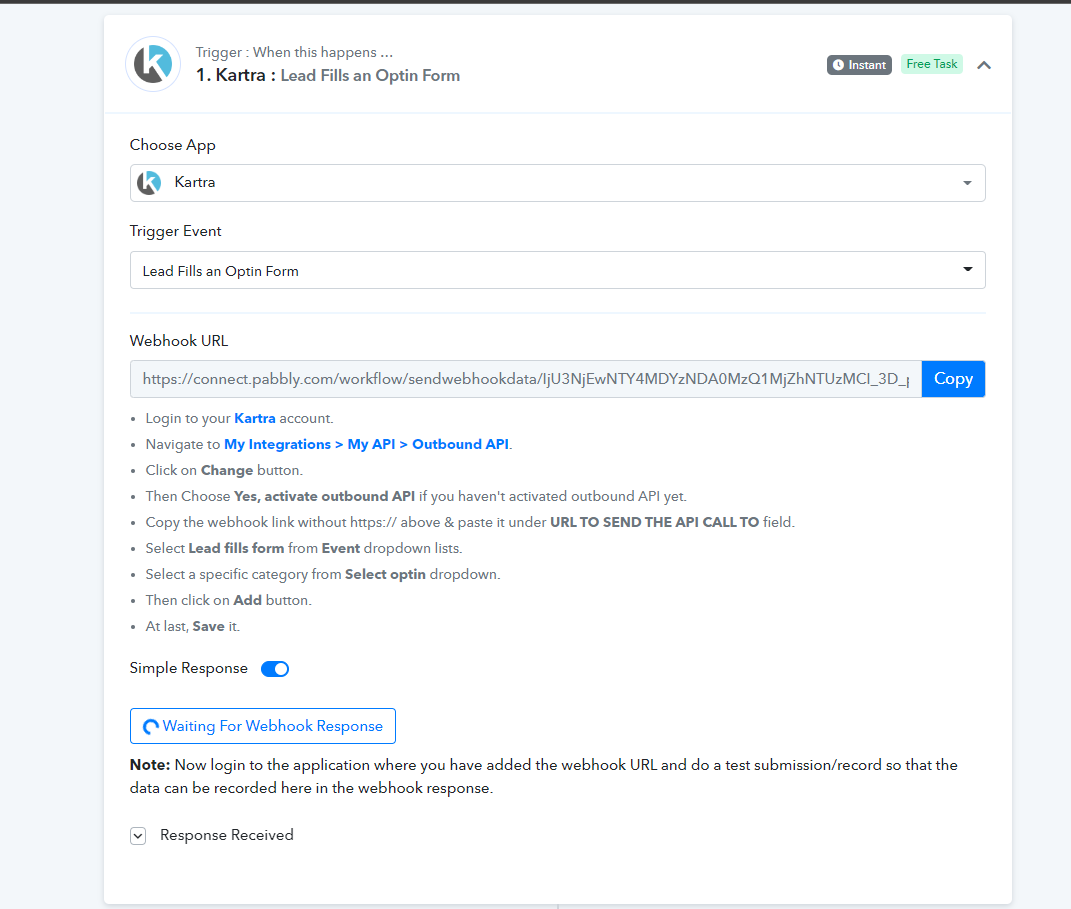
Yes I have tried that but it's not working. I've tried setting it back up again from scratch as well...
Yes I have tried that but it's not working. I've tried setting it back up again from scratch as well...
Kindly refer to the following video tutorial and try again capturing the webhook response.
Let us know if that helps you out.
I've managed to get it all working now! ? Thank you so much! I'm super happy.
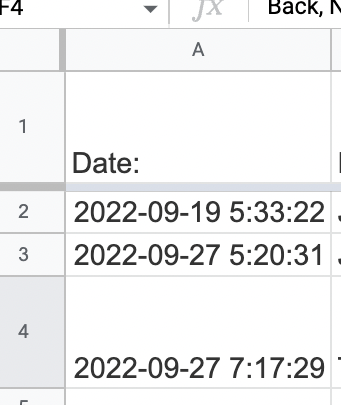
The only thing I need to tweak now is the date format and time...
I would like the date format to be DD-MM-YY as opposed to YYYY-MM-DD - is that possible? If yes, how do I do it?
Also, the time zone seems to be out...how do I make it so the correct time is coming through?
Thanks for everything! ? You're amazing! ?
Oh and one final thing; I need to delete the test data from the Google Sheets. How do I safely do that without messing up the workflow?
Thanks.
I would like the date format to be DD-MM-YY as opposed to YYYY-MM-DD - is that possible? If yes, how do I do it?Also, the time zone seems to be out...how do I make it so the correct time is coming through?
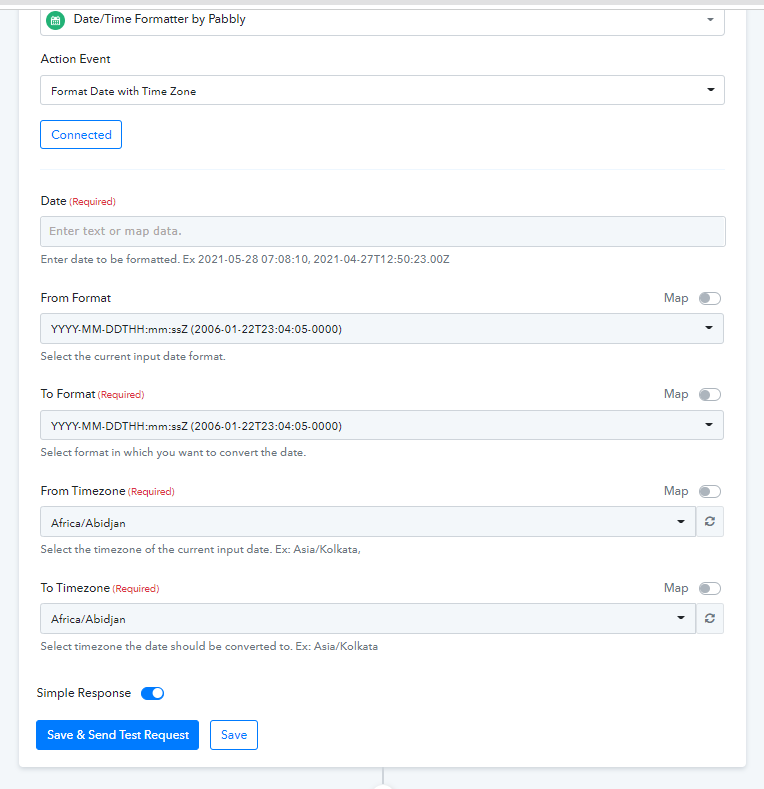
You can use Date/Time Formatter by Pabbly : Format Date with Time Zone action step to change the timezone and the format accordingly.
Please try the following screenshot and let us know.
Thanks.
How do I know what the current timezone is set to (for me to enter into the 'From Format' box)?
Thanks.How do I know what the current timezone is set to (for me to enter into the 'From Format' box)?
You can try the UTC timezone in the From TimeZone field to convert the time zone since most of the applications send the data in UTC time format.
That's not working...there are quite a lot of variables to get right, so it's hard to know which is the issue. I don't think the time zone is right - UTC is an hour difference to us, but the time being pulled through is 4 hours difference.
I've tried doing it in both of these places with no luck:
That's not working...there are quite a lot of variables to get right, so it's hard to know which is the issue. I don't think the time zone is right - UTC is an hour difference to us, but the time being pulled through is 4 hours difference.I've tried doing it in both of these places with no luck:
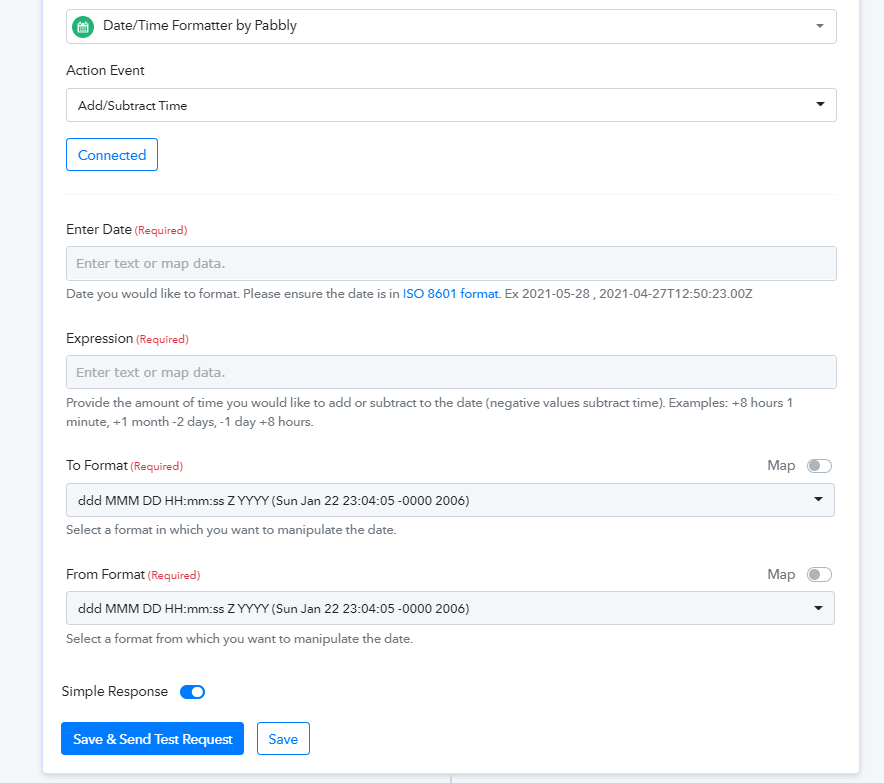
You can also try the "Date Time Formatter: Add/Subtract Time" action step to change the time difference accordingly if you already know the time change.
Perhaps, that might help you out. Kindly try this at your end and let us know if that works for you.
That won't help, because I also need to change the format of the date...
That won't help, because I also need to change the format of the date...
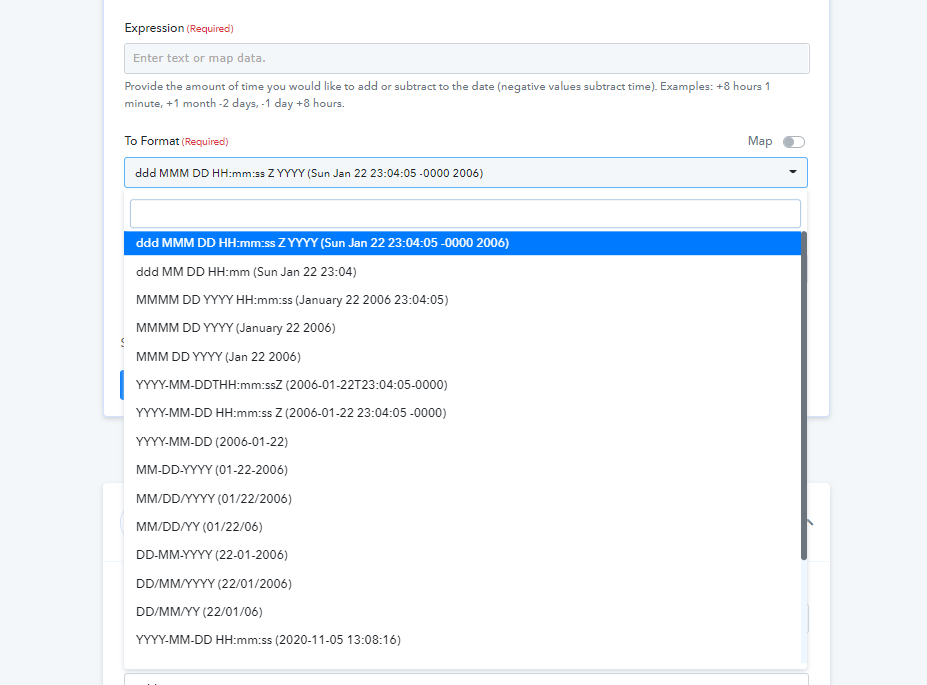
Indeed, you can change the format of the date too by selecting the desired format in the To Format.
But I couldn't get that to work...(see my earlier post)...
Hey @JenniDFA
Please check the following action step and fill the time difference accordingly and try again.
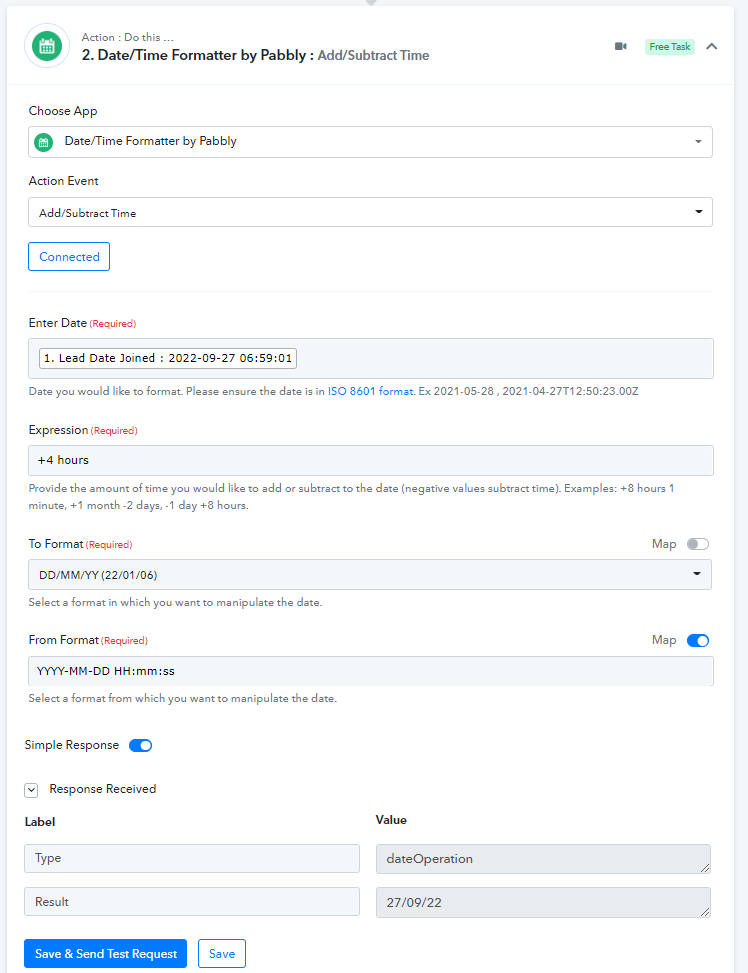
Nope, that's still not working... :(
I'm not sure I'm even putting the Date/Time formatter in the correct place....does it need to go before or after the 'add to google sheets' action?
Also, 'adding 4 hours' won't work when we change time, so we need to figure out a way of knowing what the timezone is that my Pabbly is set to...
So Kartra is set to Eastern Time (US and Canada), which is 5 hours behind us, so that may be the timezone.
Hey @JenniDFA
Please check out the following screenshot for your concern, you need to place it before the Google Sheets action step and place its response in your Google Sheets where you want to pass it.
Workflow - Add Kartra Leads to Google Sheets
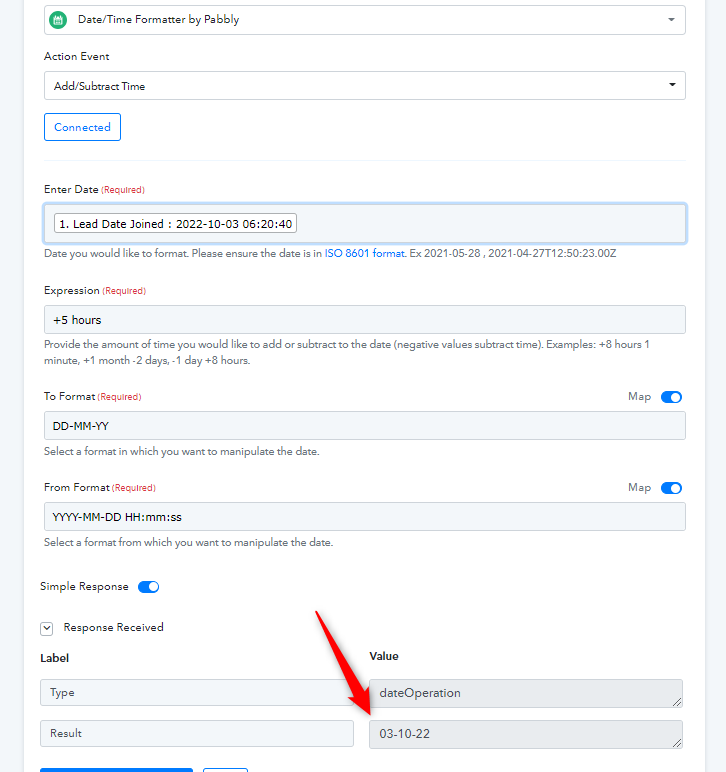
Yayyy that's worked now! ? I wasn't doing this bit: 'place its response in your Google Sheets where you want to pass it'.
It's a shame we can't get the time to work, but at least the date is in the right format.
Thanks so much for all of your help and speedy replies! You're a star! ?