Adding Labels to Blogger would give error
Status: Closed · Asked by hariwaa on · 0 views
Hello! team Pabbly!
I am trying to connect RSS to Blogger.
It works well without labels.
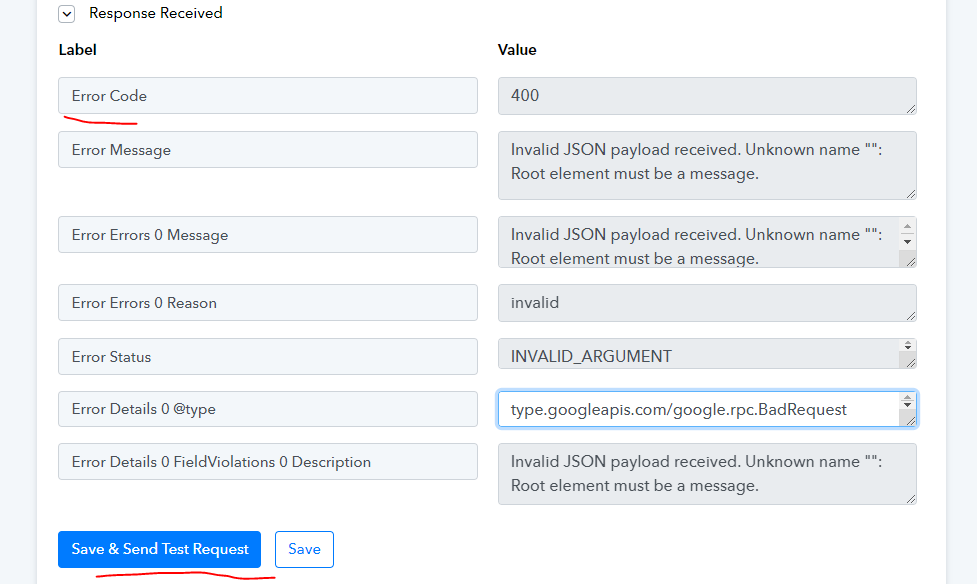
But when I enter a label such as shown in the image below, it gives error shown in the second image below.
Please help!
Thank you!
@Supreme 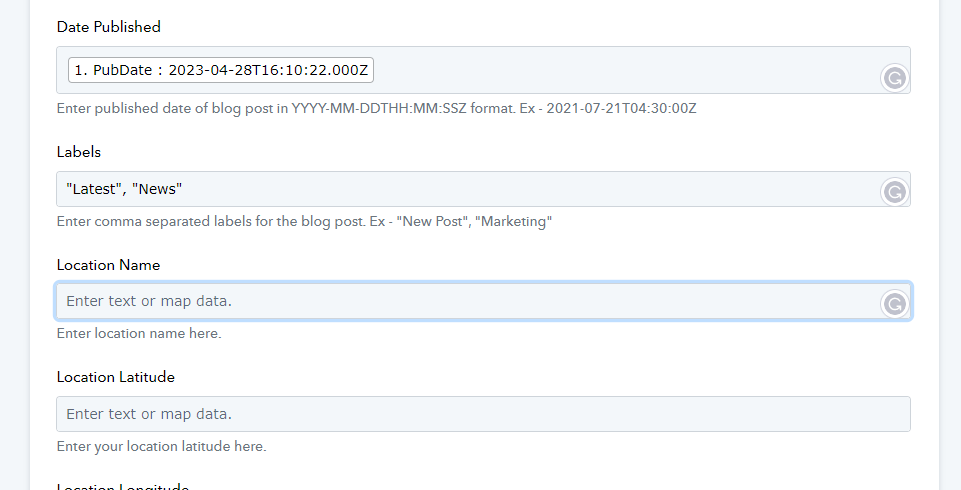
Here is the image 2:
Hey @hariwaa,
Please share your workflow with us at the provided email address (Add Team Member) so that we can gain a better understanding of your issue. Once you have shared it, do let us know the name of your workflow.
Email: arshil.ahmad@pabbly.com
Also, remember to revoke access once your query has been resolved.
Attaching a video for your reference:
I am h
Hey @hariwaa,Please share your workflow with us at the provided email address (Add Team Member) so that we can gain a better understanding of your issue. Once you have shared it, do let us know the name of your workflow.
Email: [EMAIL]arshil.ahmad@pabbly.com[/EMAIL]
Also, remember to revoke access once your query has been resolved.Attaching a video for your reference:
I am also having the same issue with Blogger label.
I have checked, there is not double quotes in the content.
Please check what went wrong.
I have provided you the access to my Workflow at [EMAIL]arshil.ahmad@pabbly.com[/EMAIL]. Please check it.
@ArshilAhmad
********************************
IMG1: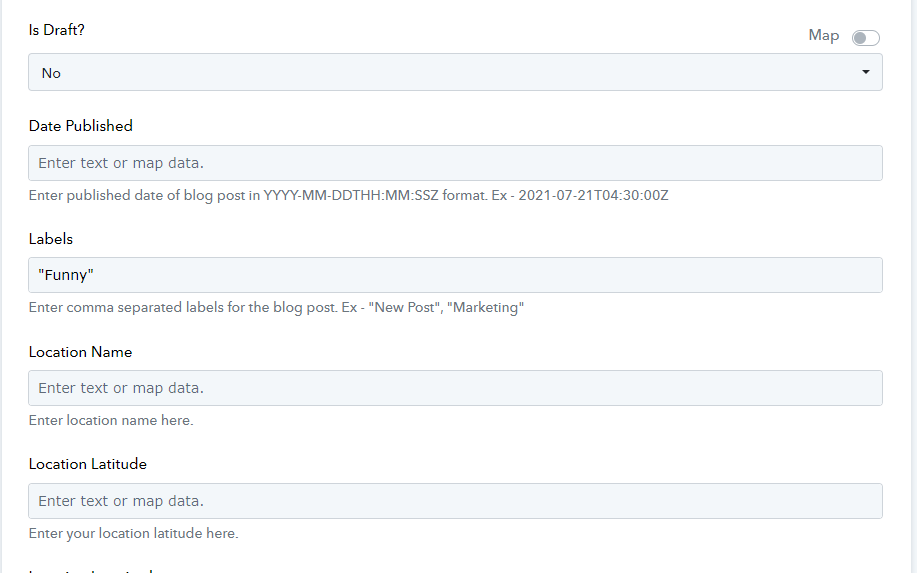
IMG2:
************************************************
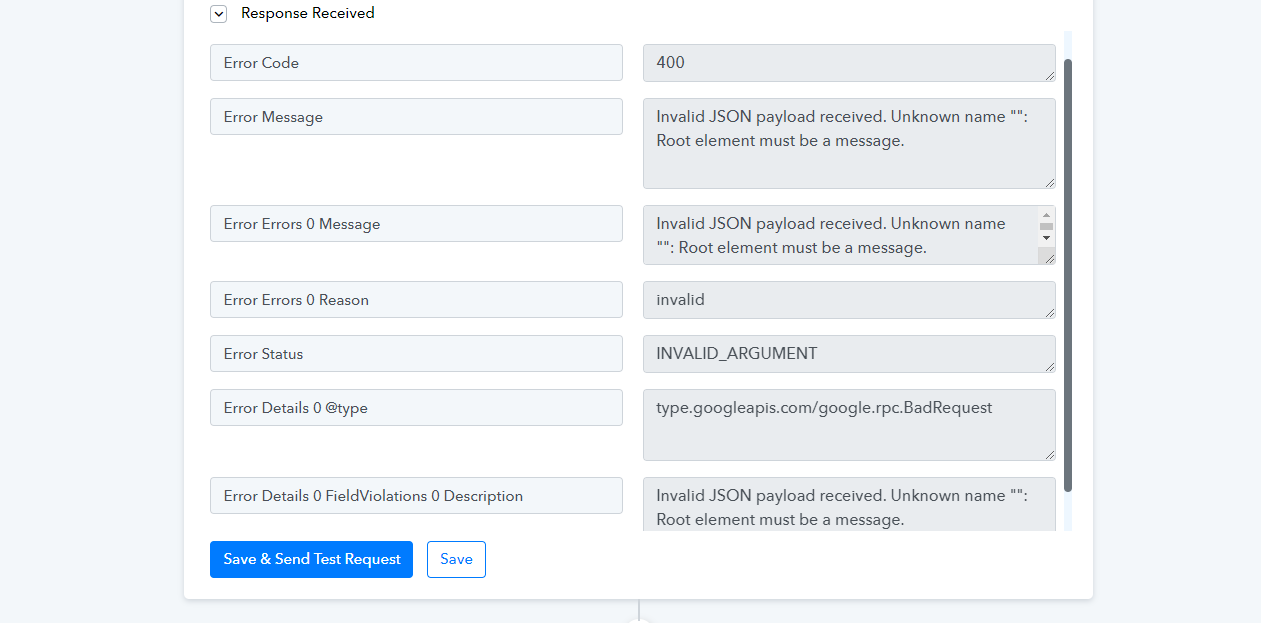
Despite the prompt, the content generated from ChatGPT had double quotation marks, which caused the error. I have added a Text Formatter to your workflow, and it seems to have fixed the issue.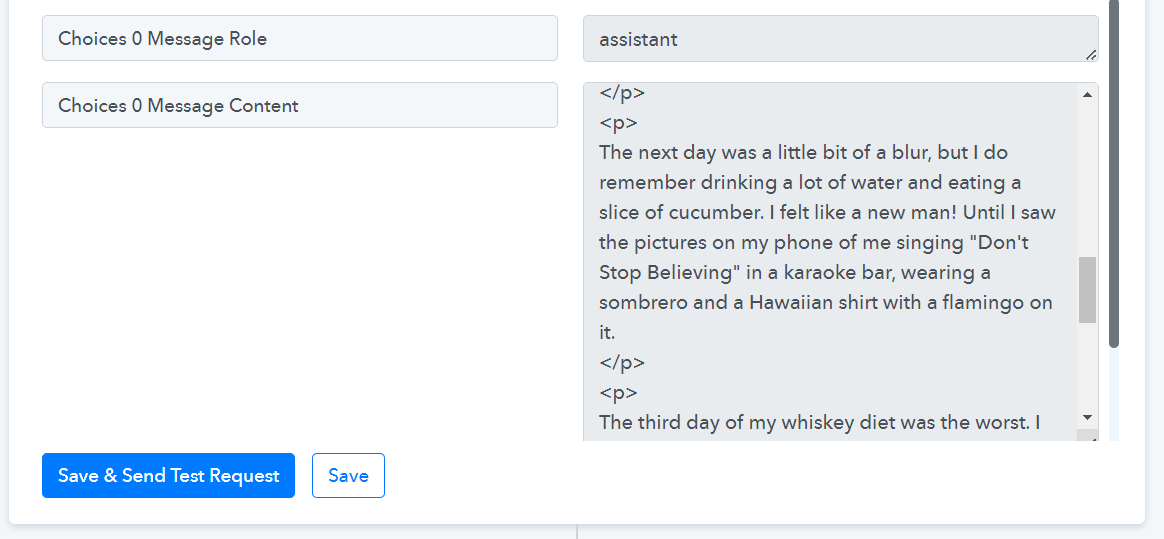
Despite the prompt, the content generated from ChatGPT had double quotation marks, which caused the error. I have added a Text Formatter to your workflow, and it seems to have fixed the issue.
Thank you! It is fixed now!