adding leads to my CRM with out creating duplicate contacts
Status: Open · Asked by kevinheidt on · 0 views
I'd like to create a workflow that sends Facebook Lead ads to my CRM Ontraport.
My concern is that if the lead is already a contact in Ontraport that it will create a duplicate contact instead of updating the contact.
the actions for Ontraport are:
- Create new contact
- Update existing contact
- Search contact
My Question: how do I create a workflow that searches my existing Ontraport contacts to look for the email address of leads coming from Facebook leads. Then either update the contact if it is existing OR create a new contact if it is not existing.
I tried to figure this out on my own but could not.
thanks so much
Hey @kevinheidt,
The use case you are describing is possible; you just need to add a router to your workflow with two routes.
This is how you need to setup your workflow:
Step 1 and 2 - Setup Facebook Lead Ads as your Trigger App, and add Onstraport: Search a Contact Action Event to your workflow. This will ensure that each new lead added to Facebook Lead Ads is checked for existing contact information in Ontraport,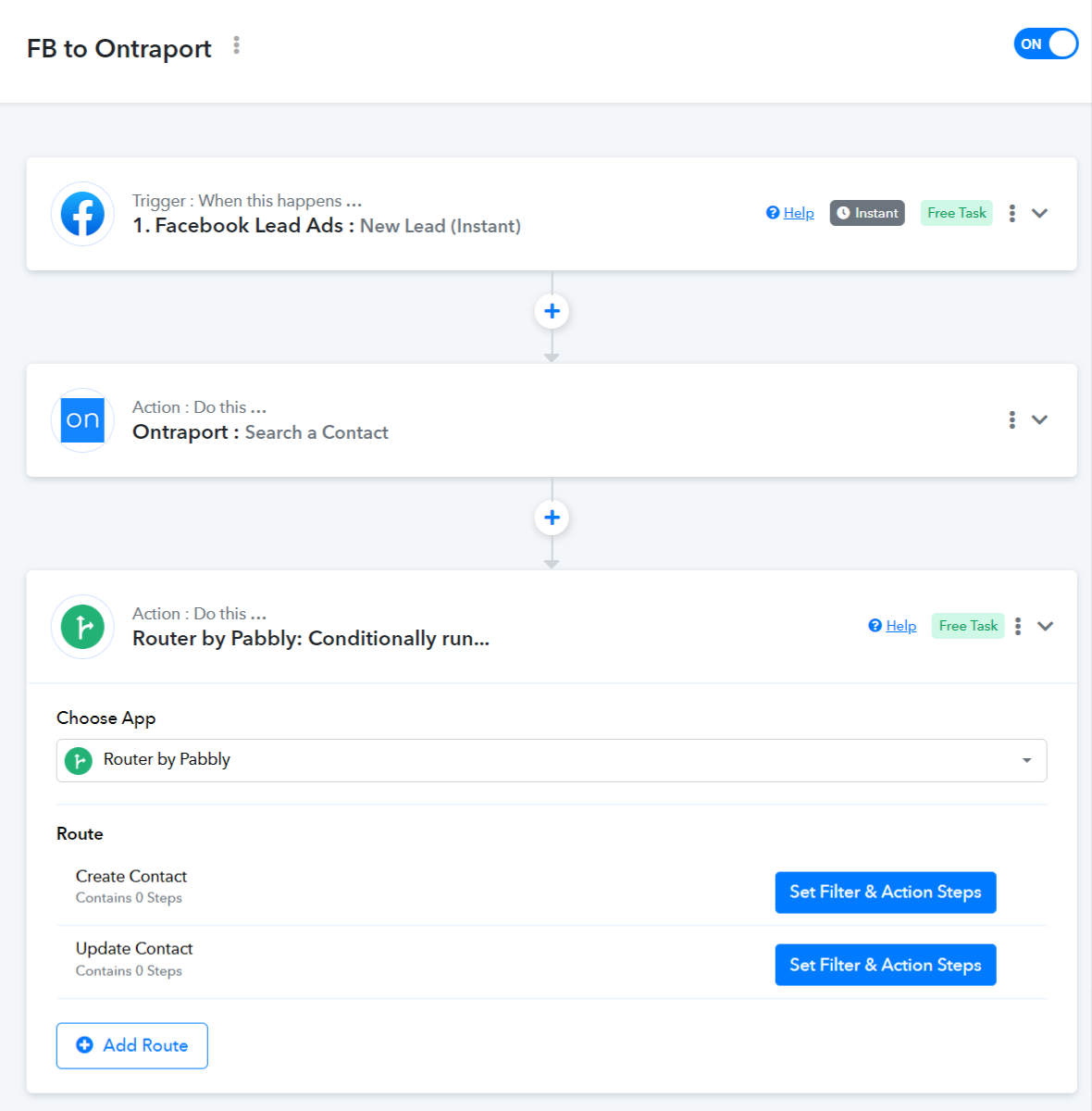
Step 3.1 and 3.2 - Add a Router to your workflow with 2 routes.
3.1 The first route will create a new contact in Ontraport if the contact does not already exist in your Ontraport account.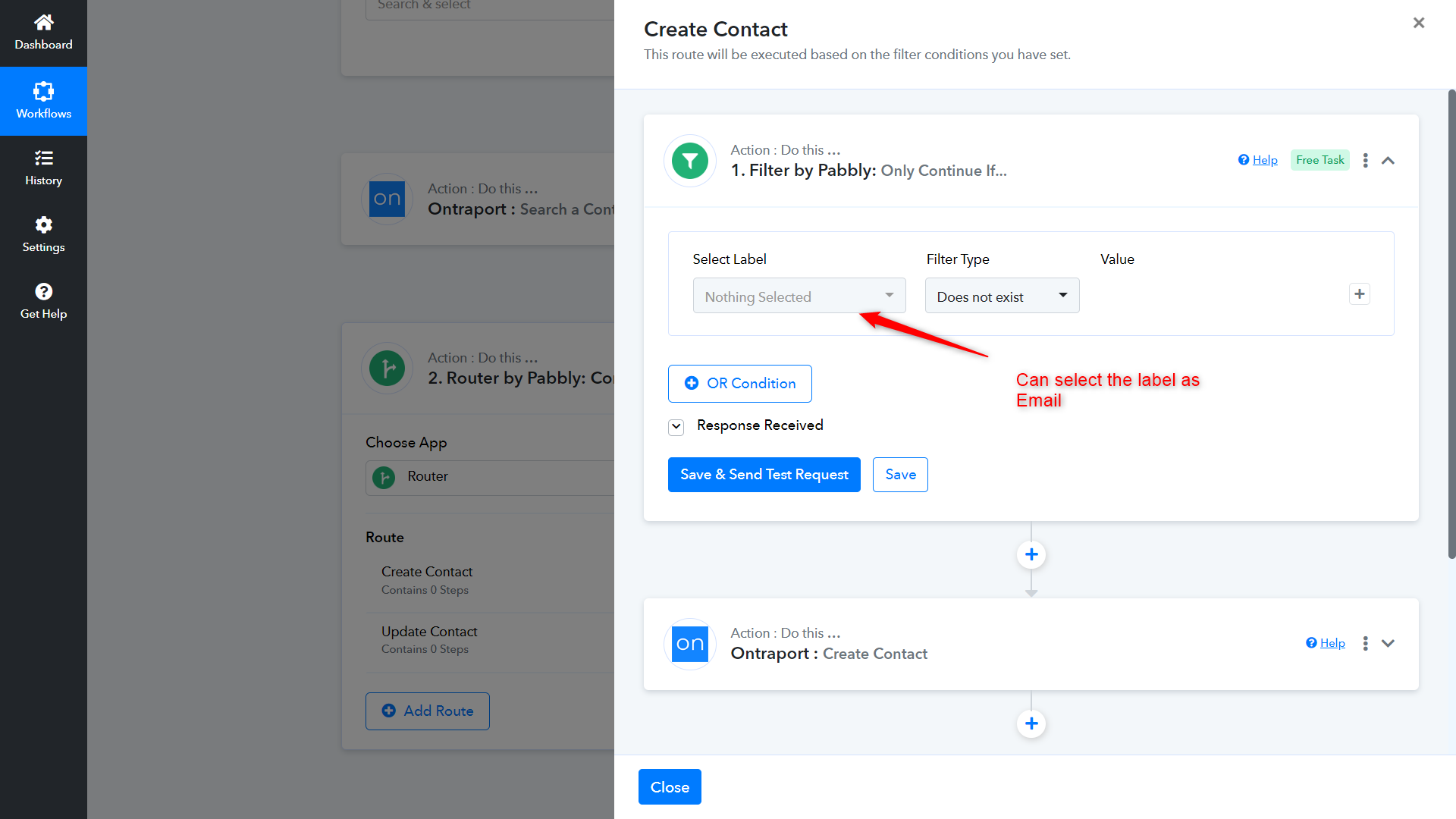
3.2 The second route will update the contact if it already exists in your Ontraport account.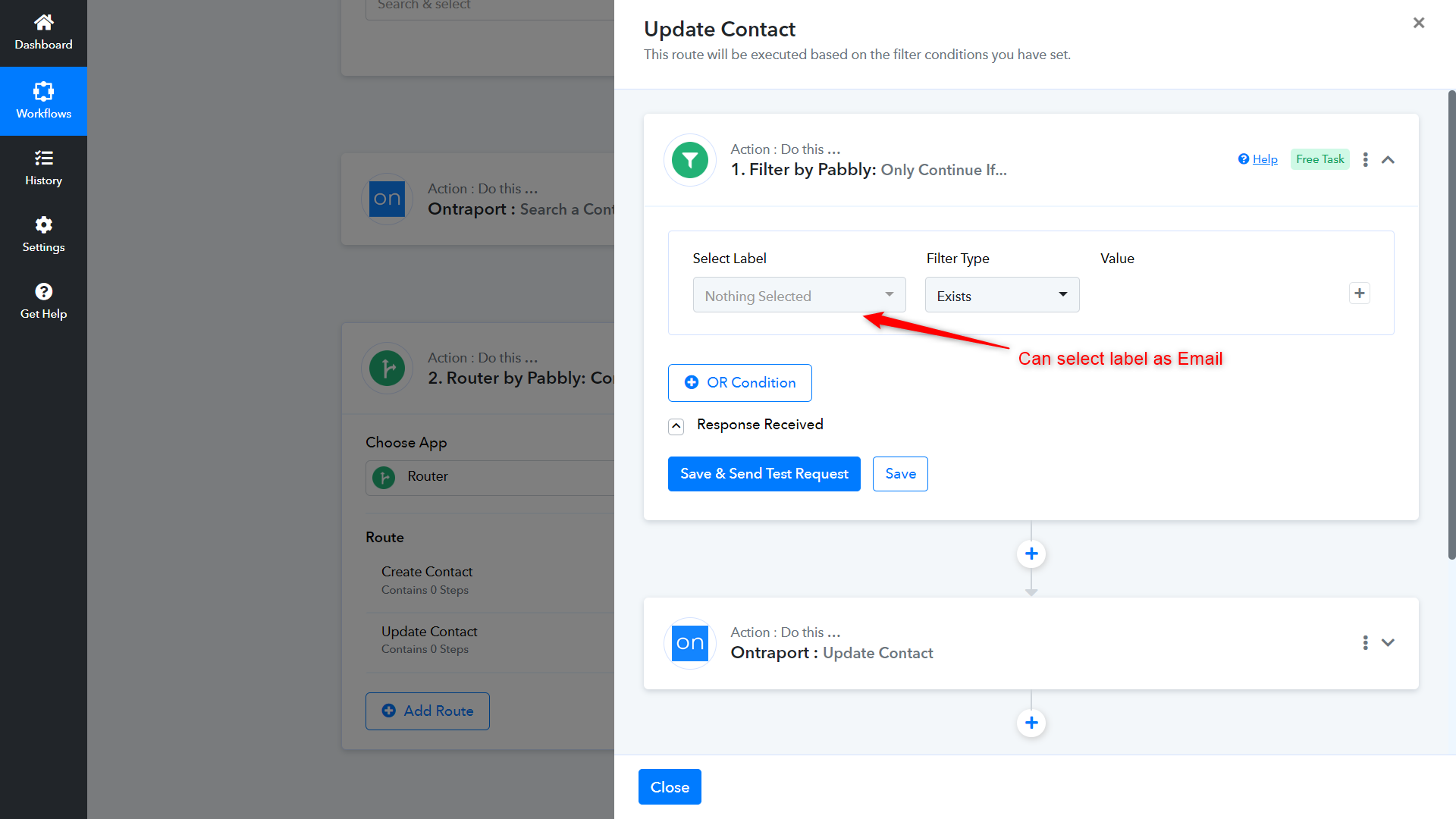
Note: You may have to adjust the Filter Type in your workflow.
I am working on this same set up. When I get to the "update contact" step, it's asking for contact ID and I'm not sure where to get that from. I am searching contacts by email and the router is being determined by email, not ID 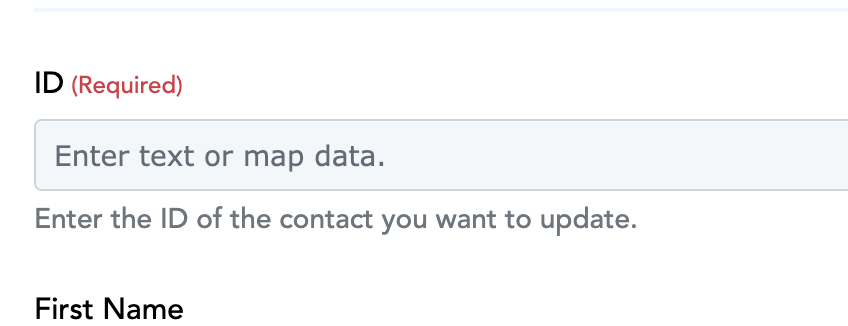
The ID must be visible under the Ontraport: Search a Contact action event responses.
Are you able to show me what the settings under "search contacts" should look like? I cannot tell from mine which field would be contact ID.
Please grant me access to your workflow by adding me as a team member. This will allow me to gain a better understanding of your issue.
Once you have added me as a Team Member, do let us know the name of your workflow.
Email: arshil.ahmad@pabbly.com
Also, remember to revoke access once your query has been resolved.
Attaching a video for your reference:
Done, thanks so much.
Any luck, thanks.
Any luck, thanks.
There seems to be an issue with the 'Ontraport: Search a Contact' action event. I have noted your concern. Please allow our team some time to look into this issue. I will get back to you with an update soon.
Hi @elizWINC,
We have made the necessary changes to the Ontraport: Search a Contact action event. Please try using the Unique ID to update your contacts.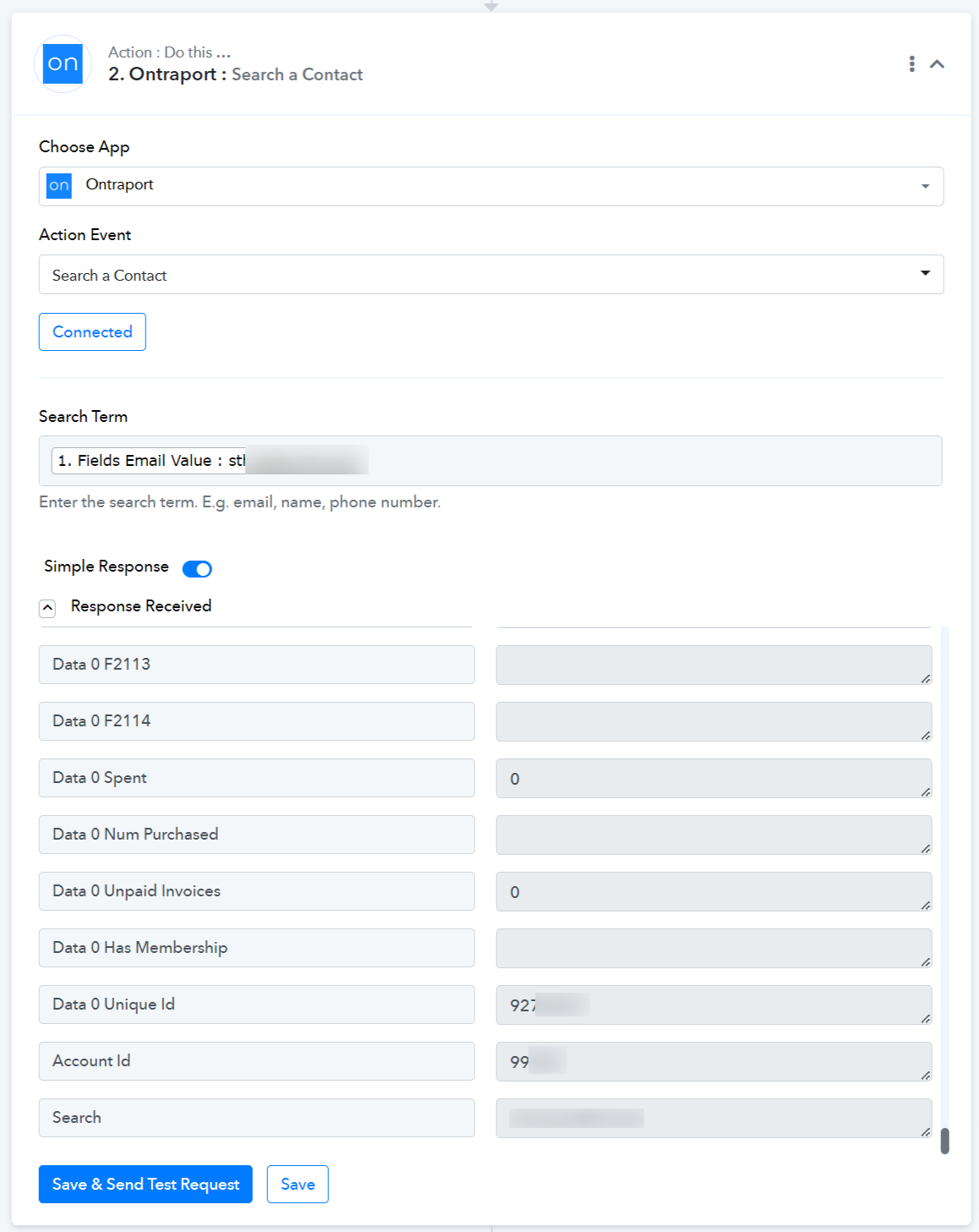
If you face any issues, do let me know.
I set it up to the best of my ability but I am getting an error message:
[TABLE]
[TR]
[TD][JUSTIFY]
This email is to notify you that for the workflow "Calendly (30-minute Clarity Call) to OP - Eliz NEW" , a recent task was not executed due to following error - [/JUSTIFY]
Task History ID: IjU3NjAwNTY4MDYzMTA0MzE1MjZiNTUzZDUxMzY1MTY2NTQzMyI_3D_pc
Step Name: Ontraport > Update Contact
Connection Name: Ontraport #1
Task Error Detail:
{
"response": "Object not found"
}
Are you able to set up the workflow for me?[/TD]
[/TR]
[/TABLE]
Hey @elizWINC,
I set it up to the best of my ability but I am getting an error message:[TABLE]
[TR]
[TD][JUSTIFY]
This email is to notify you that for the workflow "Calendly (30-minute Clarity Call) to OP - Eliz NEW" , a recent task was not executed due to following error -[/JUSTIFY]
Task History ID: IjU3NjAwNTY4MDYzMTA0MzE1MjZiNTUzZDUxMzY1MTY2NTQzMyI_3D_pc
Step Name: Ontraport > Update Contact
Connection Name: Ontraport #1
Task Error Detail:
{
"response": "Object not found"
}Are you able to set up the workflow for me?[/TD]
[/TR]
[/TABLE]
It appears that you have deleted this workflow. If you have set up another workflow in which you are encountering this error, please share it. If not, I recommend setting up a new workflow using the instructions I provided here:
https://forum.pabbly.com/threads/adding-leads-to-my-crm-with-out-creating-duplicate-contacts.13781/post-64251
Do let me know if you face any issues.