Adding New Products to a connection
Status: Closed · Asked by cmerzut on · 0 views
I had so much confusion around making my first connection that I'd like to just add a product to it, which the app says I can do. However, part of what it needs to do is add a contact with a tag or update an existing contact with the tag, and the tag is different for this product than for the last. What do I need to do? Add a new connection? I dread the entire experience. Please help!
Hey @cmerzut
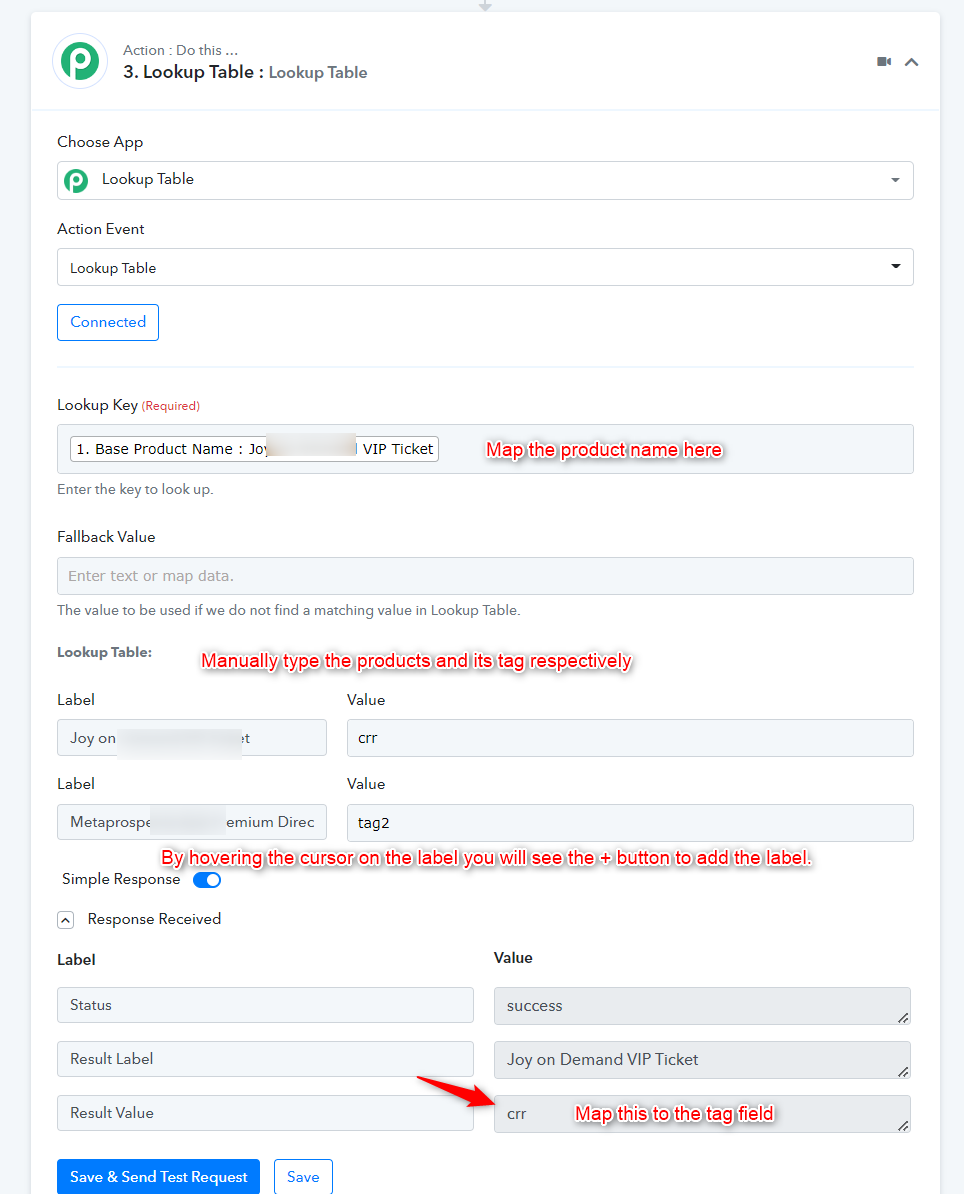
You can make use of the Lookup table action step where you can assign particular products with its assigned Tag accordingly.
You can refer to the following video tutorial for your better understanding.
Hey @cmerzutYou can make use of the Lookup table action step where you can assign particular products with its assigned Tag accordingly.
You can refer to the following video tutorial for your better understanding.
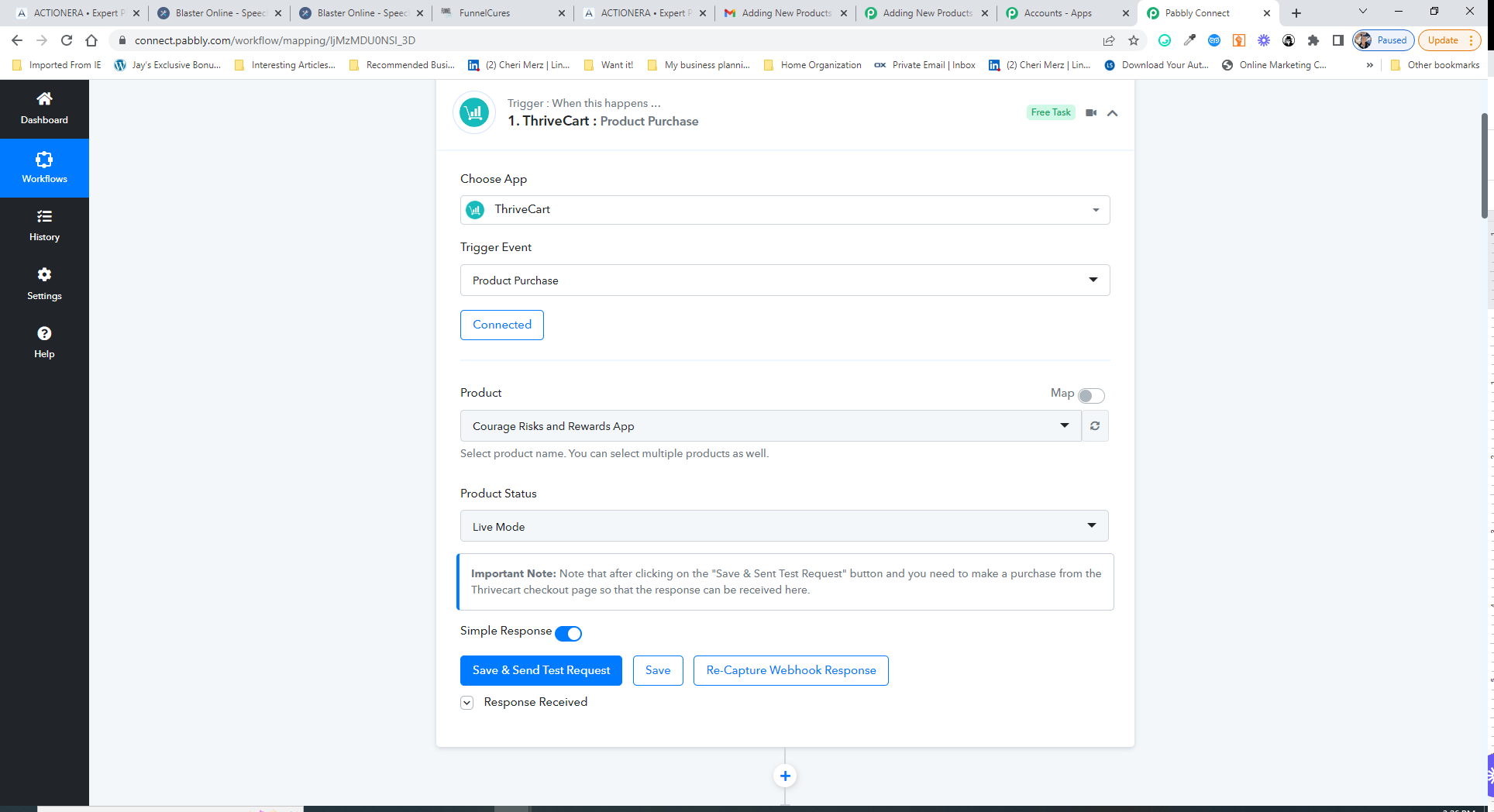
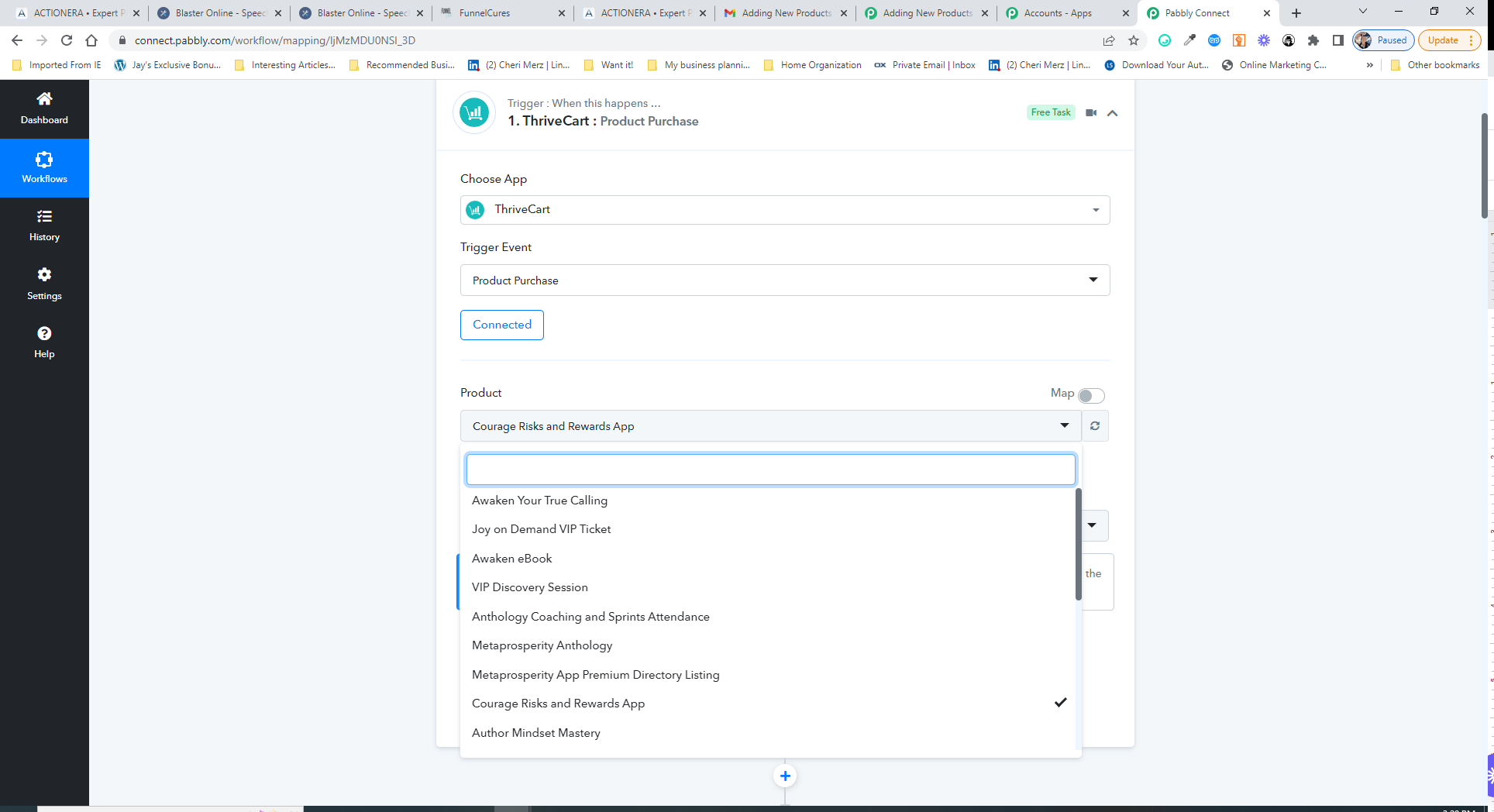
I think I understand the concept, but I don't know where to insert the step. I'm attaching a screenshot of the connection that's working right now, and another one where I've refreshed and fetched more products. Anything I attach here must have a different tag when it sends the data to my contacts in my HighLevel CRM. Do I insert the lookup step instead of this one, before it, or after it?
And where do I build the lookup table? When I click the + to add a step, I don't see a step to use the lookup table. Is this a paid account feature?
Attachments
Hey @cmerzut
Please check out the following screenshot for a better understanding of the Lookup Table action step.
Hi,
I see that you added this step for me. Thank you! Is the key specific for each product name, or is there just one for the lookup table? The one you used is not one that I'll be needing for this connection, and the record in the lookup table section is incorrect as to tag. I have updated that, I think, and I've removed one I don't need and added one I do. Would you mind checking to see if I've done this correctly? And how would I add more as I add products that need this connection? I don't see a way to add more records to the table. Also, the response received record is incorrect, and I can't seem to edit it.
Hey @cmerzut
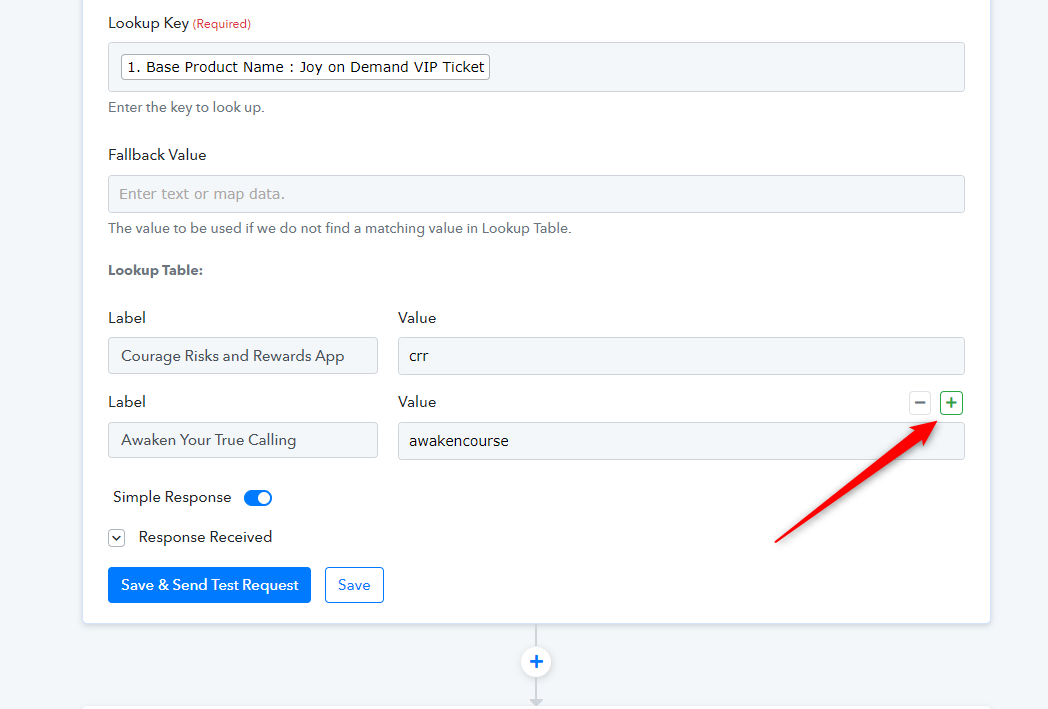
And how would I add more as I add products that need this connection?
If you hover the cursor on the field you will see the plus button and with the help of that, you can add a new field to add your products along with the tag.
Also, the response received record is incorrect, and I can't seem to edit it.
You can re-capture the webhook response again if you feel you have captured the wrong webhook response. Further, you cannot edit the webhook response once you captured it, you can re-capture it.
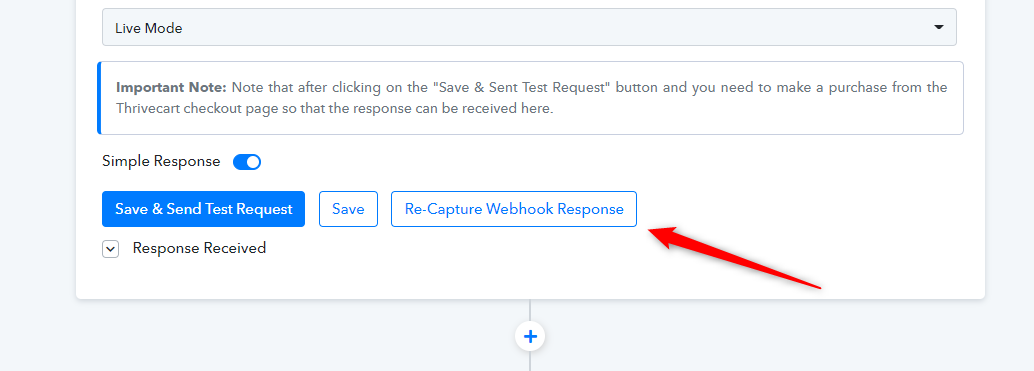
Thank you. I'm really uncertain and inexperienced about webhooks. What I meant was that the product it captured was not one I need for this type of connection, and the tag it captured was incorrect for the product. How can I avoid that, or does it really matter when the lookup table governs the product and tag?
Hey @cmerzut
What I meant was that the product it captured was not one I need for this type of connection, and the tag it captured was incorrect for the product.
Whatever the product you will select in the "Product" field dropdown, the trigger event will capture the response for those respective products only. It doesn't capture webhook responses for the different ordered products.
And as we can see from your trigger response you didn't capture the new webhook data.
Kindly try re-capturing the webhook response again with the respective data once and then try the complete workflow.
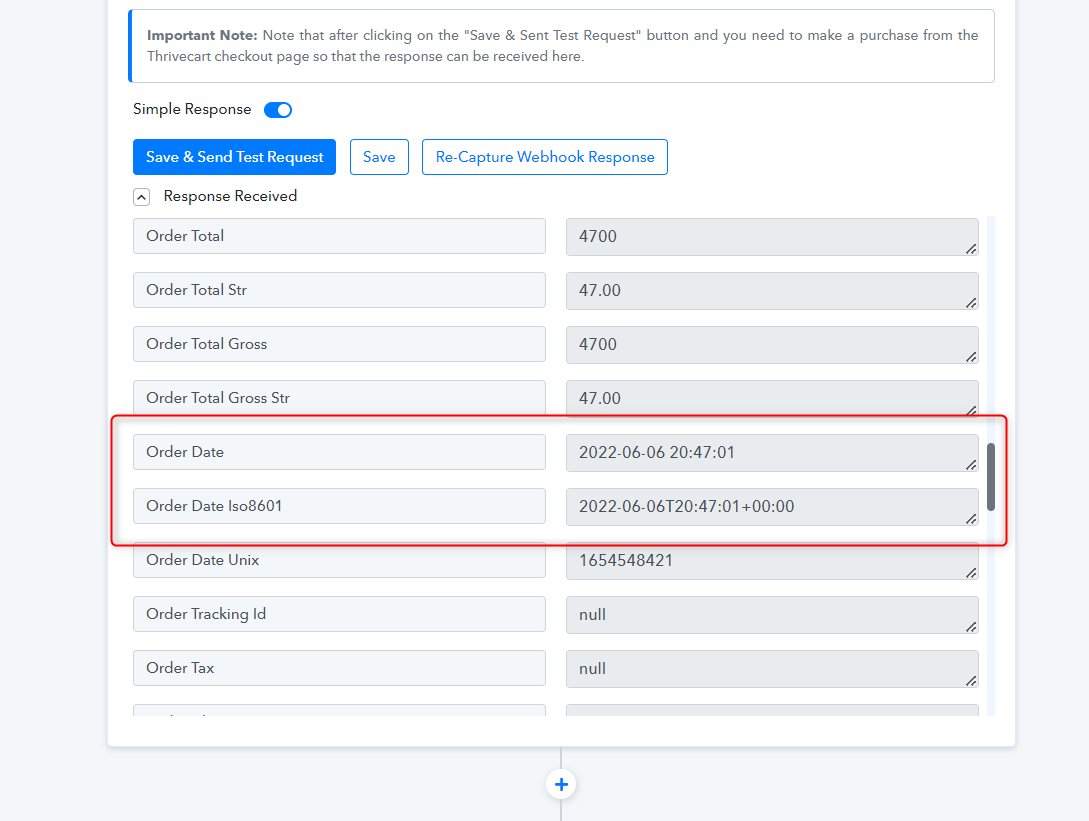
I clicked the recapture link, and it circled for over two hours before I gave up and stopped it. Is there something I need to do before I click recapture? I selected the product from the dropdown menu first, and then clicked recapture.
Hey @cmerzut
After pressing the "Re-Capture Webhook" button you need to make a submission from your Thrivecart account in terms to capture the webhook response.
Kindly try again and let us know if you still get stuck at any step.