Address error when I'm not fetching the address?
Status: Closed · Asked by Carilyn Tolentino on · 0 views
Hi,
Can you please check this workflow?
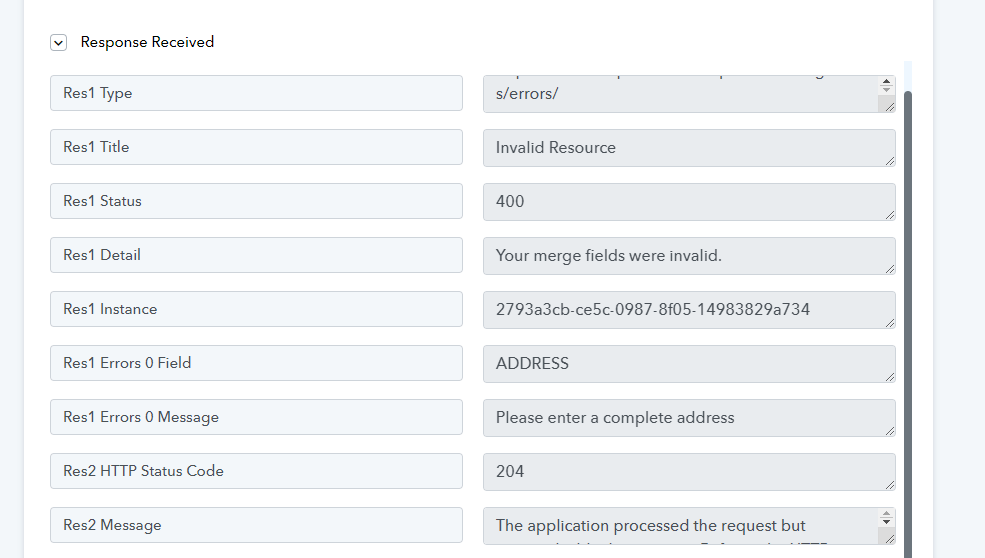
I am not trying to fetch the address so it's left blank, but the error is saying I should enter a complete address. So if there's no address then it won't fetch the data?
Hey @Caryl
If you're receiving the webhook response from your Airtable, it's important to note that it's not necessary to complete all the cells in a row for the automation to proceed.
Yes, I do understand that. And I just left the other cells blank. However, as you can see in the workflow, it says it's an address error (when it's not even supposed to capture the address). I have multiple similar workflows and they are working fine.
These are the errors. Can you help me locate the problem?
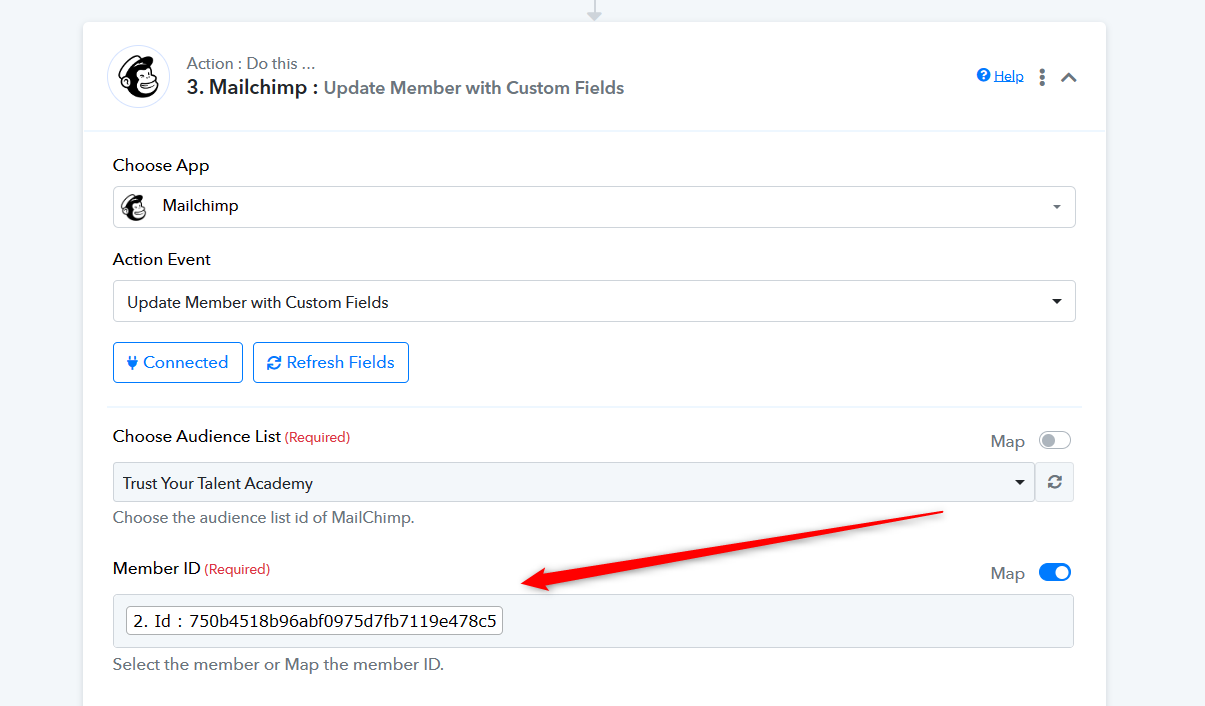
In the action step "Mailchimp: Update Member with Custom Fields," it's important to input the Member ID instead of the email address in the designated "Member ID" field. This ensures accurate identification and updates for the specific member you intend to modify.