Aidaform image upload > Gmail
Status: Closed · Asked by Bram on · 0 views
I have a form where users can upload one or multiple images through Aidaform.
Ive set up the workflow and when testing it, it works:
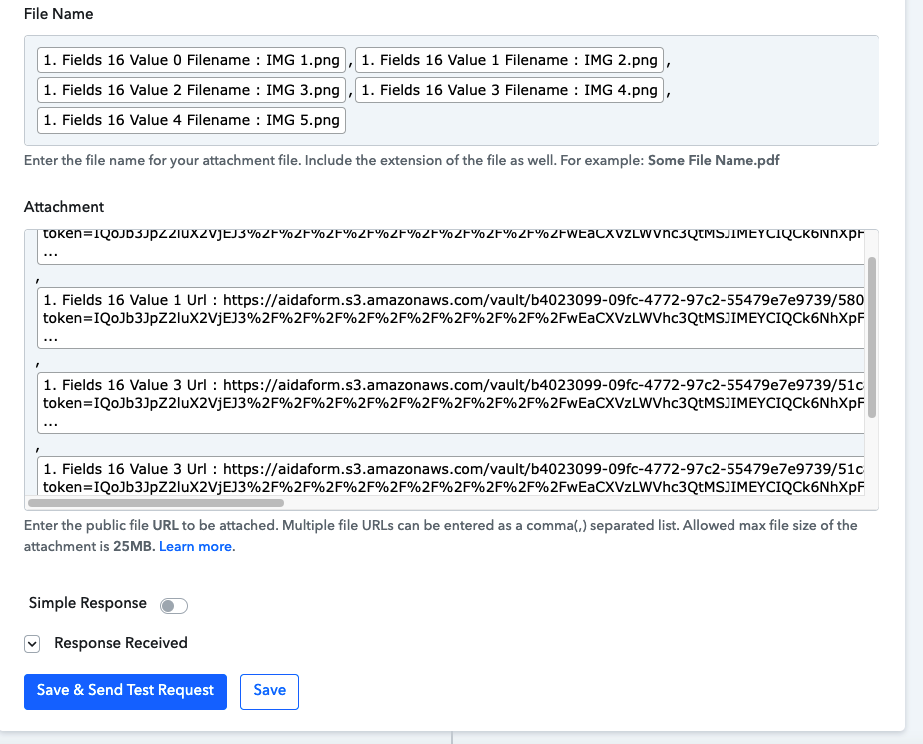
Result when sending test request works:

When submitting images through the live form it doesn't work:
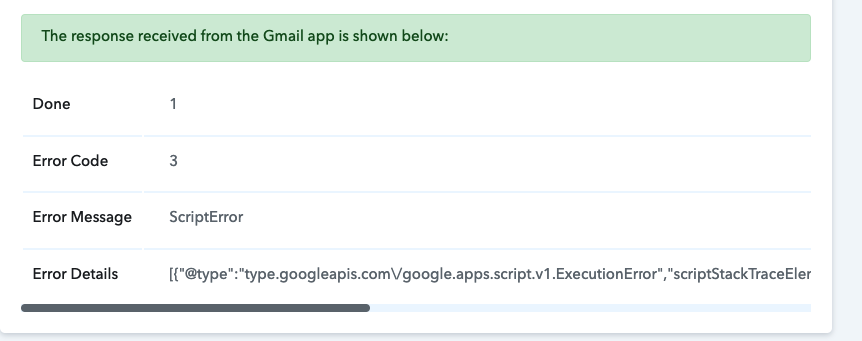
Error Details:
[TABLE]
[TR]
[TD][{"@type":"type.googleapis.com\/google.apps.script.v1.ExecutionError","scriptStackTraceElements":[[],{"function":"sendEmailWithAttachment"}],"errorMessage":"Exception: Attribute provided with no value: url","errorType":"ScriptError"}][/TD]
[/TR]
[/TABLE]
What am I doing wrong?
Hey @robbiereyes
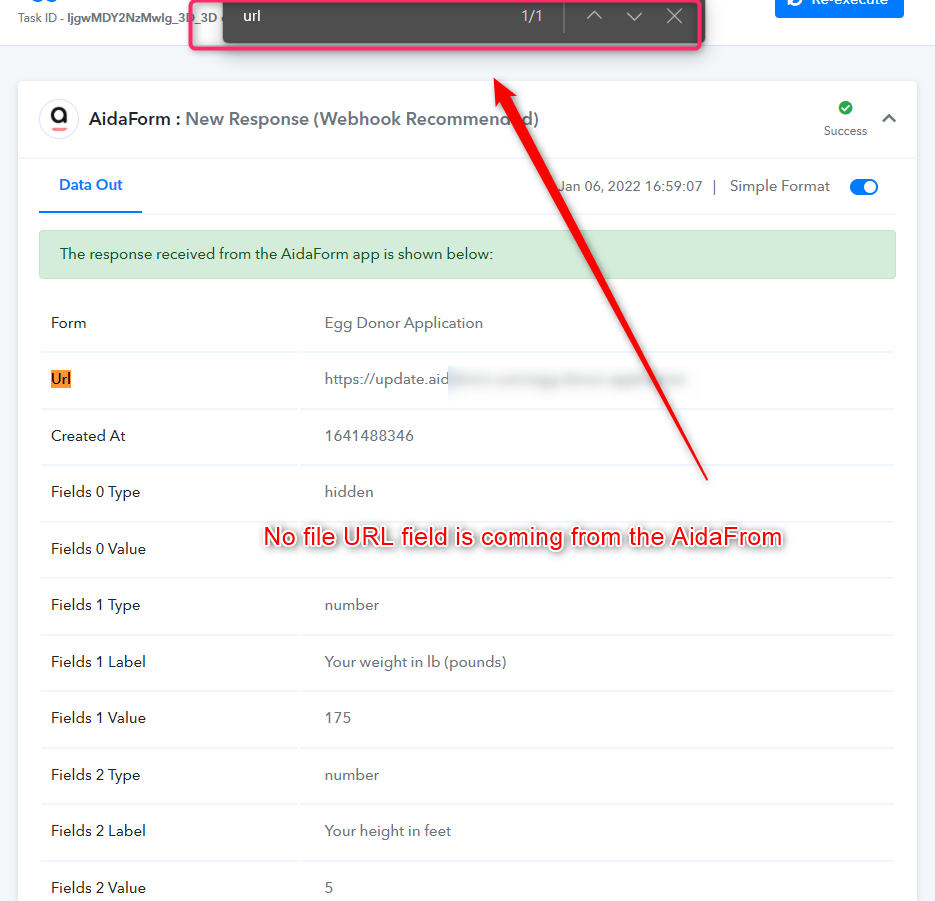
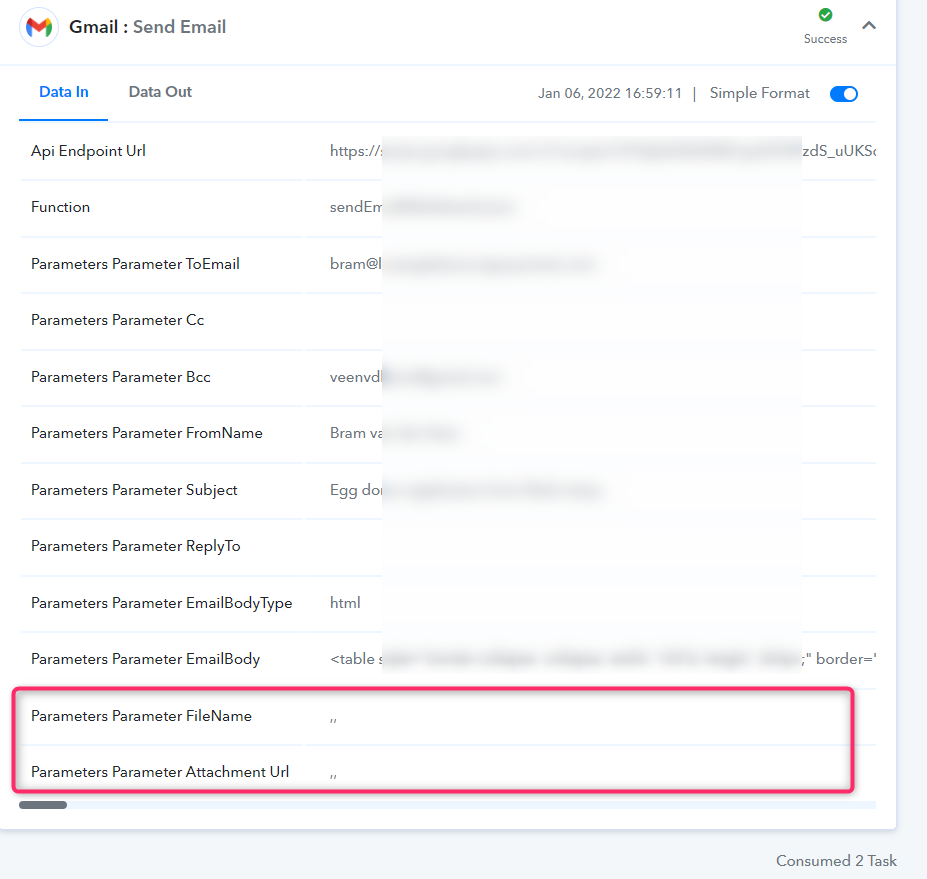
The error is responding because the file URL is missing in the Gmail action event. since the file URL fields are not coming from the Aidaform in those executions.
And when the file URL is not appearing from the trigger response on the action event where commas' went alone in the field which is erroneous to read for the Gmail action event.
Other than that your workflow seems working for us.
Thanks
Thanks @Supreme What is your suggestion to fix this?
Hey @robbiereyes
You can use the filter action step to stop the execution when there is no file URL
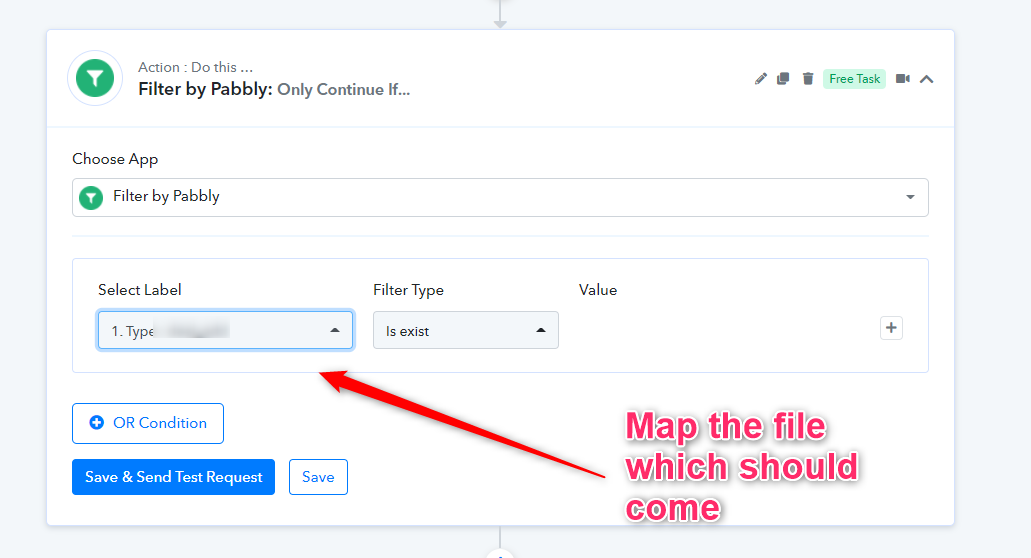
Thanks @Supreme . So I would add this before the Gmail: Send Email?

And what if a user doesn't upload an image? Will the Gmail action still execute?
Hey @robbiereyes
You can use the filter action step before the Gmail step, no the Gmail action step wouldn't work if the user didn't fill any image.
But if you want to process both situations you can use the router action step, where one route can be established to process your images in Gmail and another one will take care of the Gmail action when the user didn't pass the images.