Allow empty fields in WhatsApp template
Status: Open · Asked by info on · 0 views
Hello,
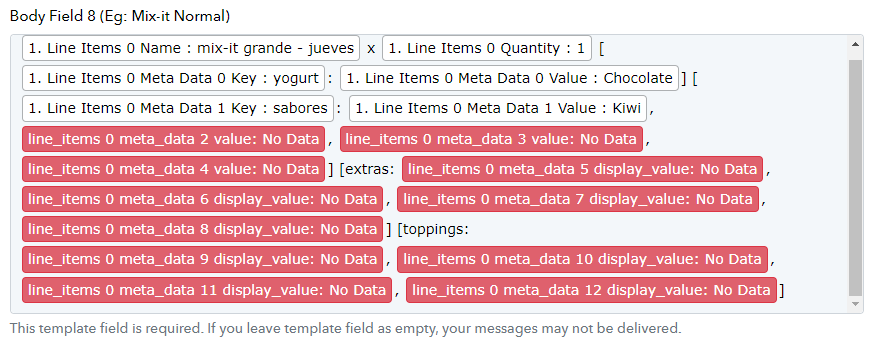
We are an ice cream Woocommerce store with lots of product types, with flavors and add-ons. We built a template in which we are supposing the user selects all options, flavors and add-ons of a product. The problem is that the user might not select all options because they are optional therefore the WhatsApp template is not sent because there is empty data in the fields.
We need the system to allow empty fields in the template. Is there a solution please?
Attachments
Hi @info,
As per your Task History, I can see that the data has been sent to the WhatsApp Cloud API from Pabbly Connect accordingly, but the WhatsApp Cloud API didn't recognize it and responded with an error.
So, kindly contact the WhatsApp Cloud API support team; I hope they might help you with your API request accordingly.
Furthermore, we would recommend you reconnect the action step once and then try again.
ArshilAhmad,
I do not agree. WhatsApp API only takes one field in its template. In Pably it is possible to load almost any text inside that field and that is the reason we bought the full package. It was sending empty data in some fields gotten from the Woocommerce Order mapped fields and working perfectly. Now it does not.
There must be a way to roll back to what we used to have please.
Please enter the Recipient Mobile Number in the format provided in the help text and try again.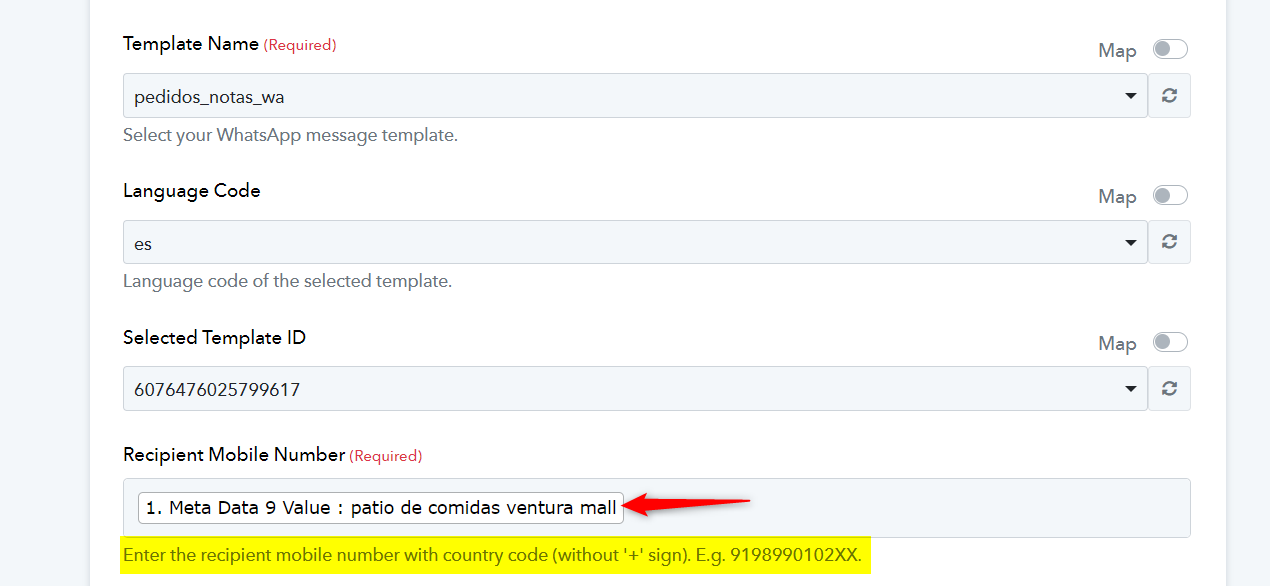
ArshilAhmad,
I see you have cleared the template fields and tried to remap the Woocommerce Order again.
I have done a test purchase and capture the response in order to have the most important data working and now it does.
I will do another test purchase this time with a product that is most likely to get empty data and re-map the Woocommerce Order again. I will let you know how that results.
I haven't made any changes to your workflow; it was showing as such when I opened it.