Amelia webhook, success, but fail of #2Action's Response
Status: Open · Asked by joy4all on · 0 views
Greetings!
Our goal is to take the info provided by an Ameila and add it to a FileMaker file.
Success:: 1) captured the Amelia Webhook Response, 2 created an API Action and sent & received a response from the FileMaker file.
Fail: clicking the "save & Send Test Reques returned a response:
Message 0 Message "undefined': Expexted type object but found type array
Message 0 Code 960
Where can I find the meaning to the message and message code?
I need to grab the token returned from FileMaker to continue.
Thanks and cheers, Patricia
Hi @joy4all,
Could you please share the API documentation of the application with which you are trying to establish a connection?
Hi ArshilAhmad,
FileMaker API Guide (the parent company of FileMaker is Claris).
Please let us know if you need more info.
Thanks, Patricia
Could you please share a direct link to the specific endpoint you are using?
WE triger the Amelia Webhook
For the next action we do POST
The API Endpoint URL is https://s711943.fmphost.com/fmi/data/vLatest/databases/ClientTracker_1476/sessions
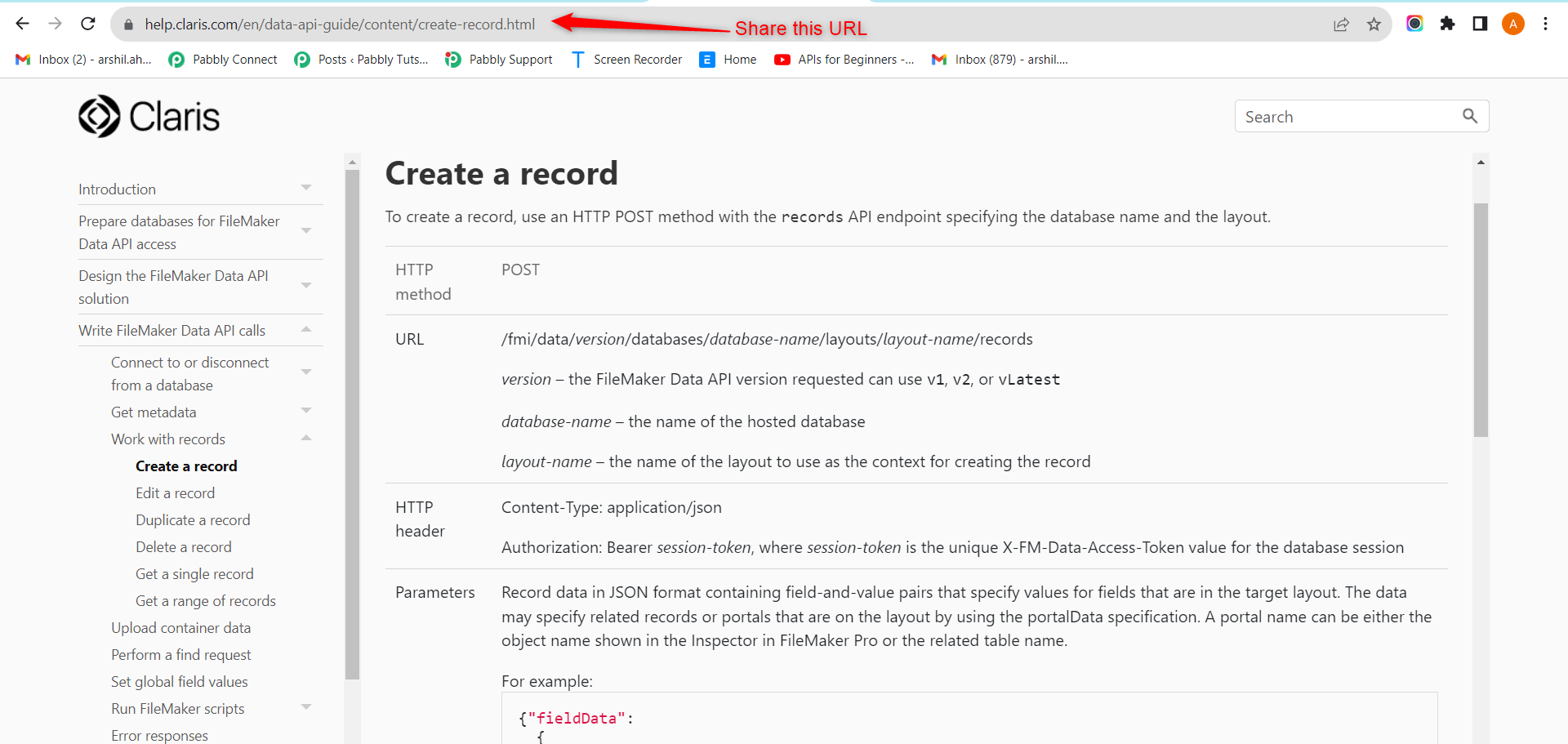
Please share which specific endpoint you are using in this document: https://help.claris.com/en/data-api-guide/. For example, if it's 'Create a record,' please share the link to that part of the document, as shown in the screenshot below
Please allow us some time to look into this. We will get back to you with an update soon.
Thanks ArshilAhmad! We appreciate you looking into this.
Is there anyway to give a time range to "soon"?
We will get back to you within 24 hours.
@joy4all, The link you have shared is the endpoint URL. Could you please share where this endpoint is located in the API documentation you shared? I need to see in the API documentation what this endpoint does, its authentication type, its parameters, etc
The steps as we see it:
An appointment is made in Amelia and sends the Webhook Trigger to Pabbly (works)
Then a series of 3 API actions
- API call #1 - (POST) returns the FM authorization token
- API call #2 - (POST) uses the token returned in API call #1 for the auth header to send the payload of data to a specific FM db
- API call #3 - (POST) triggers a FM script in the target db, to further process the data delivered in API call #2
You can find the FileMaker API documentation for Write FileMaker Data API calls here
https://help.claris.com/en/data-api-guide/content/write-data-api-calls.html
Thanks!
I had a discussion with the technical team regarding your concern, and they have informed me that achieving the use case you are attempting through the API by Pabbly module is not possible.
For this to work, you need to create an integration (application) inside Pabbly Connect, or you can submit a request on our dedicated platform for the addition of this application to Pabbly Connect: https://pabbly.hellonext.co/
You can also contact our integration team via email at [EMAIL]integrations@pabbly.com[/EMAIL].
Thank you ArshilAhmad for all the help you have provided!
Cheers,
Patricia