API Post Error : form field class may not be null
Status: Closed · Asked by greco26 on · 0 views
Hi, I searched past posts but couldnt find an answer to my issue. I am submitting a POST however the response I am getting is Error : form field class may not be null. Pebbly is sending something that I cannot see I suppose and that is causing the issue. When I test the API POST via Postman, it works just fine. Any idea what i'm missing? I have attached a screenshot but I removed the Bearer token and account number. I have no problems with Get requests so no issues on the Authentication that I can see. Thanks,
Attachments
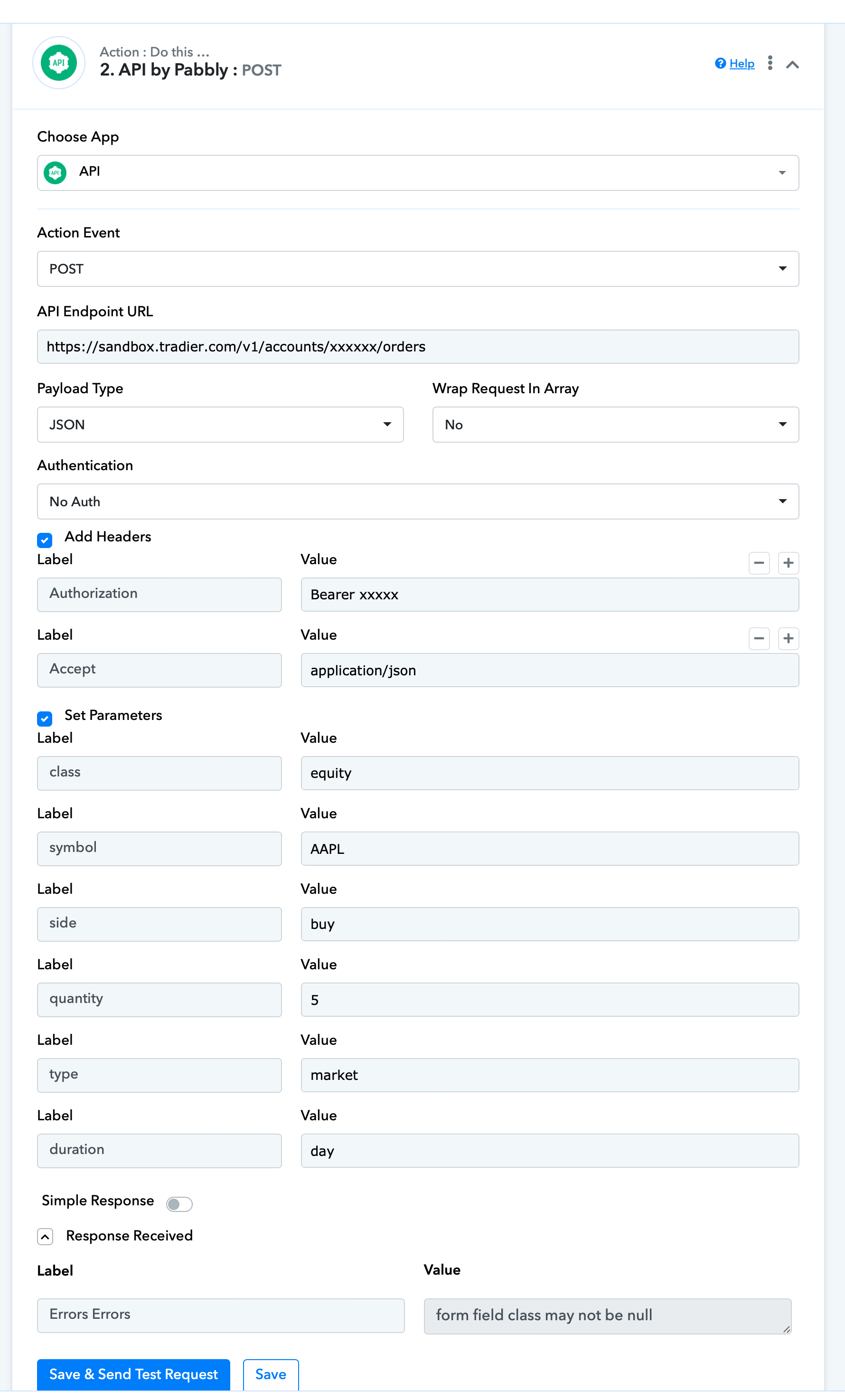
Hey @greco26
As we have noticed that the API request that you are trying to process actually has a payload type of "Encoded Form-Data" and also you haven't passed the account Id in the endpoint URL and didn't pass the Bearer token yet.
So, please pass the required details once and the entry again.
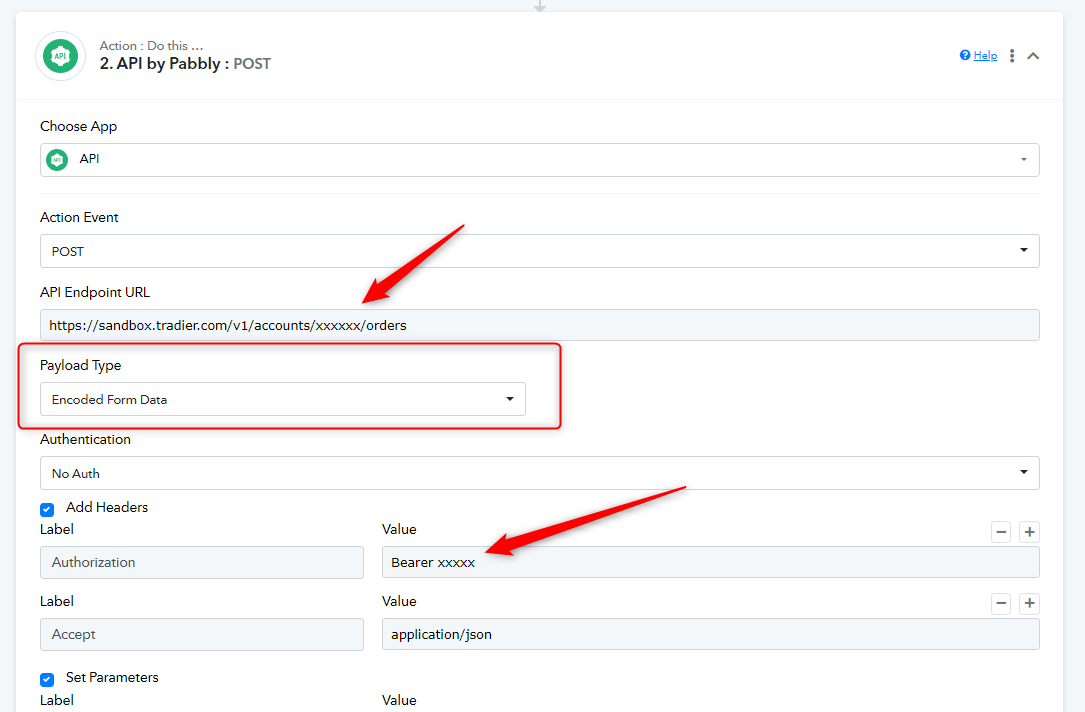
Further, you can also refer to the following video tutorial on how you can use the "API by Pabbly" action step.
youtube.com/watch?v=bmf4och_kTk
Also, please do share the complete API documentation of the API request which you want to make in the workflow.
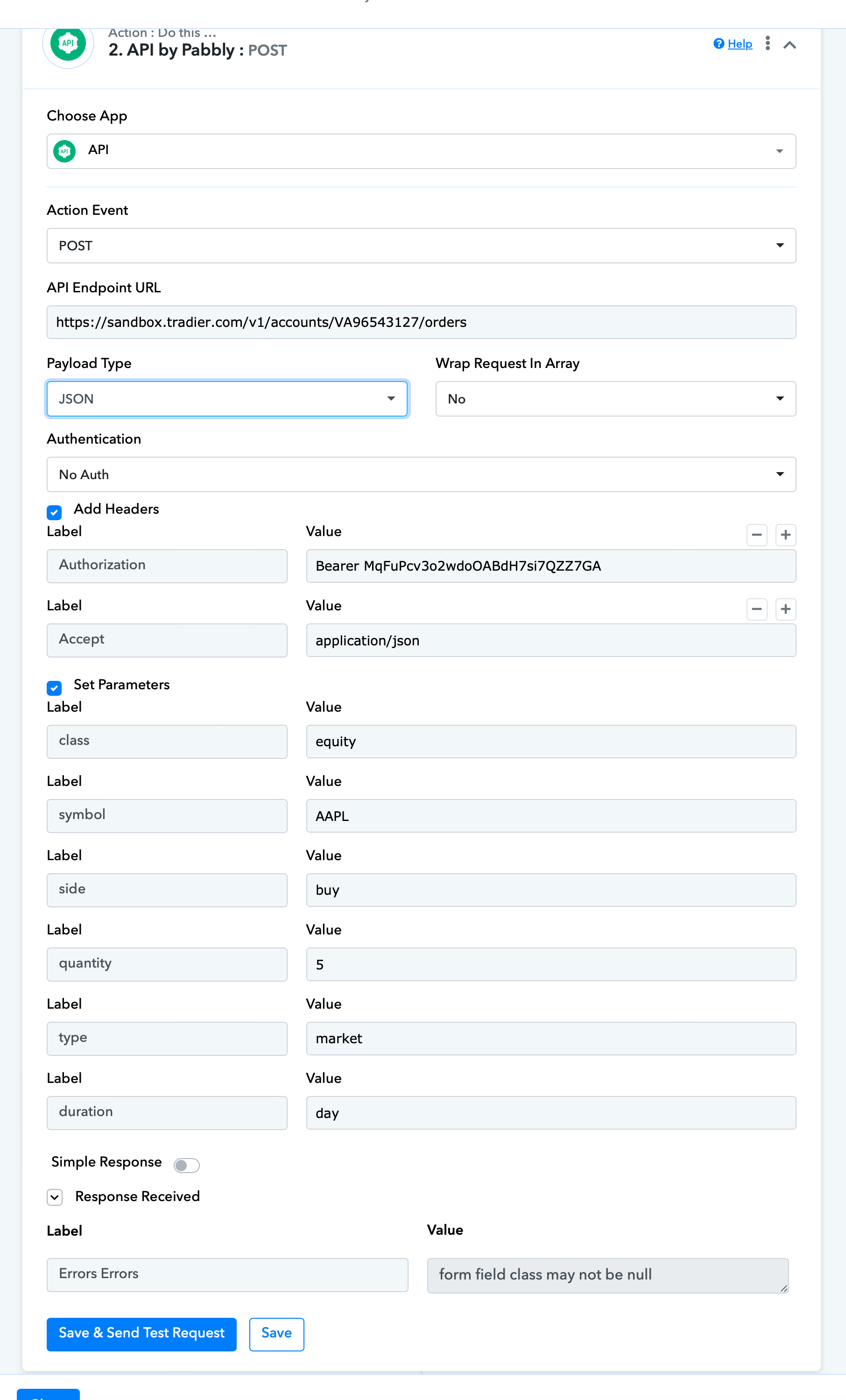
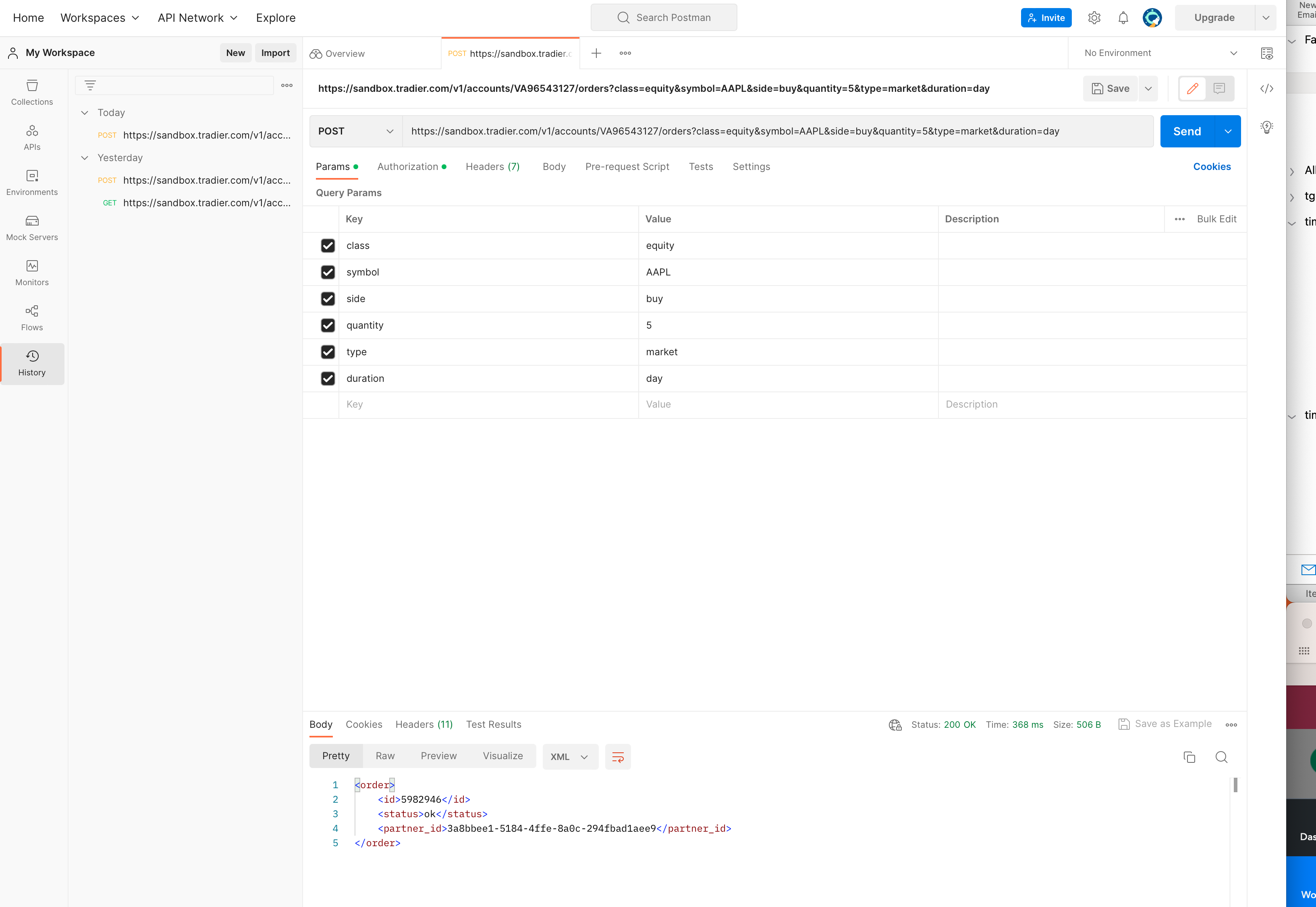
Hi, thanks for your response. I mentioned in my original post that I removed the account number and token in the screenshot I posted. I did this as I didn't want the account number and token exposed. The updated screenshot below includes those details now. When I have been submitting the API request, those Items were properly insterted. For the payload type, I had been trying all the different Payload types and I had left the "Encoded Form-Data" on the form when I took the screenshot. My assumption is that JSON is the correct one and that still doesn't work for this Post request. All of my configs works fine for the Get request I make so I know the Payload, Auth, and Account numbers are working properly. The issue seems to be that the Pebbly POST request is passing an additional field that I can't see which is causing the error to come back (I guess?). Overall, I have tried what you have suggested and I still get the same result. Again, I used the exact same process with Postman (2nd screenshot) and the POST goest right through so it's something on the Pebbly config that is causing the issue. Please advise. Thanks,
Attachments
Hey @greco26
Can you please share the workflow URL once in which you have tried the API call along with the API documentation for the same?
Hi, You can close this. If found a work around for the issue. I am using a custom Post and using form data instead. Thanks,
Thanks for letting us know!