API POST Request Help Urgent
Status: Open · Asked by IChild Company on · 0 views
Hi Community.
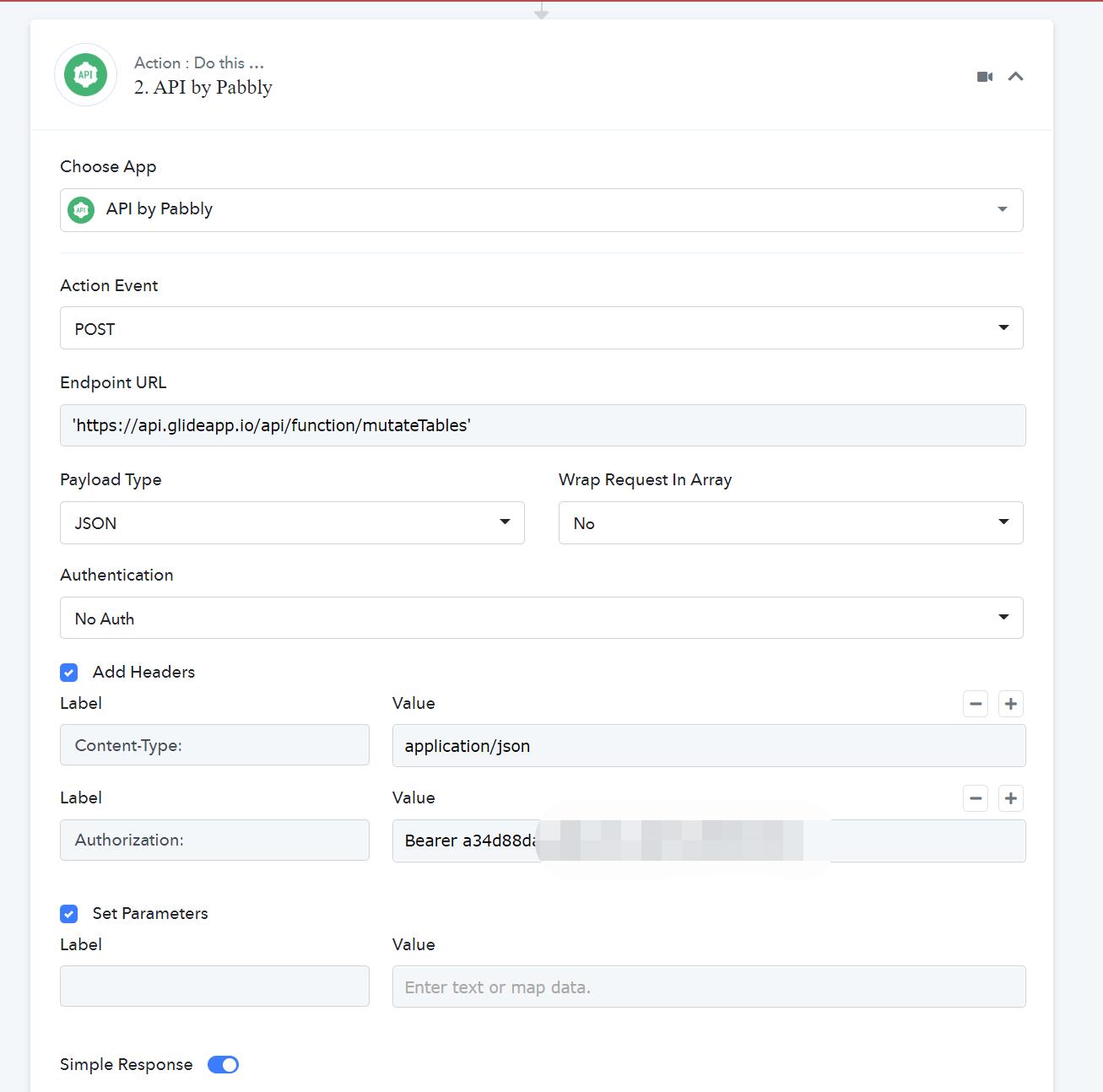
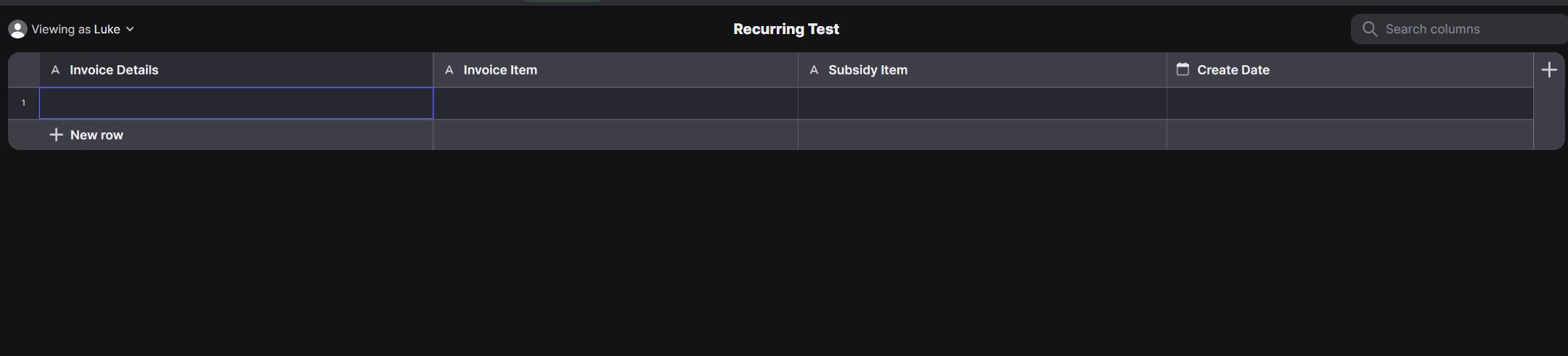
WE are trying to Use Pabbly to Do a API Post from Glideapp with the following API This API will be triggered from Google -> Pabbly API to create a ROW in the Glide table. The Glide Table has the following API Parameters:
curl --request POST 'https://api.glideapp.io/api/function/mutateTables' \
--header 'Content-Type: application/json' \
--header 'Authorization: Bearer a34d88da-XXXXXXXX' \
--data-raw '{
"appID": "FTtT42XXXXXX",
"mutations": [
{
"kind": "add-row-to-table",
"tableName": "native-table-1nvQXXXXXXXX",
"columnValues": {
"Name": "Invoice Details",
"Invoice Item": "Invoice Item",
"Subsidy Item": "Subsidy Item",
"Create Date": "Create Date"
}
}
]
}'
WE have attached the setup in Pabbly API as a screenshot.
Kindly advise how we can
1. If the Endpoint URL correctly set up?
2. Payload Type: Is it correct? What is Wrap Request in Array
3. For Headers
Content-Type: correctly filled?
Authorization: correctly filled?
4. What are the Parameters to set?
Any advise or help is much appreciated!
Attachments
Hey @ichilddev
We have restructured the API request in your workflow according to your shared curl request.
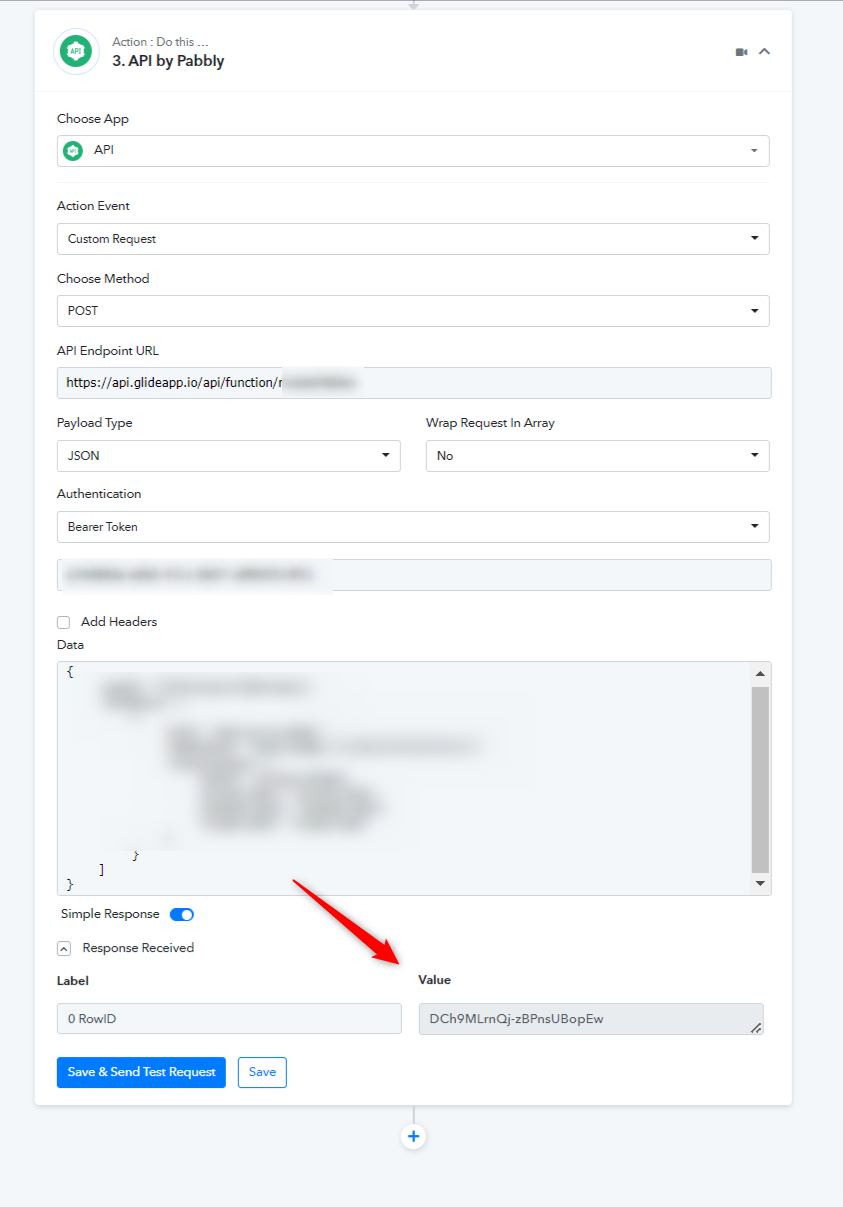
Kindly review that and if you face any further issues with that please contact their support team.
Hey @ichilddevWe have restructured the API request in your workflow according to your shared curl request.
Kindly review that and if you face any further issues with that please contact their support team.
Hi Thanks for your reply.
But i couldn't see how the muzzled section. How do we insert these values?
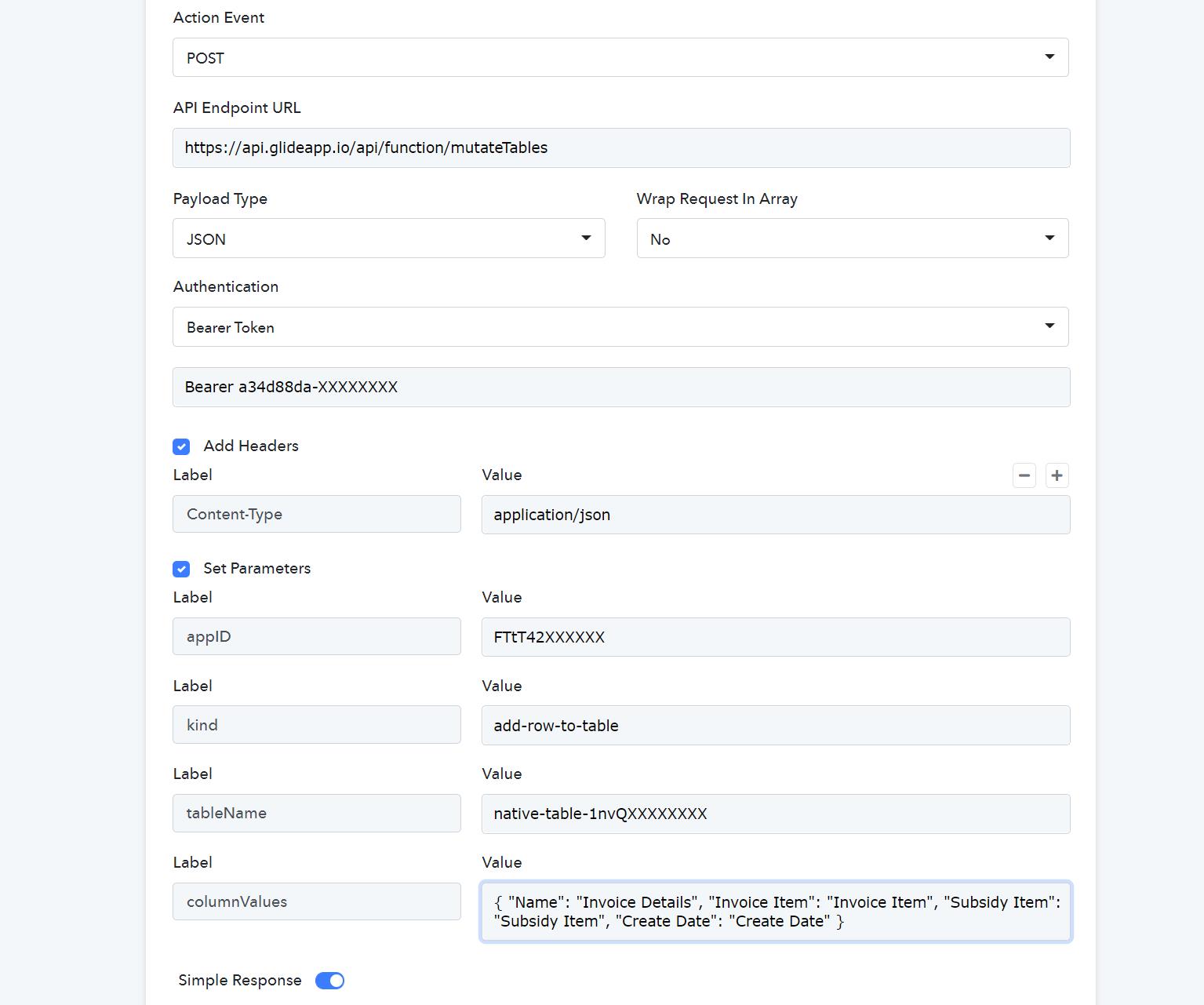
In your screenshot, under the Add Headers, there is a Data. But in our UI, there isn't this Data, but Set Parameters. See attached.
Again this is the one that has been gotten from the Application Table api.
curl --request POST 'https://api.glideapp.io/api/function/mutateTables' \
--header 'Content-Type: application/json' \
--header 'Authorization: Bearer a34d88da-XXXXXXXX' \
--data-raw '{
"appID": "FTtT42XXXXXX",
"mutations": [
{
"kind": "add-row-to-table",
"tableName": "native-table-1nvQqRs3eD2B7iQrDu7k",
"columnValues": {
"Name": "Invoice Details",
"Invoice Item": "Invoice Item",
"Subsidy Item": "Subsidy Item",
"Create Date": "Create Date"
}
}
]
}'
We have tried the attached, but still got bad request
Attachments
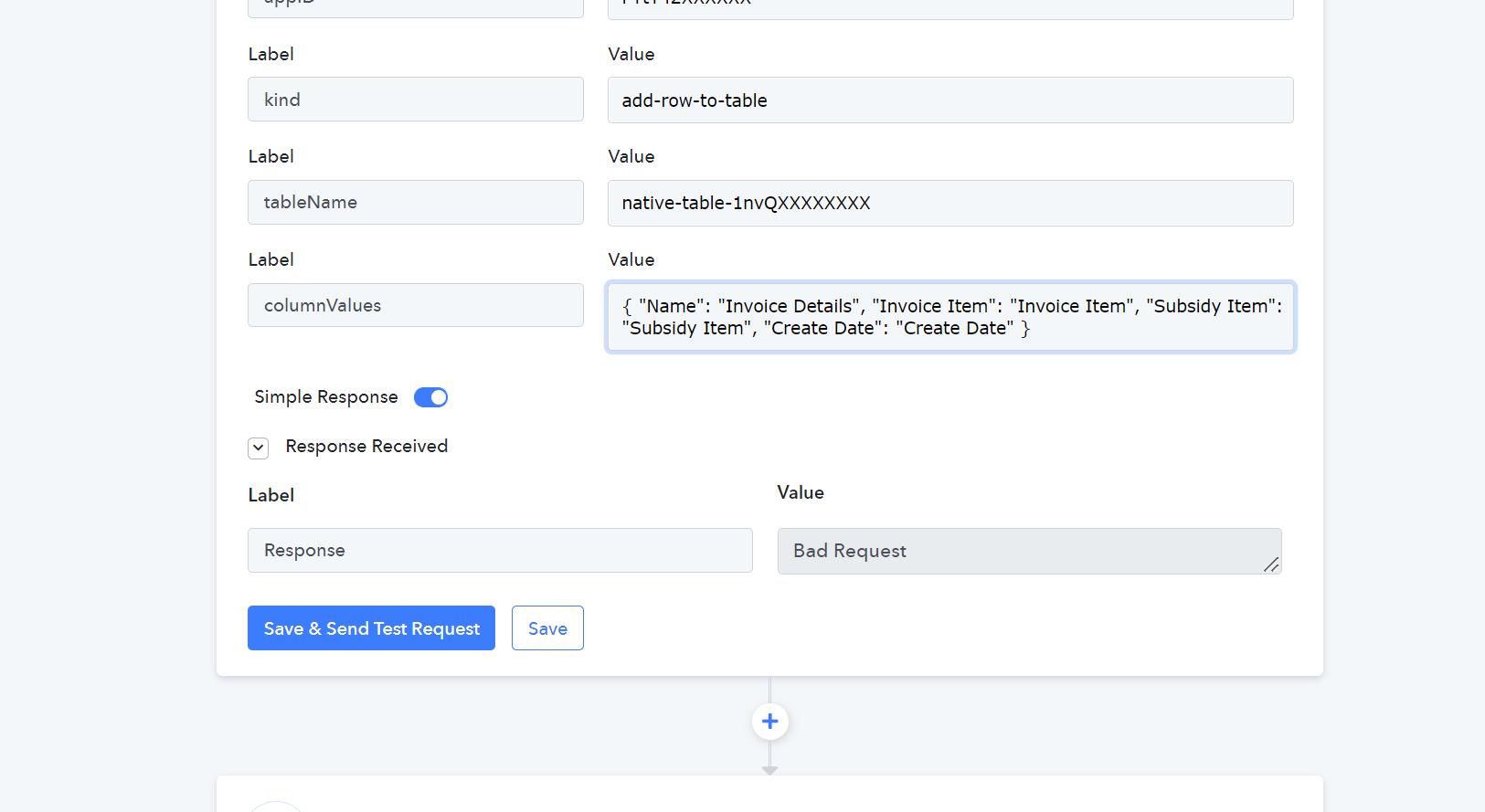
Hey @ichilddevWe have restructured the API request in your workflow according to your shared curl request.
Kindly review that and if you face any further issues with that please contact their support team.
From your reply, do you mean you managed to create a new Row in the table?
From your reply, do you mean you managed to create a new Row in the table?
Yes! Please check the 4th step in your workflow.
From your reply, do you mean you managed to create a new Row in the table?
Hi thanks for your prompt reply, really appreciate
Which 4th steps are you referring? are you able to help guide us? If possible can you forward your screenshot how you have included the values in the api to make it happen. Will be grateful if you could email to us at [email hidden] or this forum account email?
Without providing the
--header 'Authorization: Bearer a34d88da-XXXXXXXX' \
--data-raw '{
"appID": "FTtT42XXXXXX",
You are able to sent the values to our table? We actually saw 2 new rows. Not sure if that's from you!
Which 4th steps are you referring? are you able to help guide us?
Please check the workflow(Glide Recurring API) where we have set the API by the Pabbly action step.
Kindly check that out. If need any further assistance please check with the application's support team.
Please check the workflow(Glide Recurring API) where we have set the API by the Pabbly action step.Kindly check that out. If need any further assistance please check with the application's support team.
Wow thanks for your reply It works!
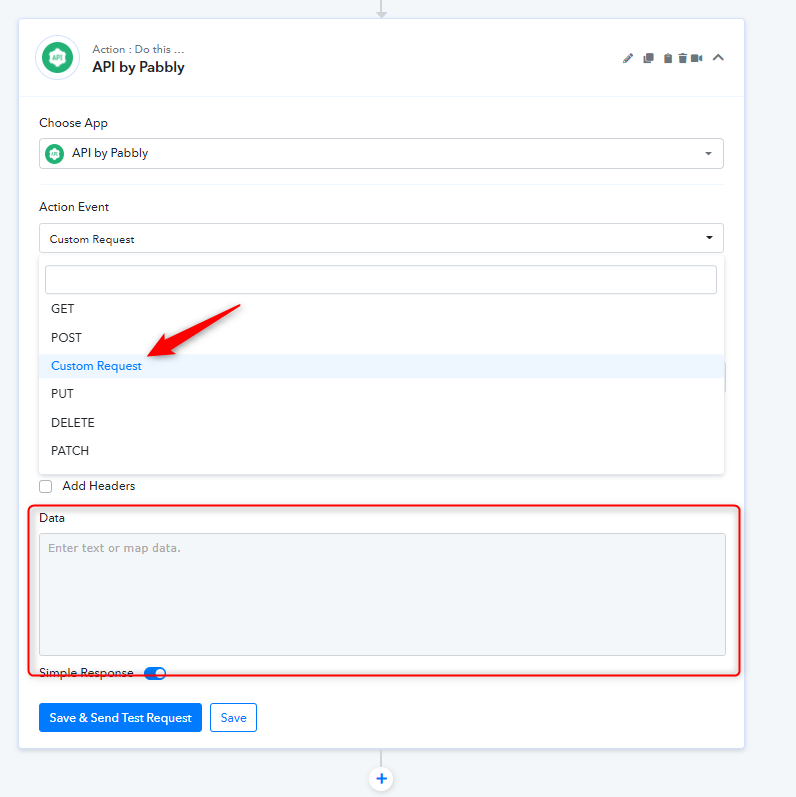
However, how can we get this DATA box if i wanna open a new API Data field. Any video on this we can refer to? Appreciate your advise!
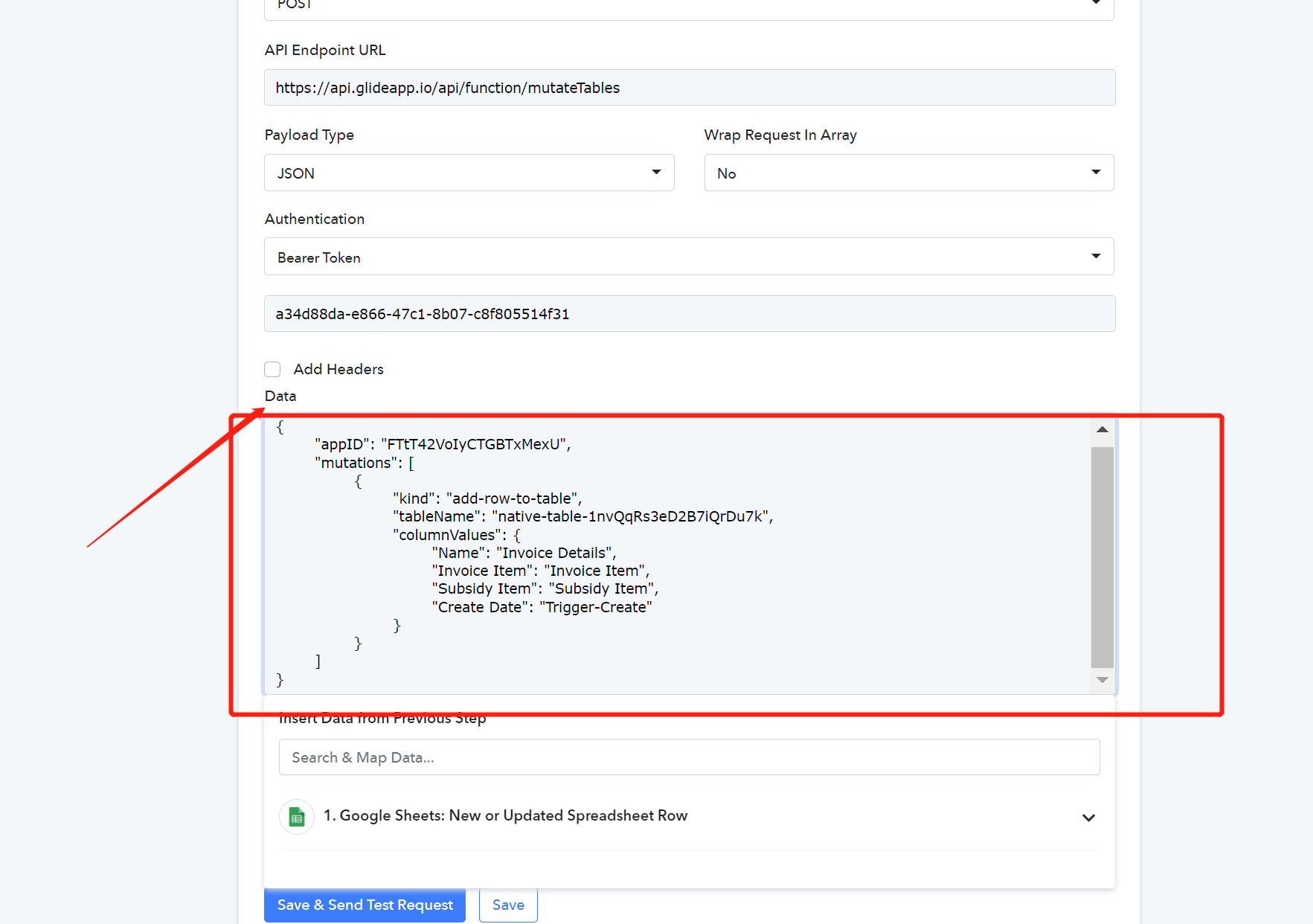
Hi Support.
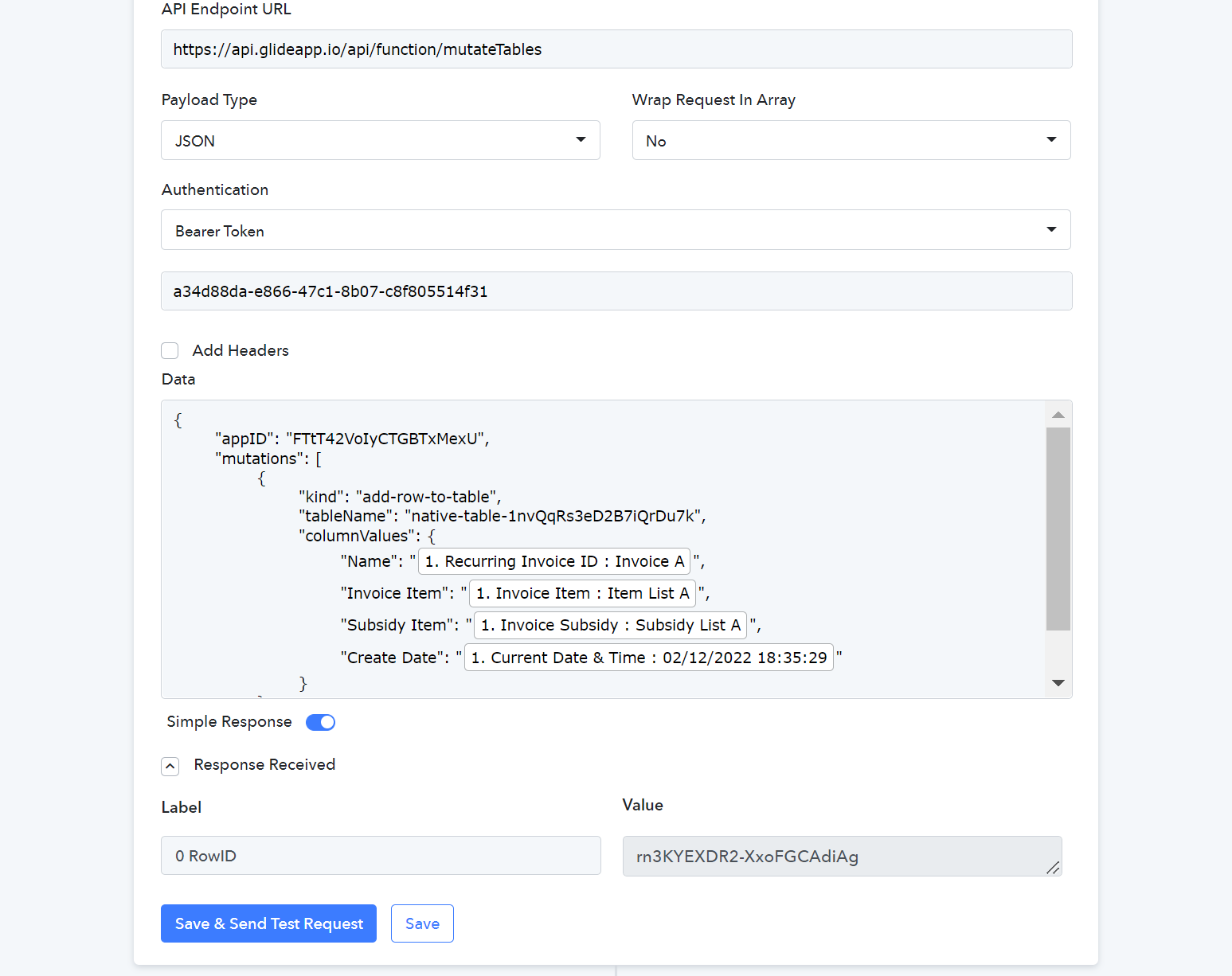
We are able to click on Save & Send Test Request, and the data is successfully updated to Glide table.
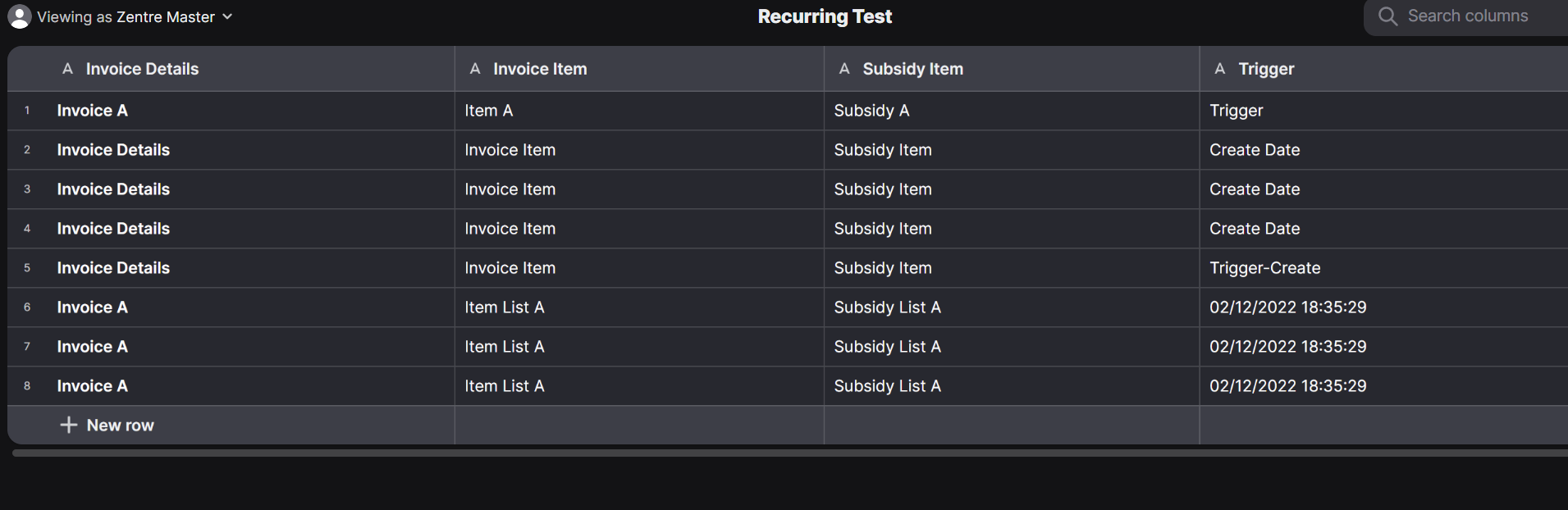
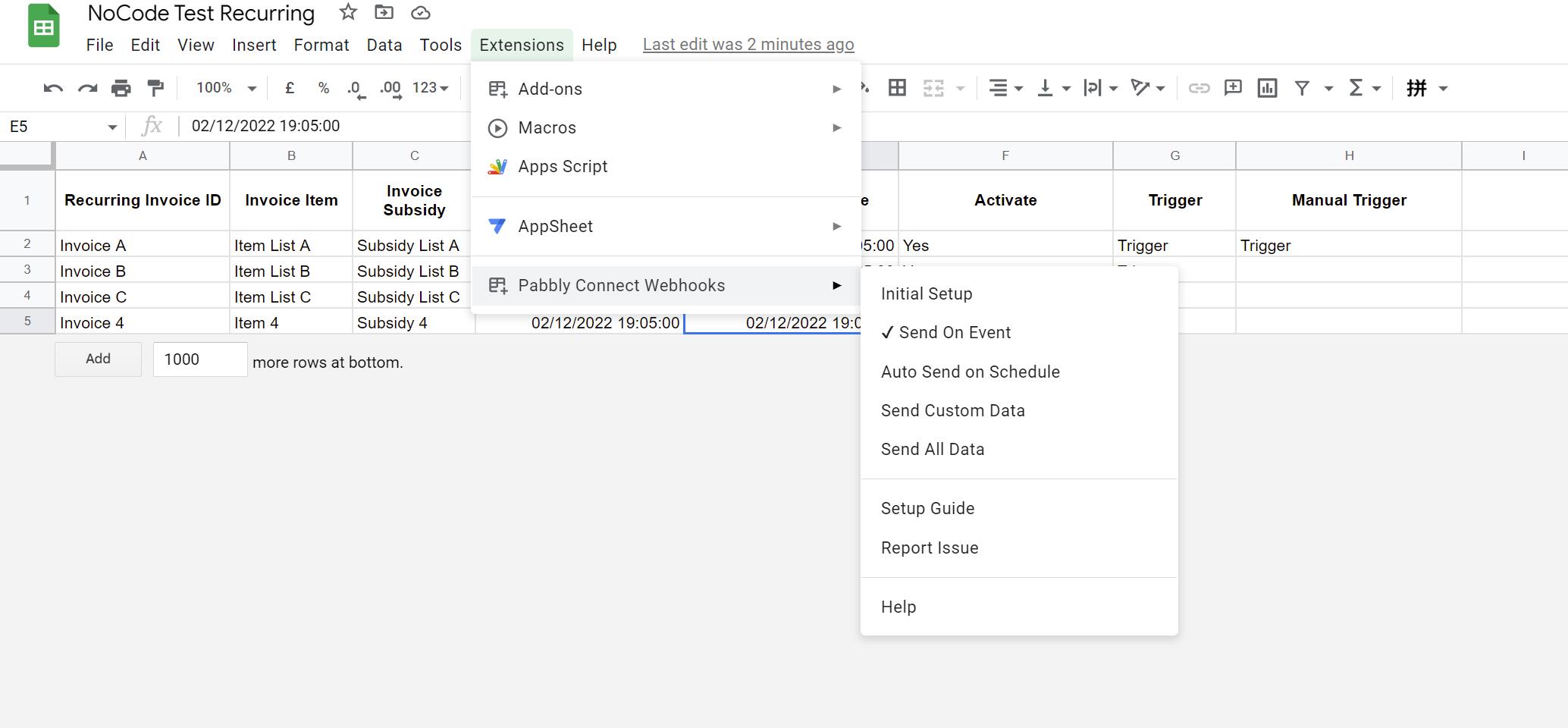
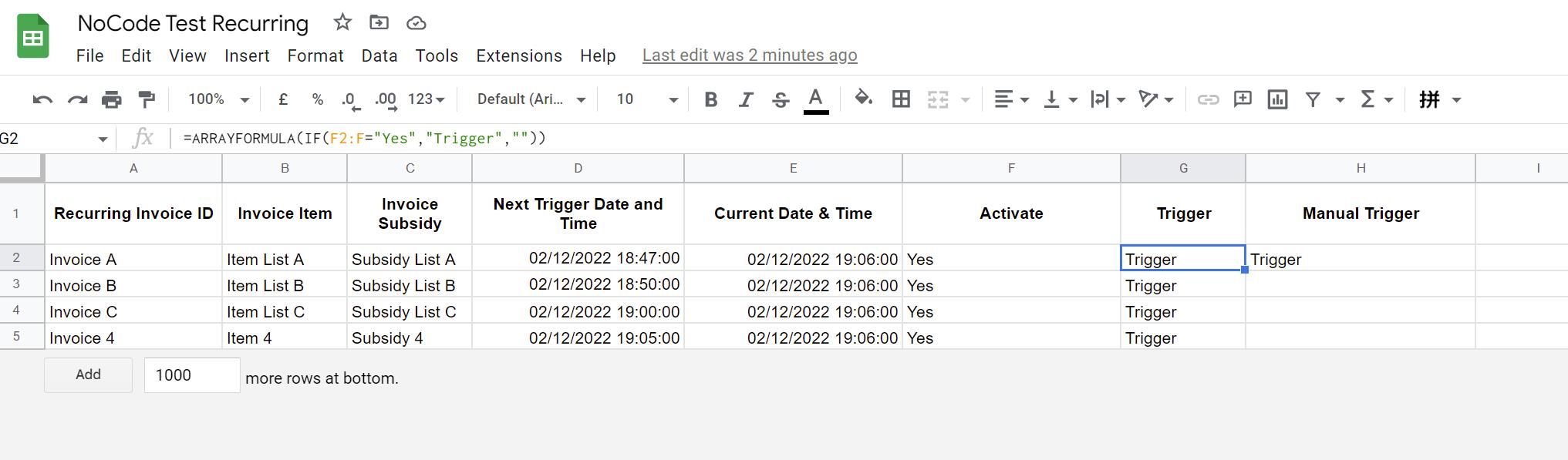
However when we do a run the flow via Google Sheet, the Pabbly does not work. See Google Sheet Setup
Here the link to the test sheet https://docs.google.com/spreadsheets/d/1iPGkoxaR1WCOKeKmb0d6RFipVEjDZvoowwM7FEmmpFs/edit?usp=sharing
We have checked in Pabbly History, there's no flow action at all.
Kindly advise as we have done previous google sheet row update by just Updating a Single cell, the data is sent out successfully (to other apps though)
Attachments
Hey @ichilddev
You can check the "Custom Request" action event in the API by the Pabbly action step to get Data Board.
Further, we request our users to not use any kind of formulas or any filter with ImportRange in their Google Sheets to trigger the workflow. Since it might affect the incoming data with the app script.
So, kindly pass the proper data in their Google Sheet to the trigger column manually or from 3rd party application.
Dear Supreme,
Thanks for your prompt reply.
In the Google Sheet, we are not using any Import Range. We are trying to
1. Create a Recurring Task base on a Date to Trigger the Execution Flow.
2. We have tested on other Flow that involves Google Sheet, in that a certain Value is updated to the Trigger Column and it Works.
Are you saying the google sheet that we have used, the formula will not trigger the flow?
Hey @ichilddev
1. Create a Recurring Task base on a Date to Trigger the Execution Flow.
2. We have tested on other Flow that involves Google Sheet, in that a certain Value is updated to the Trigger Column and it Works.
If you are using a formula in the triggering column then we would recommend you not use any formula, as it might interfere with the app script which sends the data to the workflow.
Dear Supreme,
Hey @ichilddevYou can check the "Custom Request" action event in the API by the Pabbly action step to get Data Board.
Further, we request our users to not use any kind of formulas or any filter with ImportRange in their Google Sheets to trigger the workflow. Since it might affect the incoming data with the app script.
So, kindly pass the proper data in their Google Sheet to the trigger column manually or from 3rd party application.
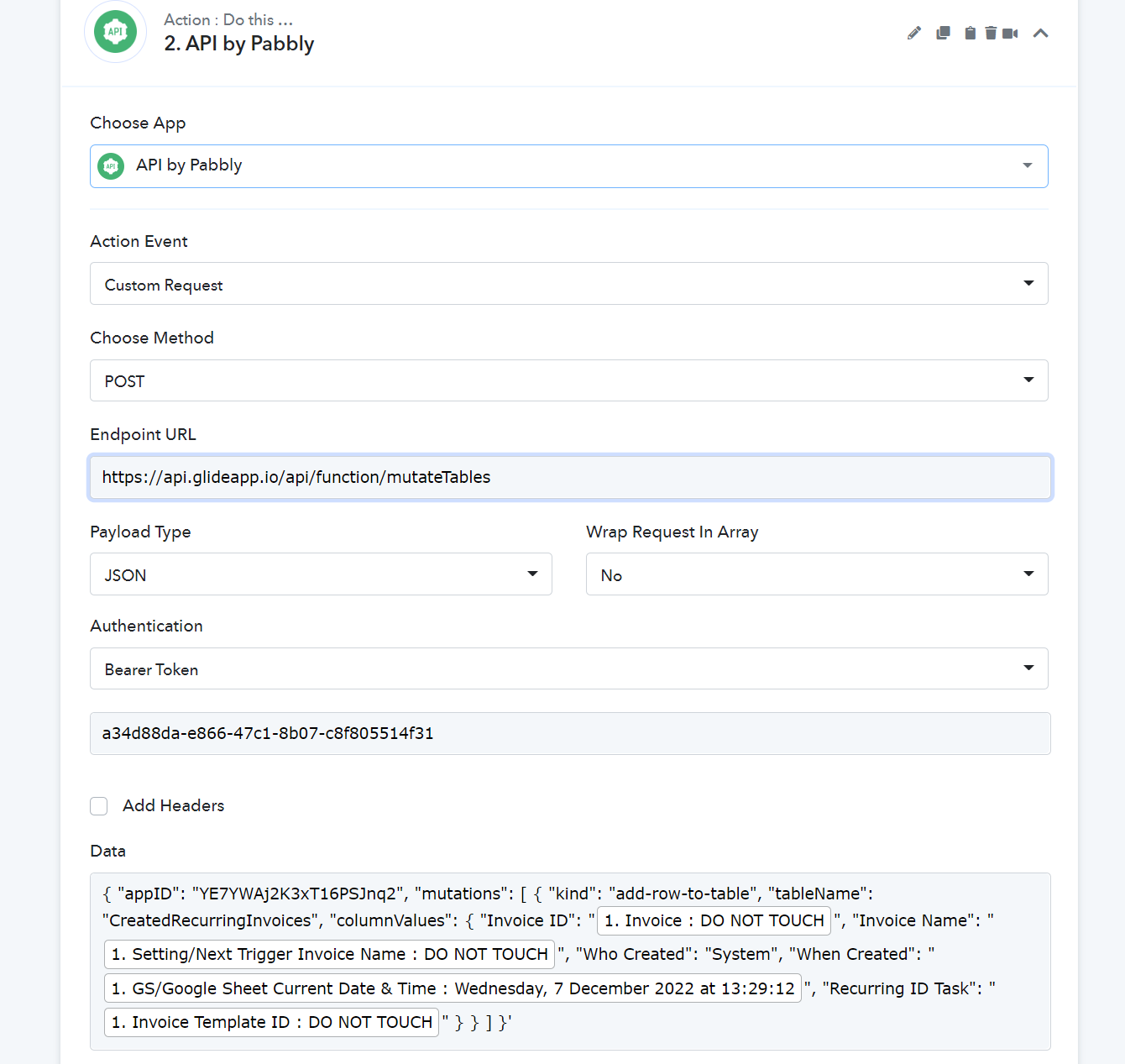
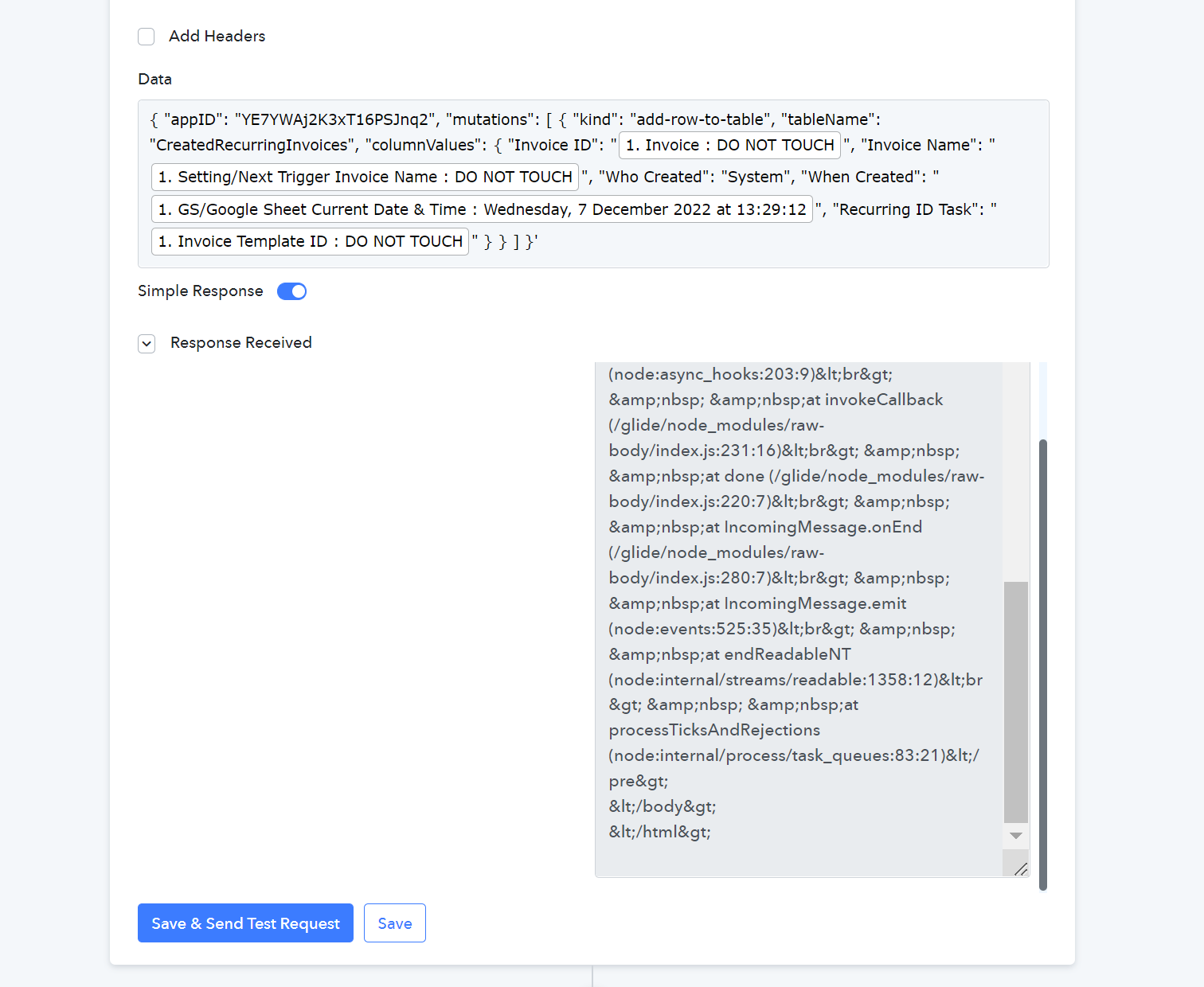
We have tried on a similar API but when we Send Test Request, the following is prompted:
<!DOCTYPE html>
<html lang="en">
<head>
<meta charset="utf-8">
<title>Error</title>
</head>
<body>
<pre>SyntaxError: Unexpected token " in JSON at position 0<br> at JSON.parse (<anonymous>)<br> at createStrictSyntaxError (/glide/node_modules/body-parser/lib/types/json.js:160:10)<br> at parse (/glide/node_modules/body-parser/lib/types/json.js:83:15)<br> at /glide/node_modules/body-parser/lib/read.js:128:18<br> at AsyncResource.runInAsyncScope (node:async_hooks:203:9)<br> at invokeCallback (/glide/node_modules/raw-body/index.js:231:16)<br> at done (/glide/node_modules/raw-body/index.js:220:7)<br> at IncomingMessage.onEnd (/glide/node_modules/raw-body/index.js:280:7)<br> at IncomingMessage.emit (node:events:525:35)<br> at endReadableNT (node:internal/streams/readable:1358:12)<br> at processTicksAndRejections (node:internal/process/task_queues:83:21)</pre>
</body>
</html>
The API SYntax is as such:
curl --request POST 'https://api.glideapp.io/api/function/mutateTables' \
--header 'Content-Type: application/json' \
--header 'Authorization: Bearer a34d88da-e866-47c1-8b07-c8f805514f31' \
--data-raw '{
"appID": "YE7YWAj2K3xT16PSJnq2",
"mutations": [
{
"kind": "add-row-to-table",
"tableName": "CreatedRecurringInvoices",
"columnValues": {
"Invoice ID": "Invoice ID",
"Invoice Name": "Invoice Name",
"Who Created": "Who Created",
"When Created": "When Created",
"Recurring ID Task": "Recurring ID Task"
}
}
]
}'
And we have followed the sample you have done by copying and paste the codes.
Will appreciate much for your professional expertise!
Attachments
Hey @ichilddev!
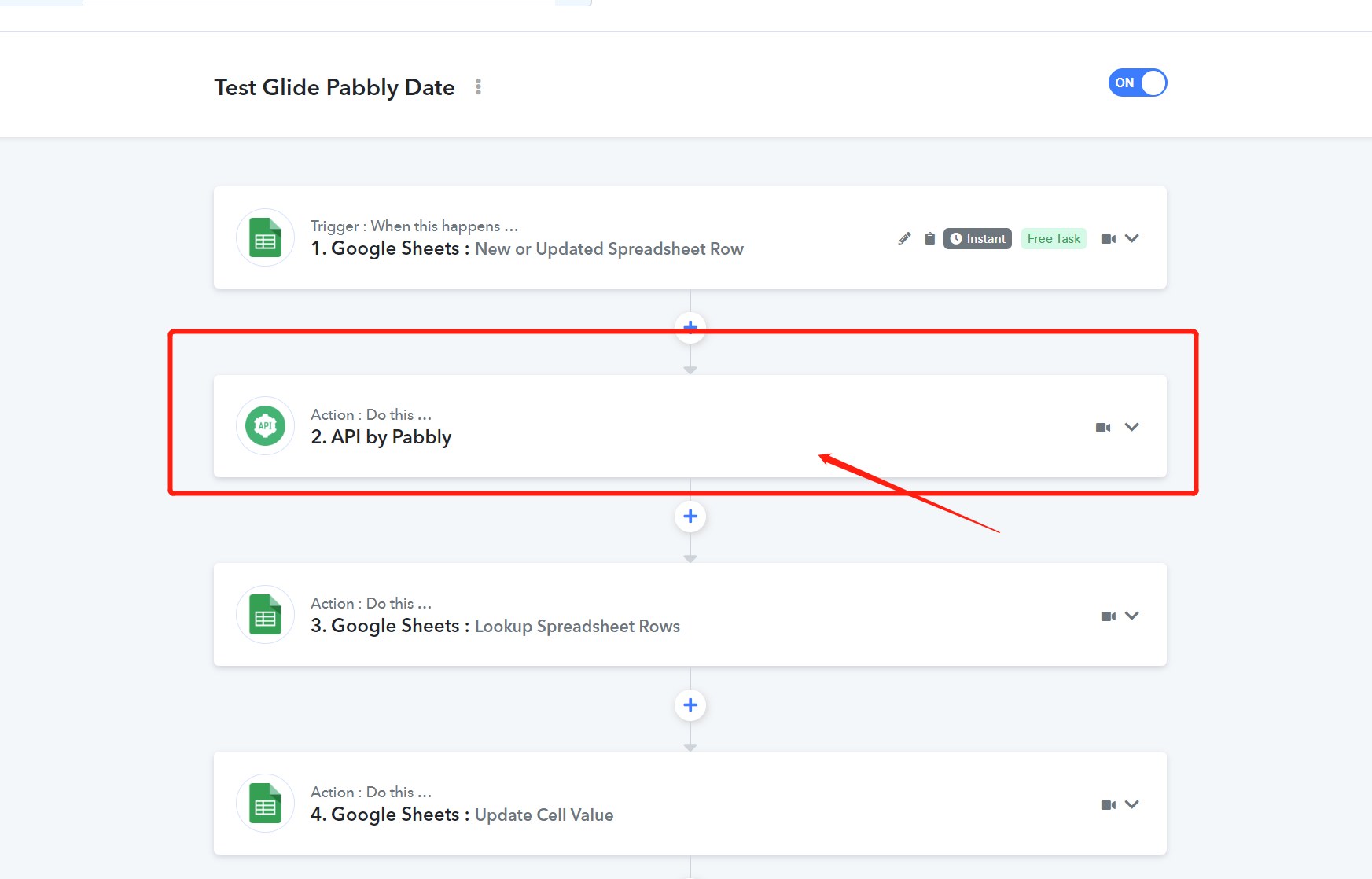
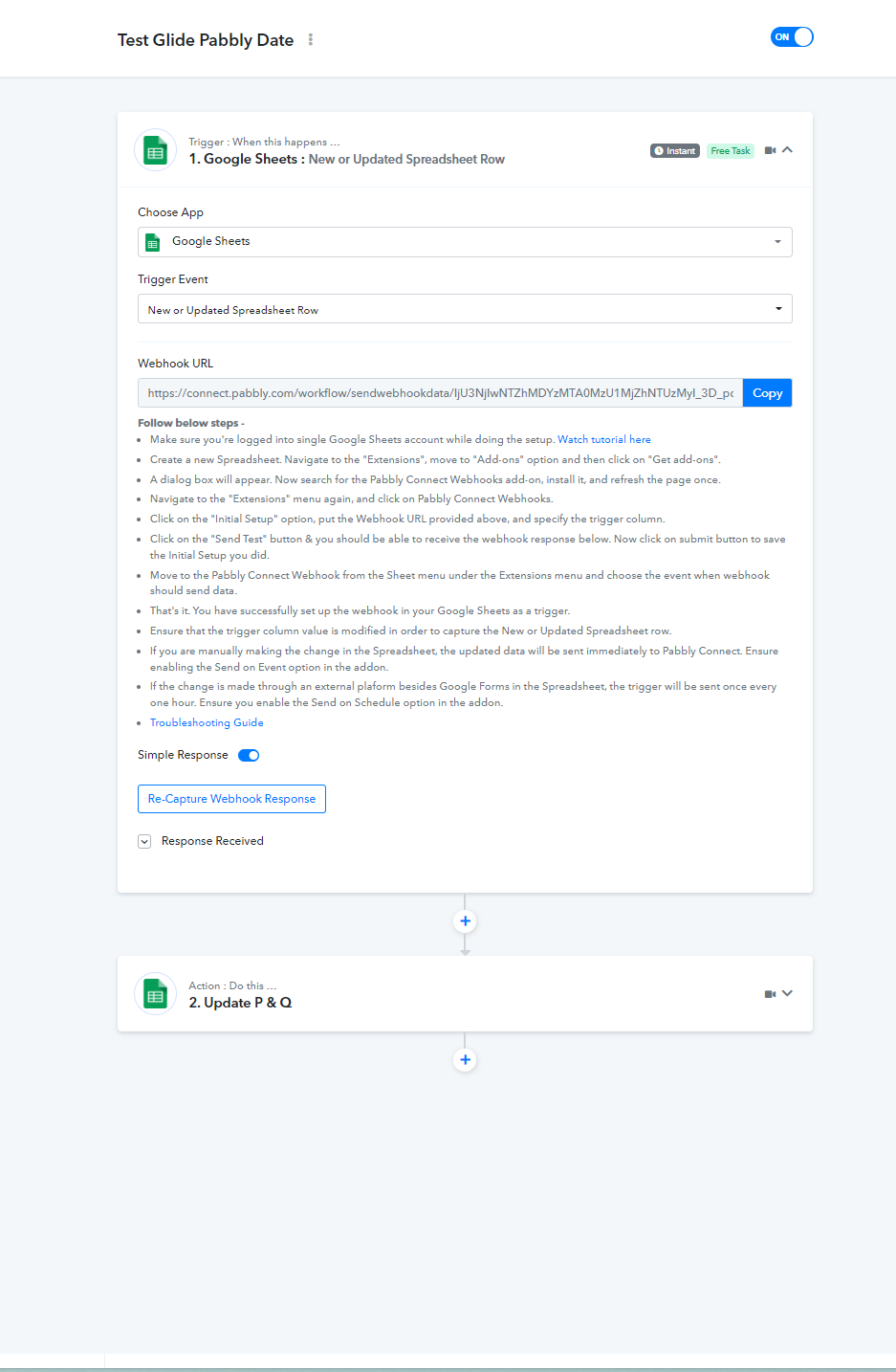
We can't find the "API by Pabbly module" in your "Test Glide Pabbly Date" workflow.
Further, we have also tried to run your Curl request on Postman and got a blank response and same as in Pabbly Connect.
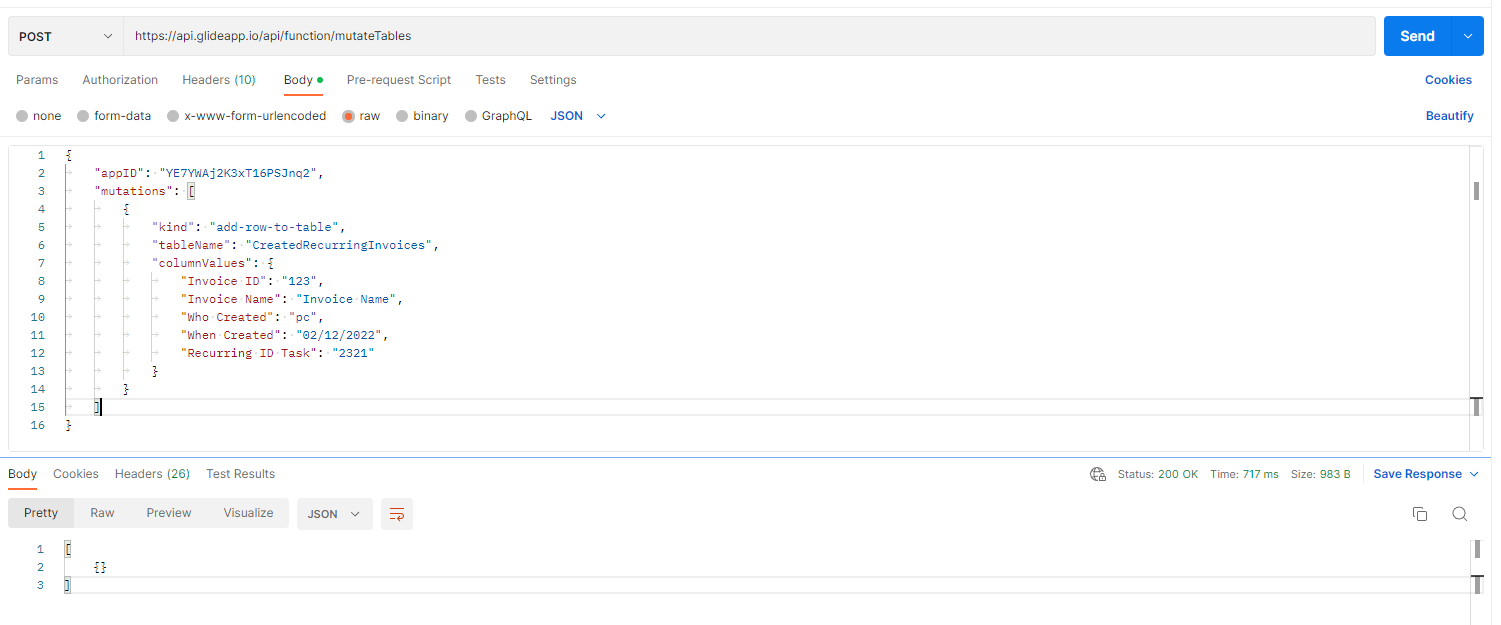
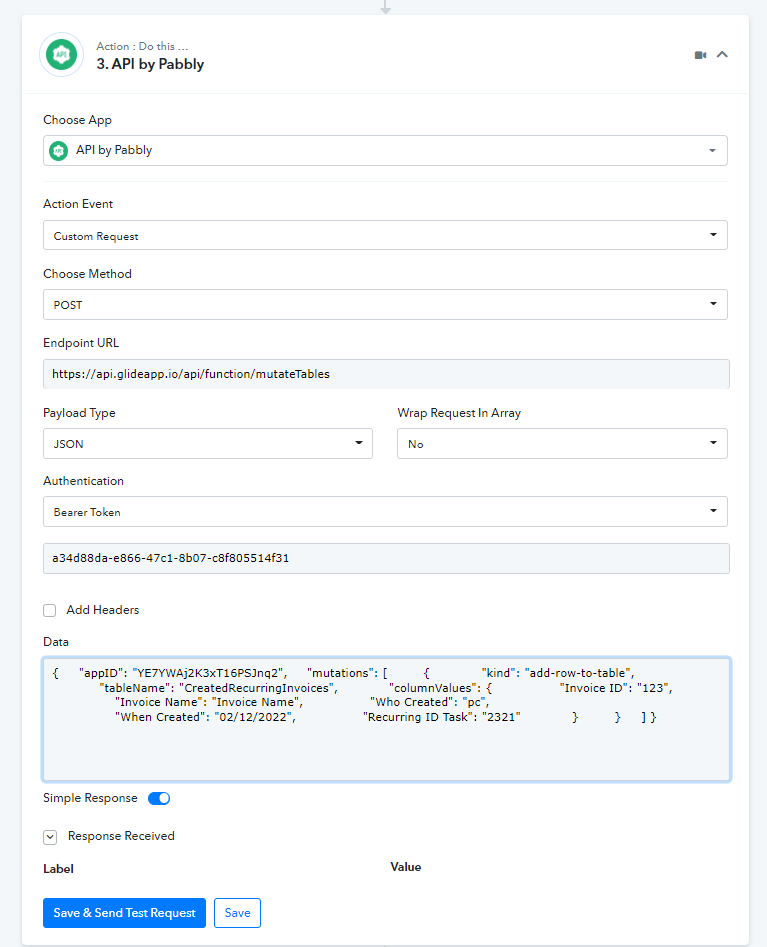
Due to the blank response, we are not able to identify whether the data is populated in your account or not.
Kindly check the data in your account and let us know other wise do contact the Glideapp support team.
Hey @ichilddev!We can't find the "API by Pabbly module" in your "Test Glide Pabbly Date" workflow.
Further, we have also tried to run your Curl request on Postman and got a blank response and same as in Pabbly Connect.
Due to the blank response, we are not able to identify whether the data is populated in your account or not.
Kindly check the data in your account and let us know other wise do contact the Glideapp support team.
Hi Thanks for your prompt reply and support!
Yes the data is updated
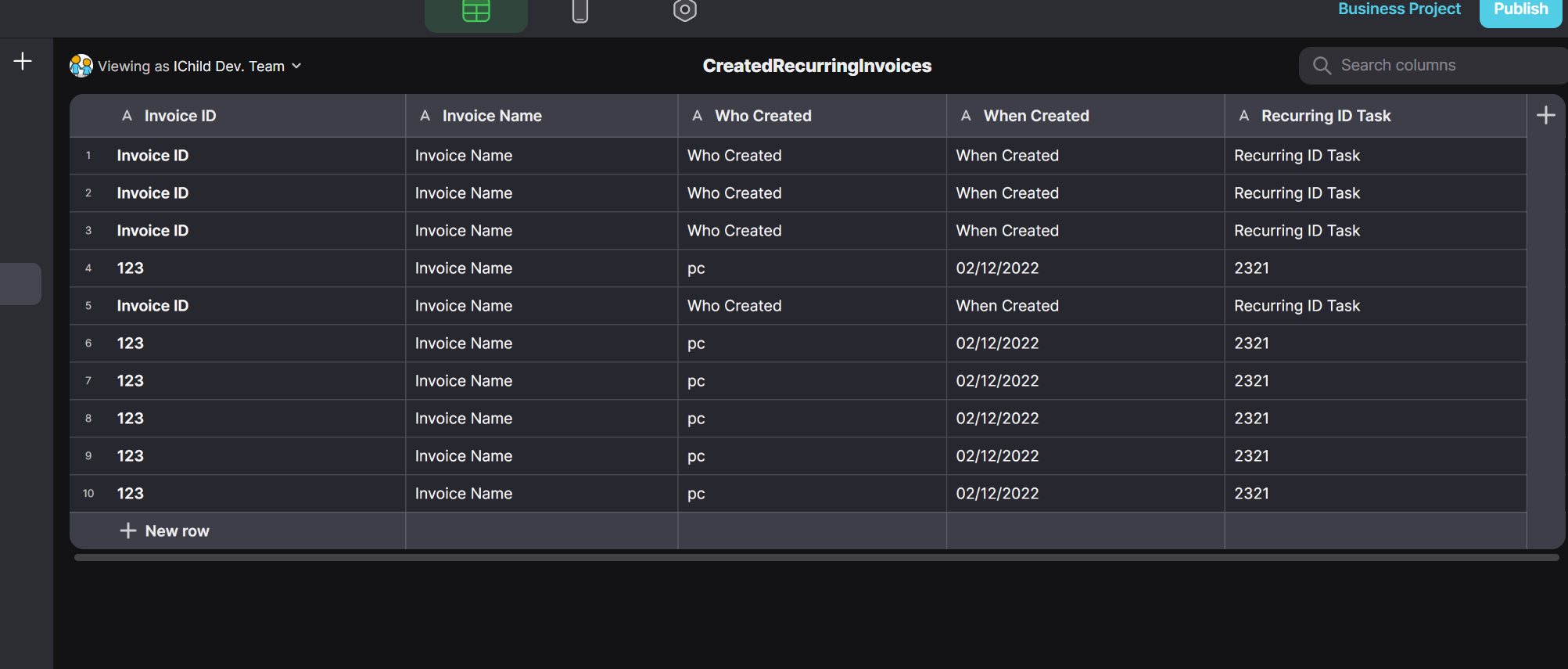
You may also check out this google sheet that will reflect the data updated.
https://docs.google.com/spreadsheets/d/15E1z0km8qj6Vl9xWsKY_Qr_qMdXDKKLllW8ESzq0uzo/edit?usp=sharing
The API call i have deleted as i need to test on other flow after the API is activated. I have added the action now.
I can see that you have managed to send data into the table. How did you do it with the API syntax given?
Attachments
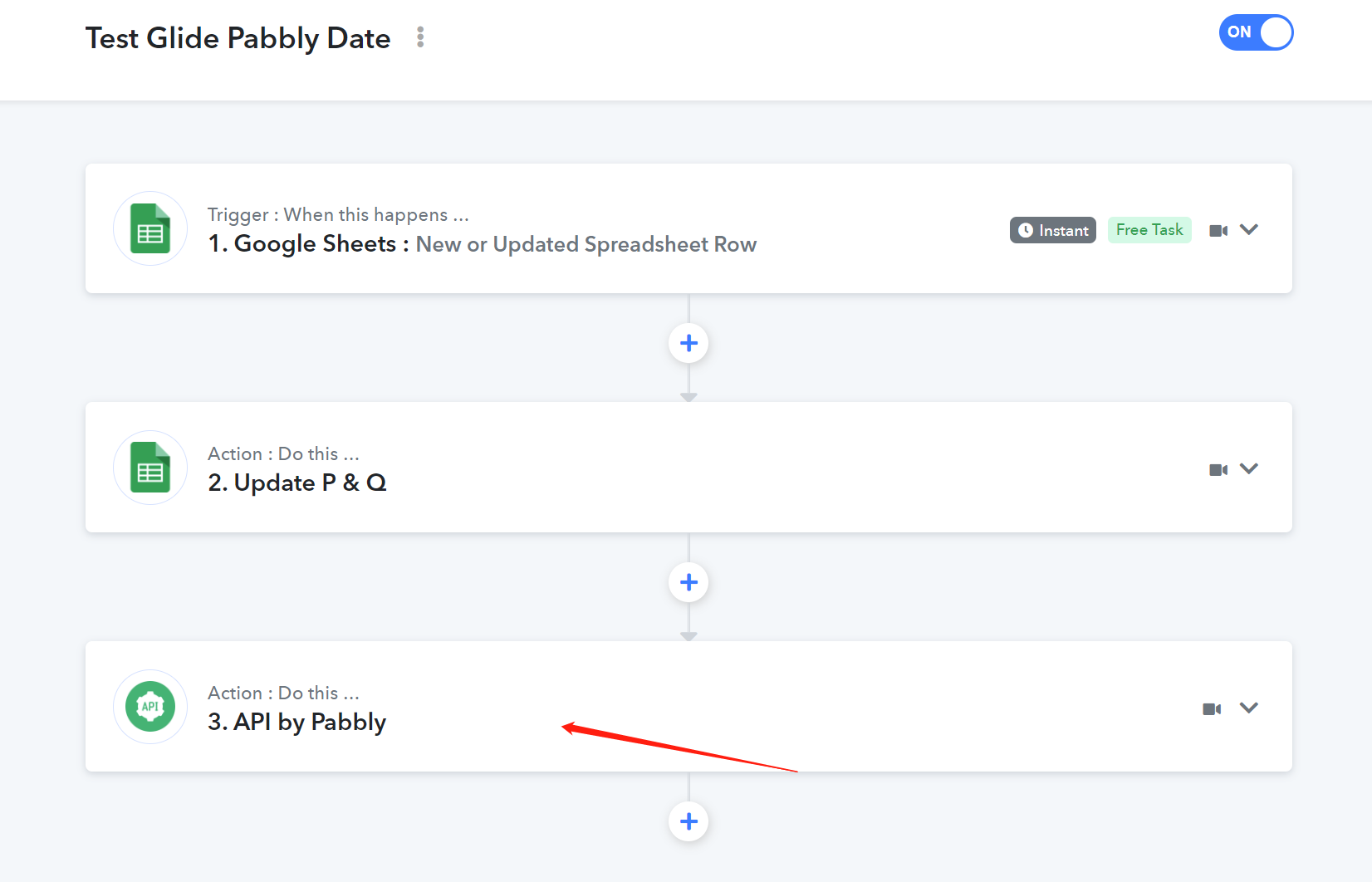
Hey @ichilddev!We can't find the "API by Pabbly module" in your "Test Glide Pabbly Date" workflow.
Further, we have also tried to run your Curl request on Postman and got a blank response and same as in Pabbly Connect.
Due to the blank response, we are not able to identify whether the data is populated in your account or not.
Kindly check the data in your account and let us know other wise do contact the Glideapp support team.
Hi hi
Would like enquire on this API format to be used? So far we are not able to replicate the same into another flow even though the API is similar.
Hey @ichilddev
Could you please share the workflow name and kindly share the screenshot for the issue?
Hi @ichilddev. Were you able to make the CUSTOM API request work in your app using Pabbly?
Hi @ichilddev. Were you able to make the CUSTOM API request work in your app using Pabbly?
Hi Sometimes it work. Sometime it doesn't
Not sure how come the instability.