Append Google Sheet Rows using Iterator
Status: Closed · Asked by IChild Company on · 0 views
Dear Community
I have followed the video
youtube.com/watch?v=zJaGQ-SIB0I
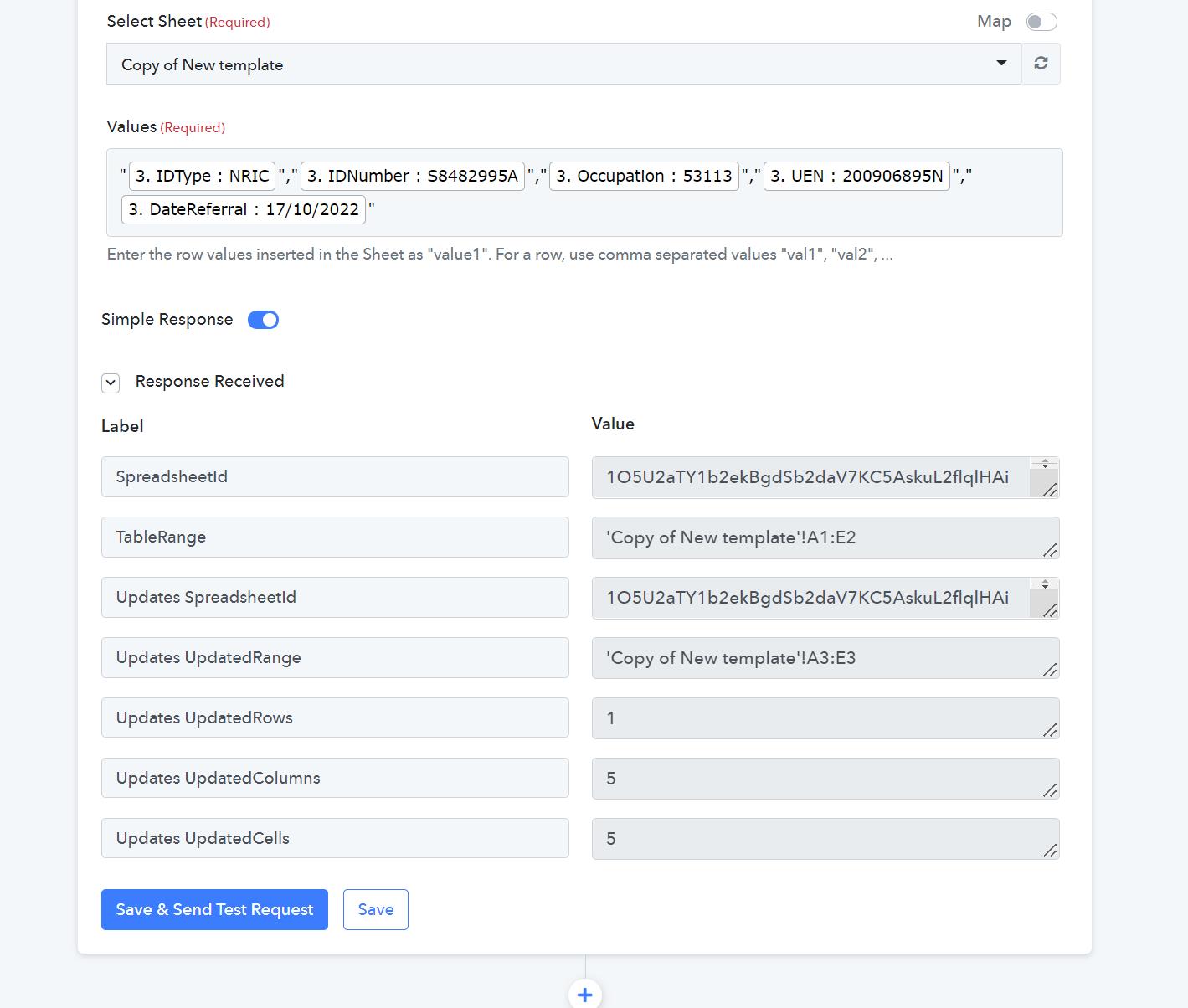
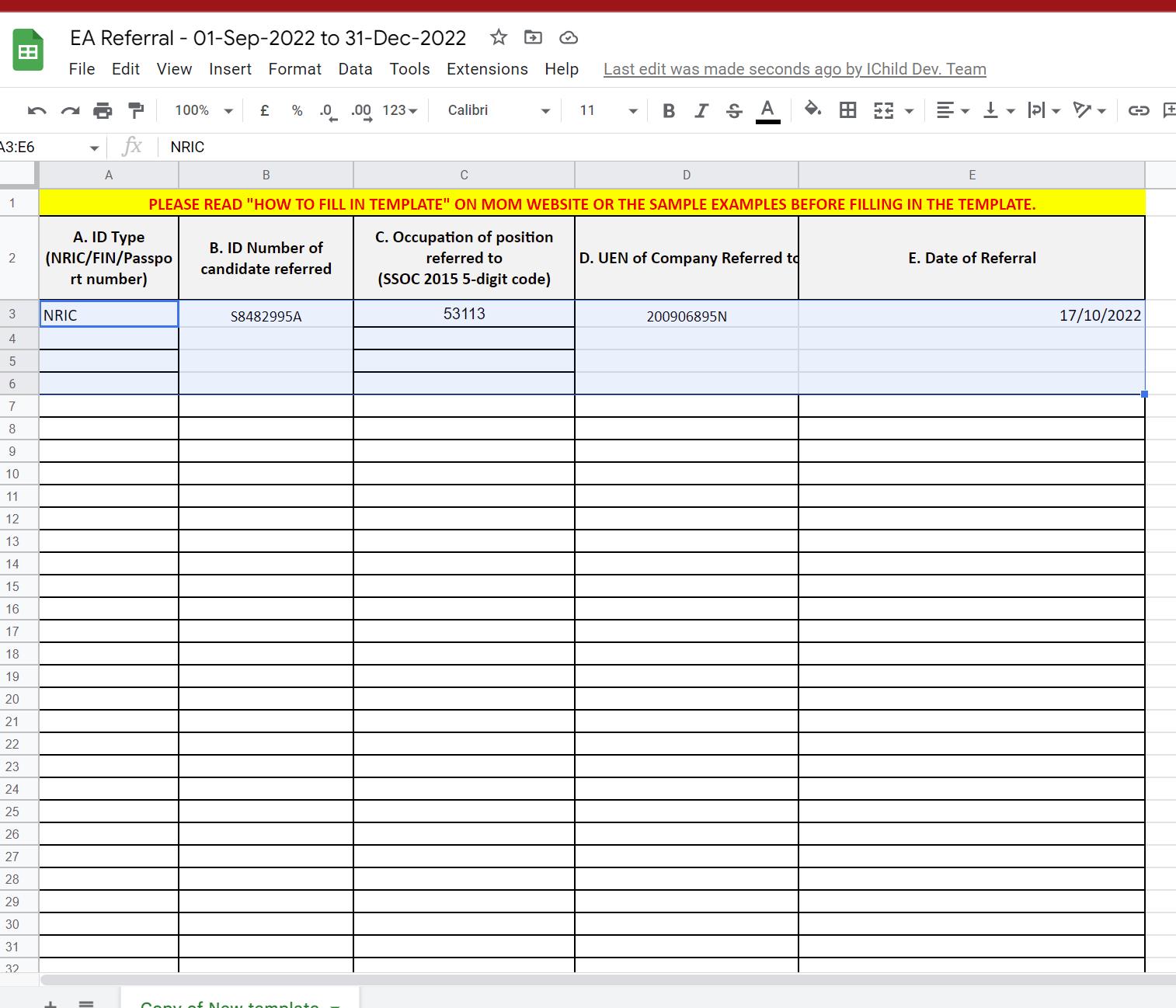
to append values using iterator.It was shown that 5 rows are appended, but the values not shown in the google sheet.
Video: https://www.loom.com/share/8c0cb4e51dd94d35af2351c62a97cd14
Google Sheet: https://docs.google.com/spreadsheets/d/1O5U2aTY1b2ekBgdSb2daV7KC5AskuL2flqlHAi71x9I/edit#gid=665795486
Workflow Name: EA Referral
Attachments
Please name the workflow once, so that we can look into it.
Please name the workflow once, so that we can look into it.
As provided:
Workflow Name: EA Referral
Hey @ichilddev
As we can see from your workflow the action step is performing fine.
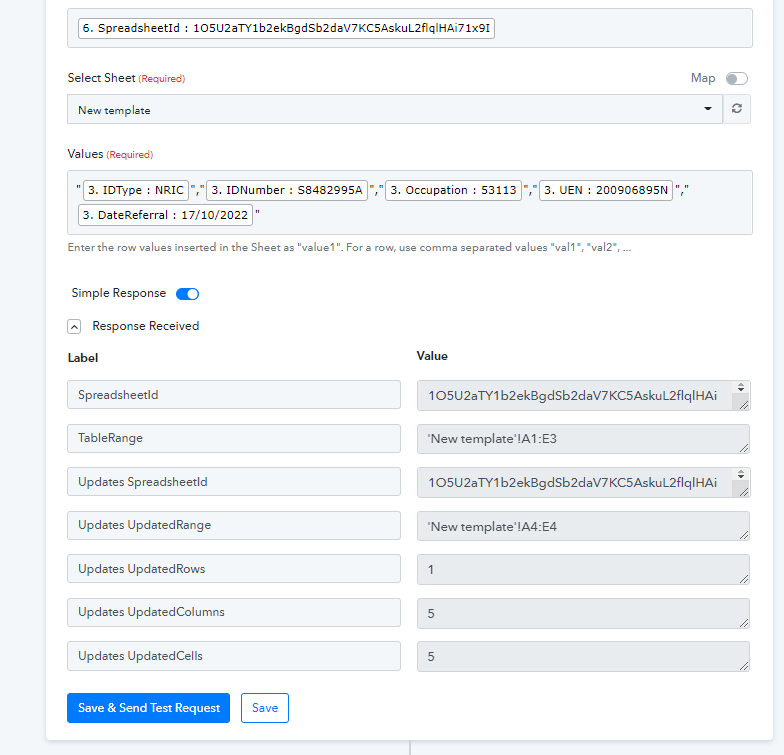
Can you please confirm that the action step worked for you?
Hey @ichilddevAs we can see from your workflow the action step is performing fine.
Can you please confirm that the action step worked for you?
Hi I have indicated in the video that only 1 out of 4 info is shown. Any reason?
Video: https://www.loom.com/share/8c0cb4e51dd94d35af2351c62a97cd14
Google Sheet: https://docs.google.com/spreadsheet...2daV7KC5AskuL2flqlHAi71x9I/edit#gid=665795486
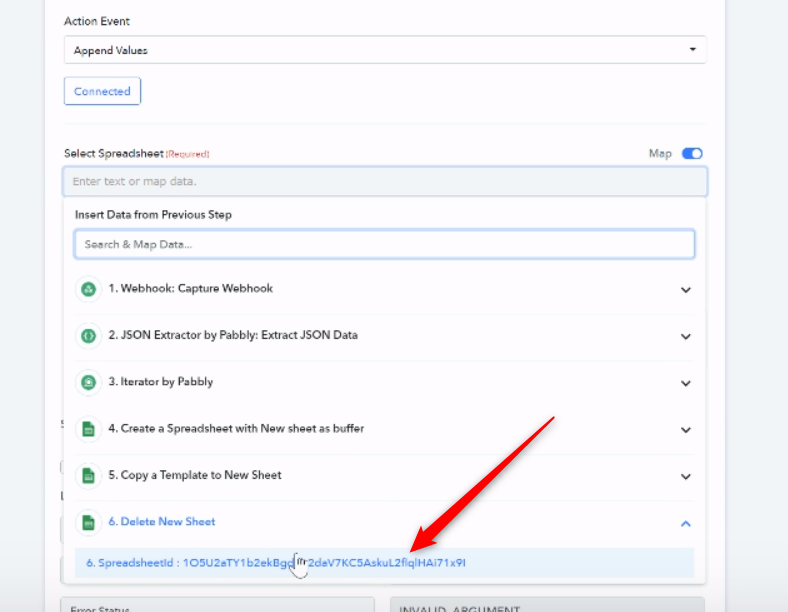
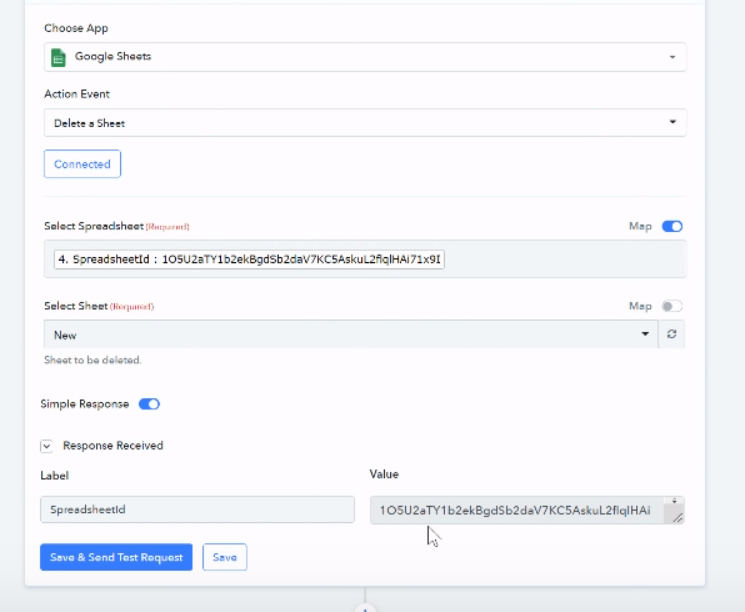
As we can see from your video, you first delete the spreadsheet whose ID you are putting into the "Append New Values" field; as a result, the value cannot be attached because the sheet was deleted.
To avoid confusion, the Append New Value action step should come before the Delete Sheet action step.