Appending values to Google sheets
Status: Closed · Asked by Autima on · 0 views
Hey everyone,
I want to transfer form subscriptions made in Gravity Forms to Google sheets. The Task is Working so far, but every time someone posts the sign " in a text field the transfer fails. Unfortuanelly the sign " is used quite often in german while explaining.
Therefore, is the a way to avoid Pabbly failing the transfer when in a textfield is the " sign?
Kind regards,
Mustafa
You mean Google Forms or Google Sheets Can share the screenshot of your workflow
You mean Google Forms or Google Sheets? Can share the screenshot of your workflow?
Thanks for the fast answer, I mean Google Sheets, not forms, you're right. The workflow I've attached as a picture below.
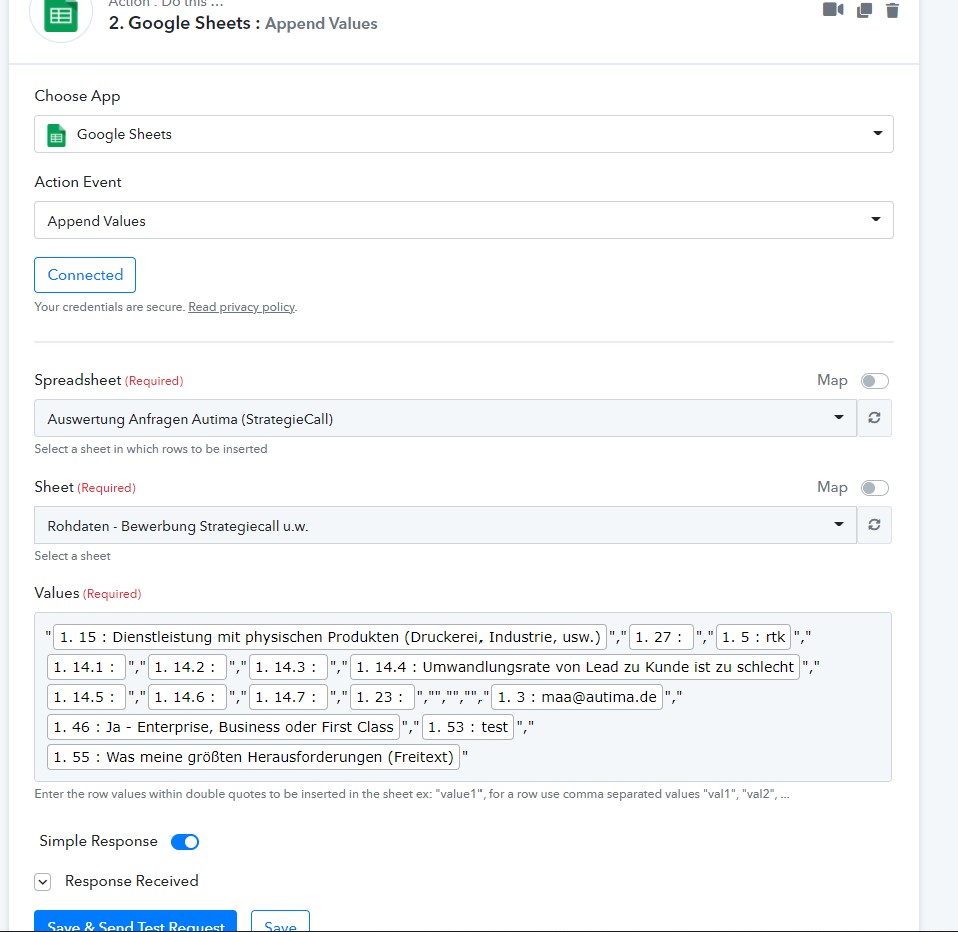
Where are you passing double quotes
Here - 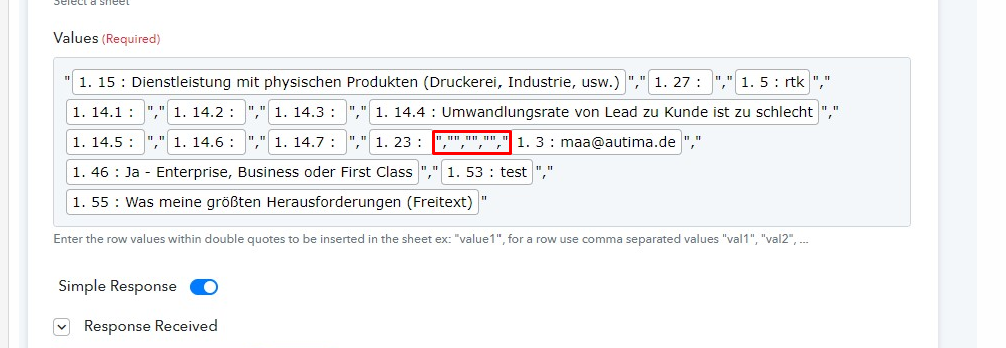
Where are you passing double quotes?Here? -
This is for the columns in which I don't want to insert data from this formular.
e.g. I want to insert some information in column 1 and 2, and then in 6 and 7, but wanna pass the columns 3-5 in between. That's why I don't send any data in these columns.
This is for the columns in which I don't want to insert data from this formular.
e.g. I want to insert some information in column 1 and 2, and then in 6 and 7, but wanna pass the columns 3-5 in between. That's why I don't send any data in these columns.
You said in your question that when you try to pass double quotes sign " in google sheet you get error, but I am not seeing any " sign in your mapped values.
This is the Task which could not pass in Pabbly. Later tasks worked all fine, as long as there is no " written in text. I can provoke the error, by just adding " in the text or removing it.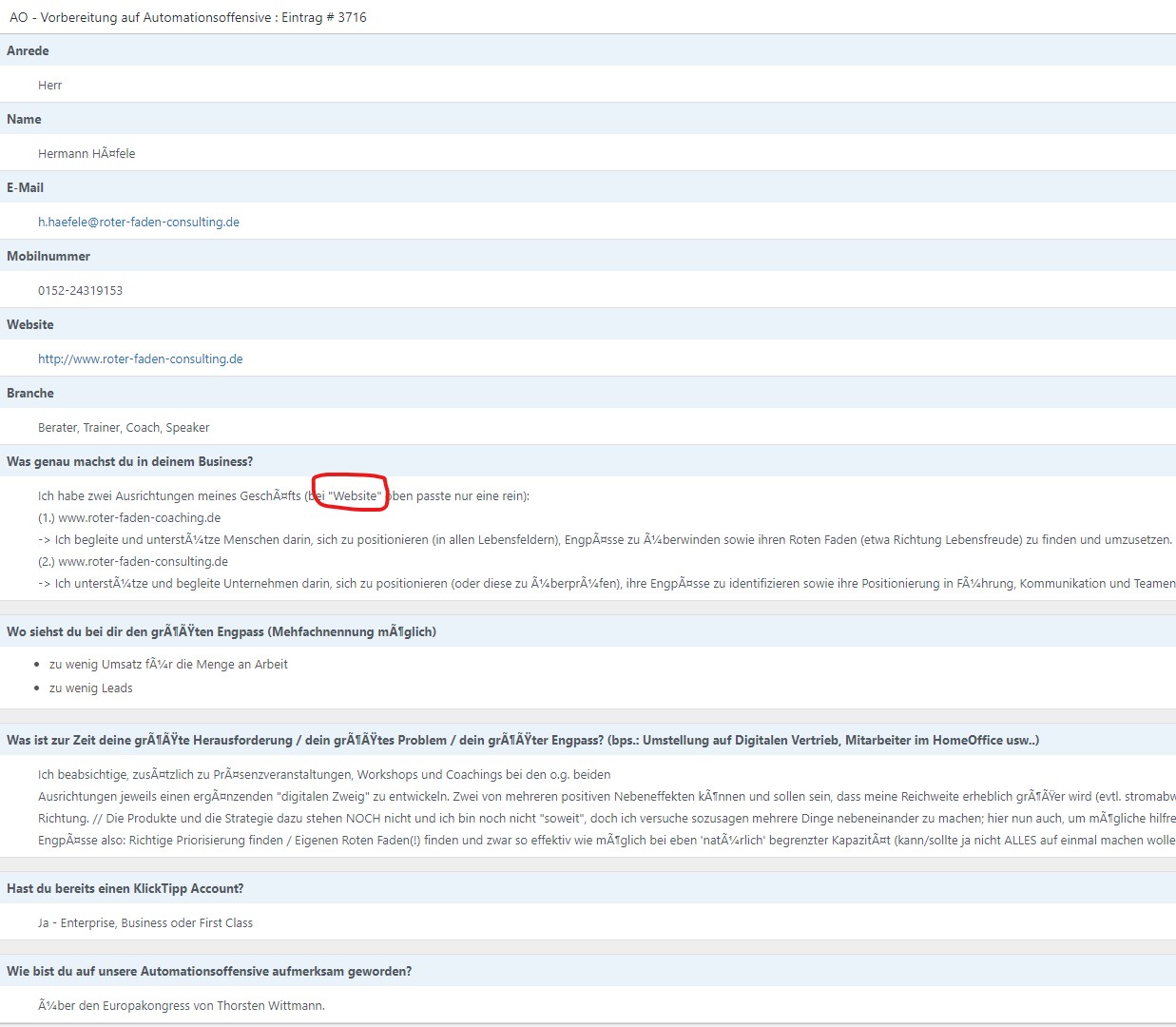
Same issue for me ...tagging @Pabbly
Hey @Autima @Fagun Shah
We are currently looking into your concern and will get back to you soon.
Hey @Autima
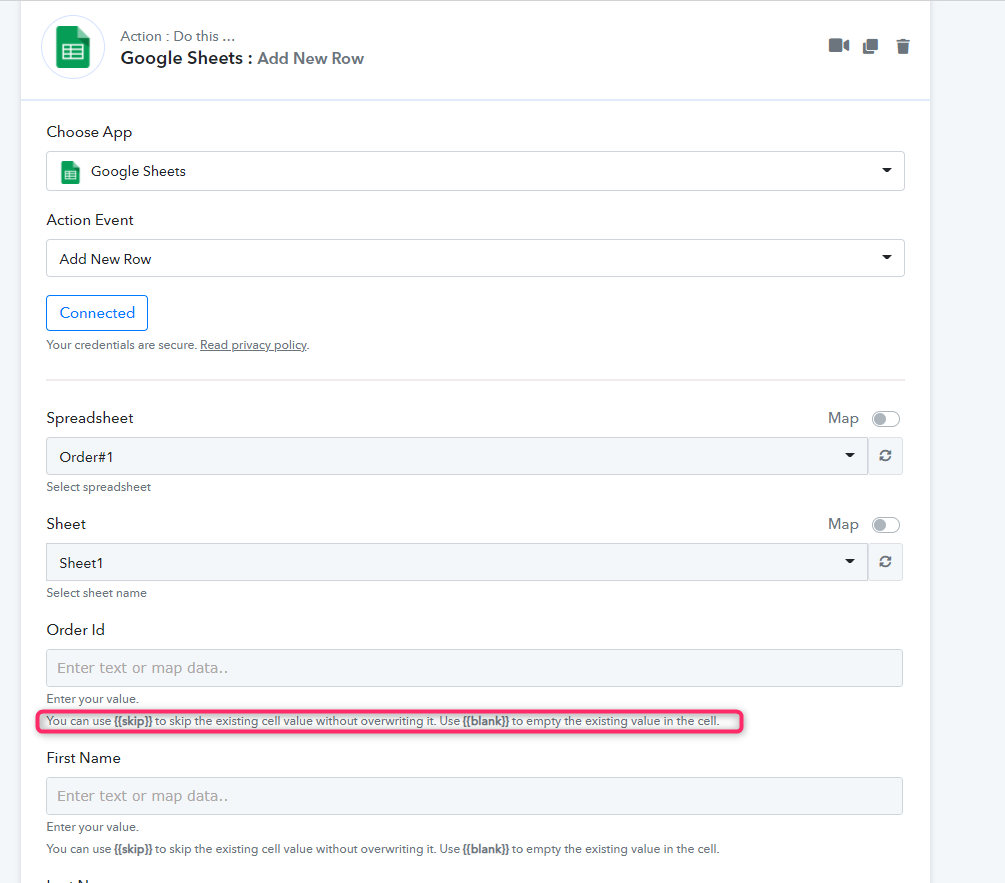
We looked into your concern and we would suggest you use the " Add Row" Action event of Google Sheets Action, which would be easier to set up and you won't be getting such an issue.
And to avoid the particular column you can simply use {{skip}} to skip the existing cell value without overwriting it. Use {{blank}} to empty the existing value in the cell.
@Supreme Verma any chance you guys adding support for double quotes " in the append row
Bcoz there are benefits of using append row over add new row, like append row does not remove formulas from remaining columns but add new row action does remove formulas.
Hey @Fagun Shah
Thanks for the feedback. We might support that in near future.
Thank you for your reply. Looking forward for a possible fix. (y)
@Supreme Verma
any new updates, if this issue might get fixed soon?
Hey @Autima
Please consider using the "Add Row" event for now. We might support using ' in near future for the "Append Row".
Thanks for your understanding!
Hey @Supreme Verma
thank you for the answer. Will use Add Row for now, but would be great if adding " would get fixed in some near future :)