Appsheet to Google Sheet than to Whatsapp, doesnt send a data
Status: Closed · Asked by raven on · 0 views
Hello
i use appsheet for input data, than in google sheet i use conection with webhook URL and with column T as a trigger
but when appsheet fill the data from column A until T, pabbly not send a data in whatsapp
but if i fill manually in kolom T, pabbly send a data form column A to T
anything wrong with my setting?
Hey @raven
While setting up the Google Sheets, you need to use"Send On Event" if the data is coming from a Google application or if you manually enter it.
However, if the data is coming from a third-party application, you may need to select "Auto Send On Schedule" or "Send on Schedule," which will send the data in exactly one hour.
Also, ensure that the data was filled up to your trigger column.
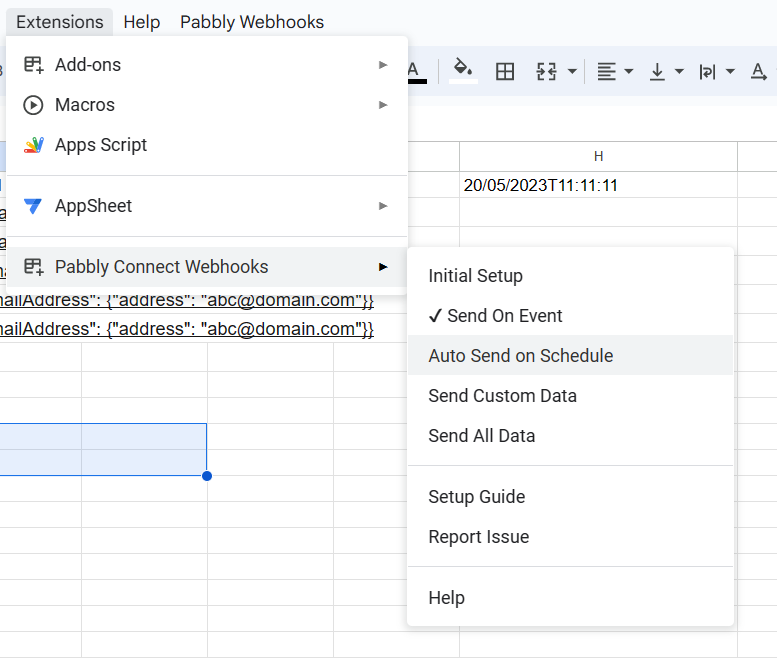
Hey @ravenWhile setting up the Google Sheets, you need to use"Send On Event" if the data is coming from a Google application or if you manually enter it.
However, if the data is coming from a third-party application, you may need to select "Auto Send On Schedule" or "Send on Schedule," which will send the data in exactly one hour.
Also, ensure that the data was filled up to your trigger column.
thanks for your information
so if use "auto send on schedule" default is one hour from the triger is fill, because i dunt find any setting about time or hour on schedule
Yes, you are correct. The default time to trigger the response from Google Sheets if data is coming from the 3rd party application is 1 hour.
one more question, i have 2 sheet with diferent name and column
let say sheet A have column until D and Sheet B have column until N
than i use webhook url as a triger in sheet B is N and Sheet A triger is D
but message doesnt send in Sheet B just in Sheet A
why?
Hey @raven
Kindly provide us with the workflow name in which you are getting the issue so we can check on it and guide you further.
Hey @ravenKindly provide us with the workflow name in which you are getting the issue so we can check on it and guide you further.
name of workflow is ABSENSI SWM 1, i have 3 sheet and each sheet i want to send on schedule, but just 1 sheet can send on schedule
I request you to please refer to the below video tutorial first and then try from your end:
youtube.com/watch?v=jFdYtoOCB1E
Please let me know if you face any kind of issues.
I request you to please refer to the below video tutorial first and then try from your end:youtube.com/watch?v=jFdYtoOCB1E
Please let me know if you face any kind of issues.
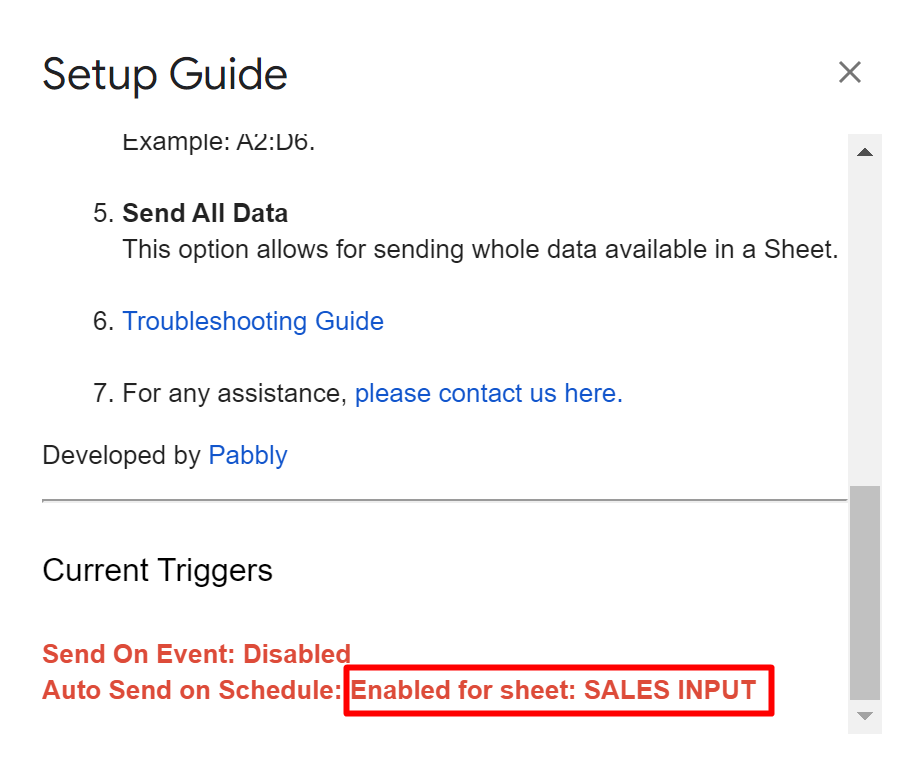
in this i want to send on schedule, just one sheet can send on schedule
another sheet was disable ini my workbook
Could you please help me with the editor access of the Google Sheets at support@pabbly.com so that I can check it and help you?