Asana Get a Task : Required field Task Id missing.
Status: Closed · Asked by scalingwithautomation on · 0 views
Response from the trigger app; Asana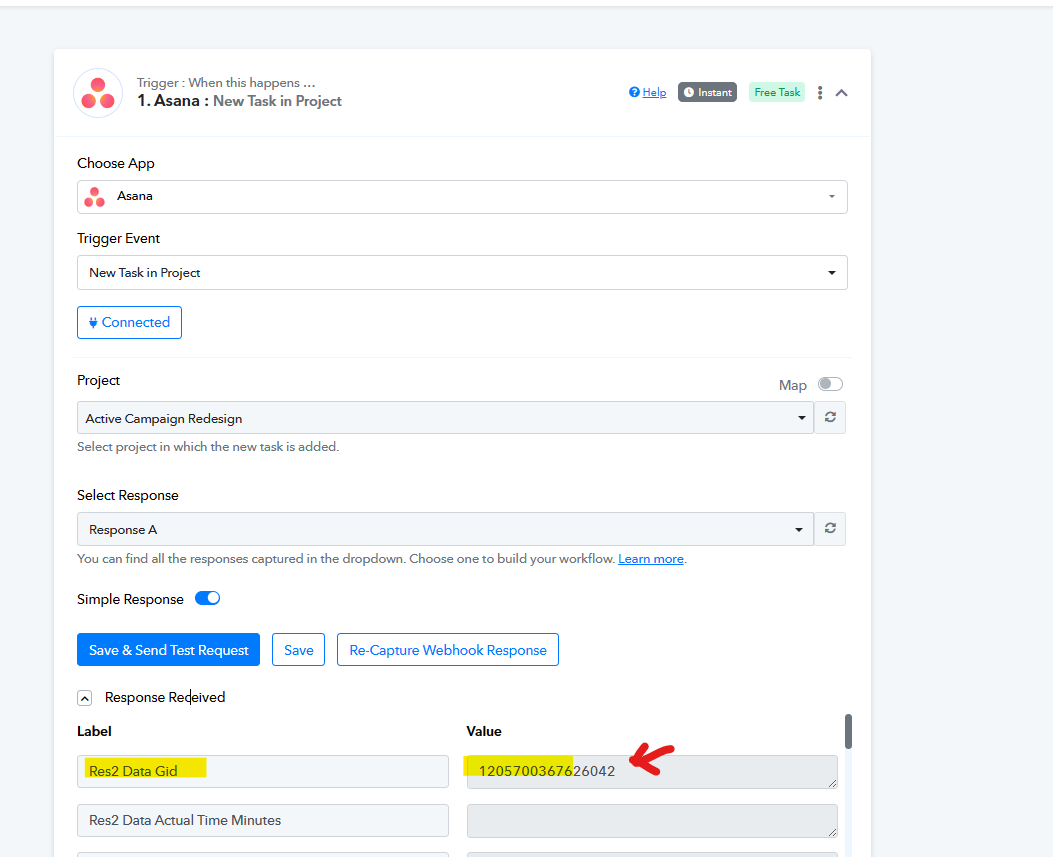
Mapping in step3: to get the task details with the task id - mapping is correct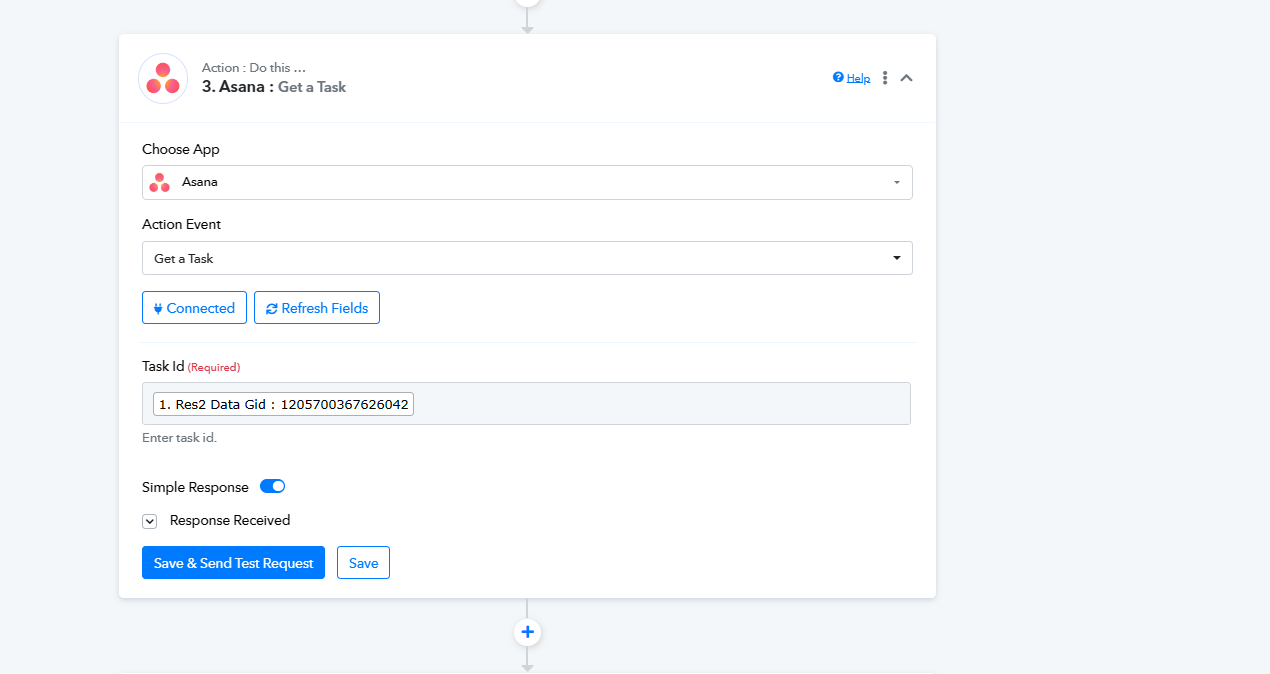
I am getting this error most of the time alot: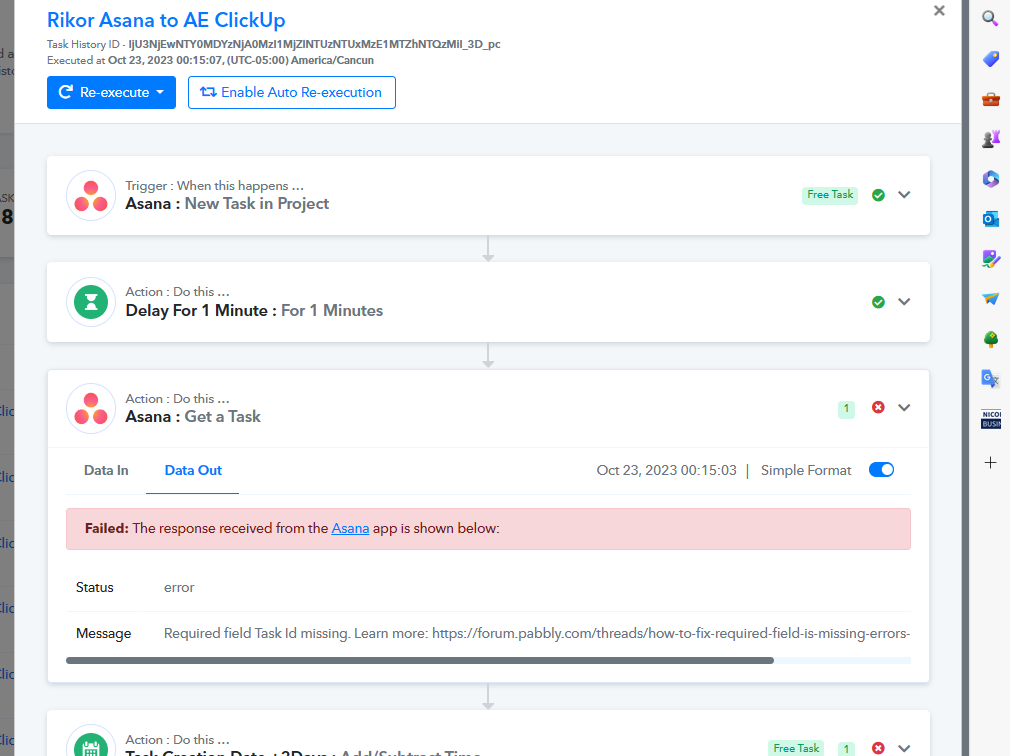
Hey @scalingwithautomation
Can you please share the workflow URL in which you have tried the same?
Yes @Supreme here it is: https://connect.pabbly.com/workflow/mapping/IjU3NjUwNTZjMDYzMjA0MzQ1MjY0NTUzMTUxMzEi_pc
From the most recent task history ID in your workflow, it seems that you haven't set up the workspace or project in your Asana account. You need to define either a workspace, project, tag, section or user task list.
So, kindly check the same from your Asana account for the same and then try again accordingly.
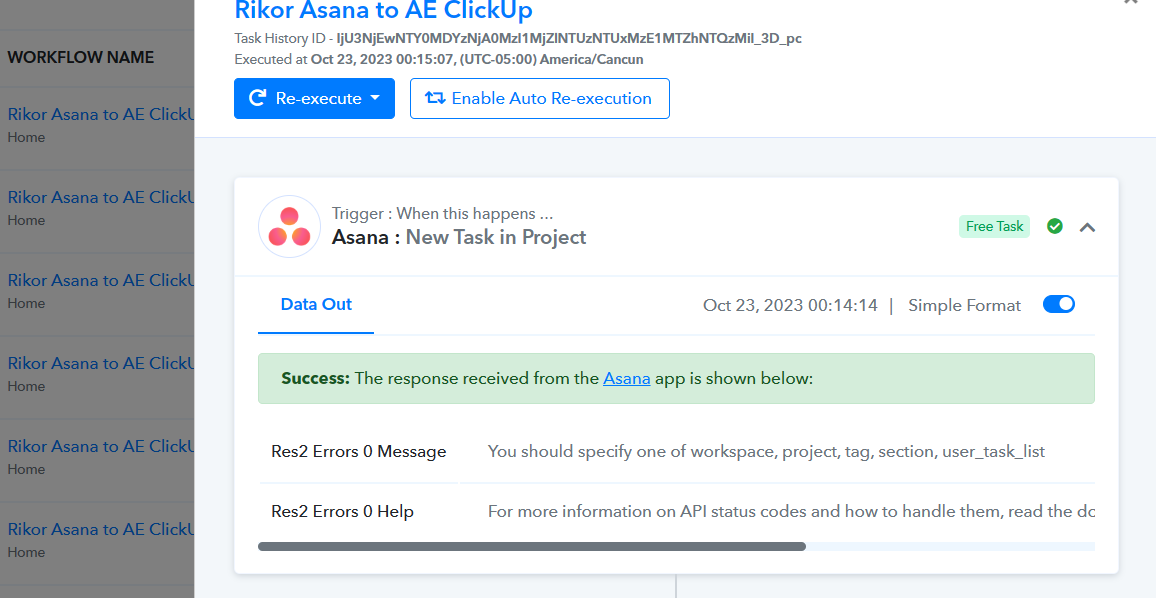
@Supreme please check this and let me know if there is any issue with the configuration in Asana
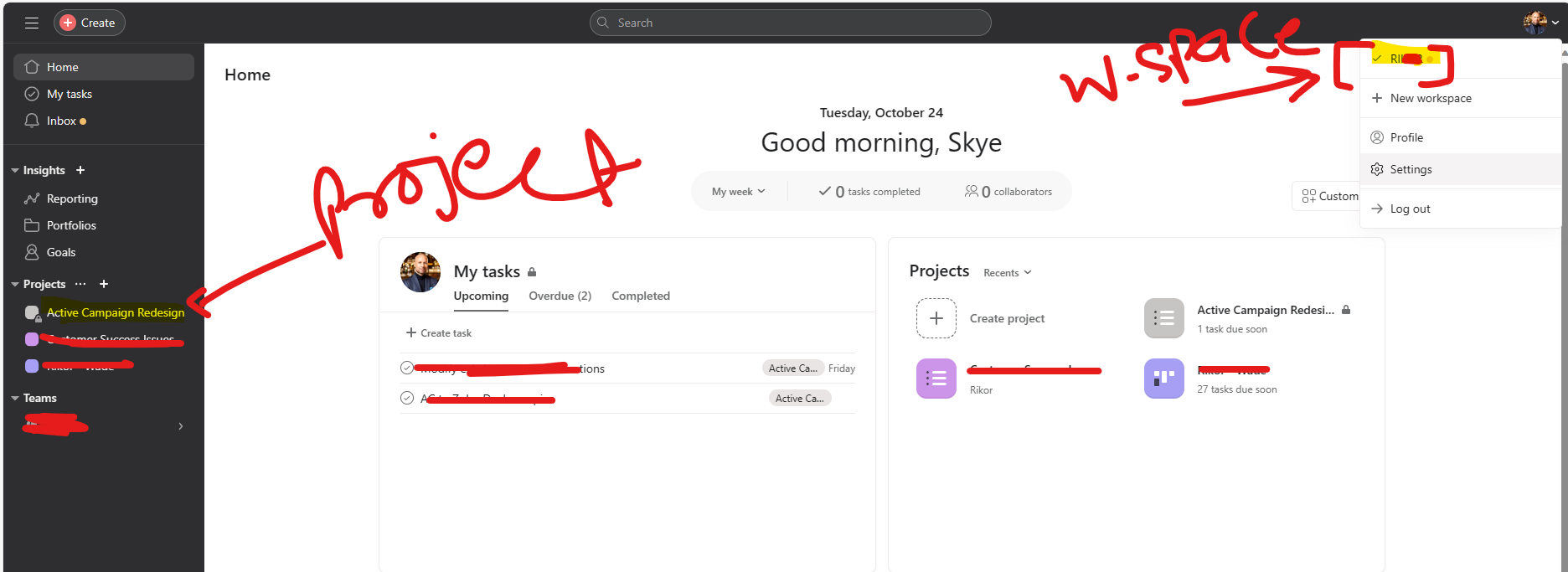
Everything is perfectly defined - sometimes it is working and sometimes it is not.
Please check the successful run from yesterday and you will see if it is defined or not
Hey @scalingwithautomation
We've conducted the same process on our end, and it appears that, due to certain account configurations, there might be instances where the task cannot be retrieved, even though we cannot replicate the issue.
Therefore, we recommend reaching out to the Asana support team for further assistance.
Thanks @Supreme
I will check if the Asana team can help me - but I would like to know what's the approach is to handle this error.
I have an idea - can we use a path step in here, so that if there is such an error we will be ok with it.
- can we use a path step in here, so that if there is such an error we will be ok with it.
As the data is not originating from Asana's server, selecting a pathway step would have no effect.
As the data is not originating from Asana's server, selecting a pathway step would have no effect.
Thanks @Supreme for the confirmation.
I got another question for you - what is the best way to get quick resolution from pabbly on any support ticket? or this forum is the only way to get the issues resolved?
I got another question for you - what is the best way to get quick resolution from pabbly on any support ticket? or this forum is the only way to get the issues resolved?
You can submit your query either on the forum or through our ticket and we will make every effort to respond promptly.
@Supreme where do I need to submit the ticket, can you show me a way around?
@Supreme where do I need to submit the ticket, can you show me a way around?
You can post the query on the ticket at (support@pabbly.com)