Attach files to Gmail
Status: Open · Asked by Hal on · 0 views
Hi
I have a folder with more than a thousand PDF files on Google Drive. I need to send them as email attachments, between 1 and 6 of them for each recipient. I have a list of recipients in Google Sheets. Each recipient has a Code (for example: 1.2), so they should receive the PDF files whose name begins with that Code (Eixample: 1.2.gghhcry and 1.2.gtdfjb). Is it possible to create an automation with Pabbly?
Hi @Hal,
Please follow the steps given in the video shared below to set up Google Sheets as your trigger application and capture the recipient details and Code which you will use to search the files.
youtube.com/watch?v=3ZixI8a3XC4
Then add the 'Google Drive: Search File' action event to your workflow, which will provide you with all the files that contains the code.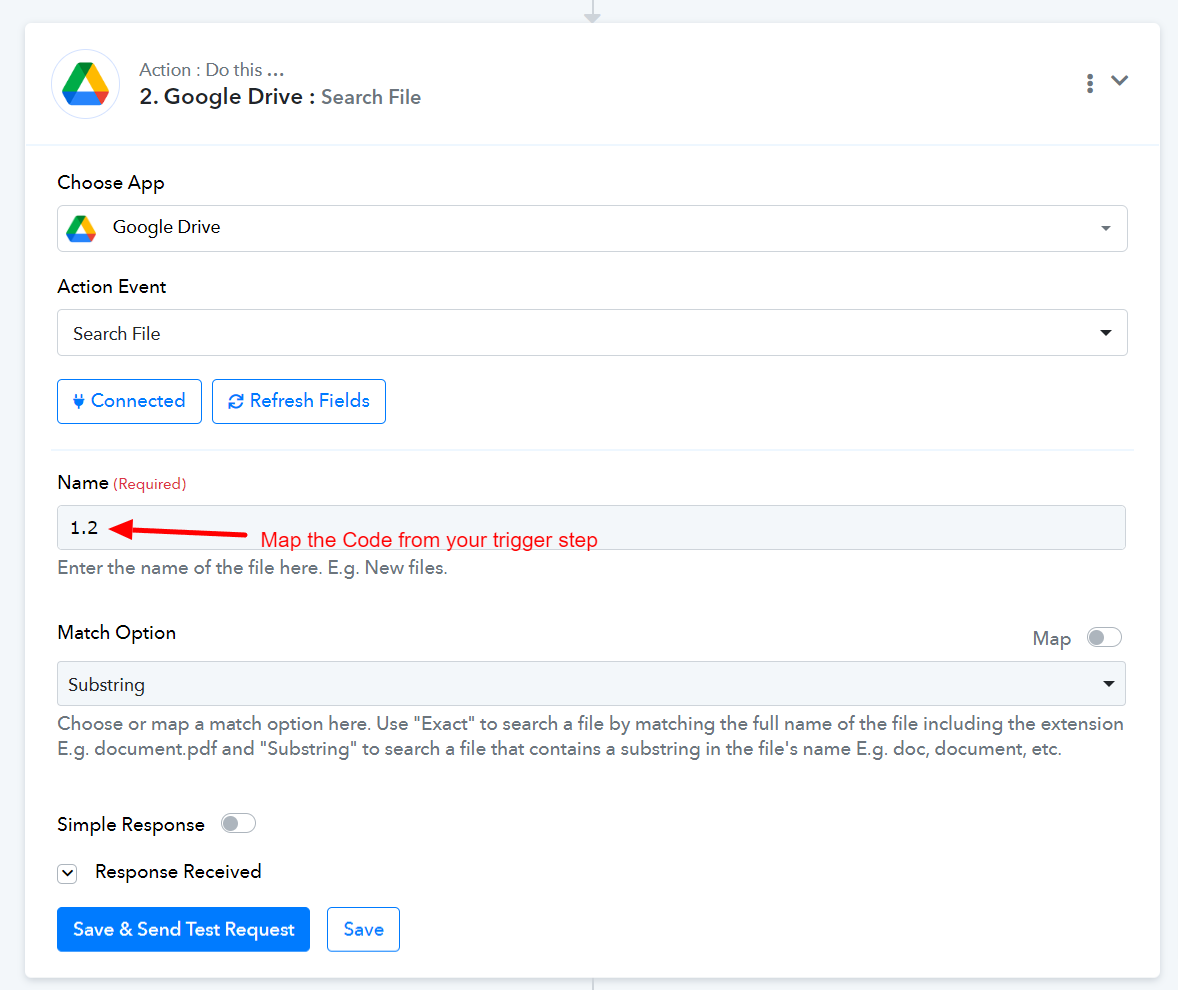
Once you have completed these steps, do let us know.
Thank you very much. I will try and tell.
Regards
Hi @Hal,Please follow the steps given in the video shared below to set up Google Sheets as your trigger application and capture the recipient details and Code which you will use to search the files.
youtube.com/watch?v=3ZixI8a3XC4
Then add the 'Google Drive: Search File' action event to your workflow, which will provide you with all the files that contains the code.
Once you have completed these steps, do let us know.
Thank you very much, Arshil. Your answer helper me very much
Glad I was able to help. Do let me know if you need help with the rest of the steps.