automatically send message from 9 am to 6 pm
Status: Closed · Asked by DME Moti Packaging on · 0 views
Now I am using AI-sensy API and template to send my message when automatically add new row in my Google Sheet my message should be sent automatically from 9 am to 6 pm
Hey @DME Moti Packaging
Upon looking into your workflows it appears that you have set up the AiSensy step directly after the Google Sheets trigger. We have already suggested you the workflow through which you can achieve this. Kindly refer to this thread and follow the instructions - https://forum.pabbly.com/threads/im-trying-to-send-scheduled-messages.22178/#post-106451
You will have to make some simple changes. You need to add Google Sheets in the trigger instead of Webhook. 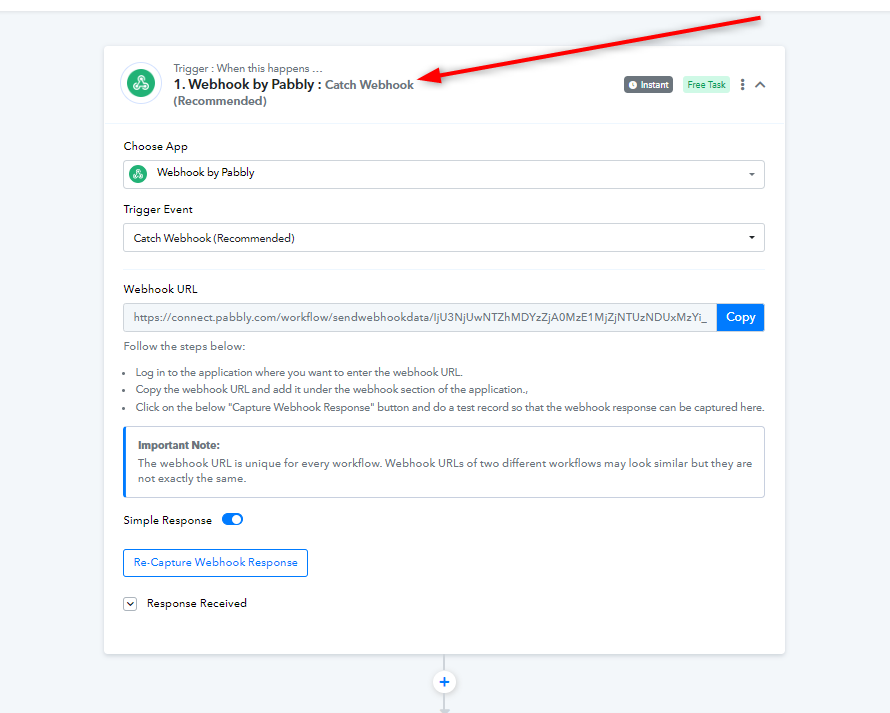
Further, you will need to make some changes in the Filter steps inside both the routes according to your work hours as mentioned in the thread above.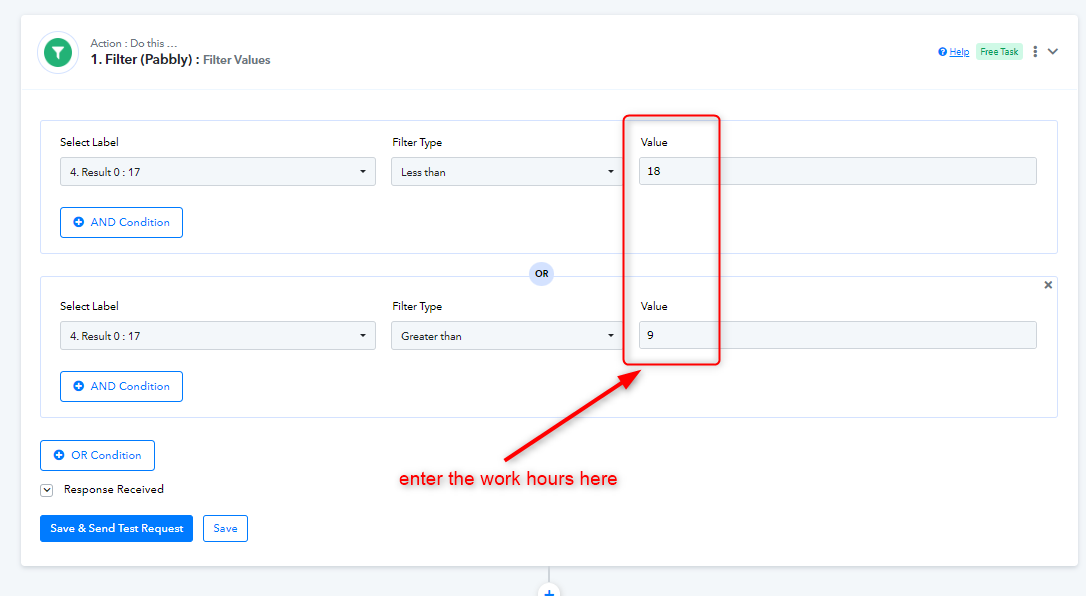
For the last step, you will need to set up AiSensy as the last step in both the routes in the same way you have set it up in your current workflow.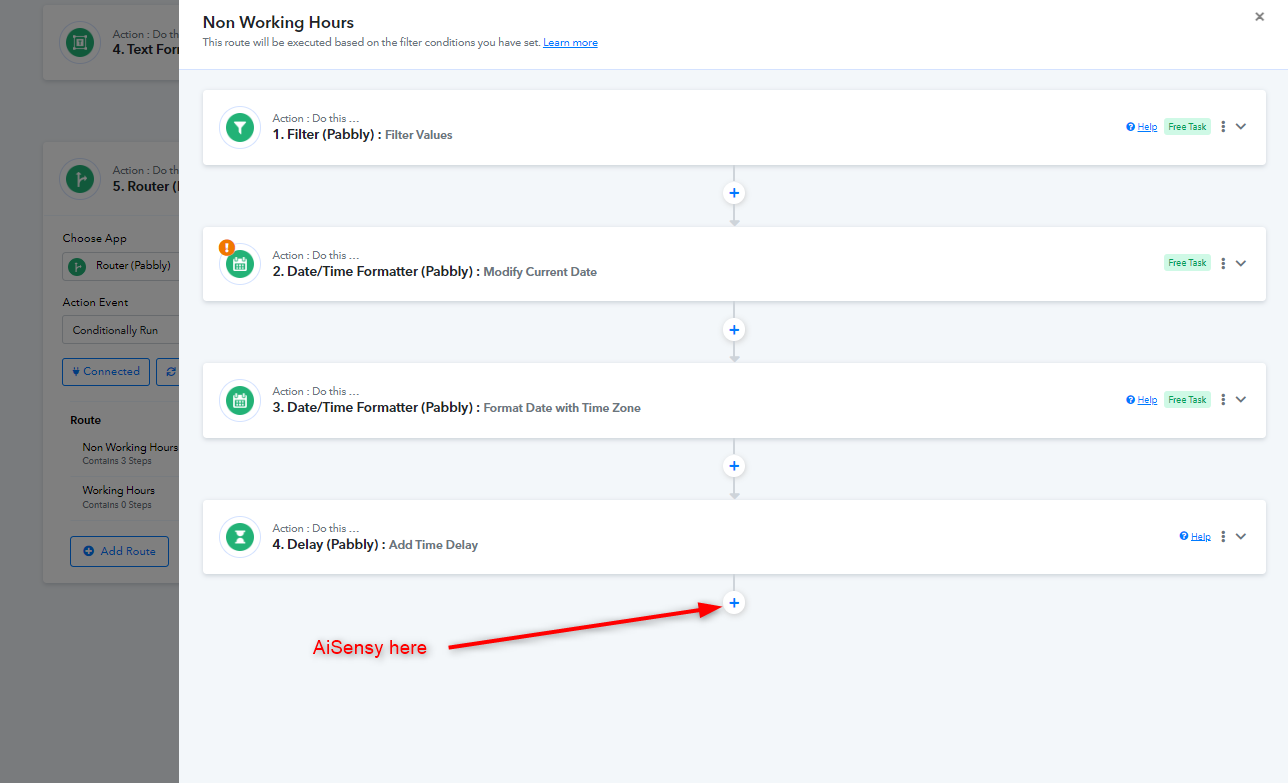
Kindly build your workflow accordingly and let us know if you get stuck at any step.
Hey @DME Moti PackagingUpon looking into your workflows it appears that you have set up the AiSensy step directly after the Google Sheets trigger. We have already suggested you the workflow through which you can achieve this. Kindly refer to this thread and follow the instructions - https://forum.pabbly.com/threads/im-trying-to-send-scheduled-messages.22178/#post-106451
You will have to make some simple changes. You need to add Google Sheets in the trigger instead of Webhook.
Further, you will need to make some changes in the Filter steps inside both the routes according to your work hours as mentioned in the thread above.
For the last step, you will need to set up AiSensy as the last step in both the routes in the same way you have set it up in your current workflow.
Kindly build your workflow accordingly and let us know if you get stuck at any step.
Hi pabbly team,
Sorry, my comment was sent to the report message by mistake
thanks for help