Automating Project Creation in Plutio
Status: Closed · Asked by Jeff Cheng on · 0 views
So I'm using Pabbly connect to invite new clients and create projects in Plutio when there's a new subscription in Pabbly Subscription.
In Plutio, I use a multiselect custom field in projects that "groups" projects with each contributor so we can see who's working on what projects.
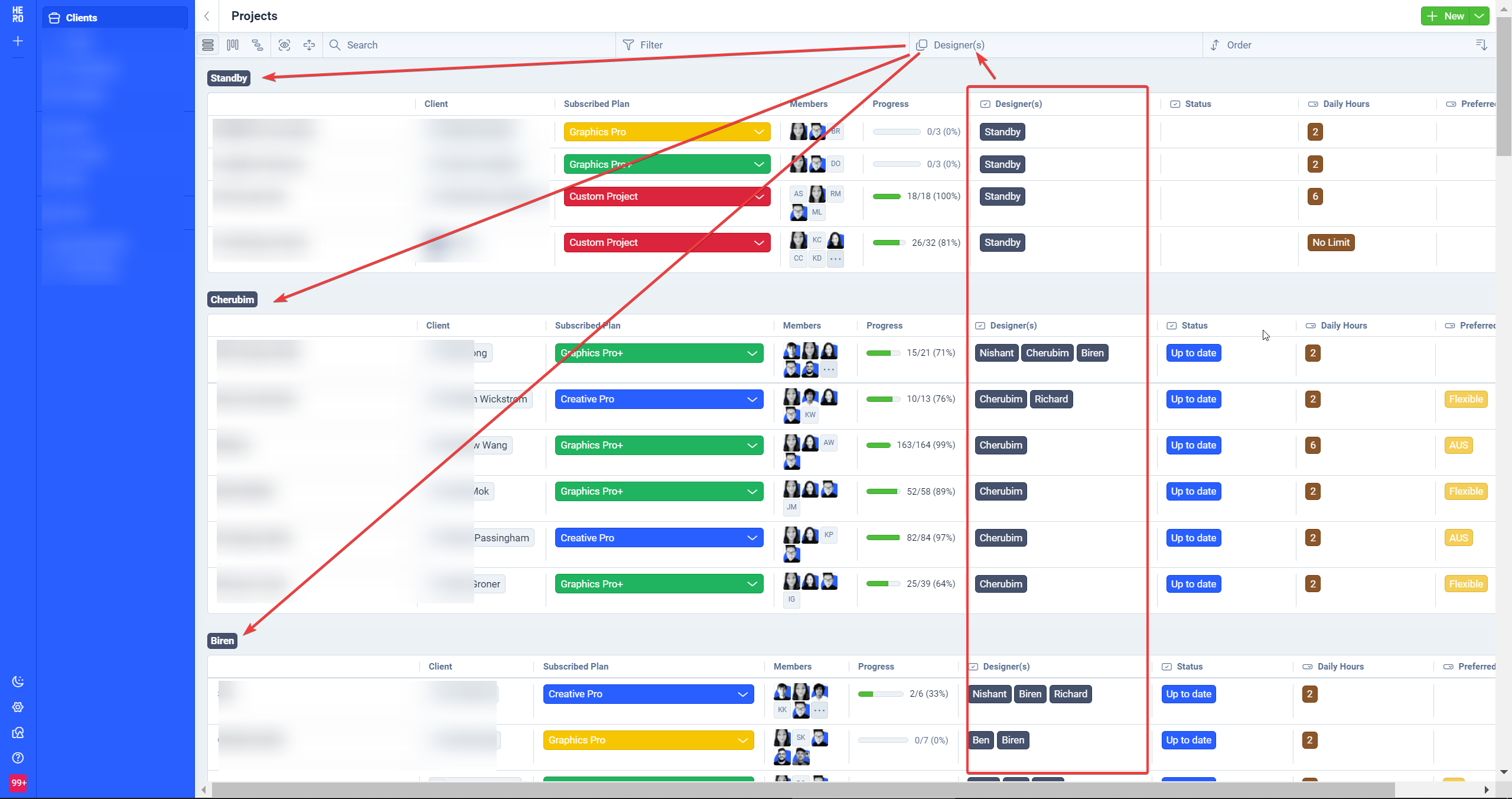
Now... when I'm inside Pabbly Connect's "Create Project" action, the custom field only works with field type "input".
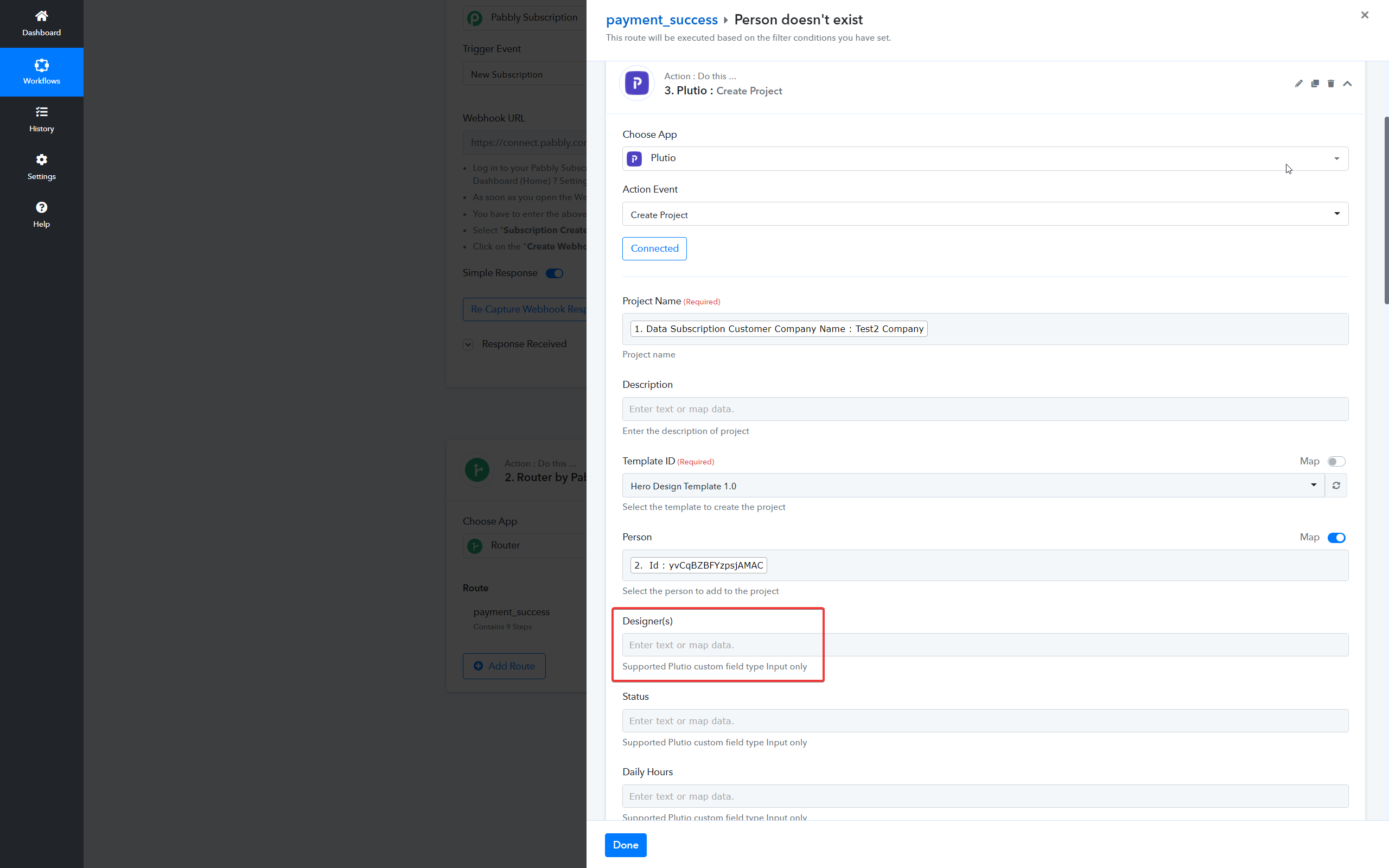
All I wanted to go is assign it to "Standby", so it's grouped at the top of my list.
Is there a away to go around this or have a solution for it?
Anyone?
Hey @herodesign
We have updated the action event with drop-down custom fields, so kindly reconnect the action step and try again.
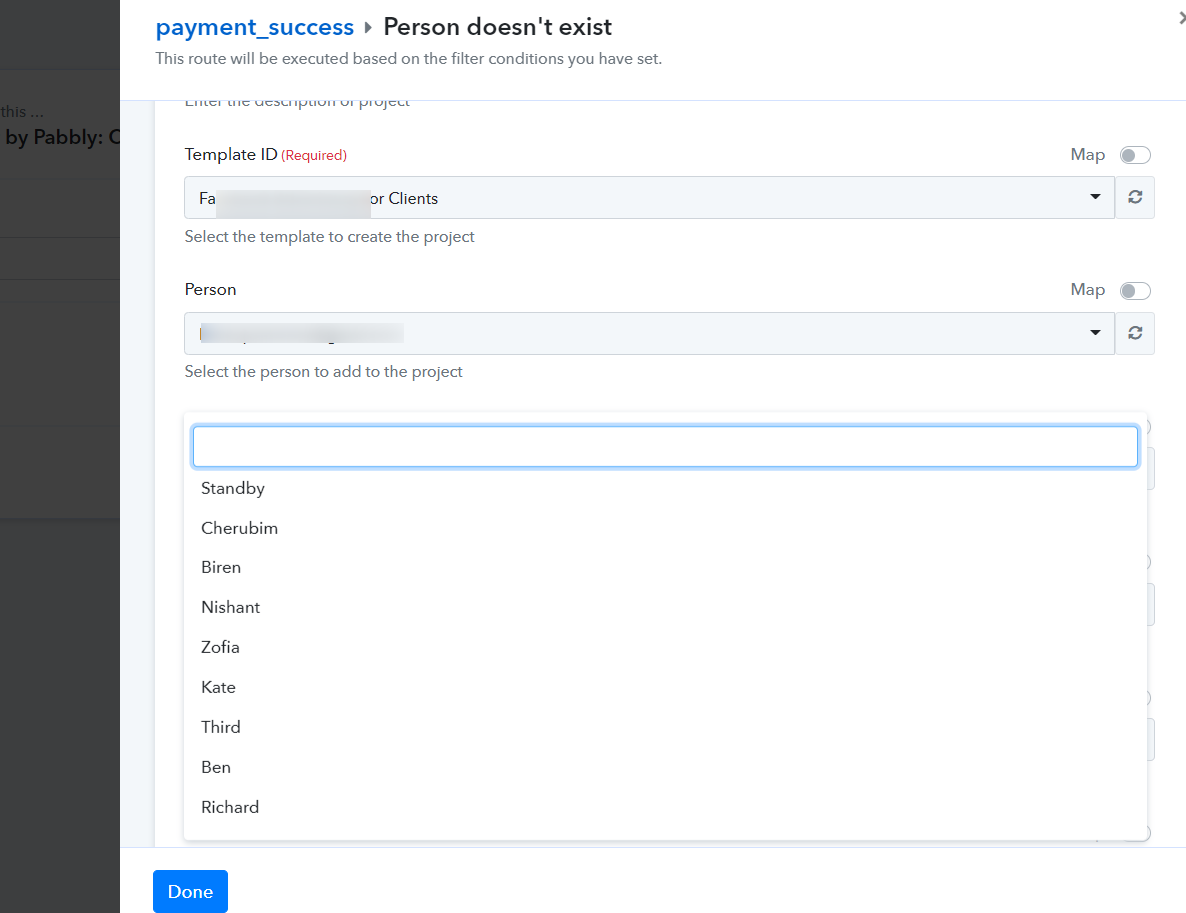
Hey @herodesignWe have updated the action event with drop-down custom fields, so kindly reconnect the action step and try again.
Thank you so much @Supreme !!! That was fast implementation based on user feedback! AWESOME
However, when I tested it, the custom field value didn't return valid for some reason....
I can confirm the error custom field ID is the "designer" field.
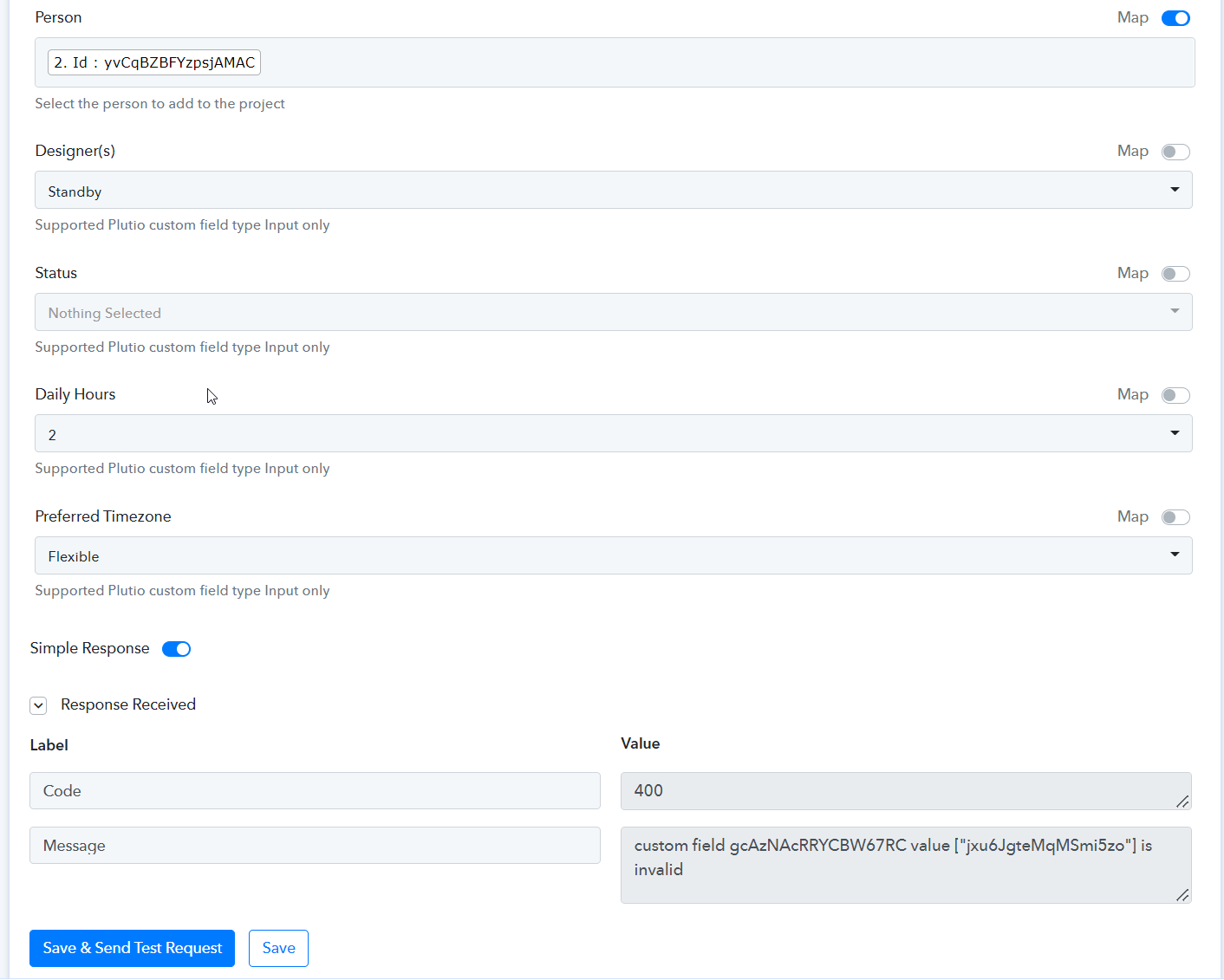
@Supreme any updates? Now the step can't even be actioned and stucks there due to invalid dropdown/multiselect value.
Hey @herodesign
We have made some changes in the respective action step and it is working fine. Kindly try this at your end and let us know if that works for you.
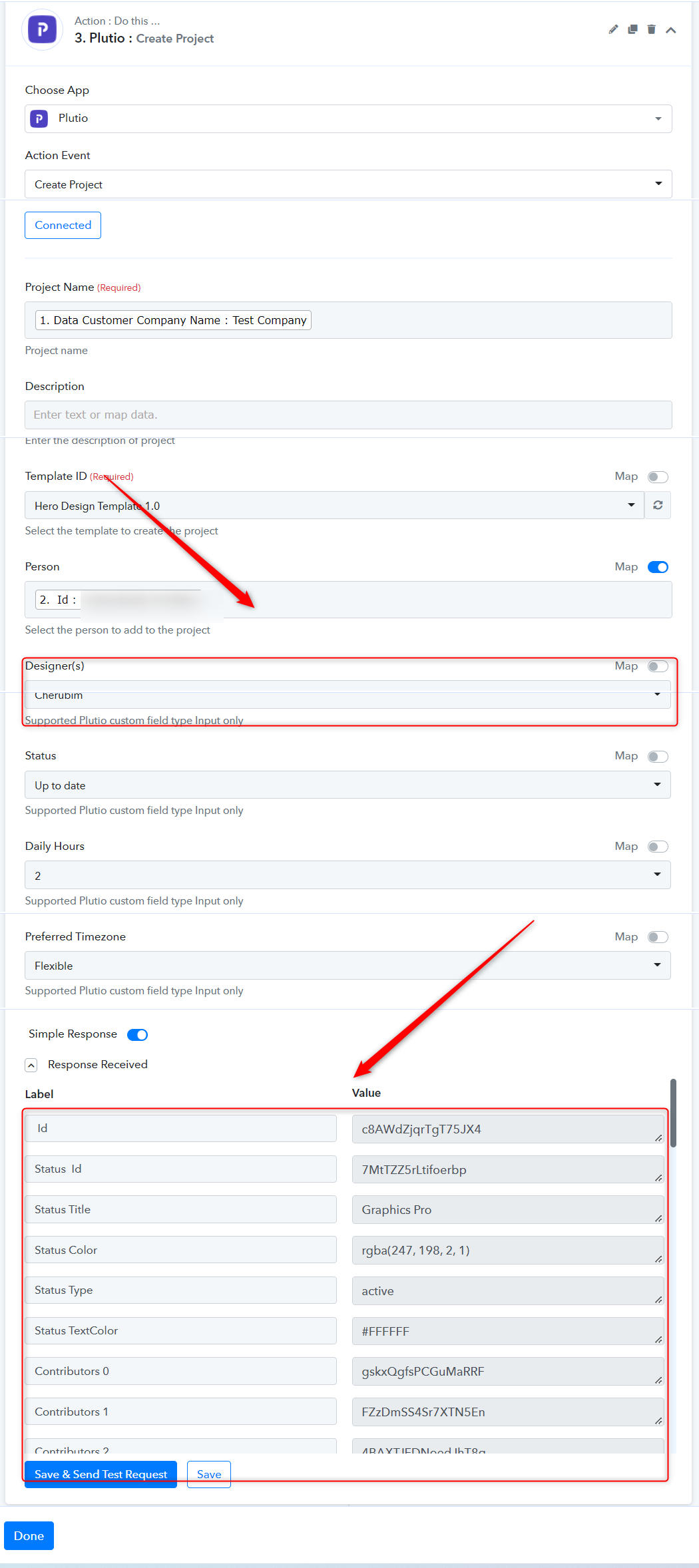
Thank you! This works great! Amazing support and dev team.