Avoid multiple workflows with same data
Status: Closed · Asked by avielchik on · 0 views
Hey!
I have a crm working through webhook to send me the data, that data is then sent to google ads as a conversion.
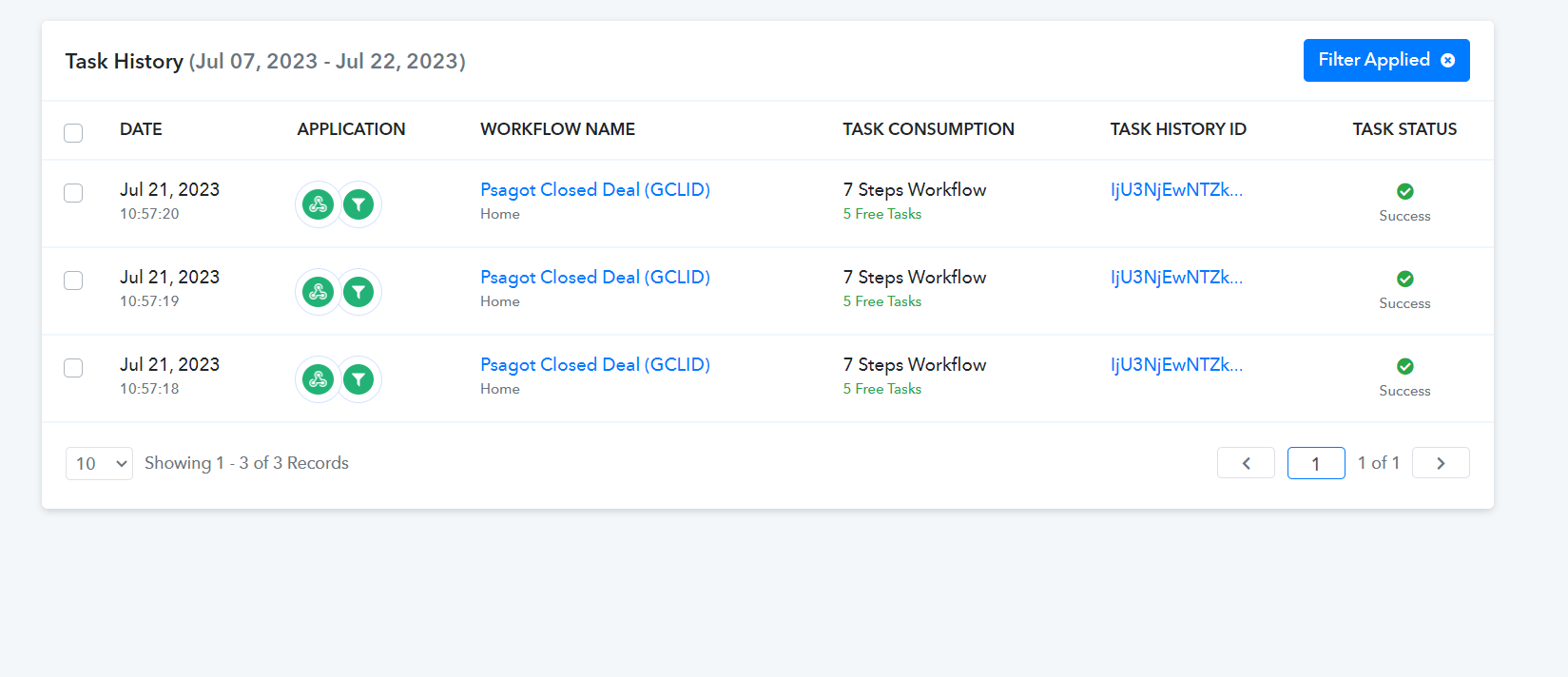
How do i avoid receiving duplicates? Sometimes it send the same exact data and the workflow run for 3-4 times, too many tasks are being spent!
Help?
Hey @avielchik
Can you please share the workflow URL with us along with the duplicate task history Id, so that we can look into the possibility of the same?
Further, can you check whether you have provided the same webhook URL from your workflow multiple times in the triggering application?
Yes, the webhook URL is being triggered multiple times by the CRM because they save and edit it a few times...
WorkFlow: https://connect.pabbly.com/workflow/mapping/IjU3NmMwNTY5MDYzNDA0MzA1MjZmNTUzNSI_3D_pc
History task IDs duplicates example:
1. IjU3NjEwNTZkMDYzNDA0MzM1MjY0NTUzYzUxMzE1MTZhNTQzOSI_3D_pc
2. IjU3NjEwNTZkMDYzNDA0M2M1MjZjNTUzNTUxMzY1MTY2NTQzNiI_3D_pc
Hey @avielchik
Based on the task history ID of your workflow, it's evident that the triggering application is sending three identical webhook responses, causing the workflow to run three times. To resolve this issue, we suggest checking the triggering application to ensure that the webhook URL is not duplicated three times and that the application is not sending the response multiple times.
Additionally, please note that the Webhook by Pabbly trigger event is designed to capture the webhook response only once when sent by the triggering application.