Aweber Workflow Error 400 - Invalid email address.
Status: Closed · Asked by david_95 on · 0 views
My workflow adds lead / purchase info (Name, Email, tag) into Aweber as a new Subscriber to separate Aweber lists.
Every single lead / purchase addition attempt returns an Error Status
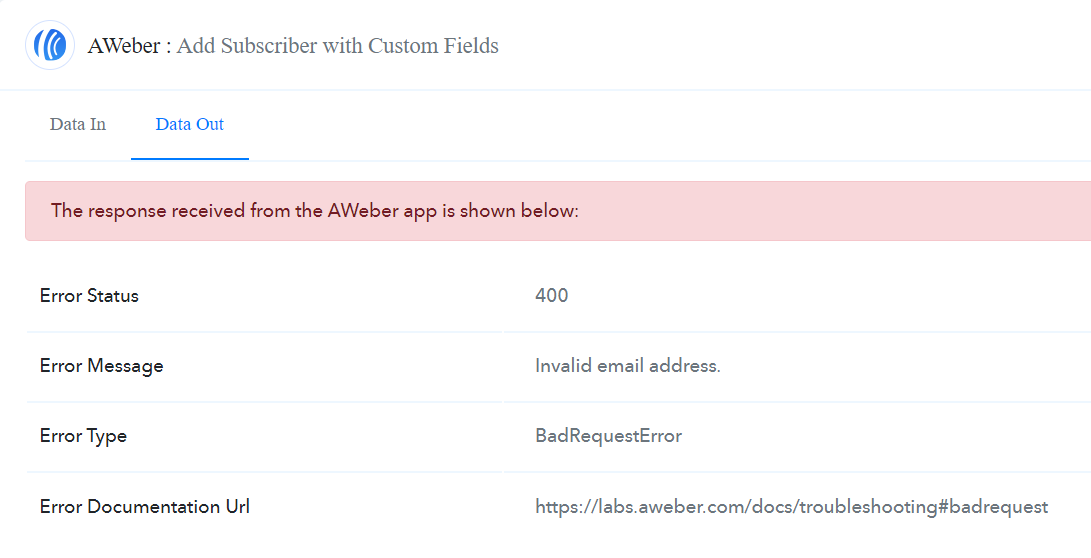
I have checked other threads, and the quick resolution would be to suggest that the email address the lead entered is wrong.
However, this cannot be the case:
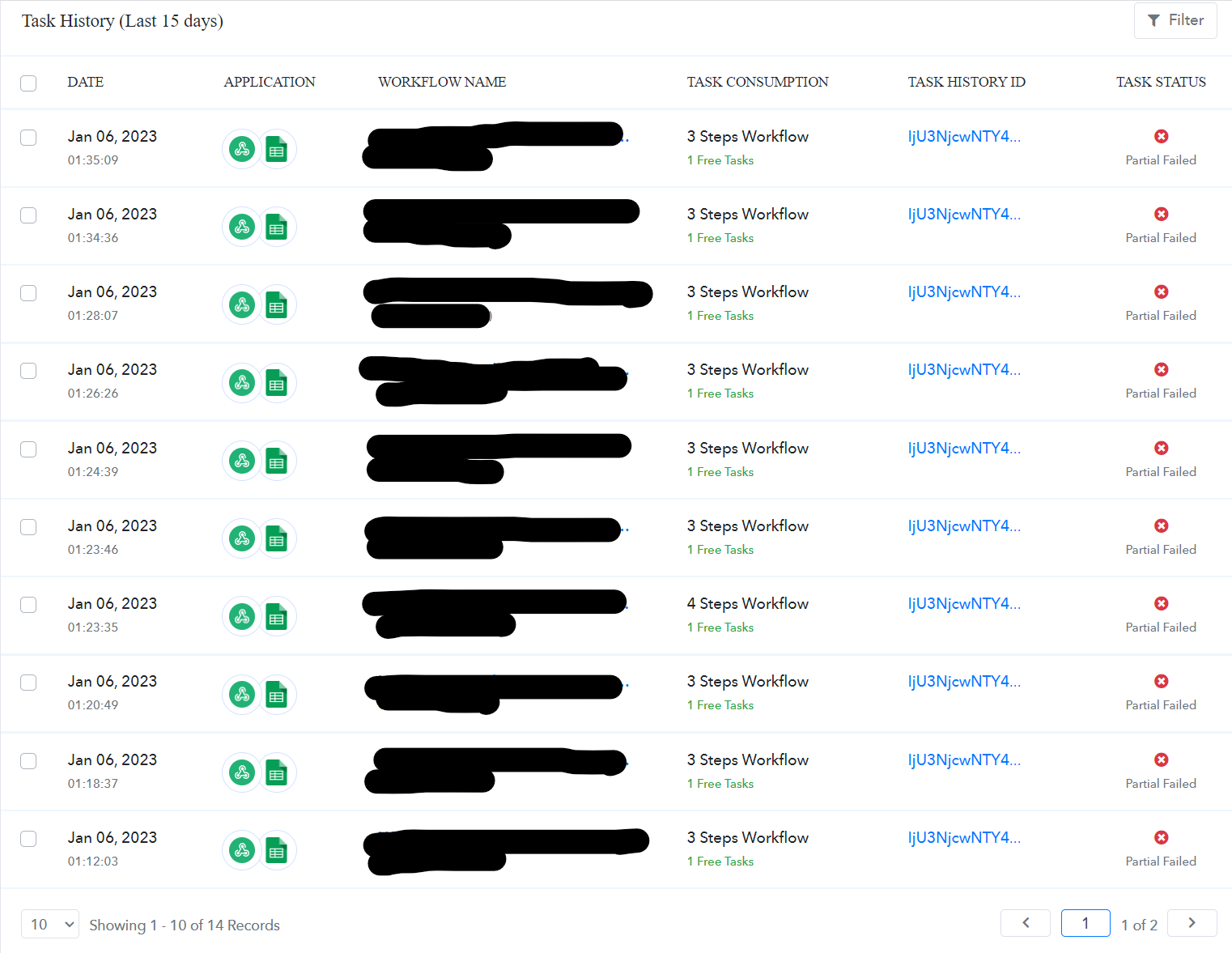
There is no chance 9 leads and 1 purchase customer would submit erroneous email in a row. Surely there is something wrong with the integration.
I have verified on Aweber that they are not in the subscriber list.
I have connected and reconnected it, and verified the workflow info. It all checks out correct.
Besides, I literally just moved from Zapier to Pabbly Connect just 1 hour ago. I have been using Zapier for the last 3 months with the same exact workflows so I know that they are correct and working fine.
Thought the process would be as seamless as advertised, but it seems there are still teething problems within the software.
Tried to reach out to a helpdesk but there was none.
Not the best customer experience right from the get-go guys. Any help?
Bumping a reply from Aweber Team for ease of resolution:
"I went ahead and checked your API activity, and I'm only seeing subscribers being added via Zapier. The only failures I see, including invalid email errors, are also from Zapier. I haven't tracked down any relevant API activity from Pabbly Connect.
I'd recommend getting in touch with Pabbly to find out if there's an issue on their end. If they are unable to connect with our API, perhaps they had an issue with authorizing your account. In the event that Pabbly support points you back our way, please see if you can get more details on the errors that are occurring. API URLs they are trying to access, what specific response codes and error text they are getting back, etc.
Please let me know if you have any additional questions. I'll be happy to help!"
Hey @david_95
Seems like you are using the action step with custom field support and you are not using any custom fields on it.
So, we would suggest you once create a custom field in your Aweber account and then use the action step after reconnecting it.
Also, we noticed you were not using tags with double quotes. Though we have corrected it now you are only required to add a custom field.
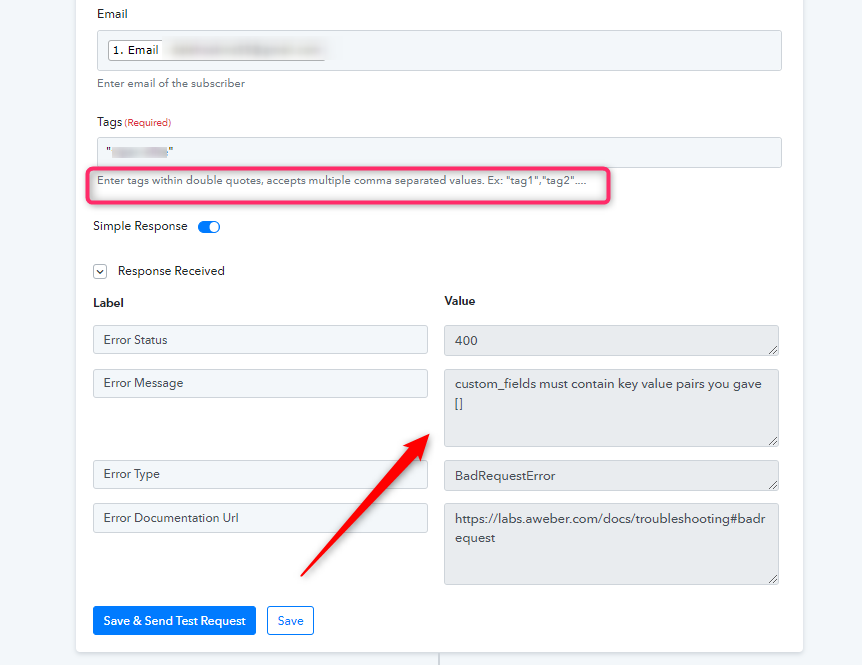
Hey @david_95Seems like you are using the action step with custom field support and you are not using any custom fields on it.
So, we would suggest you once create a custom field in your Aweber account and then use the action step after reconnecting it.
Also, we noticed you were not using tags with double quotes. Though we have corrected it now you are only required to add a custom field.
Thanks for getting back to me, it is much appreciated.
The only reason why this action step was selected was because I needed to add a tag to the subscriber added to trigger an automated campaign. The normal "Add subscriber" action step does not allow to add a tag.
I have no need for the custom field, nor am I using it.
Is there a workaround for it? How do I resolve this?
PS. Also I note the advise given regarding double quotation on tags. Thank you for that!
Is there a workaround for it? How do I resolve this?
You can make use of the "Add Subscriber" action step, where you wouldn't be required to use the custom field at all.