Back to Mega Drive
Status: Closed · Asked by Tony Passwater on · 0 views
- If I go back to the same thread we were working on this a couple of months ago and post a reply, is there a "closed" state that disregards
further posts ?
We were working on this workflow a few months ago and the integration team stated that they had successfully stripped an email attachment
to place in my Mega Drive account ... I could not get their information to work, so I switched the focus on doing it with One Drive (Company not Personal) since the folders are the same being accessed by both programs.
Well, after a month, it was stated that integration is not possible with One Drive (Company) only Personal :-(
So I am back now to get the Mega Drive to work ...
|
My workflow information is listed below
The URL for the folder online is: https://mega.nz/#fm/HuhjgLIJ
However, I don't see how they made it work before, because when you attempt to go to this URL outside being in Mega Drive, it asks for the user name and password.
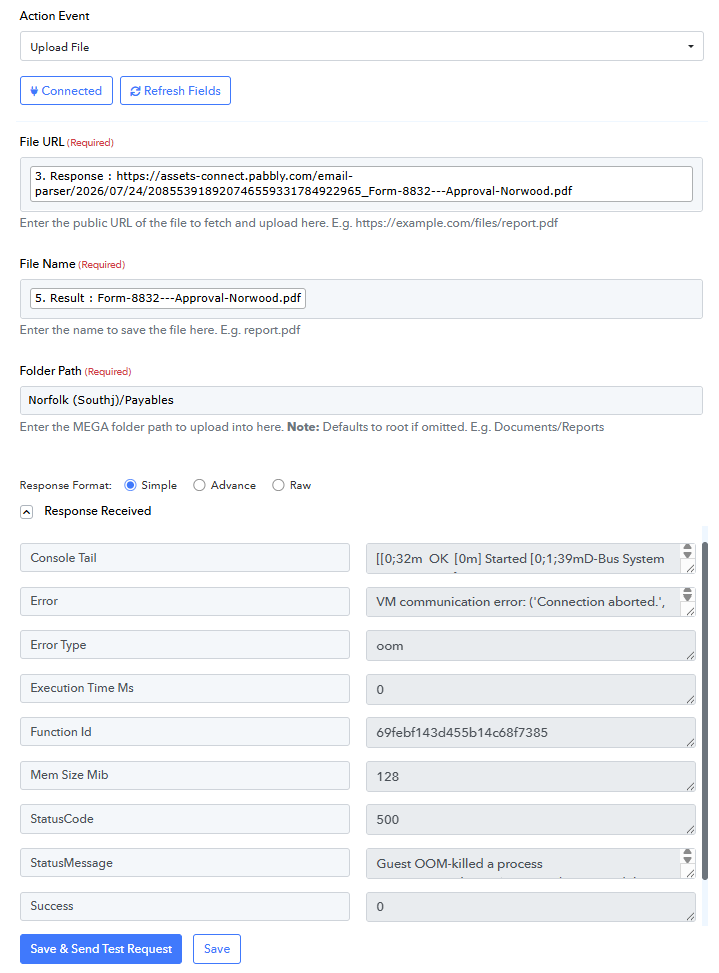
I have tried multiple combinations for the Folder Path using the URL listed above and the actual local folders as listed in the error attached.
Hello,
Could you please share the Workflow URL where you have this concern?
Arshil Ahmad
🌐 Pabbly.com
I did in the box it asked below the main text area ... it asks
The file captured in your trigger step has expired, as the Email Parser attachment URL is only valid for 48 hours.
Could you please capture a new email with the attachment in your trigger step and let us know once it's done? This will allow us to test the issue.
Click "Recapture Email Parser Response", receive an email with the attachment to the email address connected to your Email Parser. The new email will be captured in the trigger response.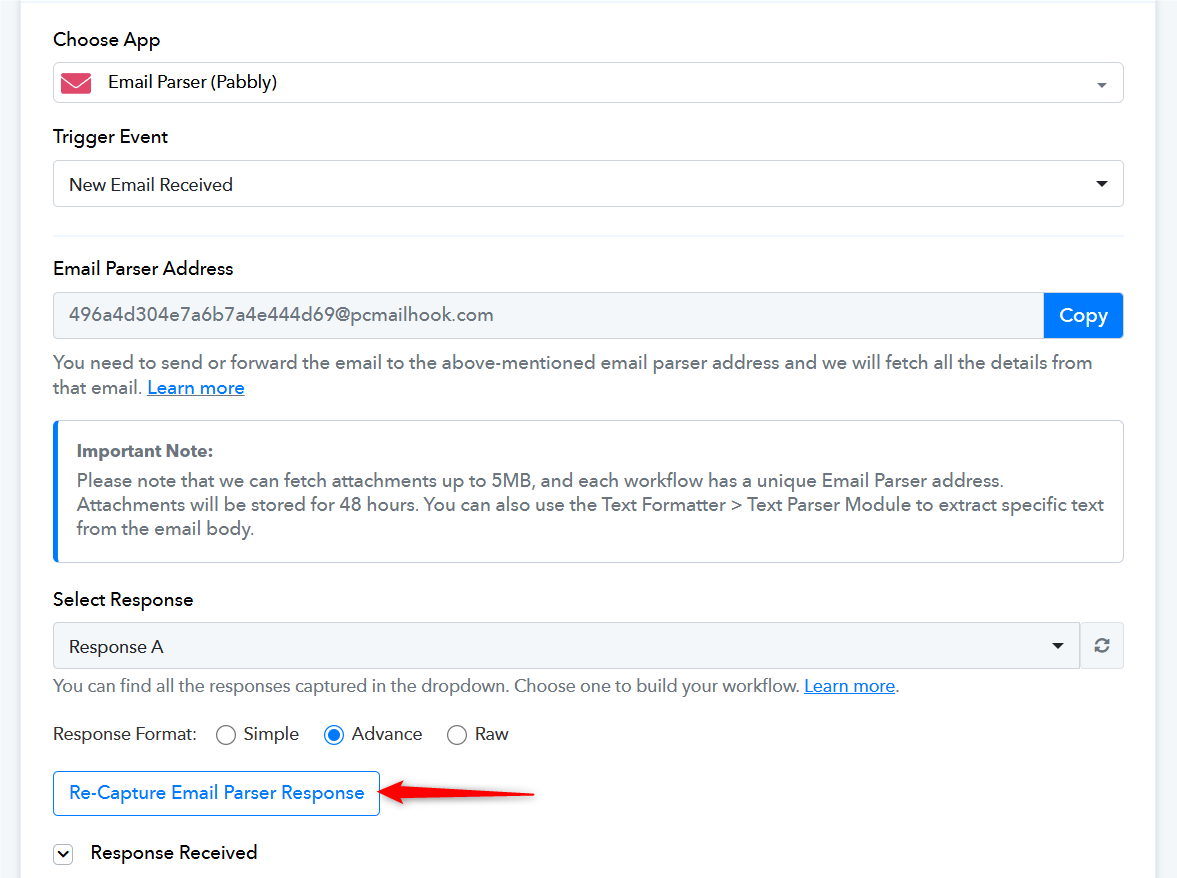
Also, please share a screenshot of the folder path from your MEGA account.
Thanks & Regards,Arshil Ahmad
🌐 Pabbly.com
I have resent a test email ..
The folder path in the browser is: https://mega.nz/#fm/HuhjgLIJ

This is what I got by email ...
IjU3NjYwNTZjMDYzMDA0MzU1MjY4NTUzZDUxMzE1MTY1NTQzNDBmMzEi_pc
Hello Tony,
As we checked your workflow and the screenshot you have shared, the Folder path is completely different. Please check and add the correct folder path. First, try uploading the file in the root folder to check whether the file is getting uploaded correctly without any issues.
 According to the screenshot that you have shared, this is the entire Folder path. This needs to be added in the Folder Path field.

Thanks & Regards,
Adeel Akhtar
🌐 Pabbly.com
I have tried every combination possible for the Folder Path ... the last screenshot was just the last attempt ...
I even just used Mega/Remote Bookkeeping and Remote Bookkeeping to see if it will go into the simplest folder ... it does not ...
I have recaptured a new attachment and it goes fine until this last step ...
I am not sure why, but when I go to History the attempts I just did that failed don't even show in the list ?
The last history shows is 7/26, not today ?
We tried uploading the file to our MEGA drive and it did get uploaded without any issues.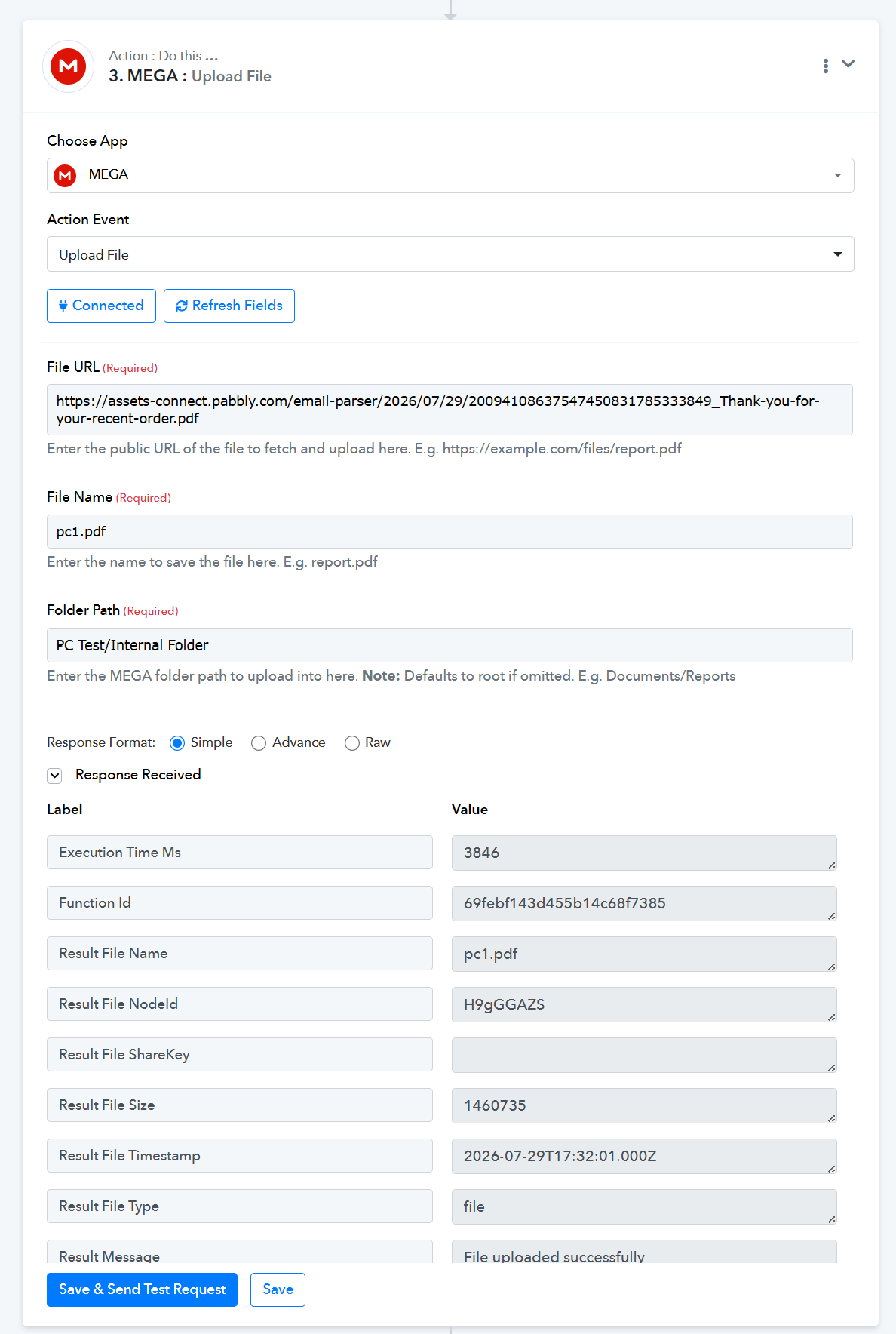
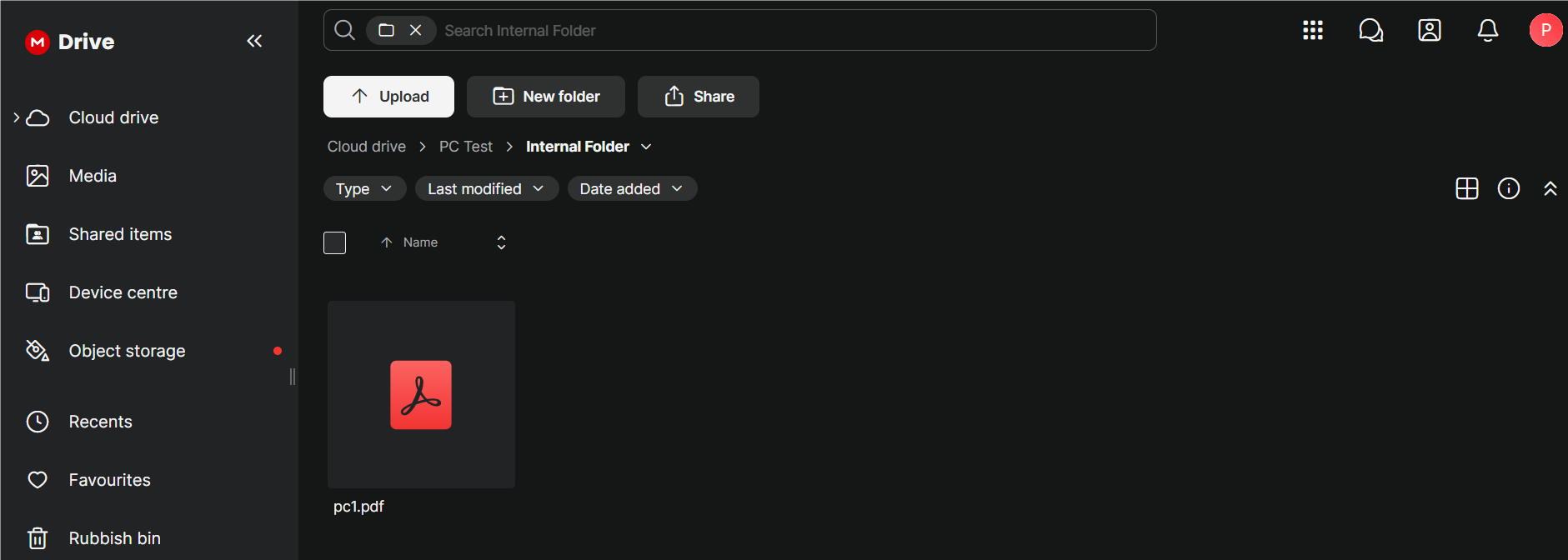
Please share a screenshot showing the complete folder path, starting from Cloud Drive, so that we can test the issue on our end.
Arshil Ahmad
🌐 Pabbly.com
I


have recreated the connection and made sure the User Name and Password is correct ...
I have added a folder, Test1, to the root after Cloud Drive
I have added a new folder in the MEGA folder, Test2,
I have tried the file pats of: Test1 .... MEGA .... MEGA/Test2
And I get the same errors ..
Thank you for sharing the screenshots.
It appears that you are now encountering a different error now:
EBLOCKED (-16): User blocked
https://mega.io/developers#error-codes
Please try unblocking your MEGA account and then test the workflow again.
Thanks & Regards,Arshil Ahmad
🌐 Pabbly.com
Yes, after I sent my message above, I received an email from Mega that my account was locked and to change my password...
Today I updated the information in the Mega connection and tried to run the workflow ... it still errors ... (below)


Thank you for the update. Please create a new connection with your MEGA account and test whether that resolves the issue. Please do not make any other changes to your workflow.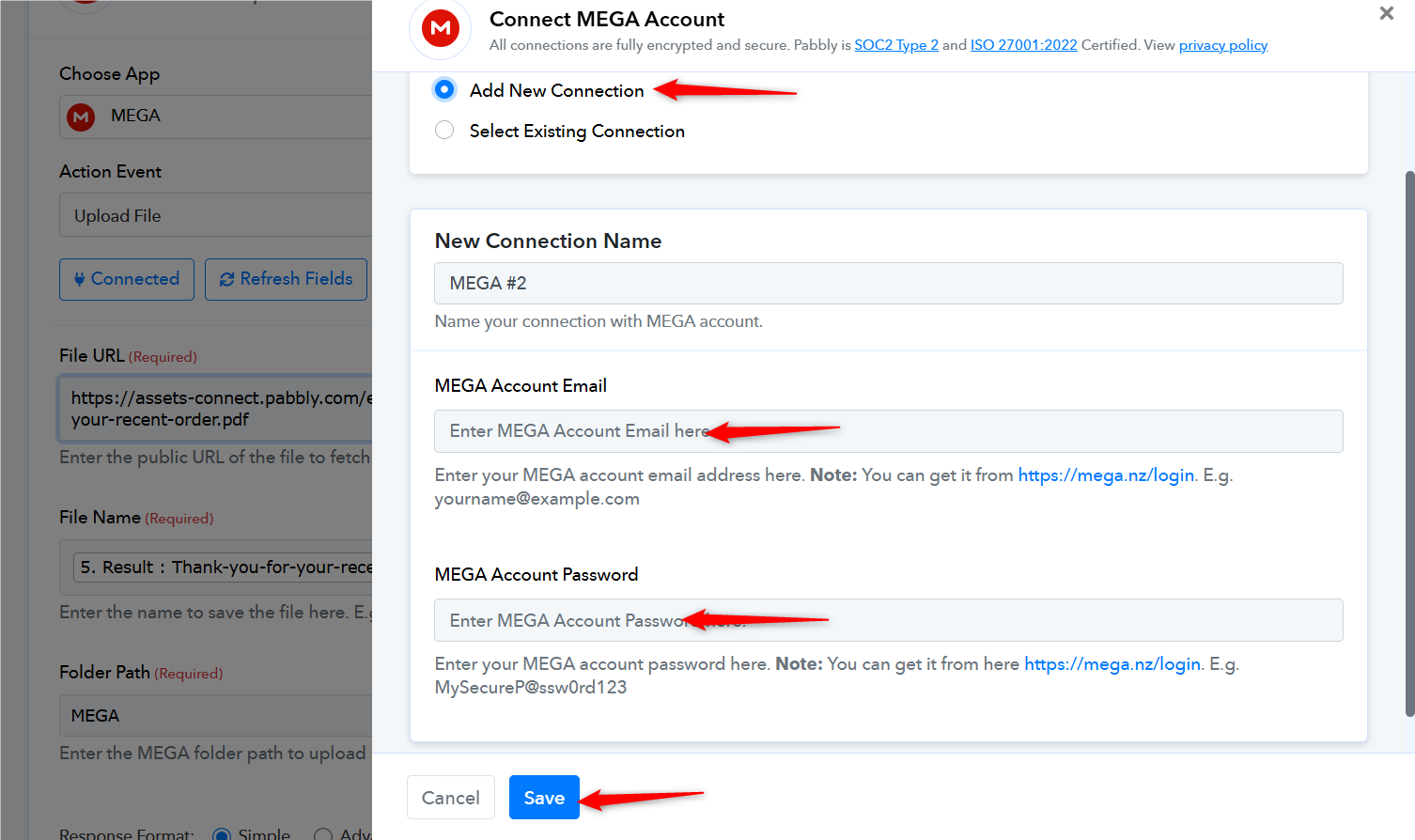
Arshil Ahmad
🌐 Pabbly.com
I had already did that yesterday ....
I added a new connection today and it still gives the error ?

I also tried the Folder as: Mega/Test2 and just Test1
Thank you for creating a new connection. We have escalated this issue to our technical team. Please allow us some time while they investigate it. We will get back to you with an update as soon as possible.
Thanks & Regards,Arshil Ahmad
🌐 Pabbly.com
Hello Tony,
Our technical team is currently investigating the upload failures with your MEGA Drive integration.
To help us diagnose and test a potential fix directly, could you please give us your explicit consent to execute/run test runs on your workflow [Workflow Name / Share URL]?
Please rest assured that we will only run tests using sample data needed to verify the MEGA Drive connection. Once you confirm, our technical team will proceed with testing.
Thanks & Regards,
Hrishabh
Customer Support Associate
🌐 Pabbly.com
👉 Rate your support
Our technical team has fixed this issue. We uploaded the same file that was previously failing to upload to the MEGA/Test2 folder in your MEGA drive, and it appears to have been uploaded successfully.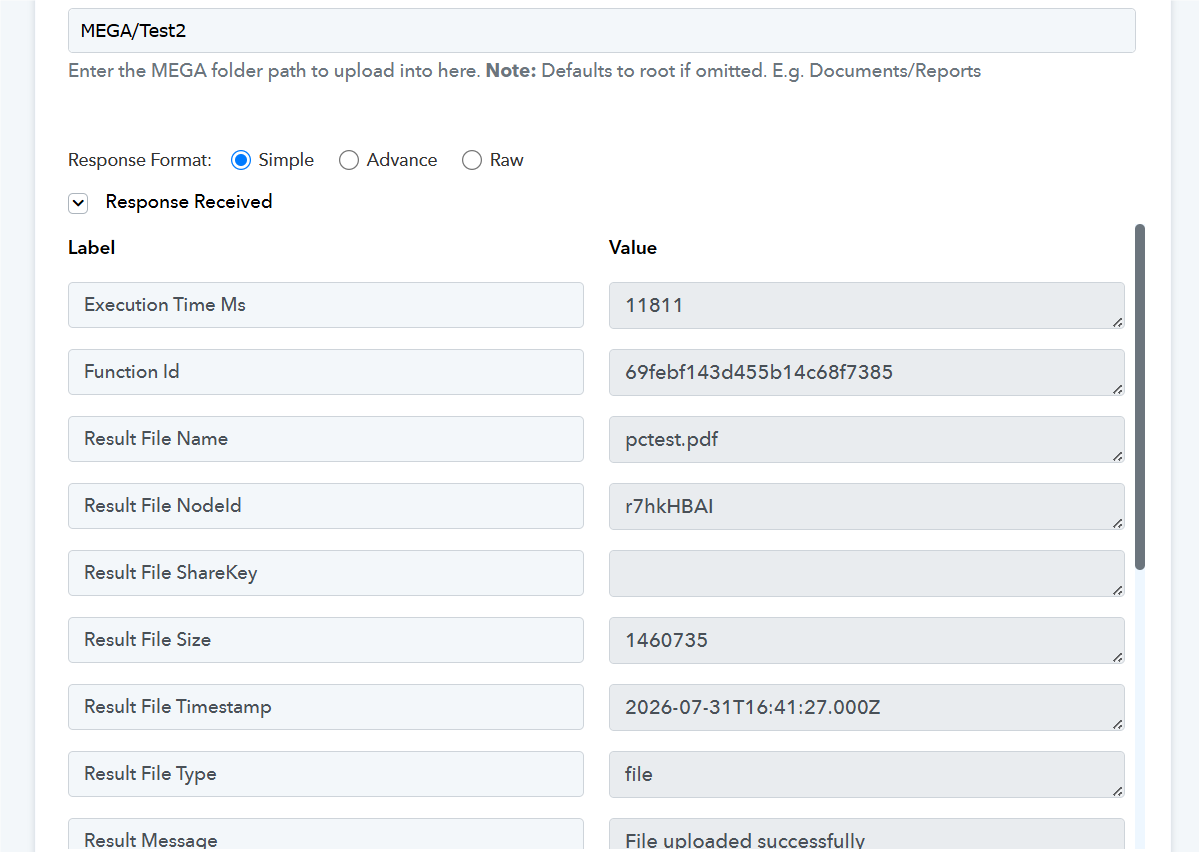
Arshil Ahmad
🌐 Pabbly.com
Just following up regarding this.
Our technical team has resolved the issue. We tested by uploading the same file that was previously failing to the MEGA/Test2 folder in your MEGA drive, and it was uploaded successfully. Please check from your end and let us know if you experience any further issues.
Thanks & Regards,Arshil Ahmad
🌐 Pabbly.com
Thank you ... I have tested it and it is now working ...