Bad Request: can't parse entities: Unsupported start tag "test" at byte offset 24
Status: Closed · Asked by ch4rg3d on · 0 views
Bad Request: can't parse entities: Unsupported start tag "test" at byte offset 24
Keep getting above as a connecter to Facebook Lead Ad to push to a telegram chat.
Hey @ch4rg3d
Please share the workflow URL after you have gone through the experience.
Hey @ch4rg3dPlease share the workflow URL after you have gone through the experience.
Please ensure that the data entered is correct. Provide a valid chat ID and the correct Button URL in the action step.
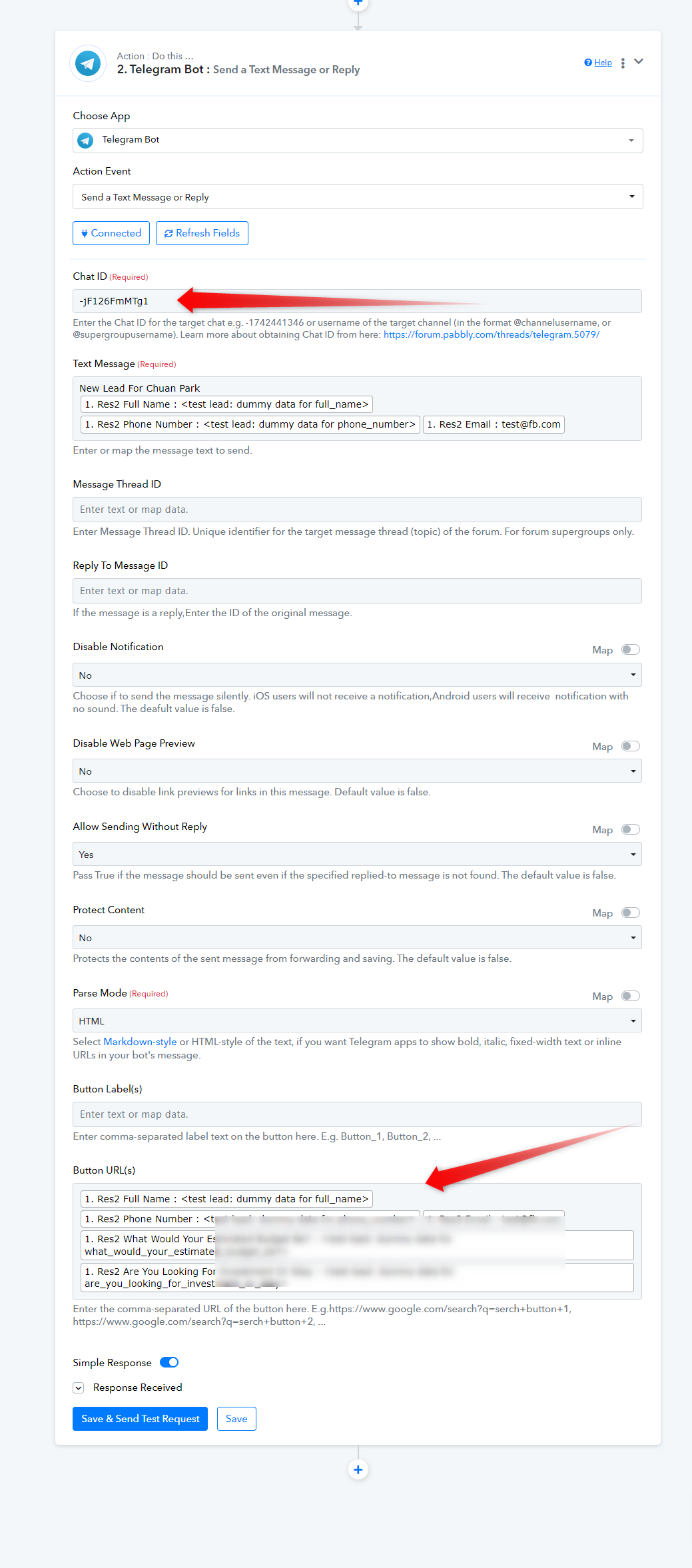
You may refer to the following video lesson on how you can use the Telegram action step to use it.
Please ensure that the data entered is correct. Provide a valid chat ID and the correct Button URL in the action step.
You may refer to the following video lesson on how you can use the Telegram action step to use it.
@Supreme - The ChatID is correct - unless i'm supposed to put in the +HoRe in front?
whwat do i need to put for button URLs?
whwat do i need to put for button URLs?
The "button URL" in the Telegram API is a clickable button that can be added to a reply message. Once a user taps on the button, they will be directed to a pre-specified URL. This feature is often used to provide quick access to external links or resources within the Telegram chat interface. The URL is the web address or link that the button will navigate to when clicked.
For example: https://www.example.com
@Supreme - The ChatID is correct - unless i'm supposed to put in the +HoRe in front?
Kindly record a short video on how you have retrieved the Chat ID.
The "button URL" in the Telegram API is a clickable button that can be added to a reply message. Once a user taps on the button, they will be directed to a pre-specified URL. This feature is often used to provide quick access to external links or resources within the Telegram chat interface. The URL is the web address or link that the button will navigate to when clicked.For example: https://www.example.com
Kindly record a short video on how you have retrieved the Chat ID.
@Supreme
In that case- i do not require button URL just want a simple push to a group: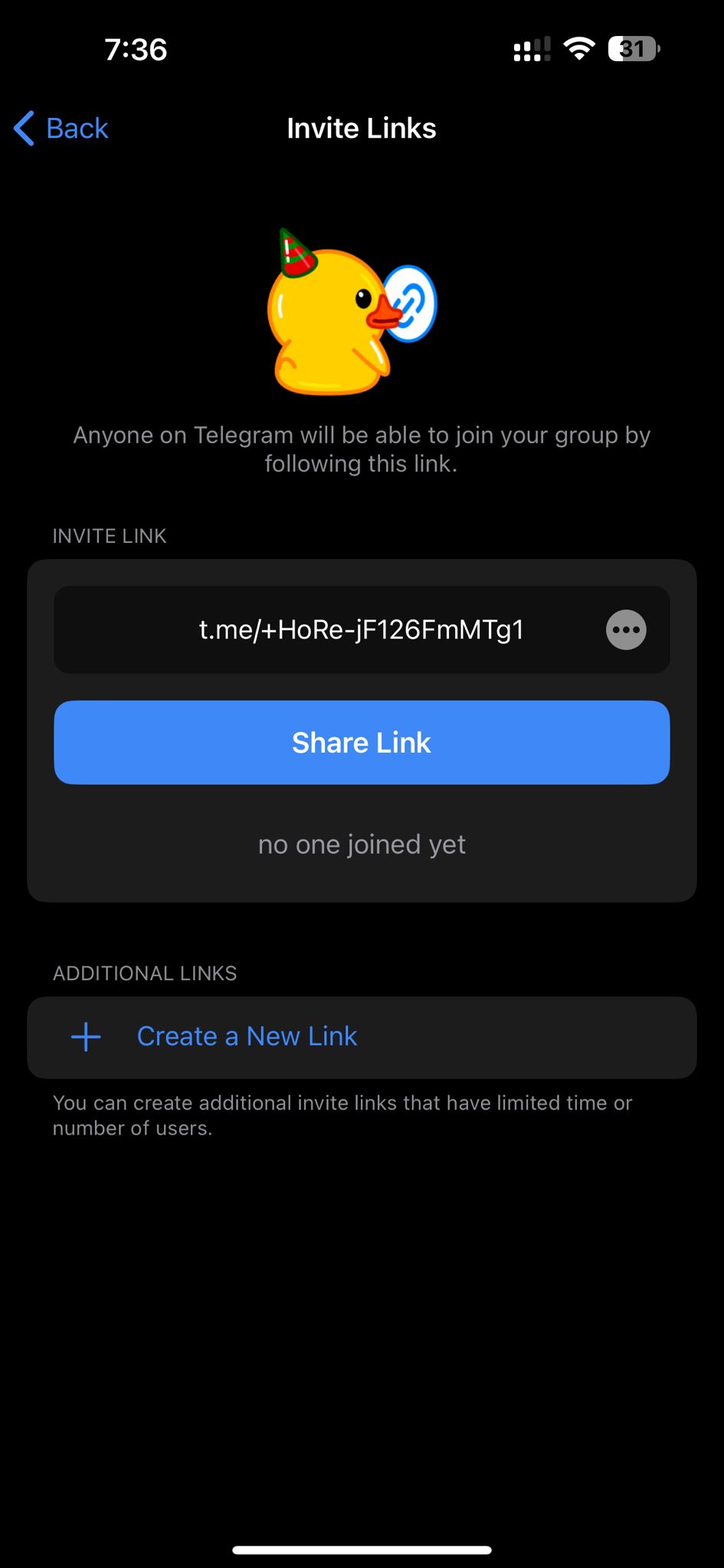
After reviewing your workflow, we recommend capturing actual lead data by completing your Facebook Lead Ad form and then mapping the captured webhook data in place of dummy test data in the Telegram text message box before trying again.
Additionally, we suspect the Chat ID may not be correct to verify, could you please record a short video showing how you retrieved it?
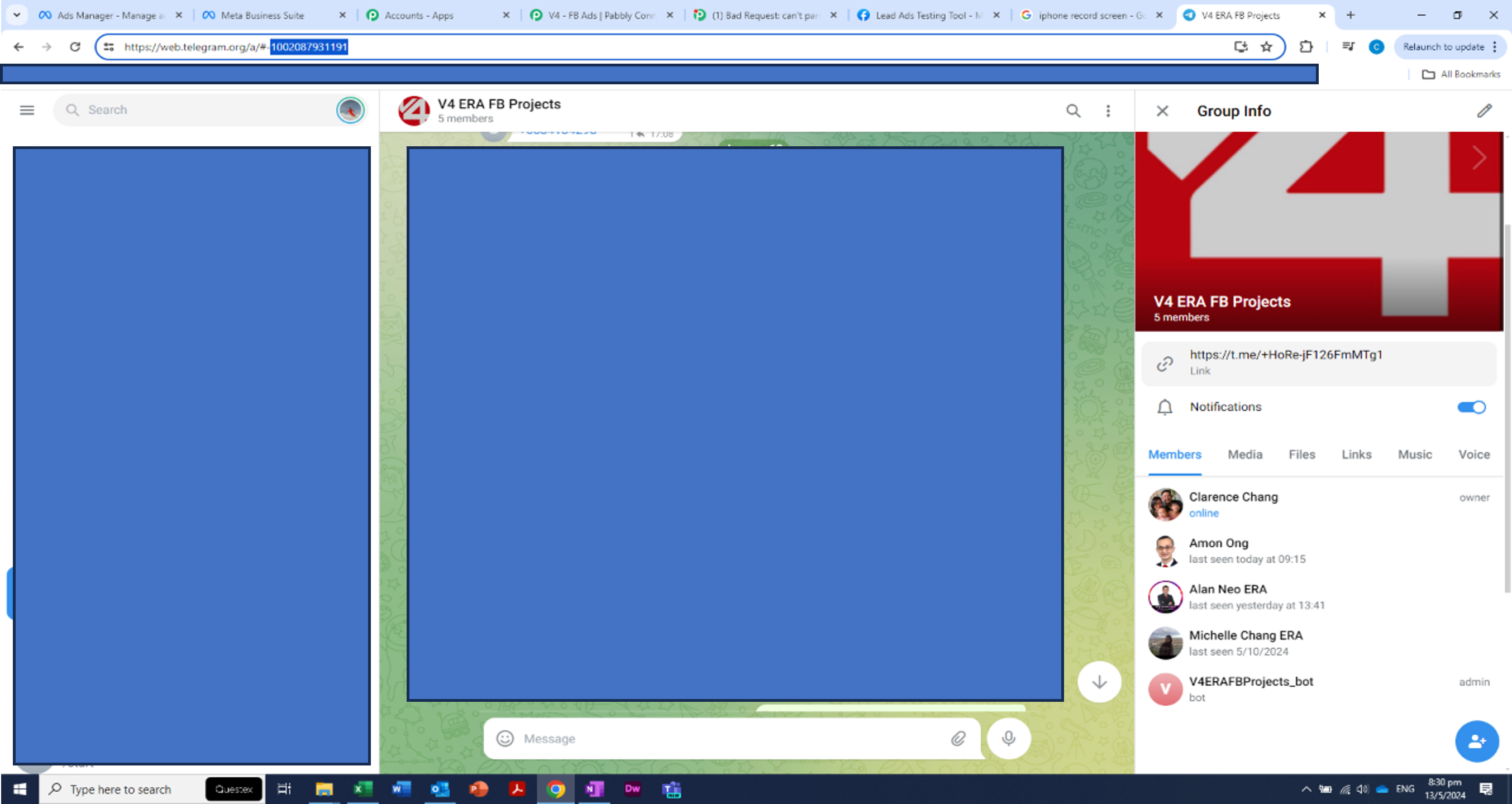
@Supreme - i believe you are right that the Chat ID is not right. I have attached a screen shot - i took the wrong link ID as i was refering to my phone only.
I'm still unable to trigger a lead - would it be because the form's font is having difficulty pushing through? I've completed via lead ads testing tool a form, fb recognizes it but its not pushing through to telegram.
the error is now: Bad Request: can't parse entities: Unsupported start tag "test" at byte offset 0
Attachments
After reviewing your workflow, we recommend capturing actual lead data by completing your Facebook Lead Ad form and then mapping the captured webhook data in place of dummy test data in the Telegram text message box before trying again.
As asked before please capture the webhook response again with a real lead from the Lead Ad Form and then map the real data in the Telegram action step.
youtube.com/watch?v=zcF8Ilf1ZWE
Other than the Telegram action step working fine, the automation requires real and correctly formatted data to run.