Bad Request with Google Calendar: GET Free Information
Status: Closed · Asked by dydx on · 0 views
I seem to be getting a bad request error when using the action event "Get free/Busy Information" on google calender
Hey @dydx
Based on your workflow, it's apparent that you didn't input the date and time in the format specified in the help text.
Though we have corrected it with the help of DateTime Formatter and it is working fine.
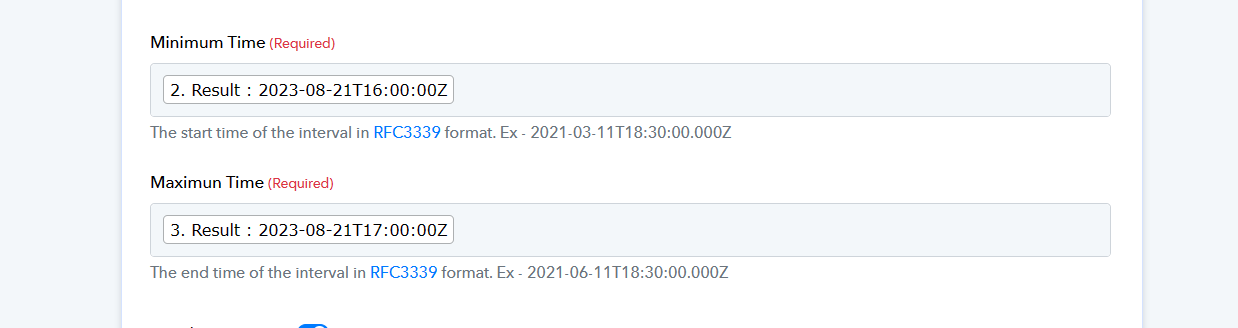
Thanks but feel I am still a mistake with the date. Getting an error when trying to do the google meet integration
please see https://connect.pabbly.com/workflow/mapping/IjU3NjUwNTZjMDYzZjA0MzA1MjZlNTUzMzUxMzAi_pc
Kindly use the DateTime Formatter action step to convert the date time to the requested date time which you can pass in the Google Meets action step.
Actually not sure is has to do with the time format. Attached is a screenshot of error.
Attachments
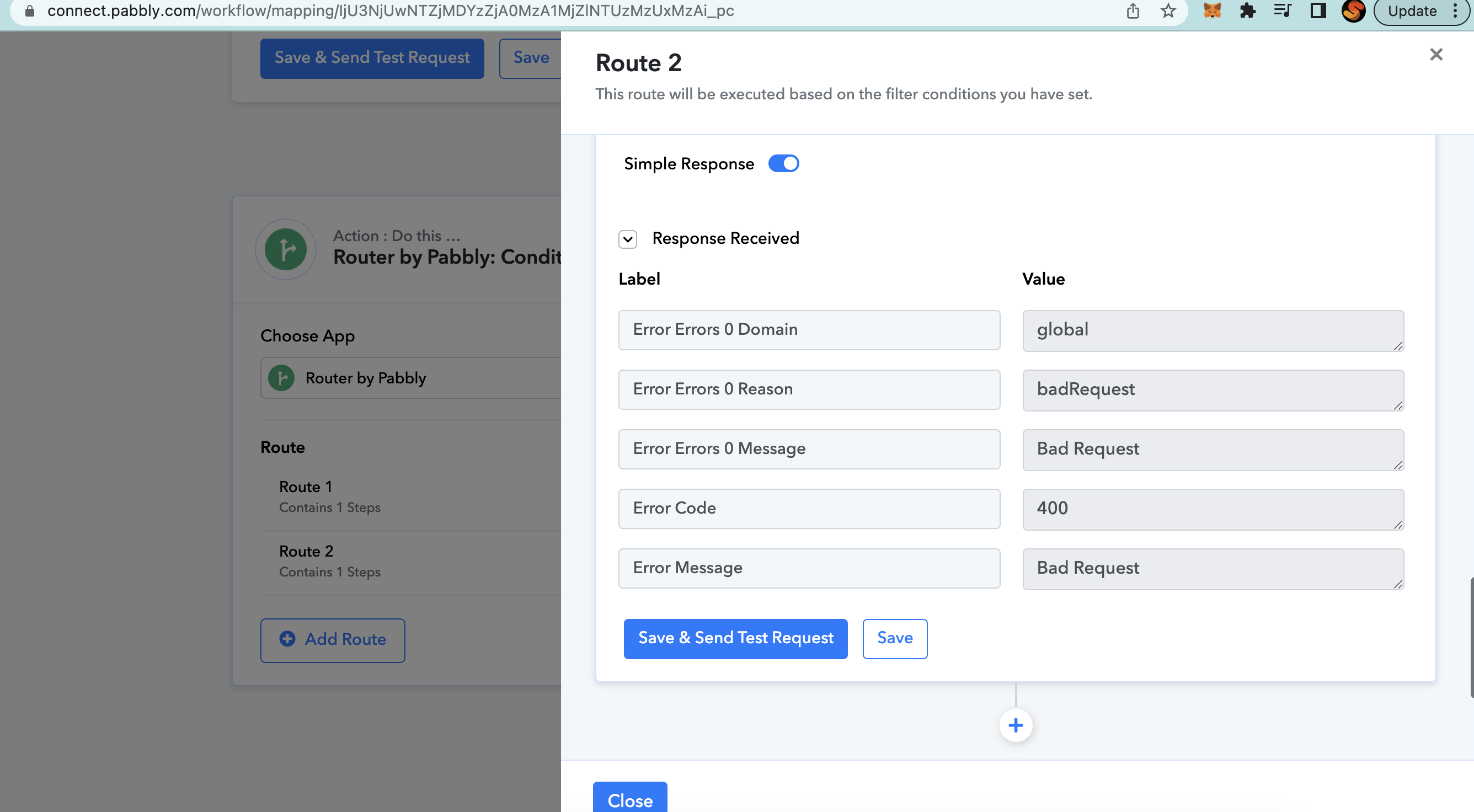
Actually not sure is has to do with the time format. Attached is a screenshot of error.
I am trying to replicate step 69 of this guide if that helps - https://help.landbot.io/article/w56zrlj7pf-how-to-book-google-meet-by-using-pabbly
You simply need to pass the email address without the curly braces format.
Though we have corrected it for now and it is working.

Thanks!