been over 4 days waiting for webhook response
Status: Closed · Asked by pandax on · 0 views
its been over 4 days im still waiting for webhook response no response from pabbly team as well , sent request from live chat , [email hidden] this iss my email please contact me with the sissue solved.
2, my question is how the tasks consumed is evaluated for example im using insatgram bulk scheuling feautre mentioed in this video pably youtube video so for example if there is one post there will be 1 task consumed ? or what I'm confused
please answer asap.
contact me on my mail
Hey @pandax
It appears that you may not have correctly set up webhook in you Google Sheet. Kindly refer to this video to rectify any errors -
youtube.com/watch?v=FipPt_qnW4I
Further, as mentioned in this video your workflow will look like this.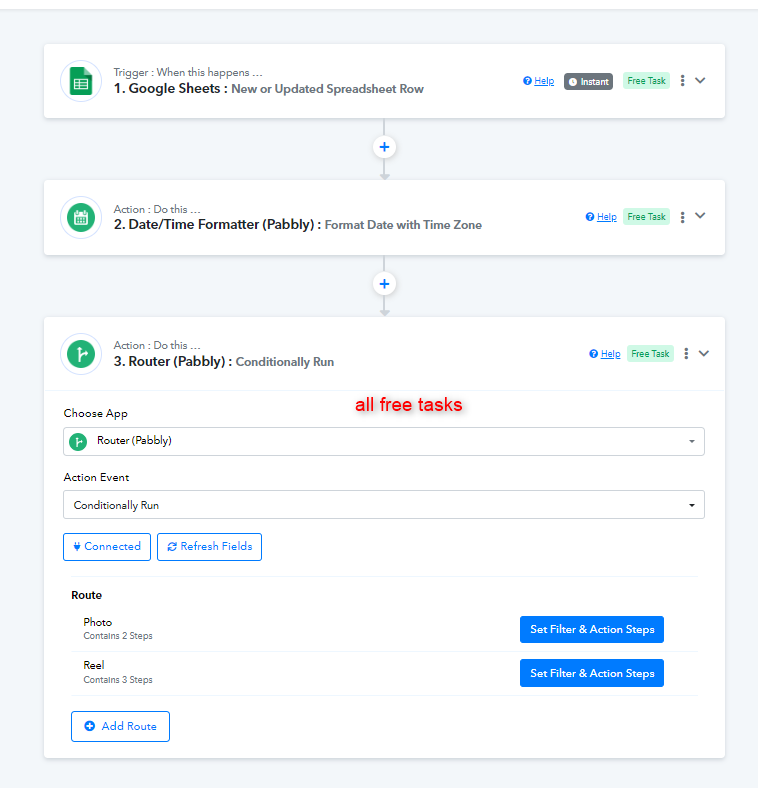
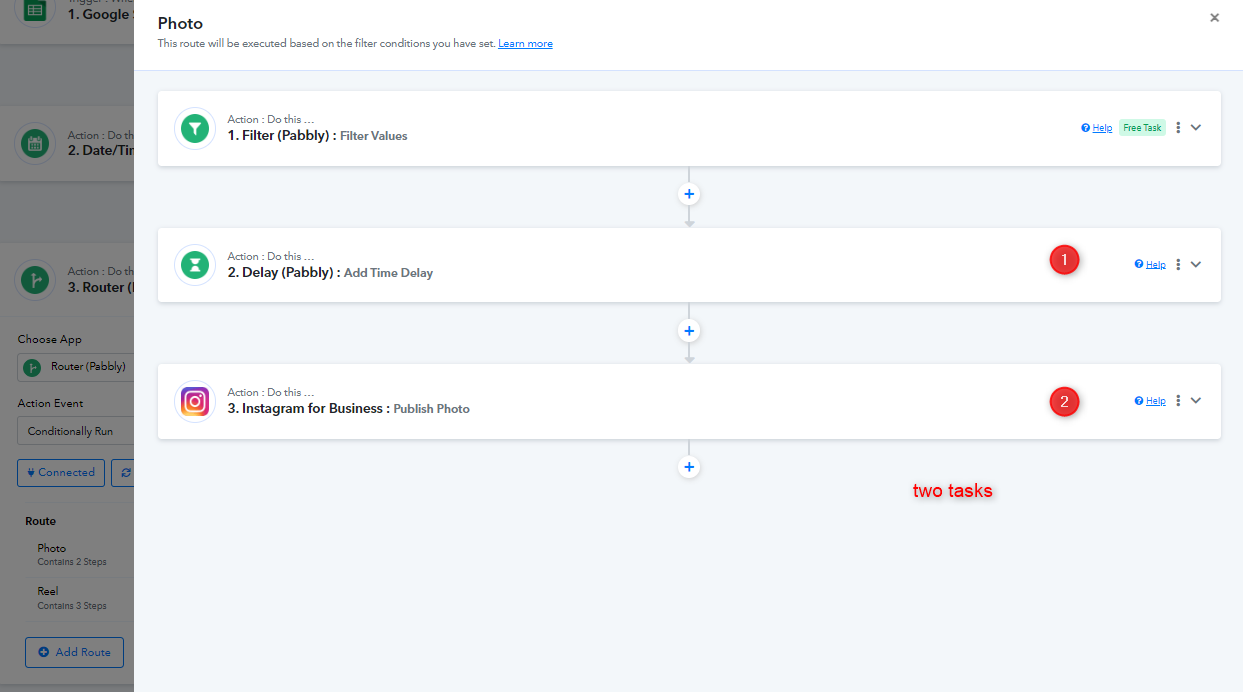
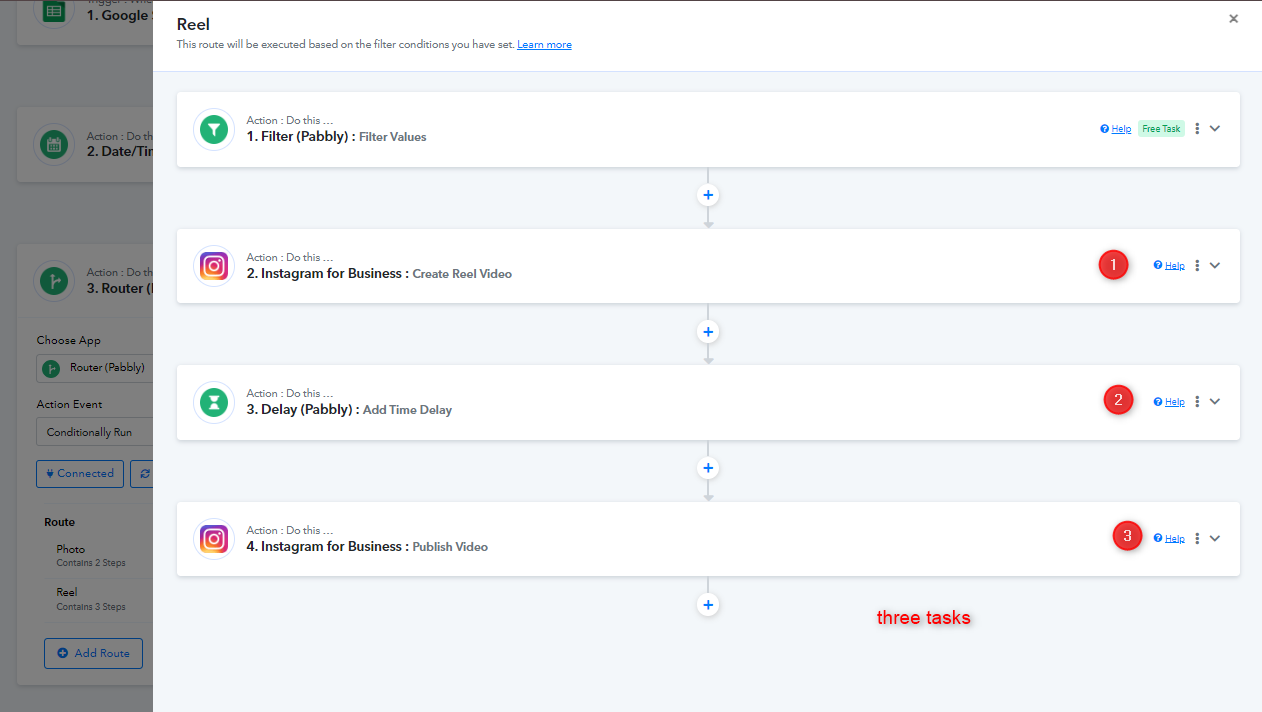
As depicted in the images below, if it's a Photo, your workflow will require two tasks, whereas for a Reel, it will necessitate three tasks.
Let us know if you face any further queries.
im getting this now ,my file format is reel and media url in drive.google.com and shared the link , is there anyway i can directly share the ideo in google sheet? and i asked you before didnt got any answers- my question is how the tasks consumed is evaluated for example im using insatgram bulk scheuling feautre mentioed in this video pably youtube video so for example if there is one post there will be 1 task consumed ? or what I'm confused
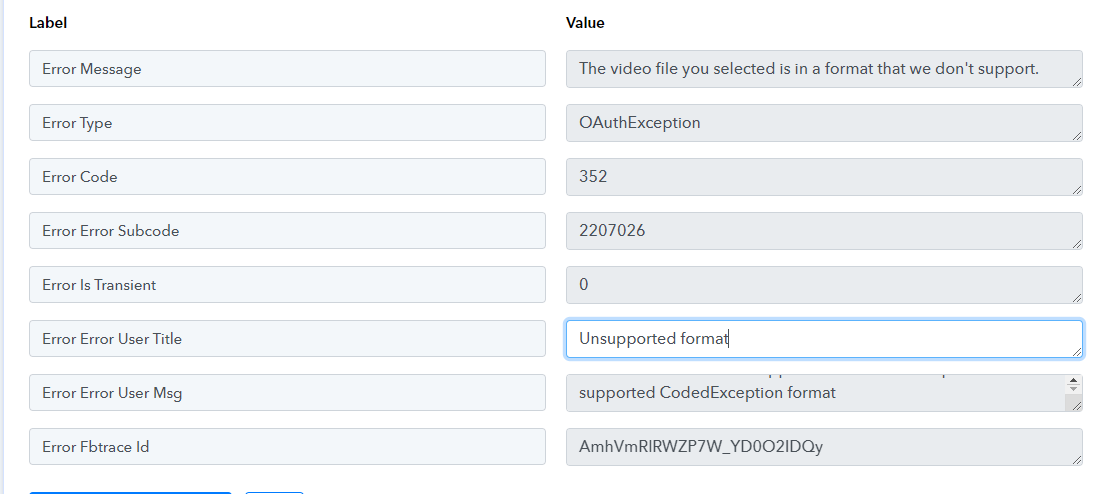
Hey @pandax
Please ensure that the specifications of your Reel Video are in accordance with the specific instructions provided by Meta. It's important to align your video's technical details, such as format, resolution, and other requirements, with what Meta has outlined for optimal compatibility and performance.
You can take reference from here -
https://developers.facebook.com/docs/instagram-platform/instagram-graph-api/reference/ig-user/media#reel-specifications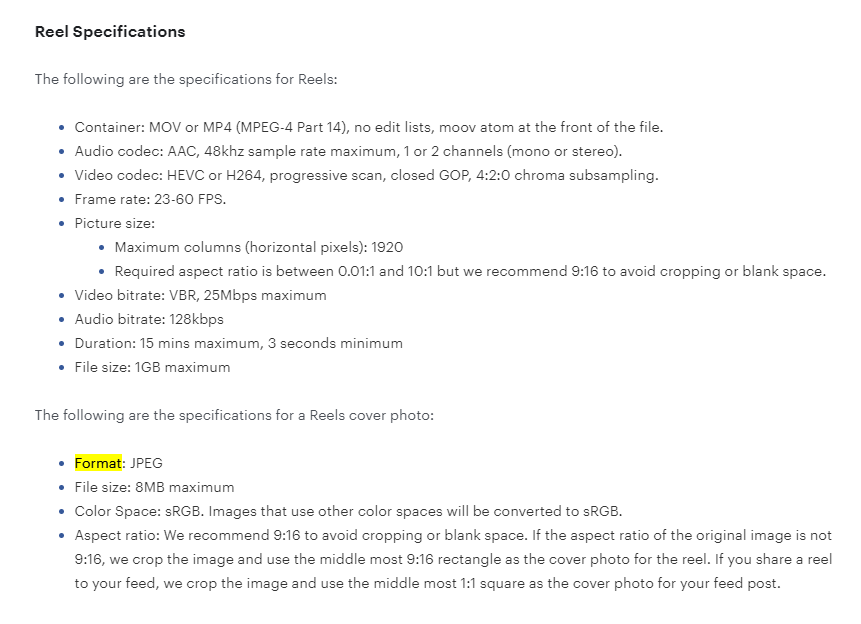
Let us know if this works for you.
hey @Luv it's not working, the format is the same everything is same
here is the video link you can check on your end. and please answer me asap,
This is 3rd time I've asked the same question - my question is how the tasks consumed are evaluated for example im using the Instagram bulk scheduling format mentioned in this video maybe a YouTube video so for example if there is one post there will be 1 task consumed? or what I'm confused.
Hey @pandax
It appears that the Google Drive share URL you are using will not work for your use case. The URL for the reel that you want to upload should be in .mp4 or any video extension format which is accepted by Instagram. Refer to the image below
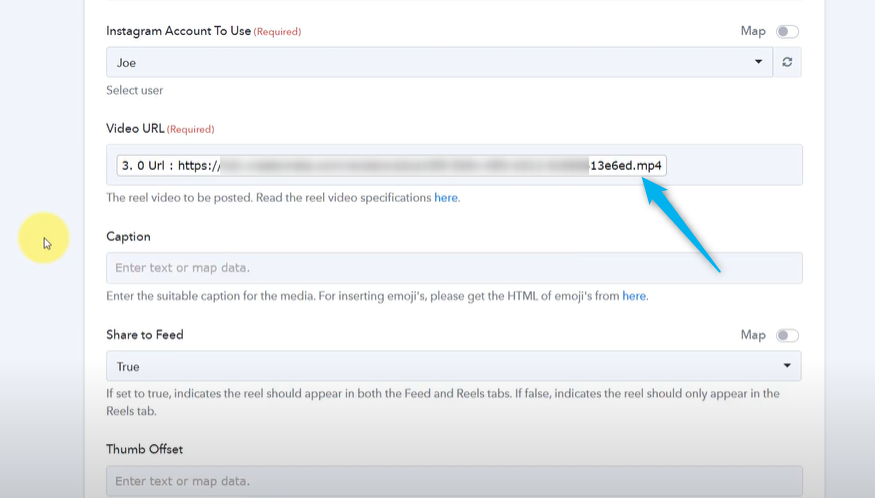
In order to achieve this, you can use another video platform which provides the URL in this format or you can enter the URL directly instead of uploading it to Google Drive.
Additionally, posting an image through this process will use up two tasks per post. Also, uploading a reel will consume three tasks per reel, including the delay module.
Let us know if you face any further issues.