Bigin Zoho - Unable to update the date for the update action event
Status: Closed · Asked by Sikhar Saikia on · 0 views
Hi,
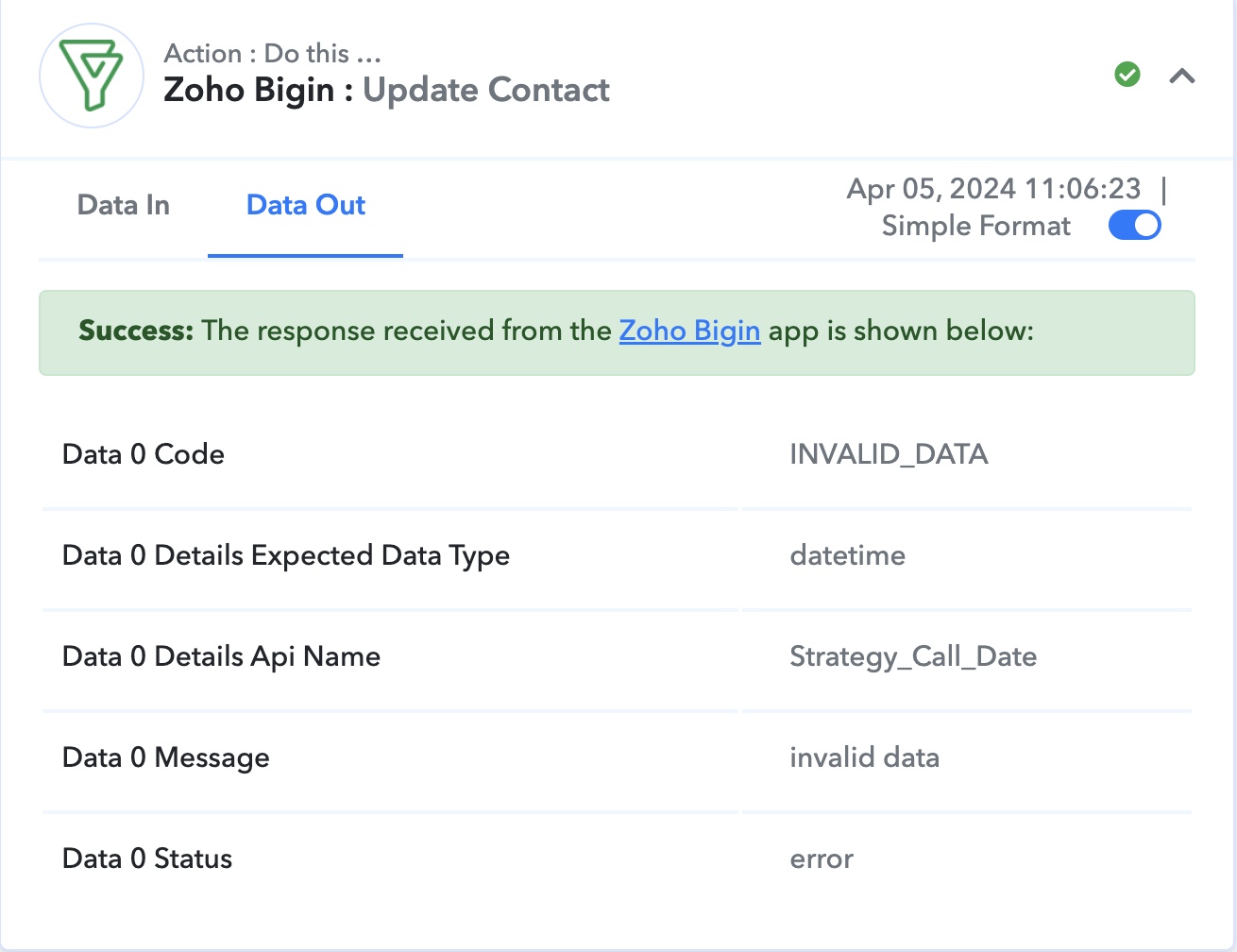
I need assistance in figuring out the issue while updating a date field in the "Update Contact" action for Bigin CRM. I am getting this "invalid data" error.
Workflow - https://connect.pabbly.com/workflow/mapping/IjU3NjUwNTZiMDYzMDA0MzI1MjZmNTUzMDUxM2Ei_pc
Execution History - https://connect.pabbly.com/task/history/NaN?filter_status=applied&filter_by_workflow_id=IjU3NjUwNTZiMDYzMDA0MzI1MjZmNTUzMDUxM2Ei_pc
[TABLE]
[TR]
[TD]Data 0 Code[/TD]
[TD]INVALID_DATA[/TD]
[/TR]
[TR]
[TD]Data 0 Details Expected Data Type[/TD]
[TD]datetime[/TD]
[/TR]
[TR]
[TD]Data 0 Details Api Name[/TD]
[TD]Strategy_Call_Date[/TD]
[/TR]
[TR]
[TD]Data 0 Message[/TD]
[TD]invalid data[/TD]
[/TR]
[TR]
[TD]Data 0 Status[/TD]
[TD]error[/TD]
[/TR]
[/TABLE]
Attachments
Hey @Sikhar
Regarding this problem, we suggest formatting the date and time correctly by incorporating the Date/Time formatter into your action step. This adjustment will ensure the smooth functioning of your workflow, eliminating any date and time-related issues you may have experienced.
youtube.com/watch?v=XpRkxwytOOg

I will try that and revert. There is a related question. The time value that we get from Calendly uses GMT timezone. How can we convert it into India time zone (GMT + 5 hours 30 minutes) so that we can the values in IST in Bigin?
Hi, I implemented the Date/Time formatter, I also took care of time zone change. But it did not work. Please see the task id -
IjU3NmMwNTZkMDYzNTA0MzE1MjZhNTUzMjUxM2I1MTYxNTQzMCI_3D_pc
Could you please share a screenshot showing the format in which you manually enter the date in the Strategy Call Date field?
I have attached the document that shows it in Bigin.
Attachments
We suggest that you convert the date to this format and then map it in your Zoho Bigin action step.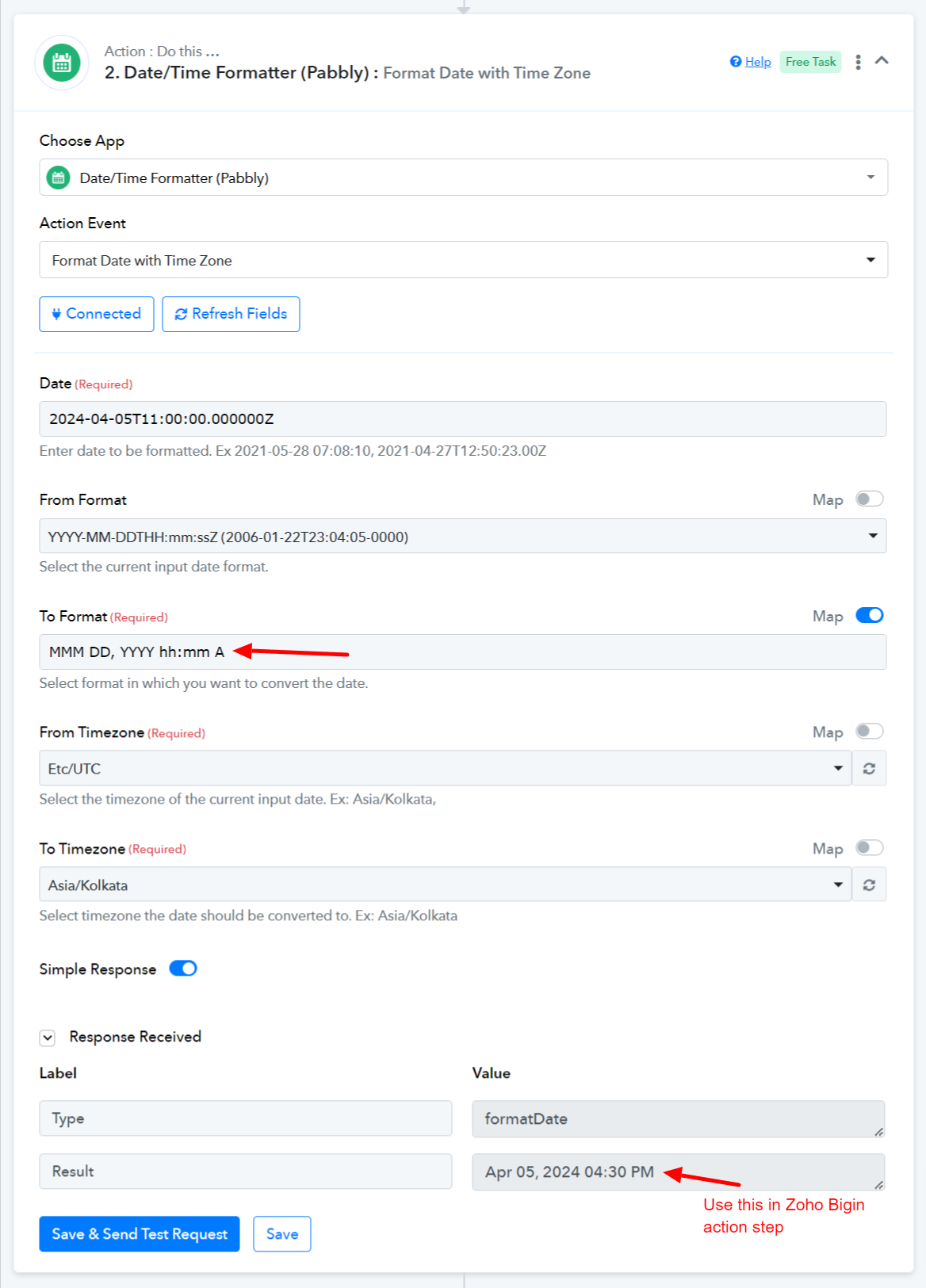
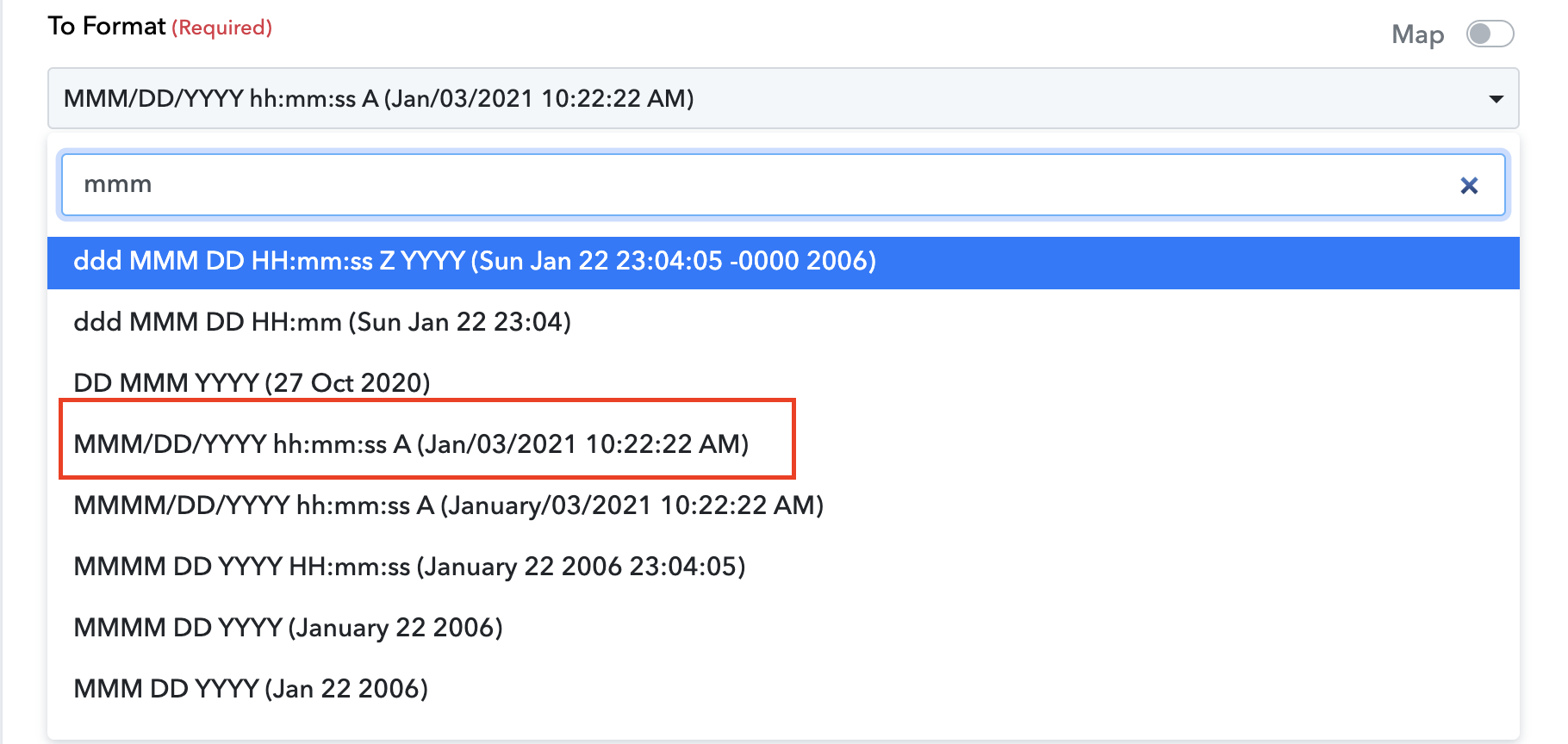
The format that you suggested, I am not seeing that in the drop down. I am getting only these options.
Do you want me try with the format highlighted in red?
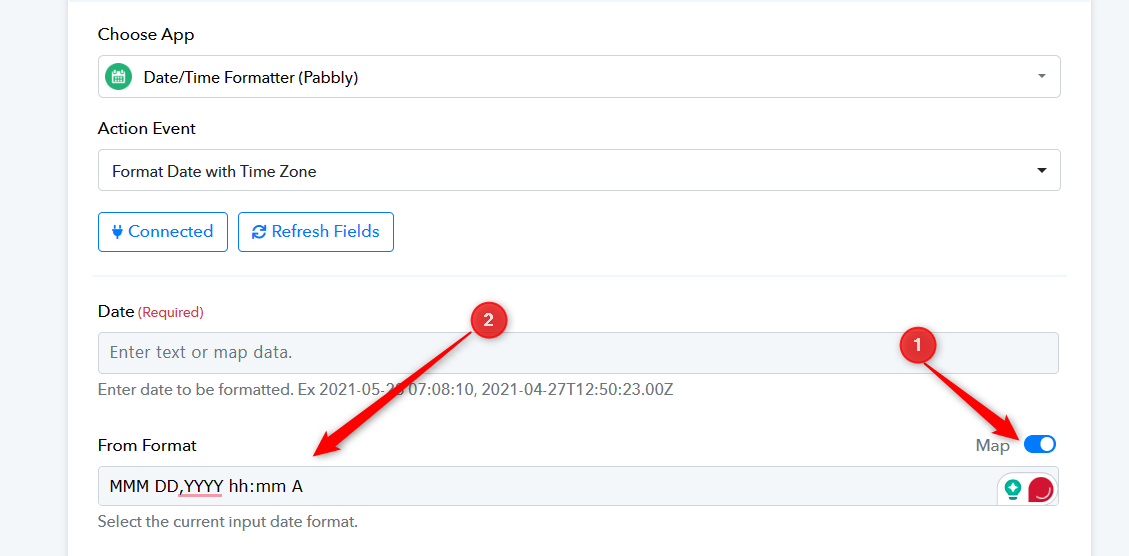
Kindly toggle the map button and then try passing the format -
Format - MMM DD, YYYY hh:mm A
I have made the changes, but the issue persists. Can you please have a look at the workflow again https://connect.pabbly.com/workflow/mapping/IjU3NjUwNTZiMDYzMDA0MzI1MjZmNTUzMDUxM2Ei_pc
Please check your workflow now I have corrected the format with this - YYYY-MM-DDTHH:mm:ss and seems to be working now.
Thanks a lot for fixing it. It's working fine now