Billing Attention and Shipping attention fields missing on Zoho Books customer creation step
Status: Closed · Asked by GSG on · 0 views
I have a pabbly connect automation which pushes customer contact information from one Zoho Books organisation to another Zoho Books organisation.
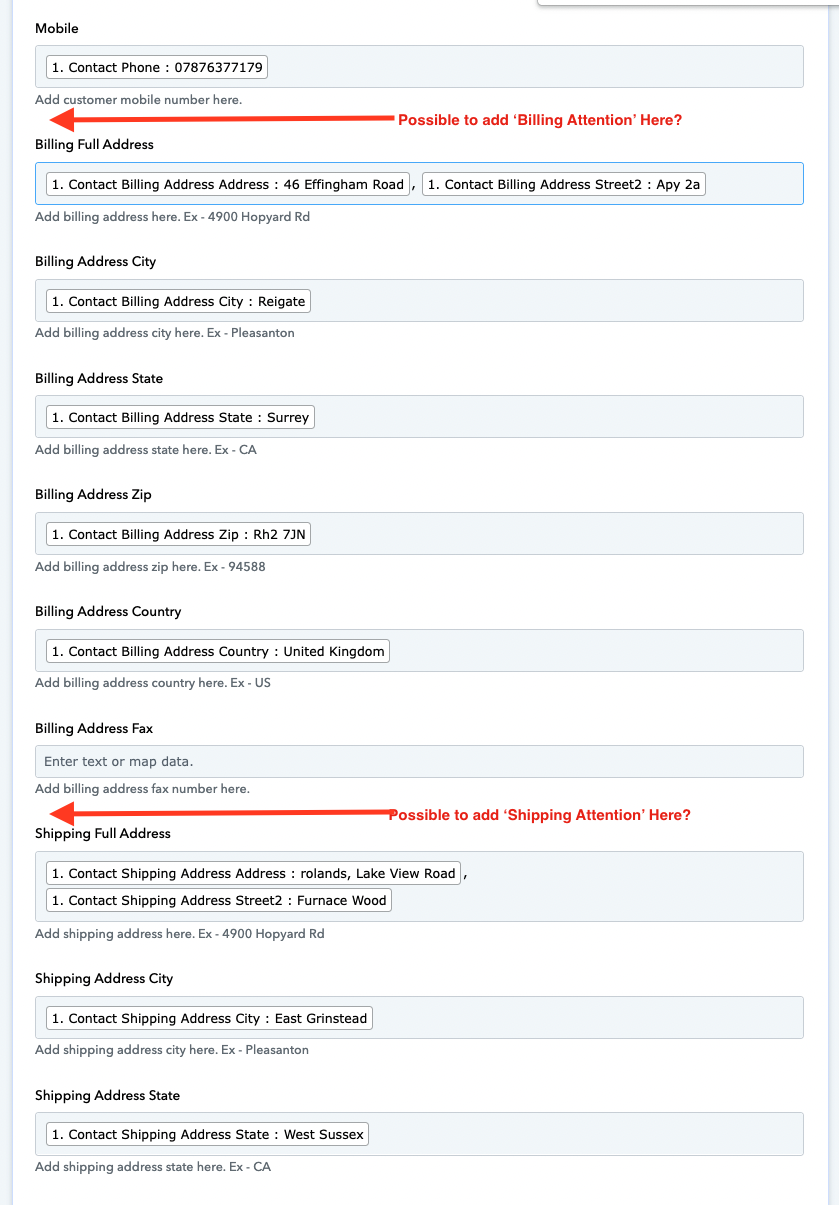
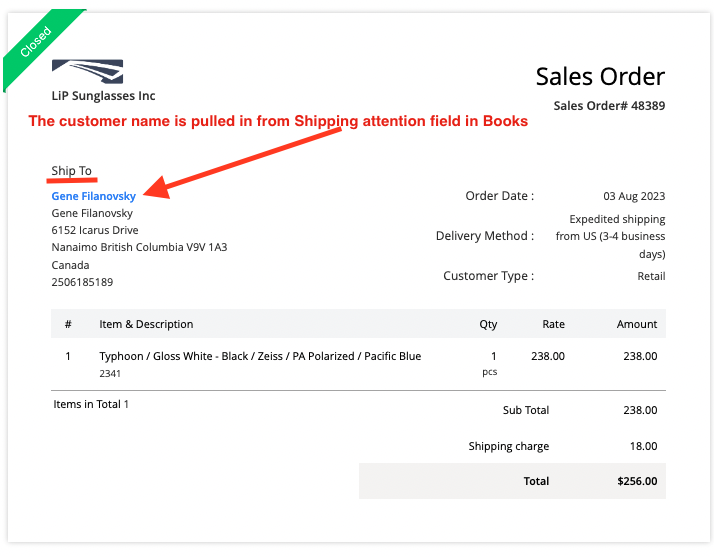
Everything in this automation works well, but I have noticed that in the action step of adding the customer address information to the 2nd Zoho Books organisation, there is no mapping for 'Billing Attention' and 'Shipping Attention' fields. Without these fields being present and capable of mapping via Pabbly Connect, any sales orders, invoices or similar documents will be created without the customer's name. This isn't ideal as it requires us to amend the contact information each time before creating sales orders / invoices.
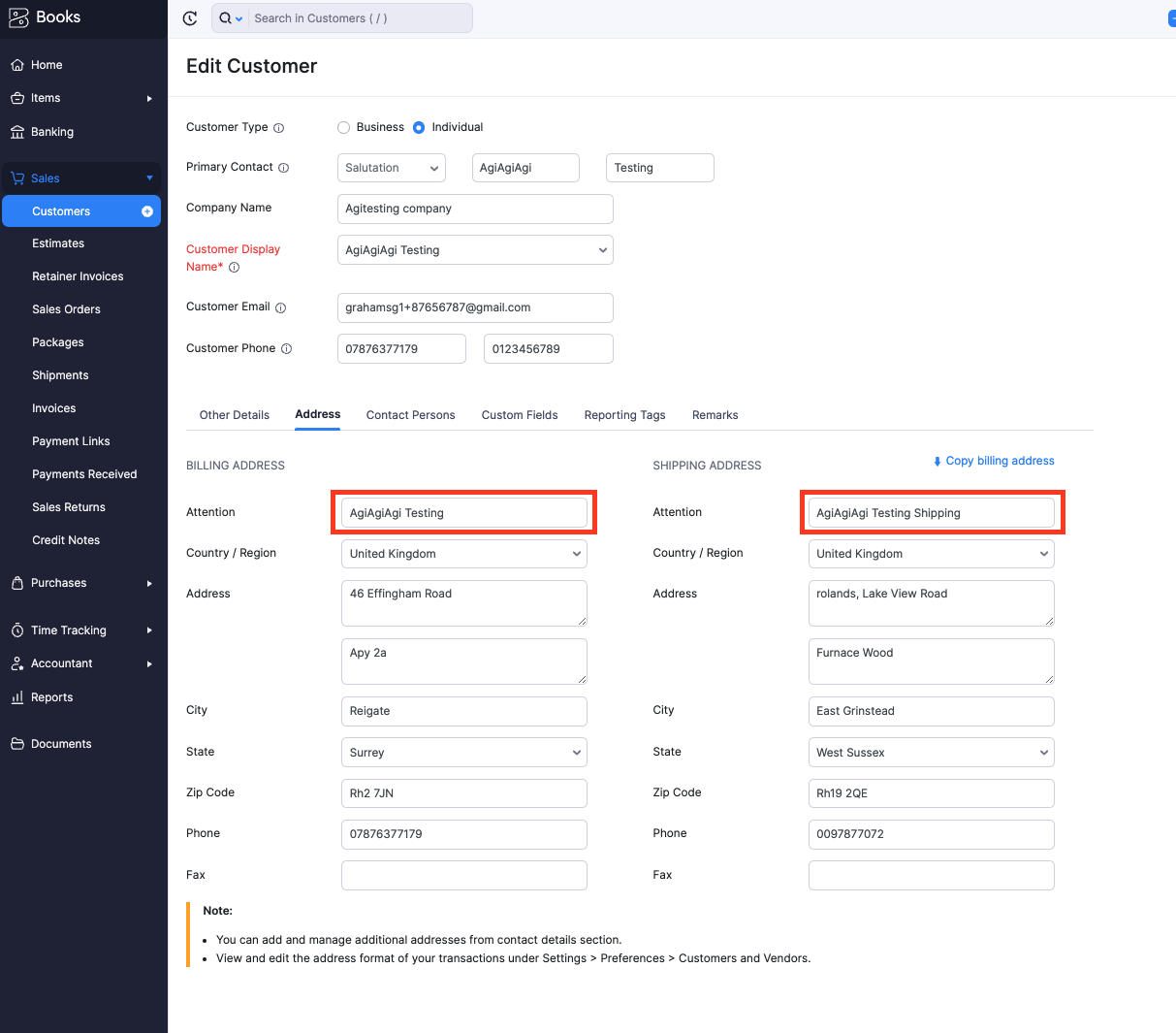
I attach a few screenshots showing the issue. The first screenshot is the newly created address in Books Organisation 1 which triggers the workflow. I have highlighted the two fields for 'Billing Attention' and 'Shipping Attention'.
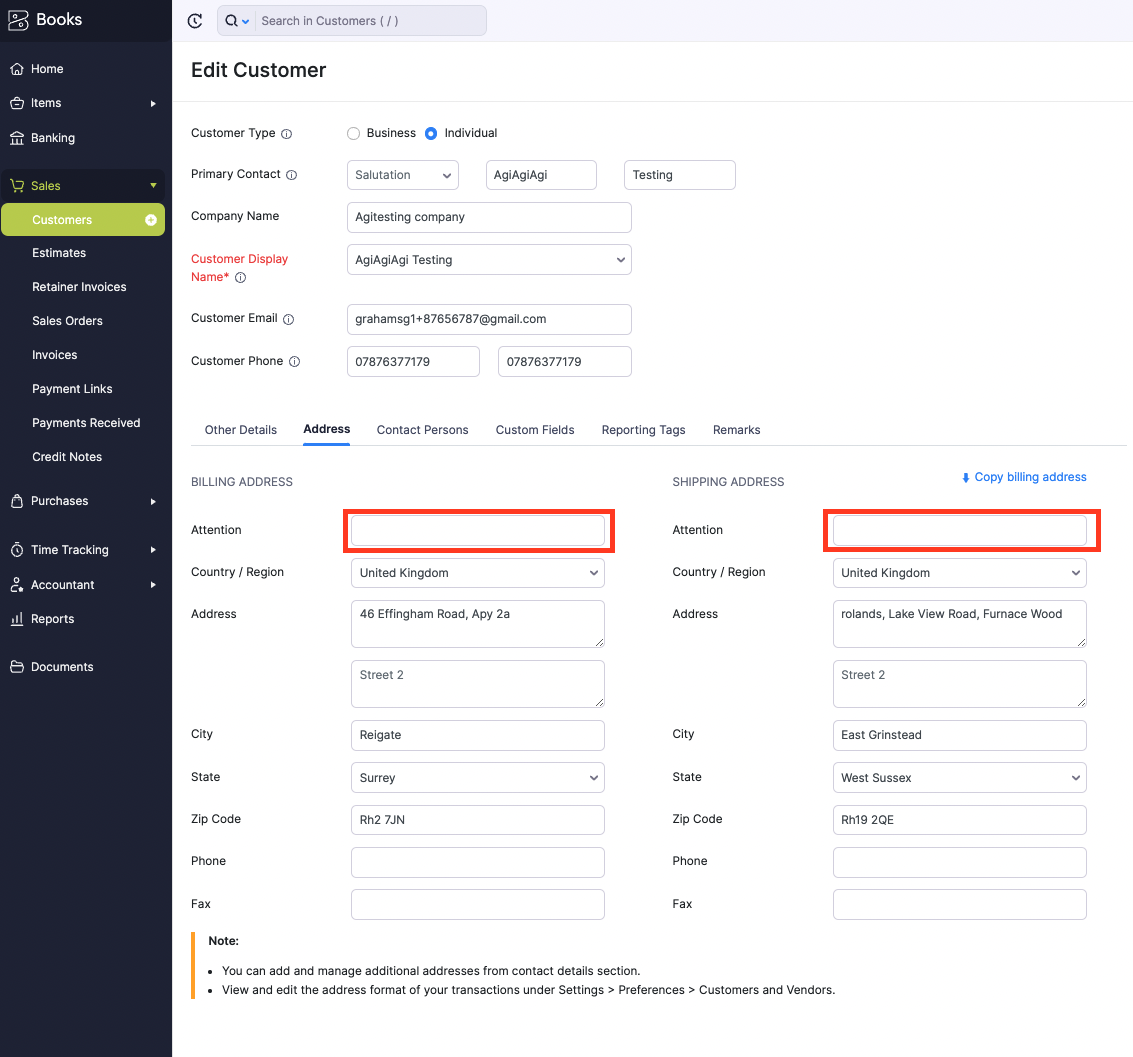
The second screenshot is the contact address information that arrives in Organisation 2 after the data was sent via the workflow. As you can see, the shipping and billing attention fields are not mapped, and there is no option to add these two data points into the Zoho Books Create Customer action.
The third screenshot is of the pabbly action step to create the customer in Org 2, and the fourth screenshot shows what is missing in sales orders and invoices.
I hope there might be a way to resolve this?
Thank you for your help as always.
Graham
Attachments
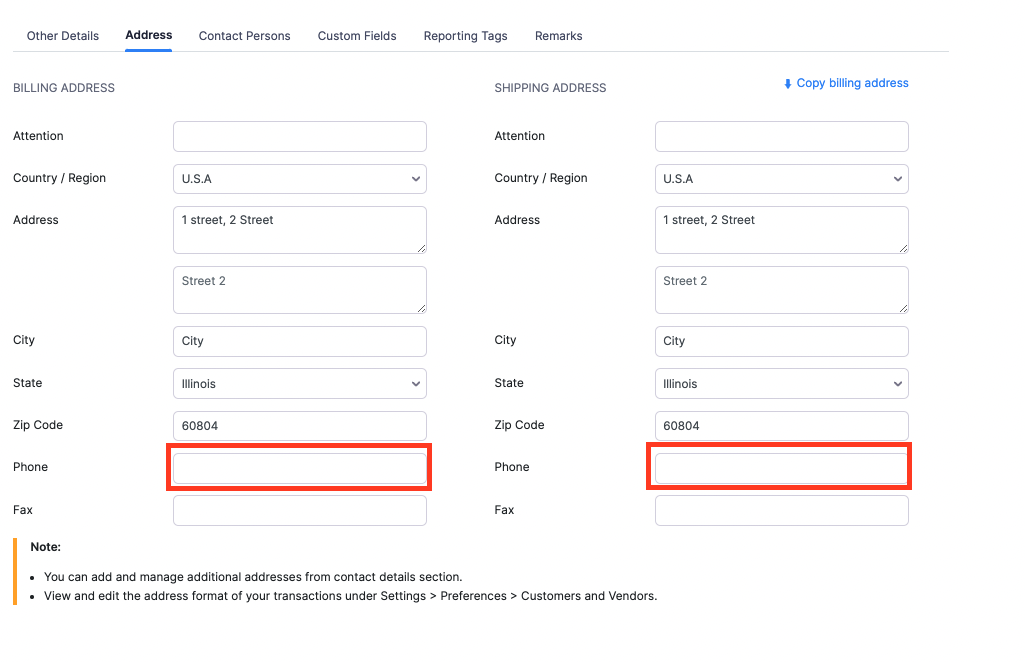
I have noticed one more thing. I have just noticed that the Billing Address phone number and Shipping Address phone number are also not mappable in the create New Customer Action in Zoho Books (although the fax number can be mapped). Please see screenshot. Thanks
Attachments
Hey @GSG
All the necessary attention fields have been incorporated into the Zoho Books action step as per requirements. I encourage you to try it out and provide us with your feedback on its performance.
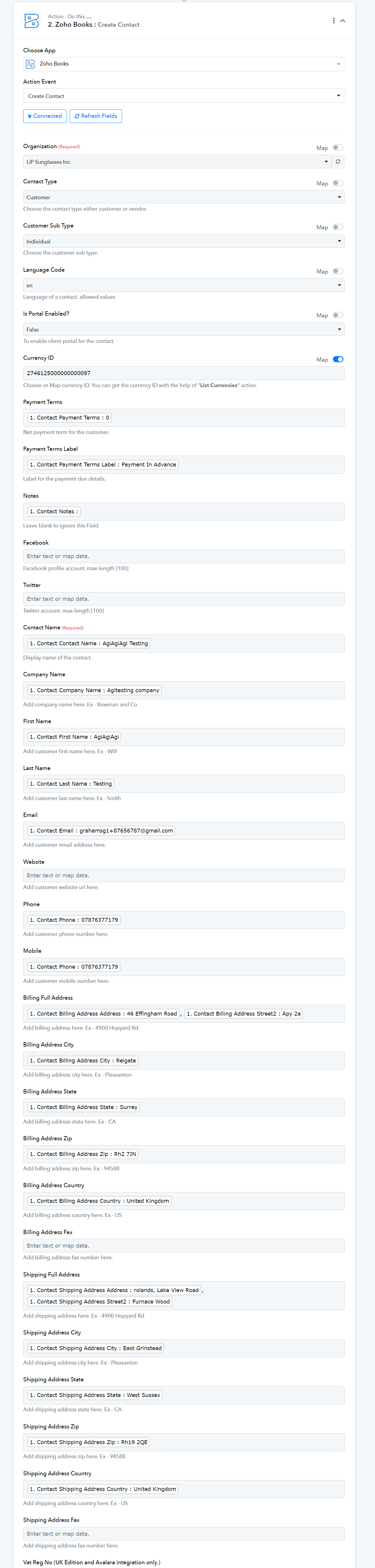
Hi. Thank you for adding the billing and shipping attention fields. I could not see the additional fields for billing phone and shipping phone though. Have these also been added?
Kindly let us know all the fields which you want to use in the Zoho Books action step to process your automation.
Hi, the only two remaining fields required are "billing address phone" and "shipping address phone" as per the attached screenshot
Thank you
Attachments
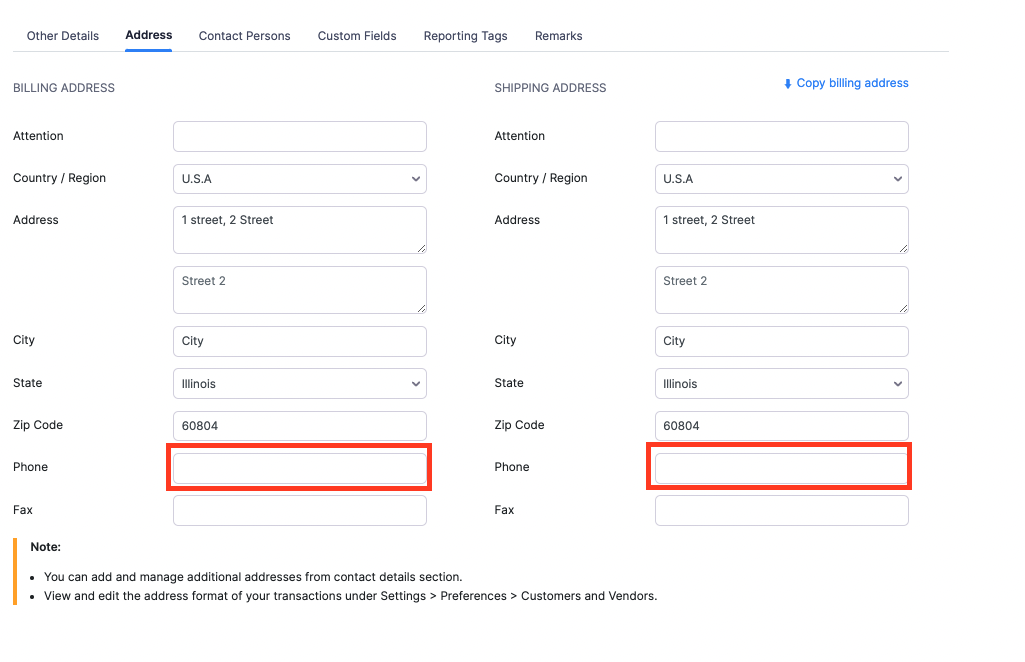
Kindly review the action step where we have included the "billing address phone" and "shipping address phone" accordingly.
Perfect. Thank you so much for making these additional fields available on this action today.
Great customer service and super fast implementation.
Graham
Thank you for your valuable feedback it is greatly appreciated!