Birthday Multiple Did not Execute
Status: Closed · Asked by zest83 on · 0 views
Workflow: https://connect.pabbly.com/workflow/mapping/IjM1MTM0OSI_3D
None of the Triggers Executed today!
Confusing!
Two Different Time Slots were given
12.10 PM & 4.35 PM - Both did not execute
Please could you check why!
HELP
None of the Triggers - Since Yesterday - None have worked!
I have replaced the Data with Random Data
Please check why the workflow didn't execute as per the UTC Time Scheduled or some other ERROR!
Something is wrong!
Hey @zest83
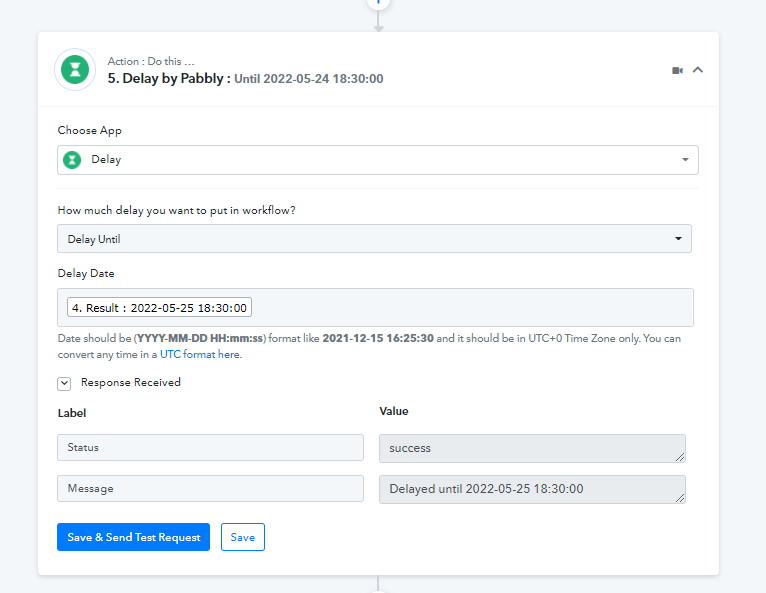
The respective workflow is triggered at the exact time but you are using the old date in the Delay Until action step, so because of that your workflow didn't execute.
Kindly check the data accordingly before using the workflow.
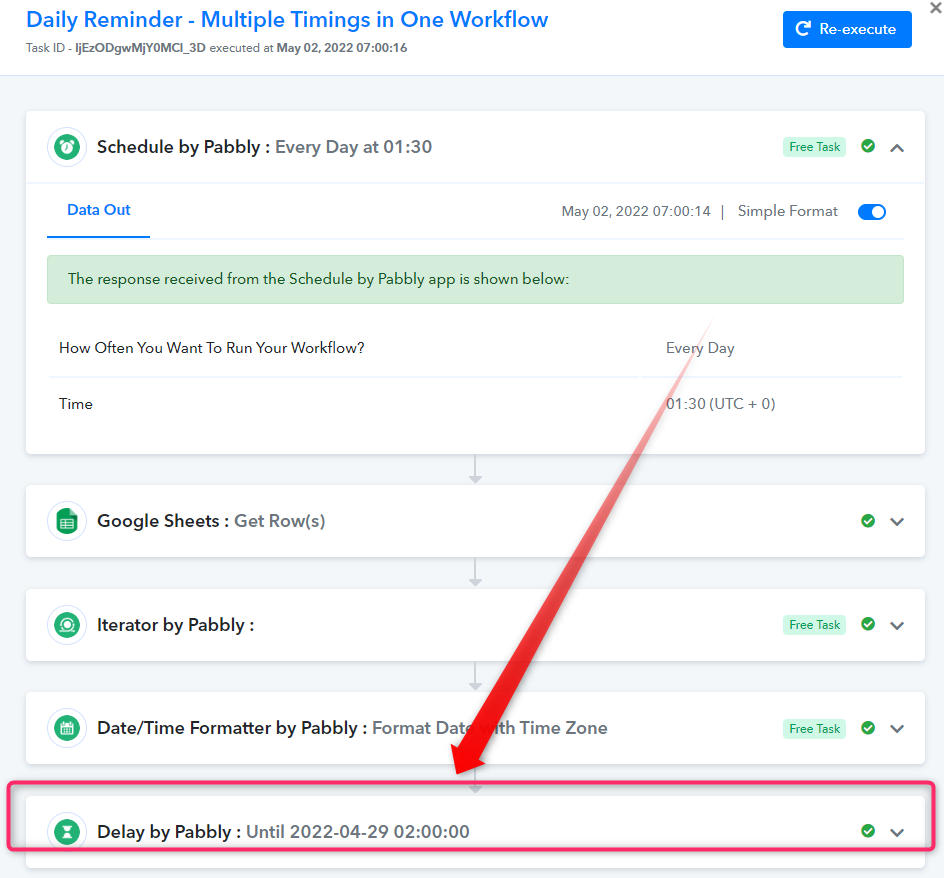
But the Delay is showing the Older data based on the "SEND & TEST" request right...
I mean, it will always show the older date coz the older one was tested and the Workflow tested correctly then and it was working!
I have gone ahead and DONE the same thing again...
SAVE & SEND Request for all Steps with Todays Date
But todays Date will show forever in the Delay STEP coz its the TEST DATA
So 3 days from now, this Trigger will show the SAME Sample Text right? Coz its the SAVE & SEND Data ...(Test Data) shown here!
Am I mistaken on that?
Help on this!
Todays Tasks were not Executed Either
Hey @zest83
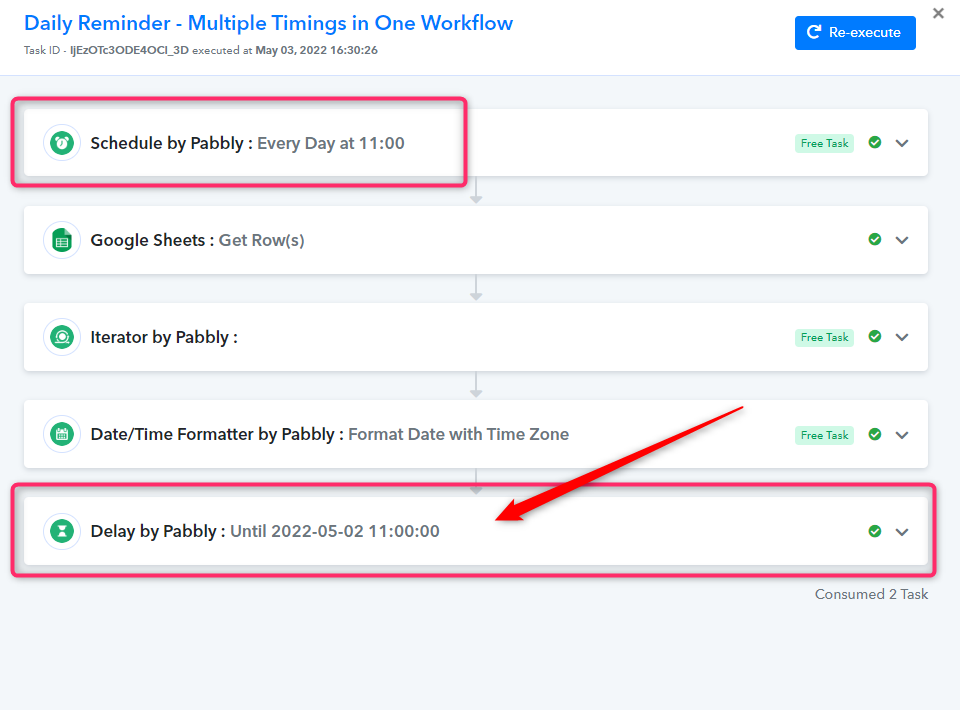
Again you have selected a one-day-old date of the current date in the Delay Until action step whereas the workflow is not executing.
Kindly pass the date which has a future date and time according to the current date.
URGENTLY Check my workflow now
Time to schedule to run at 11 AM today
Dont a SEND & Test Request also for 11 AM
All in Order now?
Hi
It did not work today either
Please could you check the workflow and the Google sheet
I have made the google sheet public - Easy to check!
https://docs.google.com/spreadsheets/d/1d7sVDR4rGWX9GmcPj8fAKXdx04p9oFu7hVR9Y_aeLuA/edit?usp=sharing
Same Workflow URL: https://connect.pabbly.com/workflow/mapping/IjM1MTM0OSI_3D
Hey @zest83
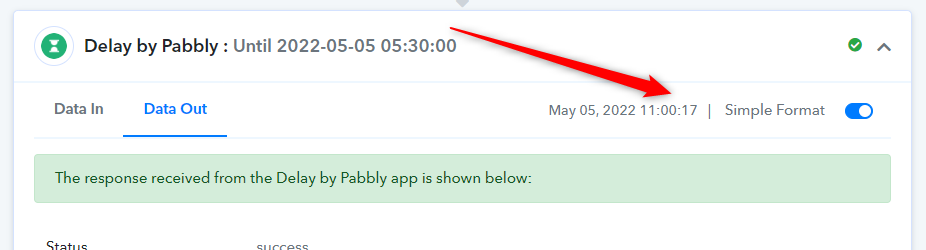
Kindly give a 1-minute difference in the Schedule trigger and Delay Until action step. Since the Delay action step gets late by a fraction of seconds.
Eg- Use 5:29 UTC time in Trigger then Delay Until will work at the same time.
This workflow is not working!
Please do check the workflow.>
It stops working randomly!
Need help
Hey @zest83
Since we have already mentioned you to pass the DateTime in the Delay action step in the future, as you are again passing the date which is a few hours old.
Note - Delay Until action step takes UTC date-time. Kindly convert it first then try to match the timing in the task history.
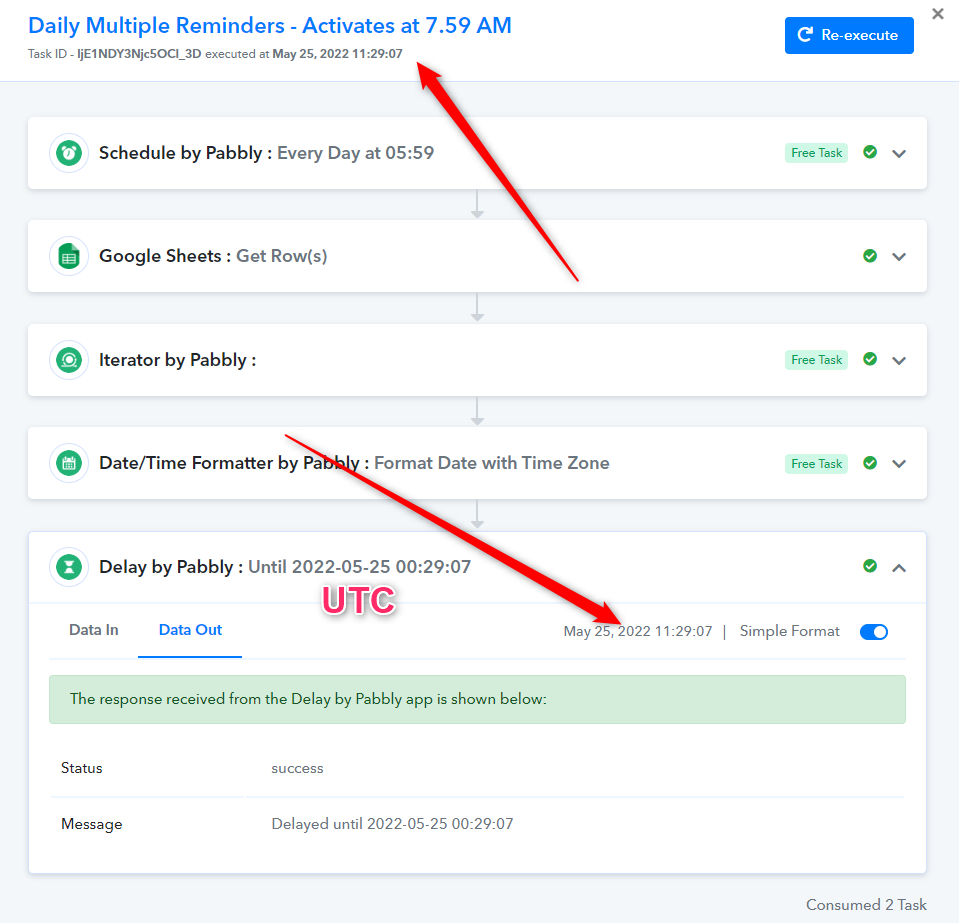
The delay is always tested for dates which are in the future!
Not Past!
When you see the delay date, it is the past obviously!
Unless, you ASSURE me to check the HELP section right away as soon as I post the request next
Does that make sense?
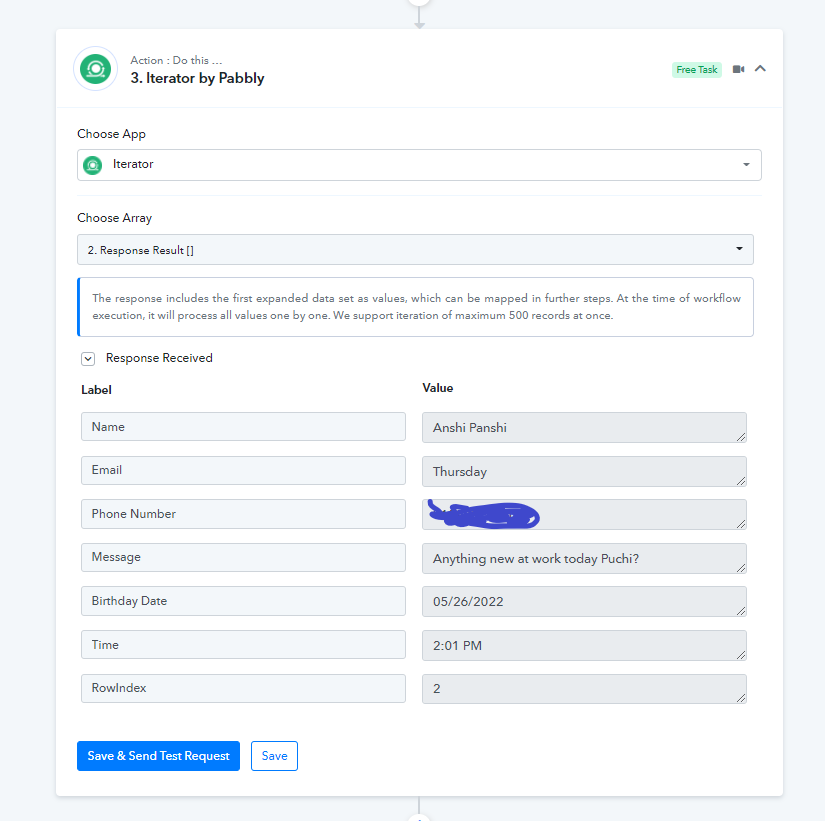
Next Trigger is at 2.01 PM IST 26th May 2022
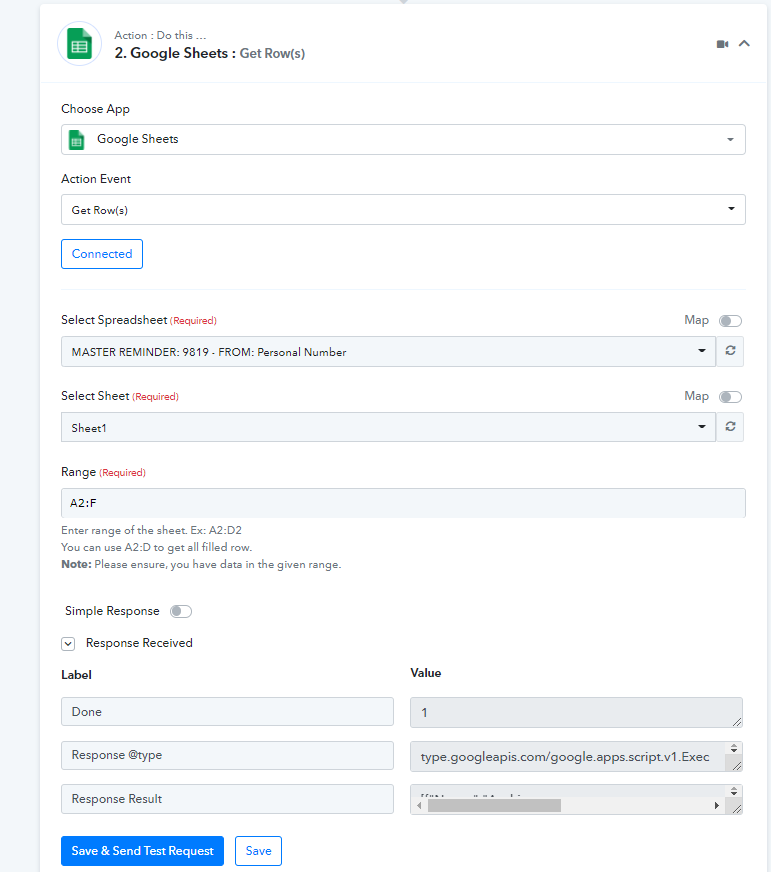
I have PUT screenshots for EACH Step here!
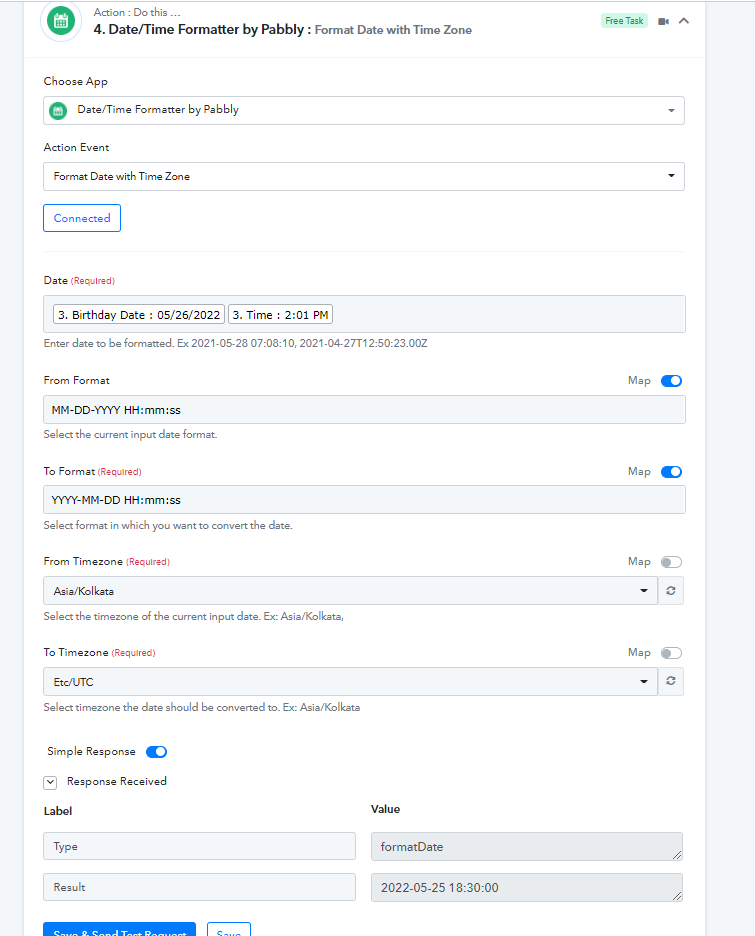
When I RUN a SEND & Test ... It is giving me a Date of 2022-05-25 18:30:00 (ON Step 4) - inspite of the Date being 26th May with Time 2:01 PM on my google sheet
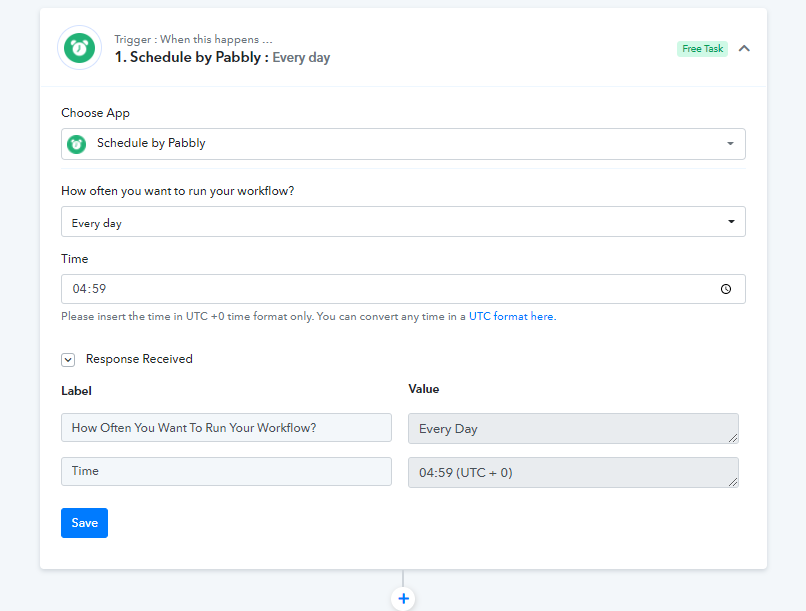
The Scheduler has been set to 4.59 AM UTC
So what next?
Attachments
Hey @zest83
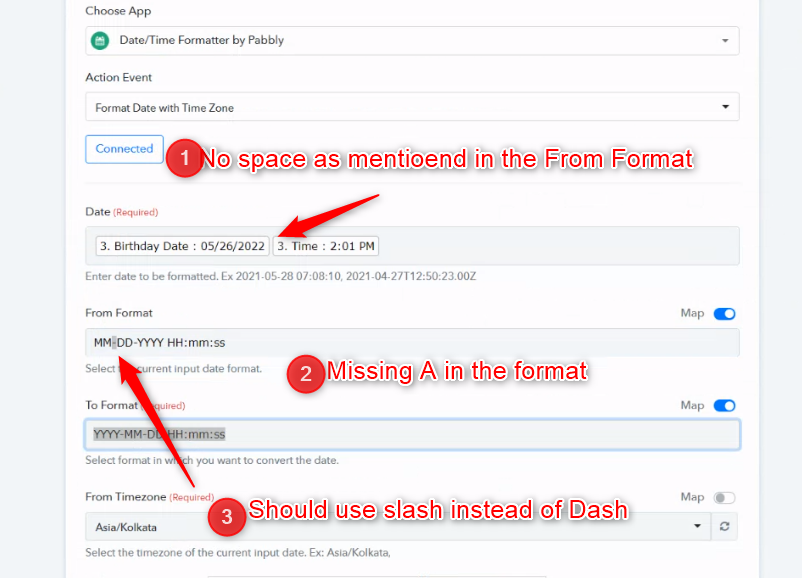
As we can see from your workflow, you haven't passed the date-time in the incorrect format and because of that, you were not getting the appropriate DateTime.
Kindly read the help text correct and pass the date-time as per the "From Format".
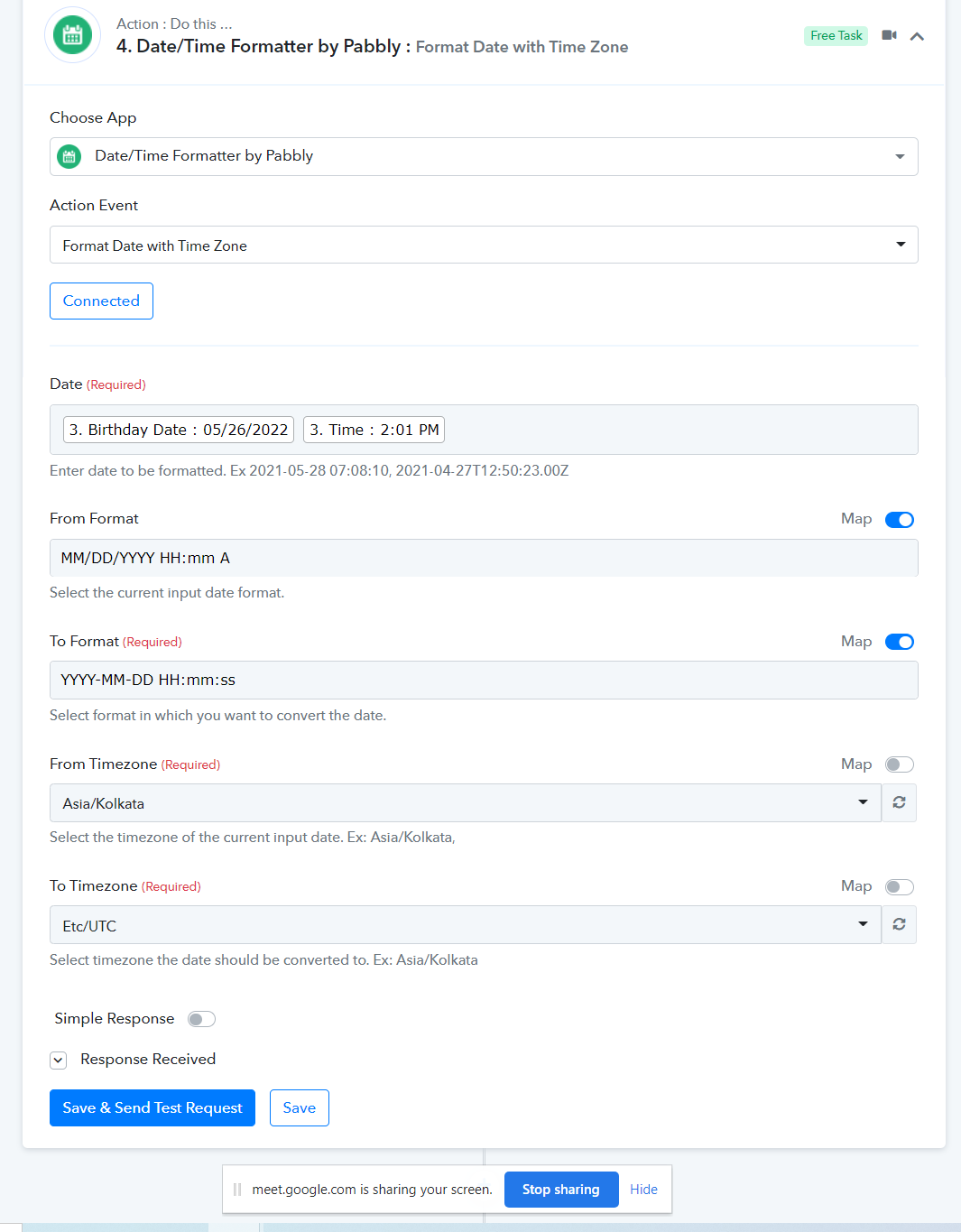
After correction -
thank you for making the corrections and helping resolve this!
I am hoping thigns move smoothly from here