Birthday Scheduler: Trigger Shows Error!
Status: Closed · Asked by zest83 on · 0 views
Workflow Name: https://connect.pabbly.com/workflow/mapping/IjQ1Nzc1MSI_3D
Workflow History: https://connect.pabbly.com/task/history?filter_status=applied&filter_by_workflow_id=IjQ1Nzc1MSI_3D
Only One Execution Till Date
But it shows Error
This is a Birthday Reminder
Task History ID: IjE5ODk3MTIxNCI_3D
The Error is confusing because, Most of the Triggers are executing properly but failing beyond a certain point.
You should know, There are no birthdays in the sheet for Today!
Hey @zest83
As we can see from your task history your last iteration from your Google Sheets's row the respected row doesn't have any birthdate date and that particular data you are using in the Date Time Formatter action step which is why when the execution happed the Date Time Formatter didn't get any date from your Google Sheets and show you an error "Required param".
Kindly pass the proper required data to avoid such errors.
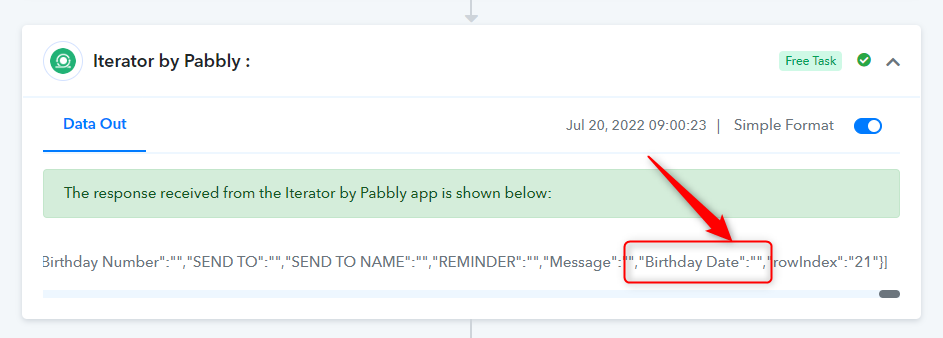
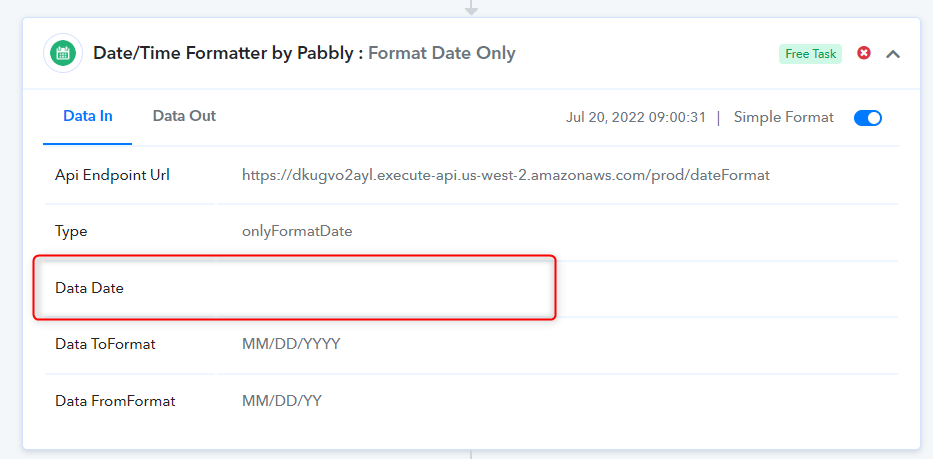
Should I share the Google Sheet link here... Untouched!
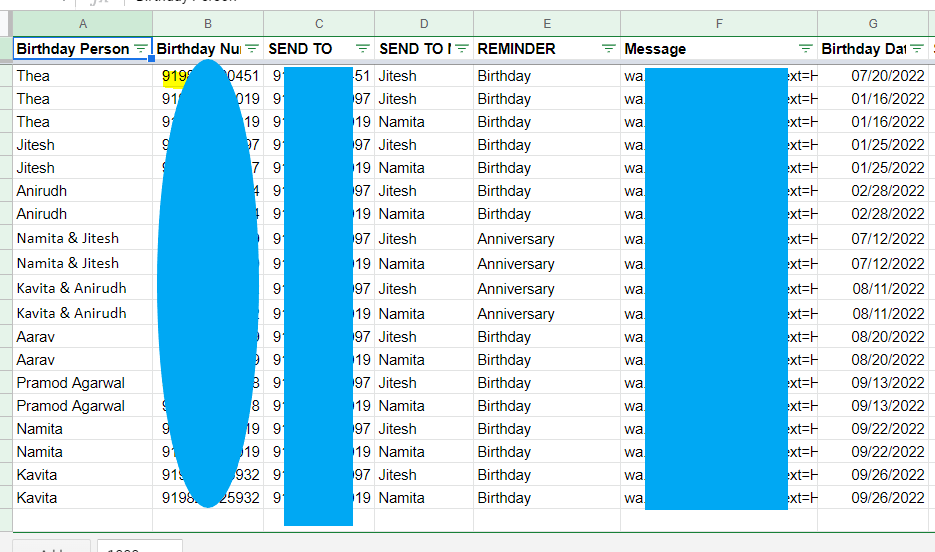
You will know, the only blank cells are the one's which are at the end of the Filled Rows!
so obviously they will be blank
Attachments
Hey @zest83
Then kindly pass the range in the Get Row action step correctly till the data is present by its range.
Yes, this suggestion was superb Supreme
Not getting anymore errors. Thank you
Please close the thread