Birthday wish automation got failed name "Customer Birthday wishes Mail"
Status: Closed · Asked by Parth Nayak on · 0 views
Birthday wish Automation not worked on 22nd Oct 22, and there is no reason for this. can you please explain why? workflow name "Customer Birthday wishes Mail"
Hey @Parth
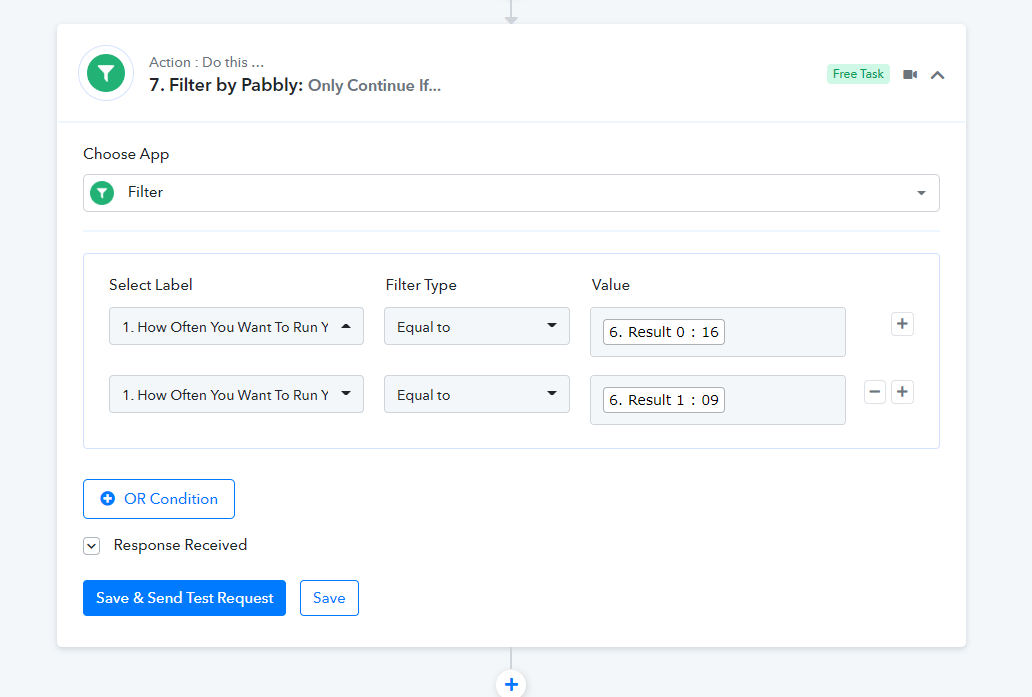
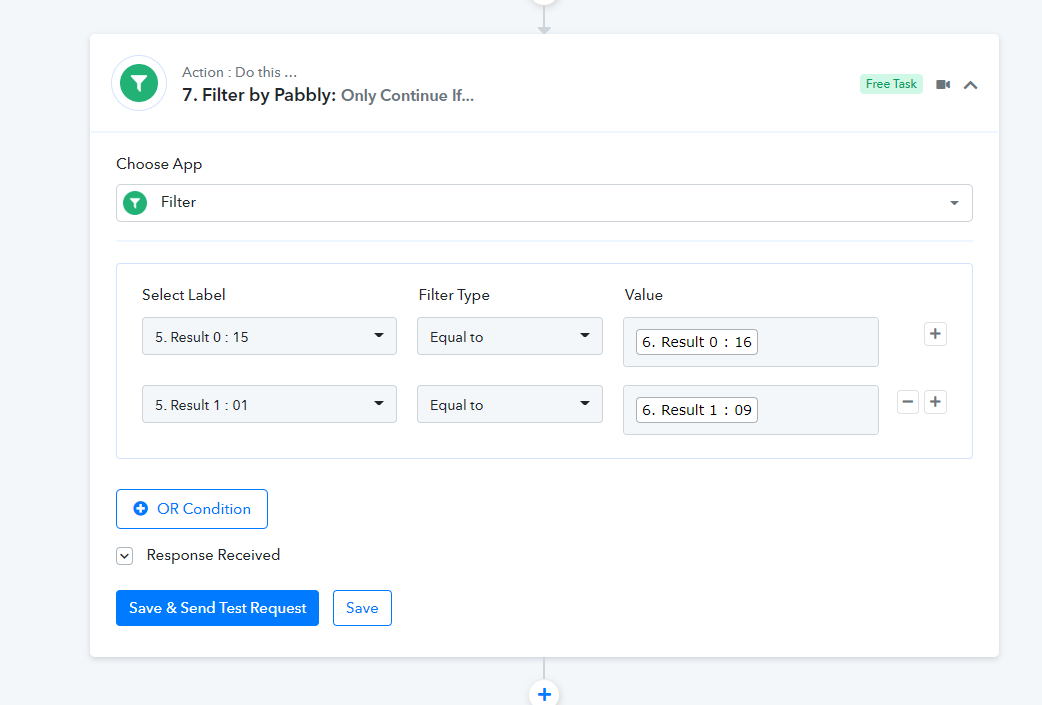
Seems like you have changed the filter condition in your workflow to pass the birthday message to the users.
Though we have corrected your filter condition for the last time, please do the changes in your workflow carefully.
Incorrect filter condition you have picked -
Correct -
Oh Thanx @Supreme
Even after your above change i didnt receive reminder for my meeting call on 26th Oct @Supreme
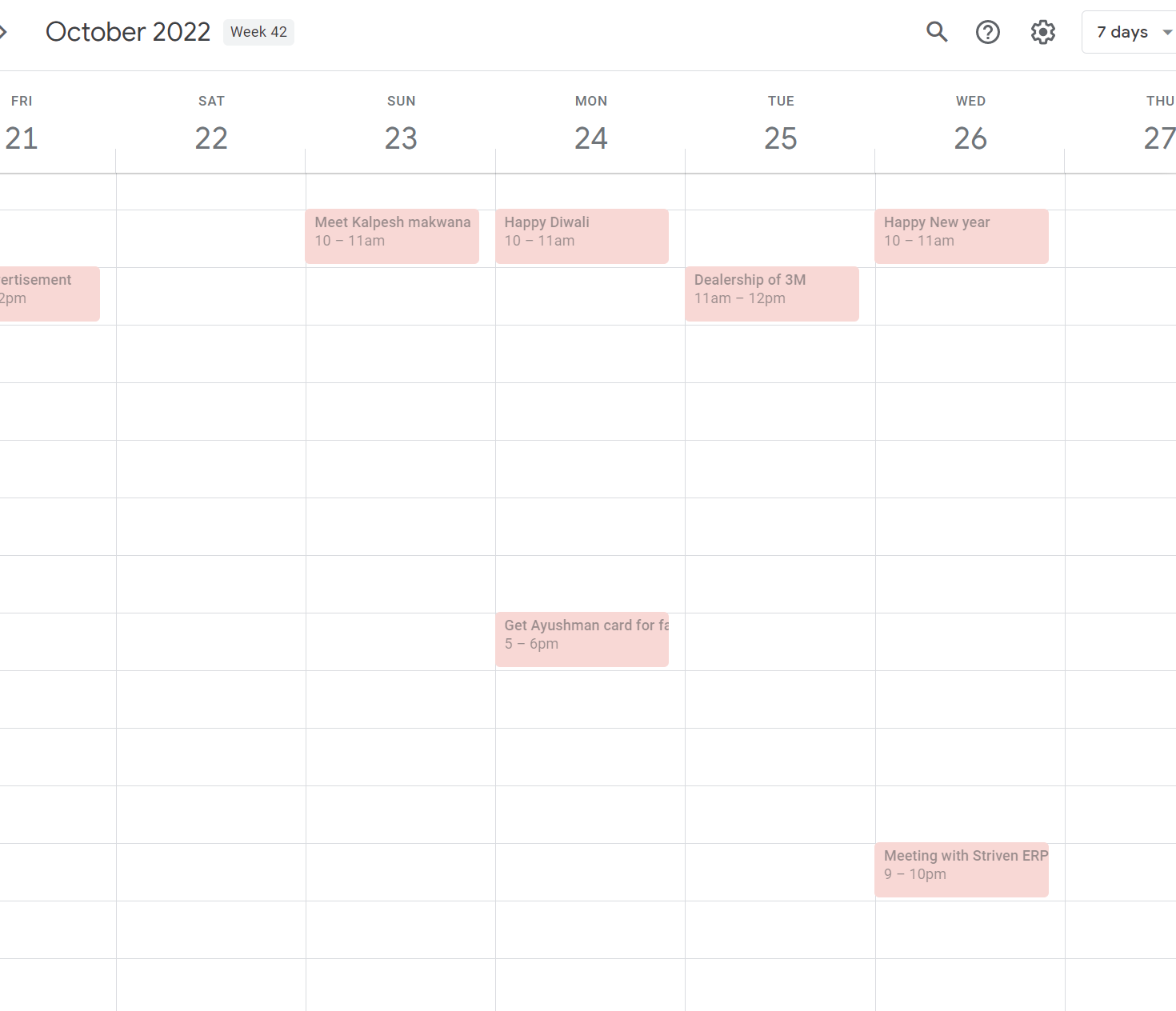
am also talking about workflow "My Reminders". same problem
am also talking about workflow "My Reminders". same problem
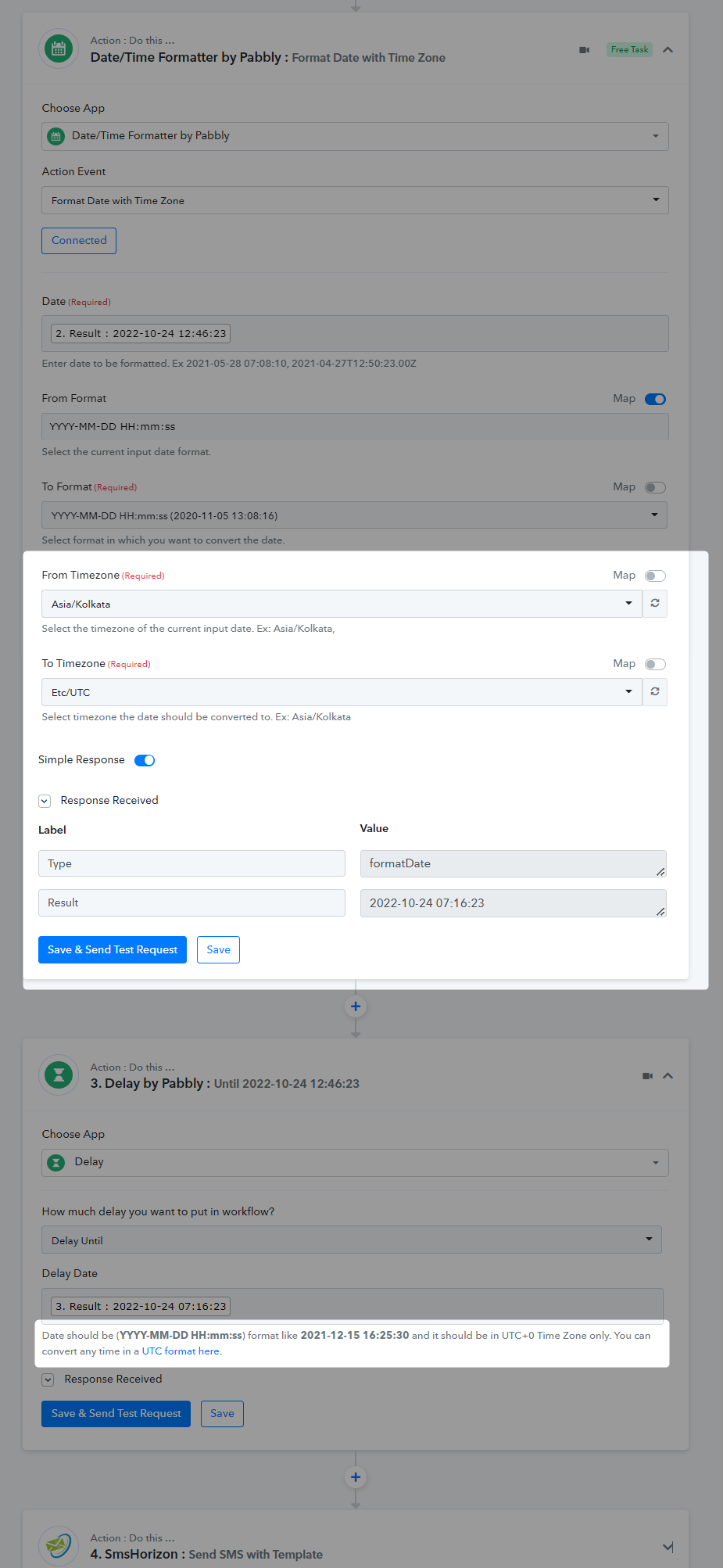
As we have instructed you earlier, in the Delay Until action step you need to pass the Date Time in UTC format by converting it with the help of DateTime Formatter instead since you were passing the DateTime without converting it to the IST format. Because of that, the time difference was causing the issue and you were not getting the message once the Event was being created in your Google Sheets.
Please carefully check the Date and Time first before passing it to the Delay Until action step as we have already mentioned in the help text.
Attachments
should i add step after Delay untill and convert date format to Asia/Kolkatta?
should i add step after Delay untill and convert date format to Asia/Kolkatta?
Please convert the date time with the help of the Date Time Formatter action step before the Delay action step.