Birthday Wishes Workflow
Status: Closed · Asked by zest83 on · 0 views
WorkFlow Name: Shared - How to Send Birthday Cards & Wishes on WhatsApp from Google Sheets
Please could you help me complete this Setup.
Your team had helped set this up earlier.
Possble to share what I need to input in the Google Sheet to Activate the Birthday Wishes.
And
How will this work?
Will it Crawl through the sheet everyday and Send Birthday Wishes as per Current Date.
Request you to check the same so I can get started
Thank you
Hey @zest83
As we can see for your workflow the Google Sheets which you have selected previously doesn't exist anymore or may have been renamed.
So, kindly re-authenticate the action step "Google Sheets: Get Row(s)" and then remap the fields accordingly.
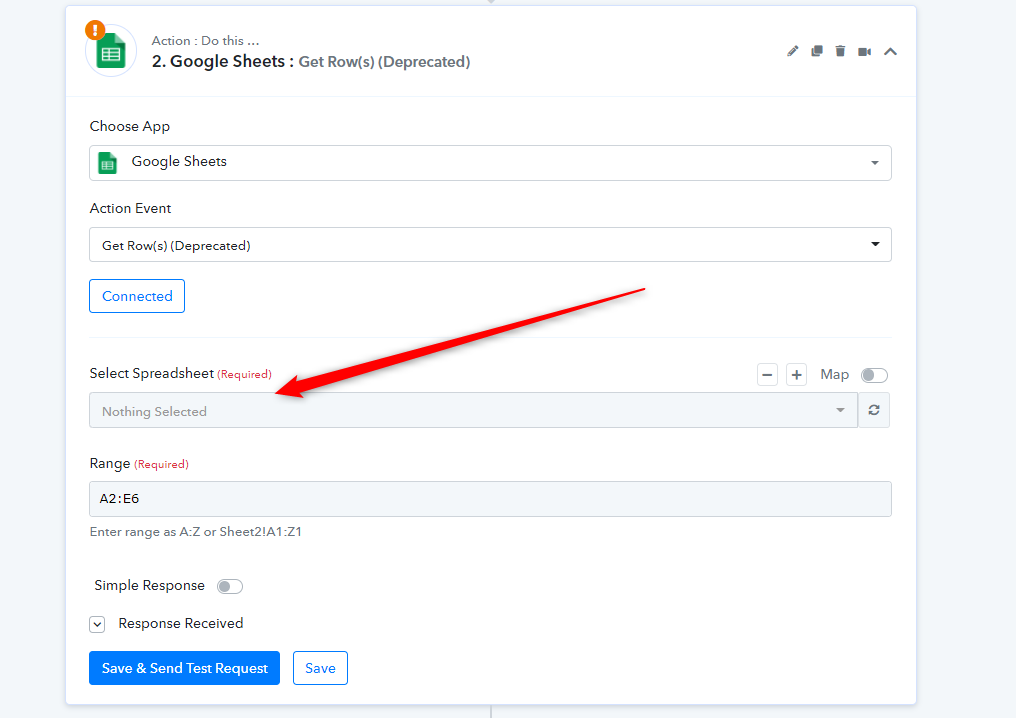
Yes, I have updated this.
Please do help now
Thank you
much appreciated
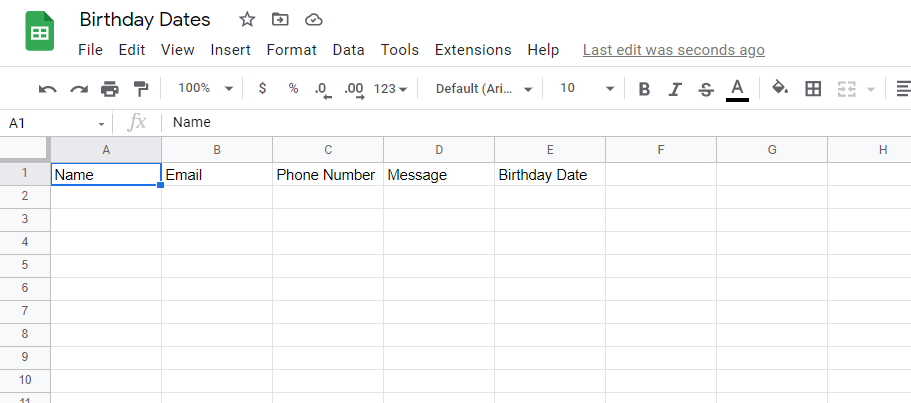
Also attaching a screenshot of how the Google Sheet looks for your reference
What do I need to do next and how does it work?
The Google Sheet link to open to Edit to Test: https://docs.google.com/spreadsheets/d/15ZG15DqMM1s4os2_gNXiOwFtTtsrhV_XBuCxxXn-QaU/edit?usp=sharing
Attachments
Hey @zest83
Kindly fill the respective data in Google Sheet and then press the "Save & Send Test Request" on "Google Sheets: Get Row(s) " to receive the data from your sheet.
Though you can check out our tutorial video for a better understanding. Kindly do this at your end and let us know if you get stuck at any step.
Workflow Name: How to Send Birthday Cards & Wishes on WhatsApp from Google Sheets
I have seen your video but not able to make it work.
I have also followed all the steps.
Possible to check once and help set it up so I can get started to putting all Birthday Reminders?
Thank you for your help
Hey @zest83
We have made the corrections in your workflow according to the use case. Kindly review that up and let us know if that works for you.
Hello team,
The sheet is not working.
We input the next days' date but did not get any message as per the schedule on Google Sheets.
Please could you help with the same
Thank you
Hey @zest83
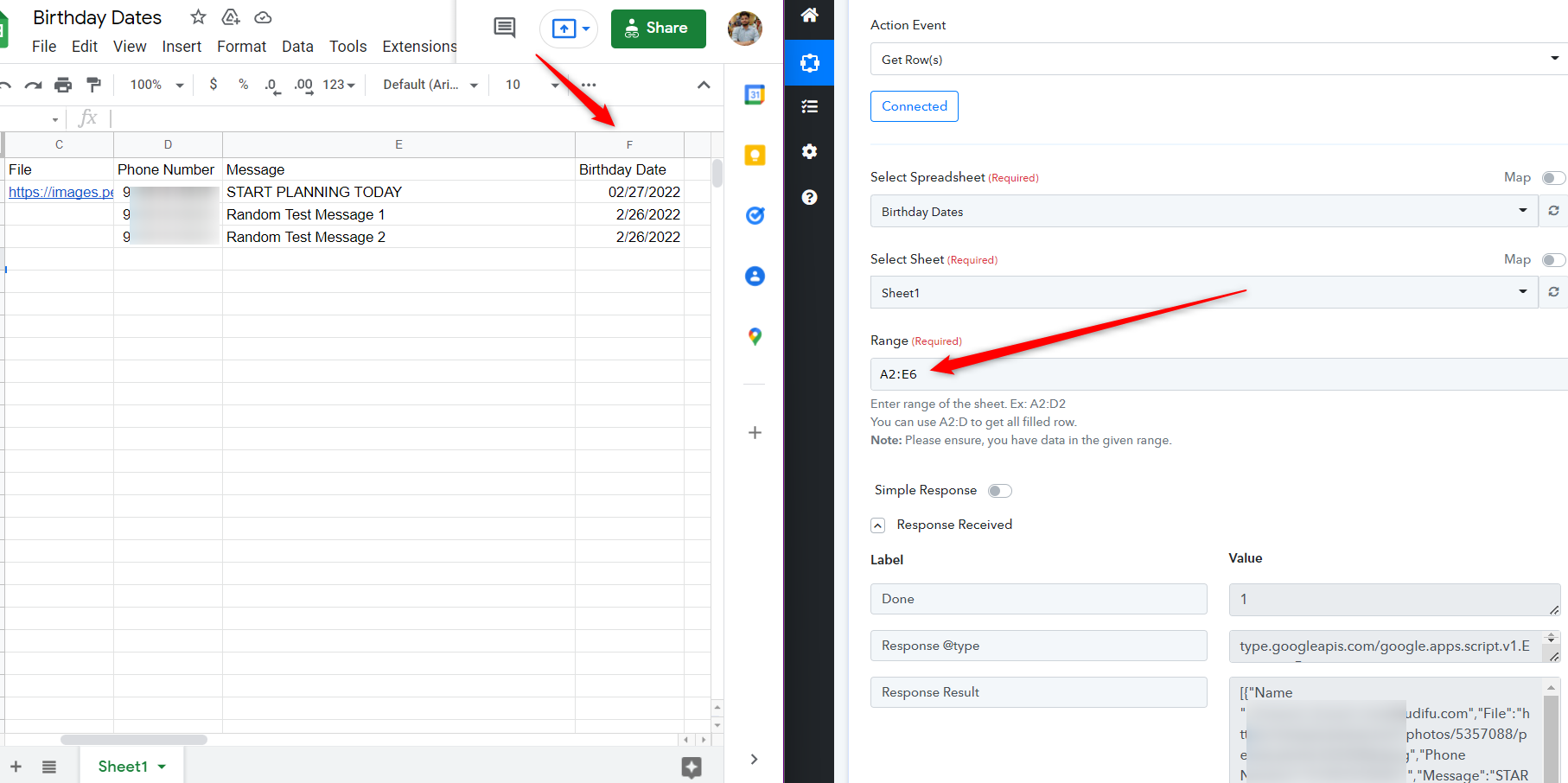
As we can see in your workflow, it seems like you didn't pass the proper range to get the birthday dates which are in the "E" column.
Kindly pass the proper range of data to the date of birth column. Also, make sure your workflow is switched on when you try the workflow.
thanks
Will try and confirm
Hello,
I followed your instructions, made all changes!
I tried it and it has still not worked.
Is there a way to test the workflow instantly instead of waiting for the next day?
Hey @zest83
We have made a test submission through your Google Sheet and the workflow worked accordingly. Kindly do not forget to pass the dates in (MM/DD/YYYY) format from your Google Sheets because the workflow was set up in that way only.

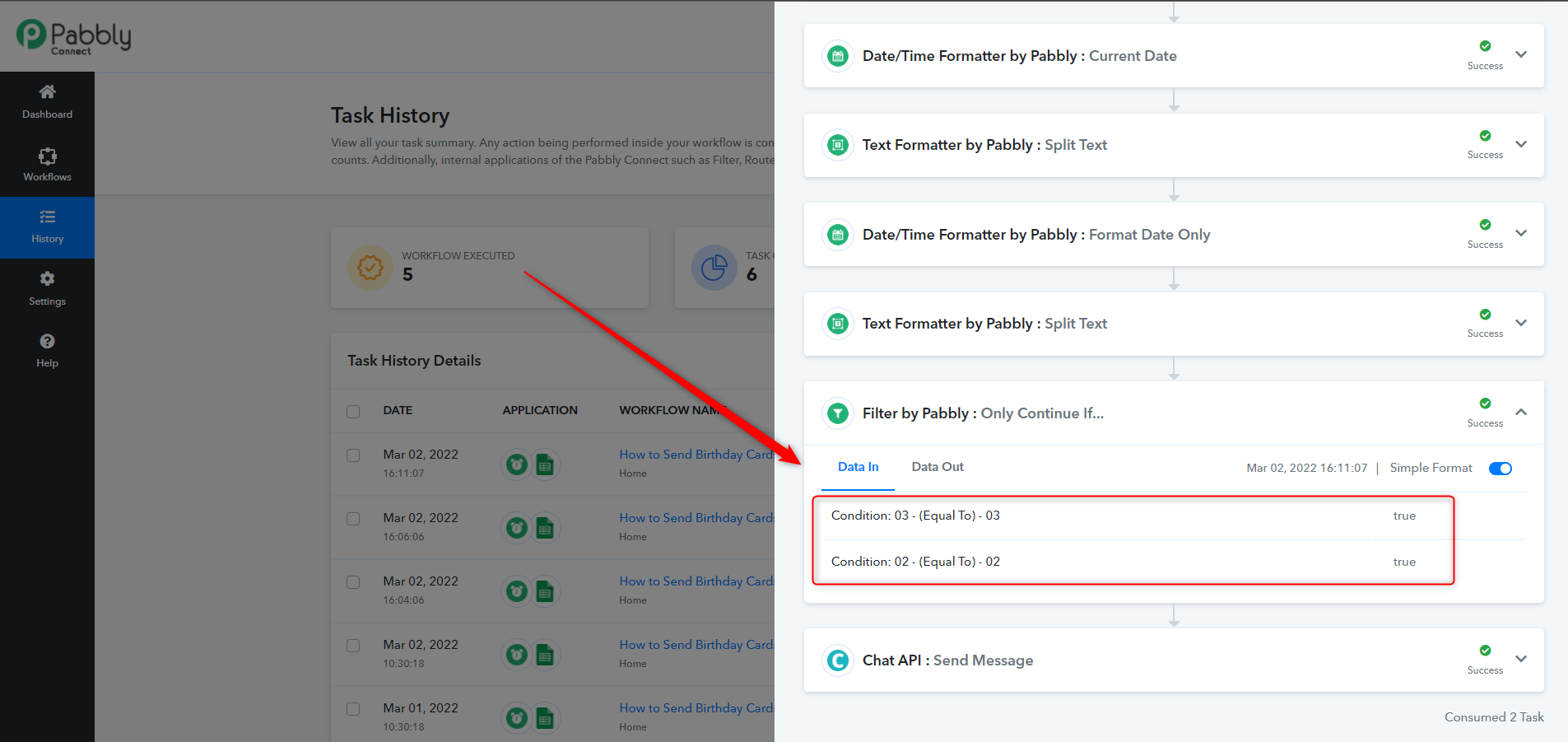
How exactly do you test this Workflow exactly?
Please can you tell me... So I can test the same at my end as well?
I input todays date along with my message
Did the "SAVE & SEND TEST"
is that it?
And I need to wait till tomorrow to check if the test is working properly basically
Hey @zest8
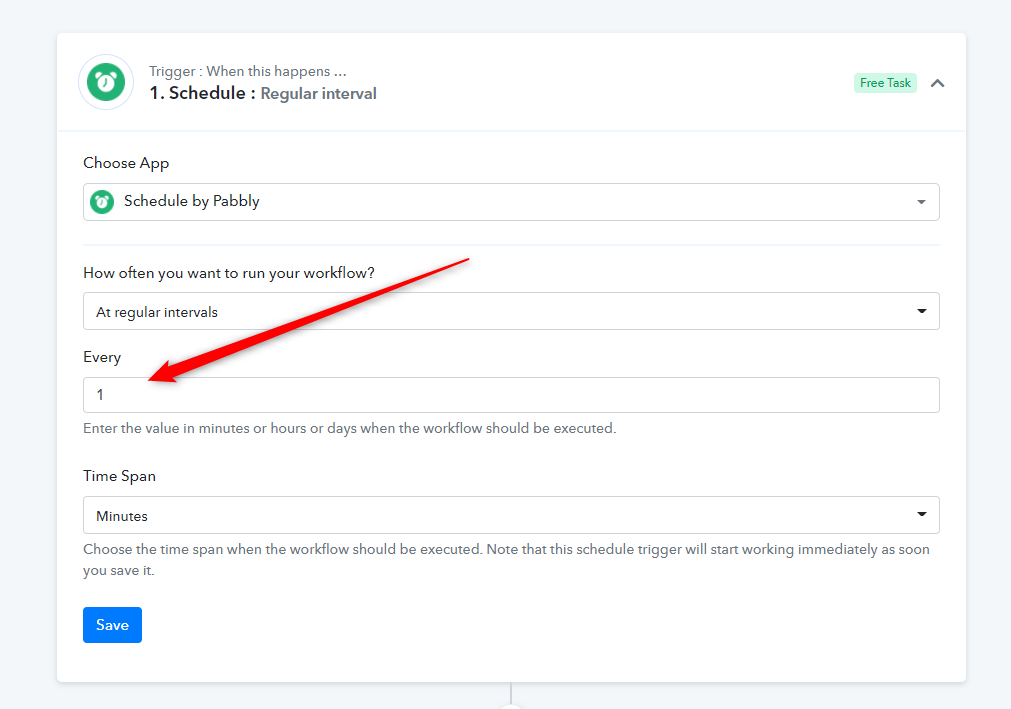
You can test the worklfow by selecting the "Schedule: Regular interval" for 1 min. So that the workflow will trigger every one minute.
Kindly do not forget to change/switch off the workflow. Further, you can consider hiring some automation experts to manage all your work.
https://forum.pabbly.com/threads/pabbly-connect-experts-and-consultants.22/unread
Thank you for your help.
At the moment, my requirements are very basic.
This birthday requirement was different as it was suggested by Pabbly a while ago and I couldn't understand how to do it.
As a startup, I look towards this forum for all the help
Every penny counts
I am sure you agree
Again, thank you for your help
Appreciate it
Is there a way to send Birthday messages at different timings during the day using the same Workflow?
Right now, it is being checked at 10.30 AM Indian Standard Time
But is there a way to put a delay or send messages at a specific time as well instead?
So that way, the message can be sent at 10.30 AM and 4 PM as well?
Workflow Name: Send Birthday Wishes on WhatsApp from Google Sheets
Hey @zest83
Is there a way to send Birthday messages at different timings during the day using the same Workflow?Right now, it is being checked at 10.30 AM Indian Standard Time
But is there a way to put a delay or send messages at a specific time as well instead?
So that way, the message can be sent at 10.30 AM and 4 PM as well?
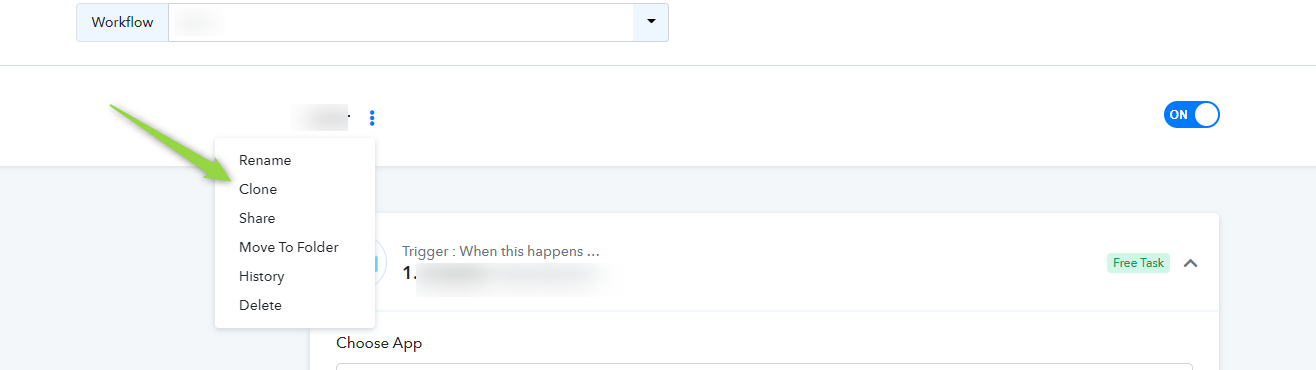
You can clone the same workflow and can change the scheduled time to 4 PM, which will also work the same but at 4 PM.