Blank Response with a 200 HTTP Code
Status: Closed · Asked by becmcfarland on · 0 views
I'm working on a ClickUp workflow - updating a custom date field. Each step seems to be working okay, but when I try to update the field I'm getting a HTTP 200 Code and a note saying that the request has been processed but returned a blank response. Any help appreciated!
Hey @becmcfarland
Please try enclosing the value within double quotes and then verify if it is being correctly passed to the custom key.
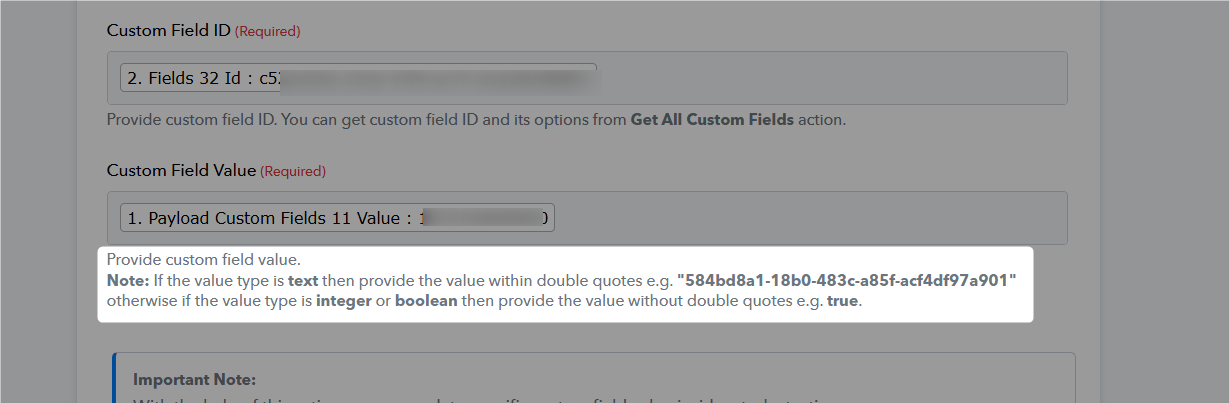
Hey @becmcfarlandPlease try enclosing the value within double quotes and then verify if it is being correctly passed to the custom key.
Thank you for the suggestion. Unfortunately I'm still getting a blank response with no data passed.
It appears that the success status is due to the application receiving a "200" response code, indicating a successful transaction. However, it seems that you are interpreting a failed task as a success. Please verify if the data has been successfully transferred to your ClickUp account.
It appears that the success status is due to the application receiving a "200" response code, indicating a successful transaction. However, it seems that you are interpreting a failed task as a success. Please verify if the data has been successfully transferred to your ClickUp account.
With the 200 code, I get the message: "The application processed the request but returned a blank response. Refer to the HTTP status code above for details." The data has NOT been passed to my ClickUp account.
I've just created a similar workflow sending data to a custom text field in ClickUp and got the same response. I wonder if there is a bug in the passing of data to ClickUp?
Okay, I think this might be working now. I'll report back if I have any more trouble. Thank you!
Ok, thanks for the update.
Ok, thanks for the update.
Thanks for your help! Very much appreciated! :D