blogger id problem !!!
Status: Open · Asked by Karim Shindy on · 0 views
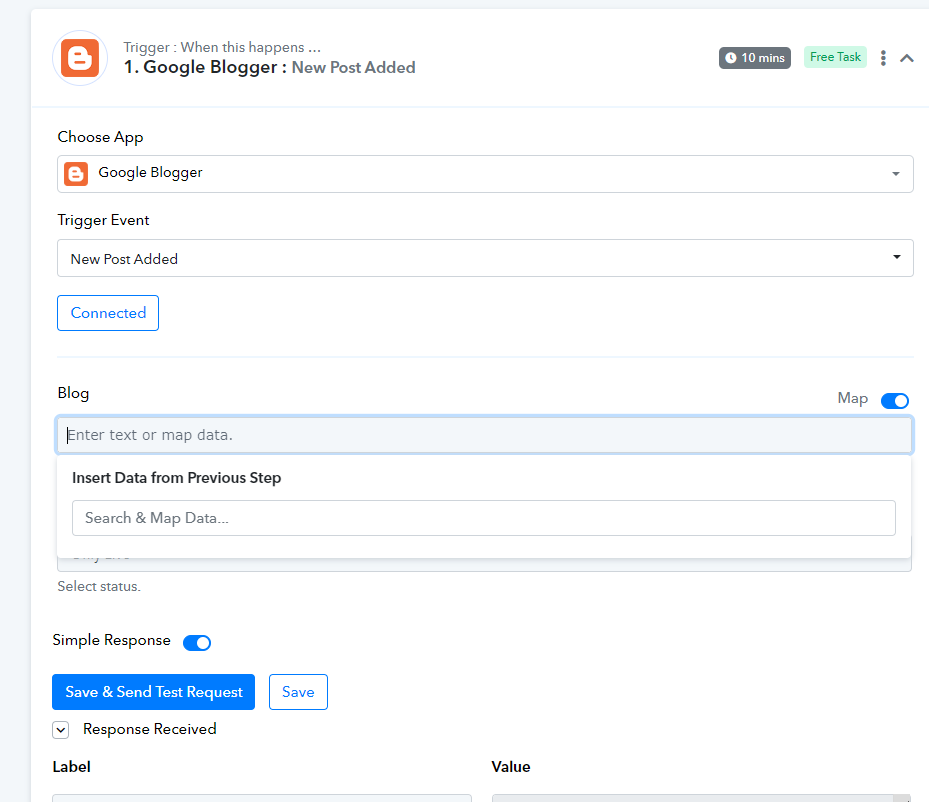
I have been facing a problem for more than a month, which is that Blogger does not display the name of my blog through Bubbly
And when I try other services like ifttt, I find that it works smoothly
Please solve this problem
I have read more than one customer complaining about the same problem, and none of you solve it
Attachments
Hey @karimsalah,
Please grant me access to your workflow by adding me as a team member. This will allow me to gain a better understanding of your issue.
Once you have added me as a Team Member, do let us know the name of your workflow.
Email: arshil.ahmad@pabbly.com
Also, remember to revoke access once your query has been resolved.
Attaching a video for your reference:
@ArshilAhmad
Workflow :
[TABLE]
[TR]
[TD]Blogger Test[/TD]
[/TR]
[/TABLE]
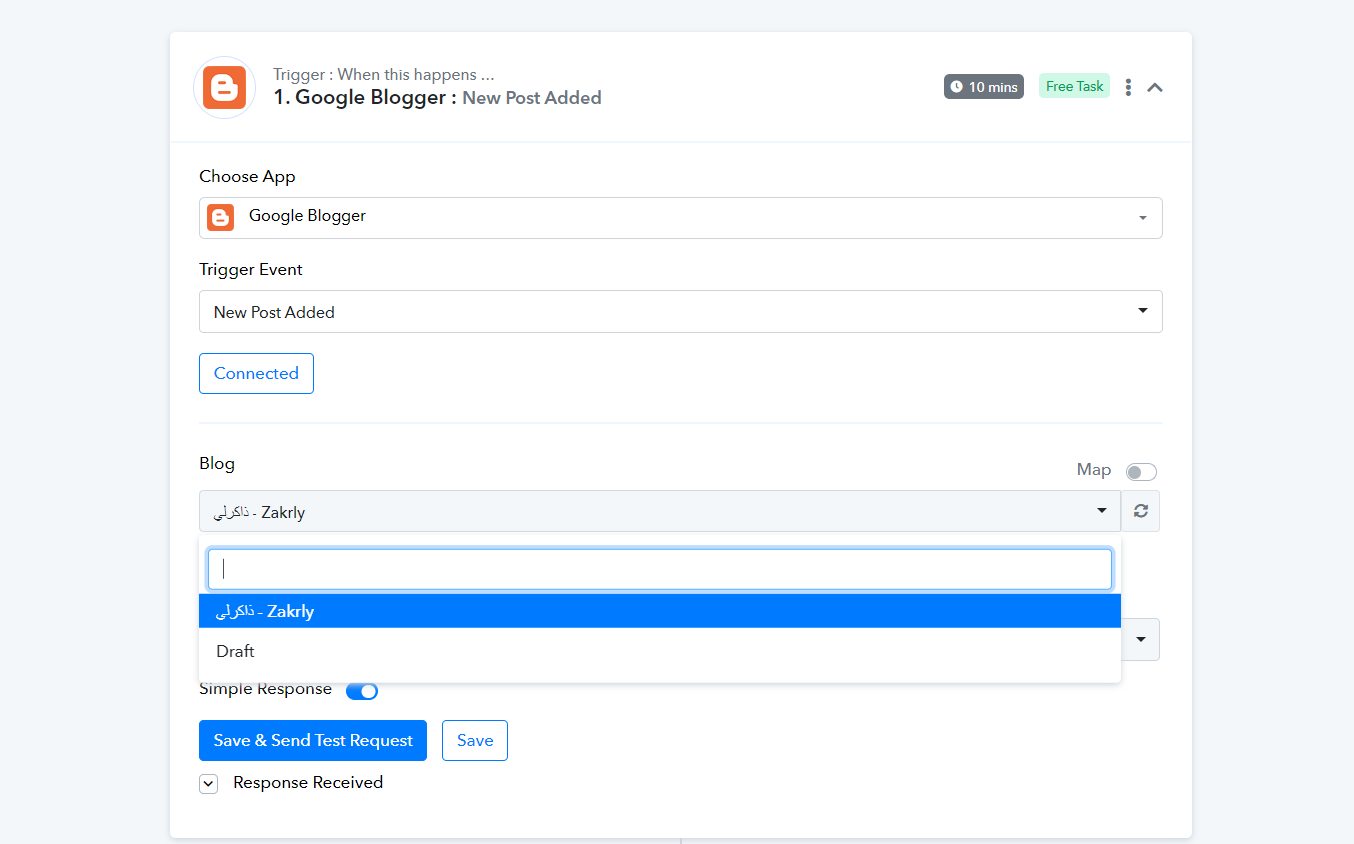
Kindly try making a new connection once and then try again.
Attachments
@ArshilAhmad
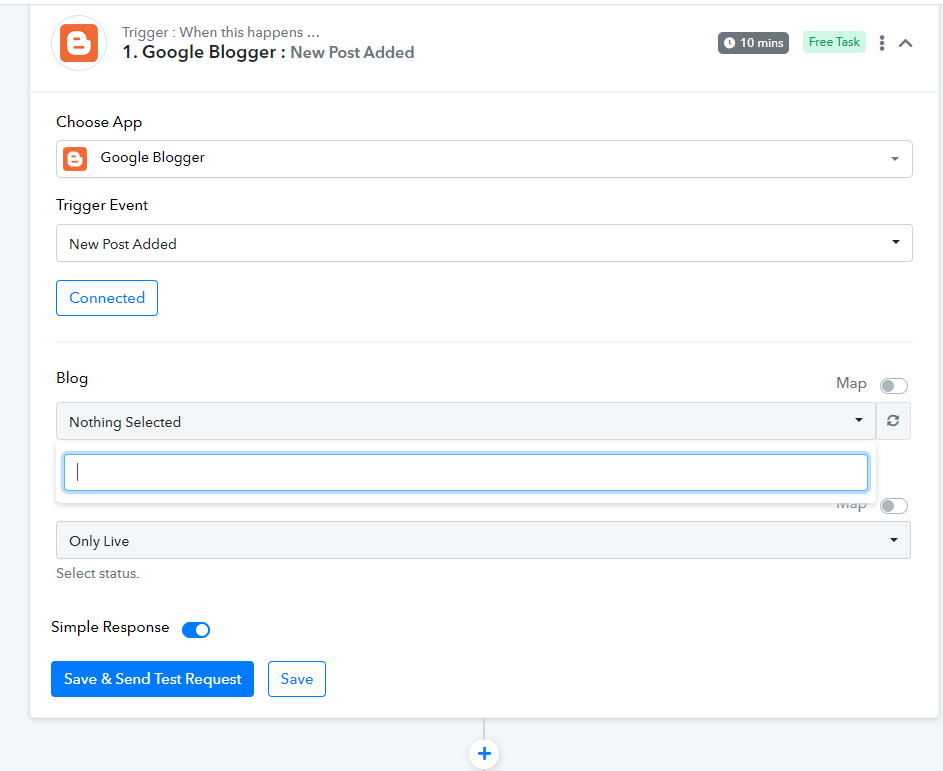
Nothing ever appears for me
Still the same problem
Attachments
Please allow me some time to look into this issue.
Hey @karimsalah
After investigating your workflow, we have noticed that the error message is related to the API usage limit for the Google Blogger API. Every Google Cloud project has a quota limit, which restricts the amount of API requests that can be made per day, and once the limit is reached, no further requests can be made until the quota resets.
To check your current usage and limits, you can visit the Google Cloud Console and navigate to the "APIs & Services" -> "Dashboard" page. From there, select the Blogger API and then click on the "Quotas" tab to view the current usage and limits.
Here is the documentation link for the Blogger API usage limits and quotas:
https://developers.google.com/blogger
If the issue still persists then you may contact the Google space support team.
@ArshilAhmad
You send this message to everyone who sent you the same problem, and I have read it more than once
But I will tell you a surprise
When i link blogger blog with ifttt
It did the job perfectly and there are no issues or limits now and it works perfectly
But the current problem is in pabbly
I hope you solve that problem!
Hey @karimsalah
We are currently experiencing a quota-exceeded error in the Google Blogger API. This error is a result of reaching the limit of 10,000 requests, which has been caused by a large number of app users. To address this issue, we have submitted a request to the team, asking them to increase the quota limit. Once the quota limit is raised, the problem should be effectively resolved. We appreciate your understanding and patience as we await a response from the team.
@Supreme
Thank you
The blog has now appeared again
I want to know what are the limits allowed for me to post daily or monthly to Blogger?
how much ?
I want to know what are the limits allowed for me to post daily or monthly to Blogger?
You may refer to the following documentation of the Google Blogger API rate limit.