bluesky scheduling not working
Status: Closed · Asked by serwar habib on · 0 views
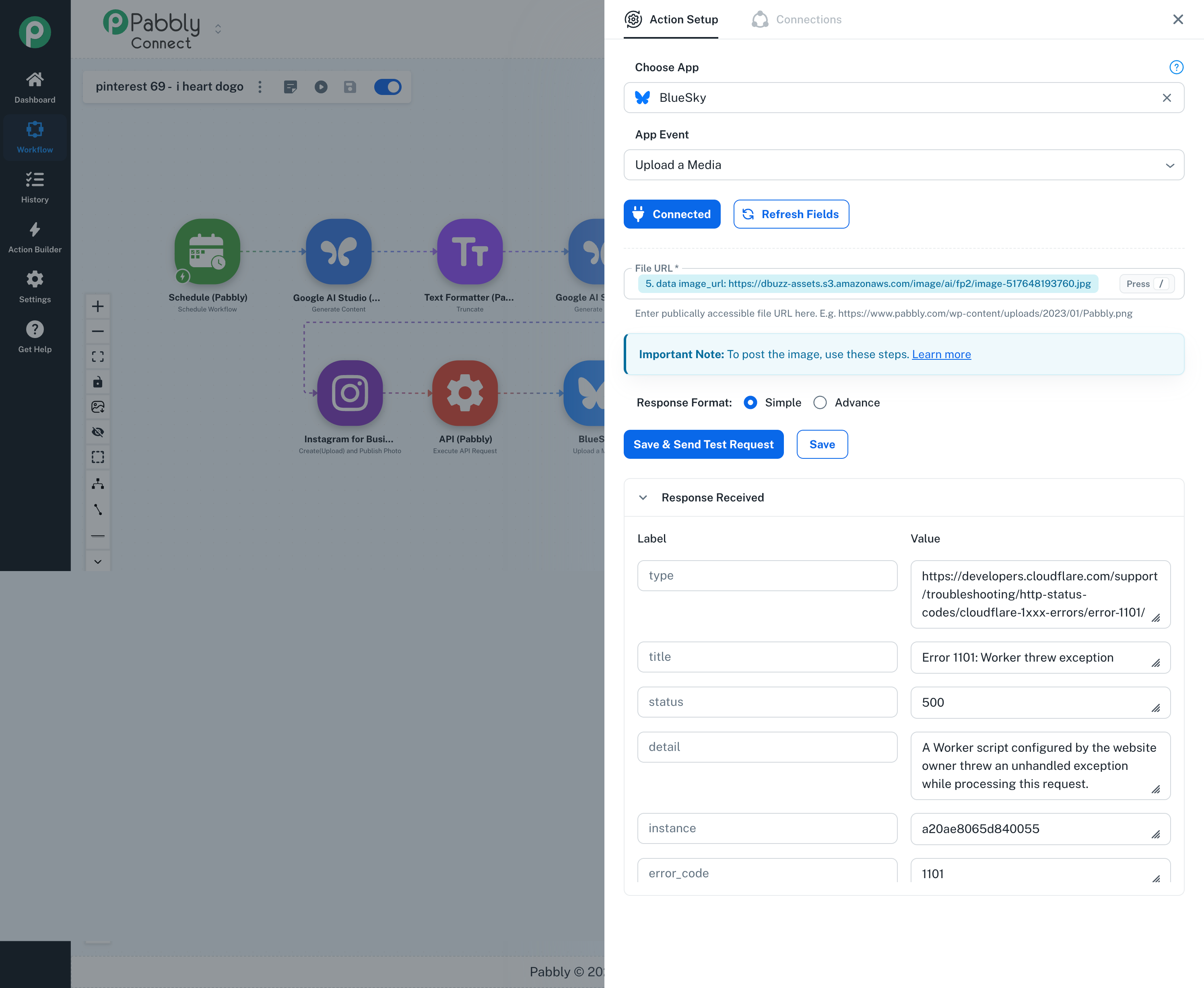
please make this private.
Hello Serwar,
Thank you for reaching out.
To help us investigate the media upload error and guide you on the exact field mappings for Bluesky, could you please share the URL of your Pabbly Connect workflow?
Once we have access to your workflow setup, our technical team will inspect the configuration and assist you further.
(Note regarding your request: As this issue was submitted via the public forum, If you prefer to share sensitive account details privately, you can also email us directly at support@pabbly.com).
Thanks & Regards,
Hrishabh
Customer Support Associate
🌐 Pabbly.com
👉 Rate your support
Hello Serwar,
This is a follow-up regarding the media upload error and the field mappings for Bluesky.
We are still awaiting the URL of your Pabbly Connect workflow. Please share the workflow URL so that our technical team can review your current configuration, investigate the issue, and guide you further with the required field mappings.
If you prefer not to share the workflow details publicly, you may email us directly at support@pabbly.com.
We look forward to your response.
Thanks & Regards,Anushka Sahu
Customer Support Associate
🌐 Pabbly.com