[BUG] Date/Time Formatter
Status: Closed · Asked by dlaw on · 0 views
Date Field doesn't extract the correct time. It's off by many hours.
It seems like it should be "31/01/2021 11:07:05 AM"
(See attached)
Attachments
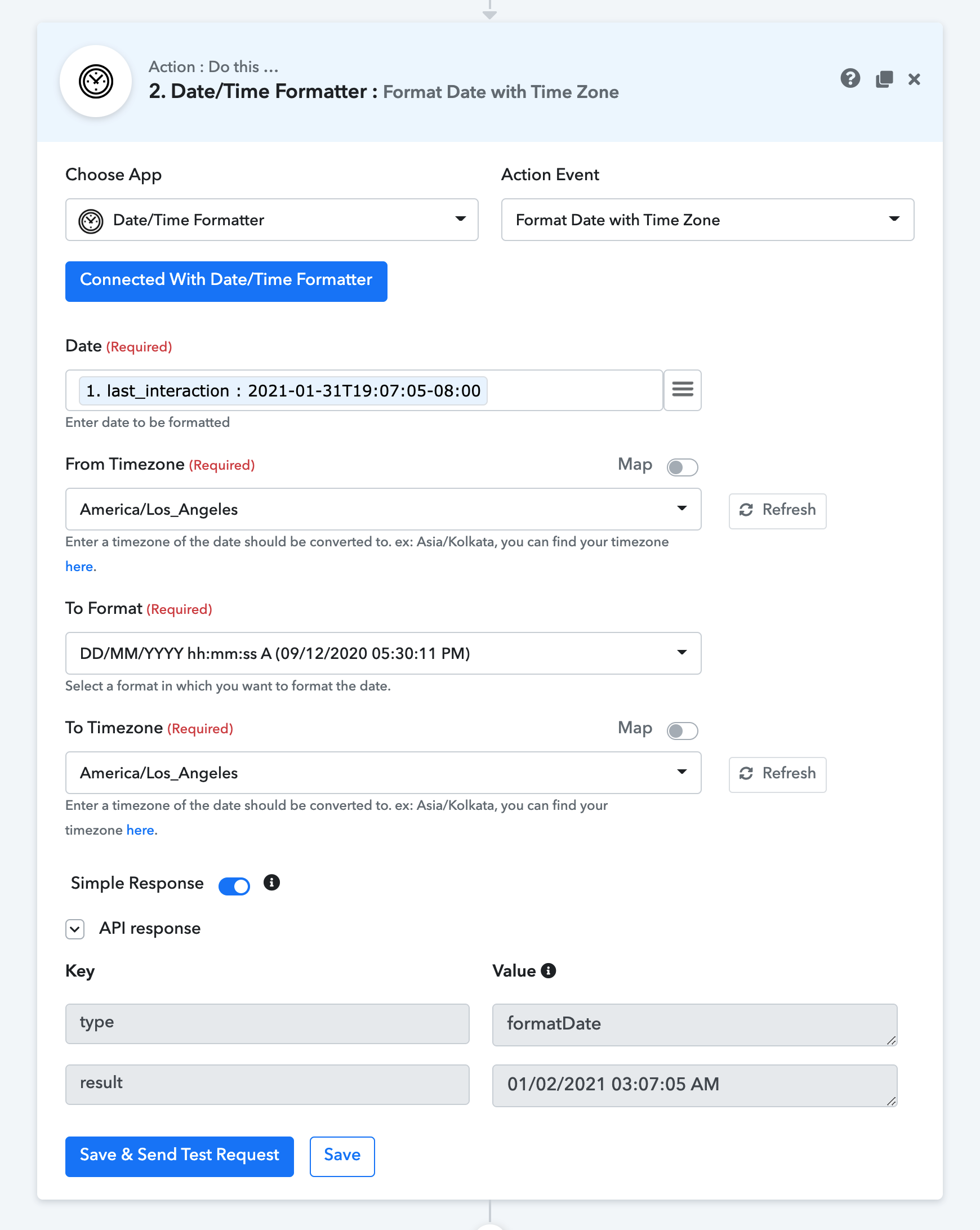
Date Field doesn't extract the correct time. It's off by many hours.It seems like it should be "31/01/2021 11:07:05 AM"
(See attached)
Can you please share the workflow name or workflow URL so that we can check?
Thanks!
Hey @dlaw
We have checked this at our end and fixed the same, please check again.
It's still not working - check action 1, then action 2.
https://connect.pabbly.com/workflow/mapping/IjYxNzQ3Ig_3D_3D
Hey @dlaw
We have already fixed the issue, please clear your browser's cache memory and disable the extensions while working in a workflow.
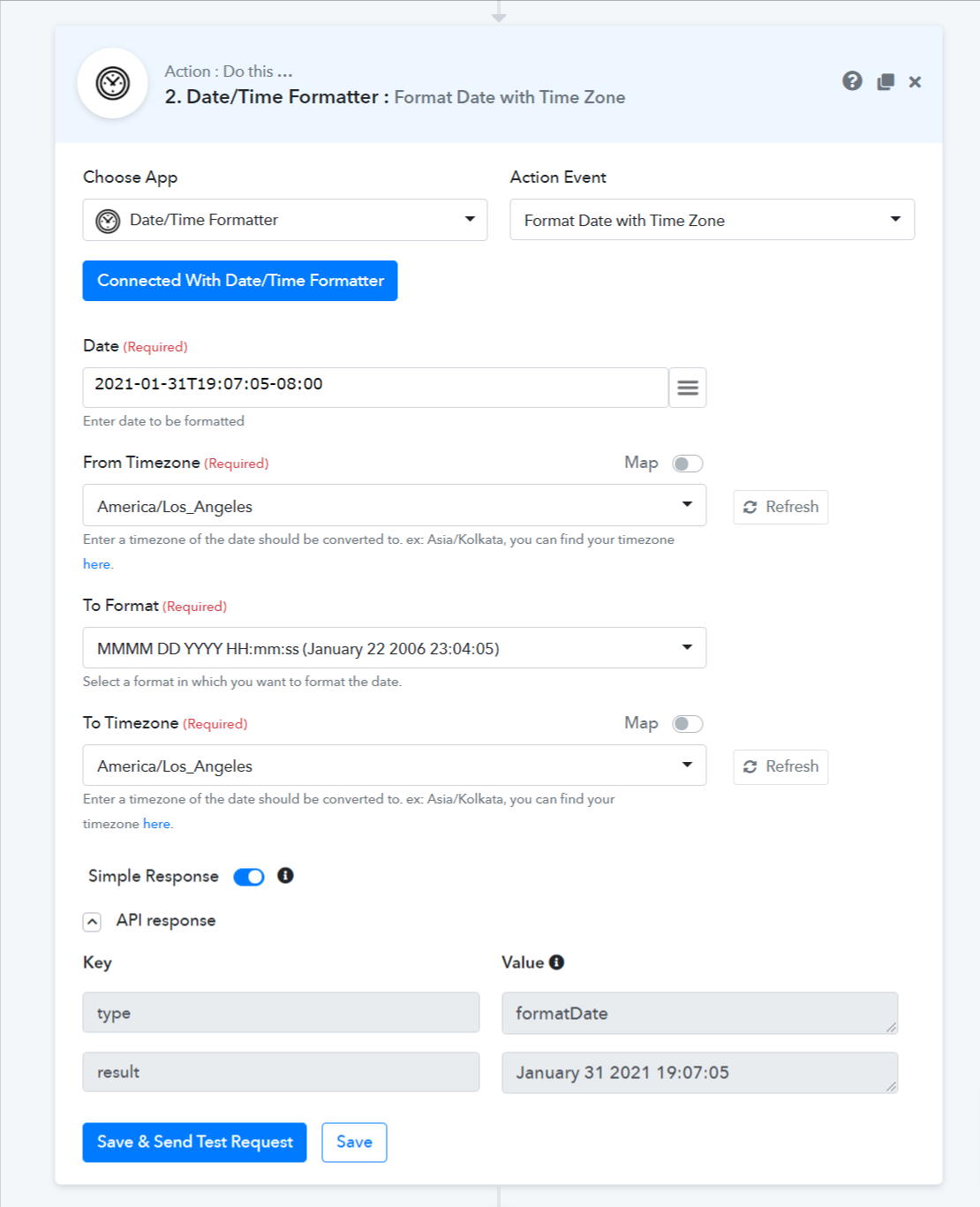
That looks great!
Please check this one now.
Attachments
Hey @dlaw
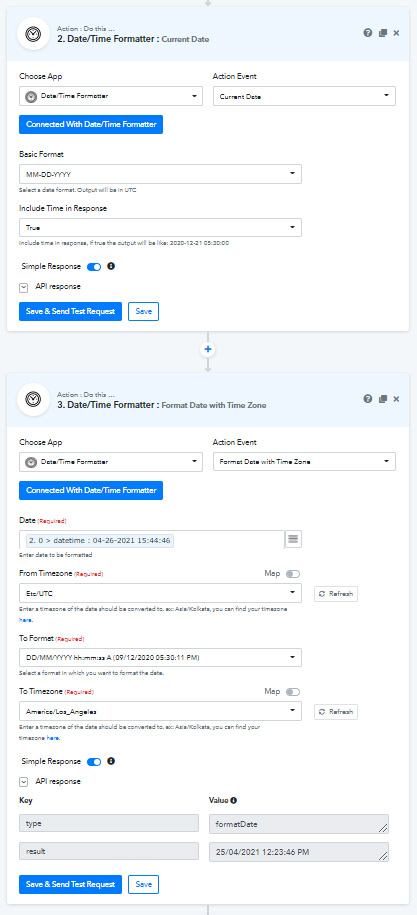
Thanks for the screenshot.
Please change the " From Timezone " in the Date/Time Formatter from " UTC " to " America/Los_Angeles ".
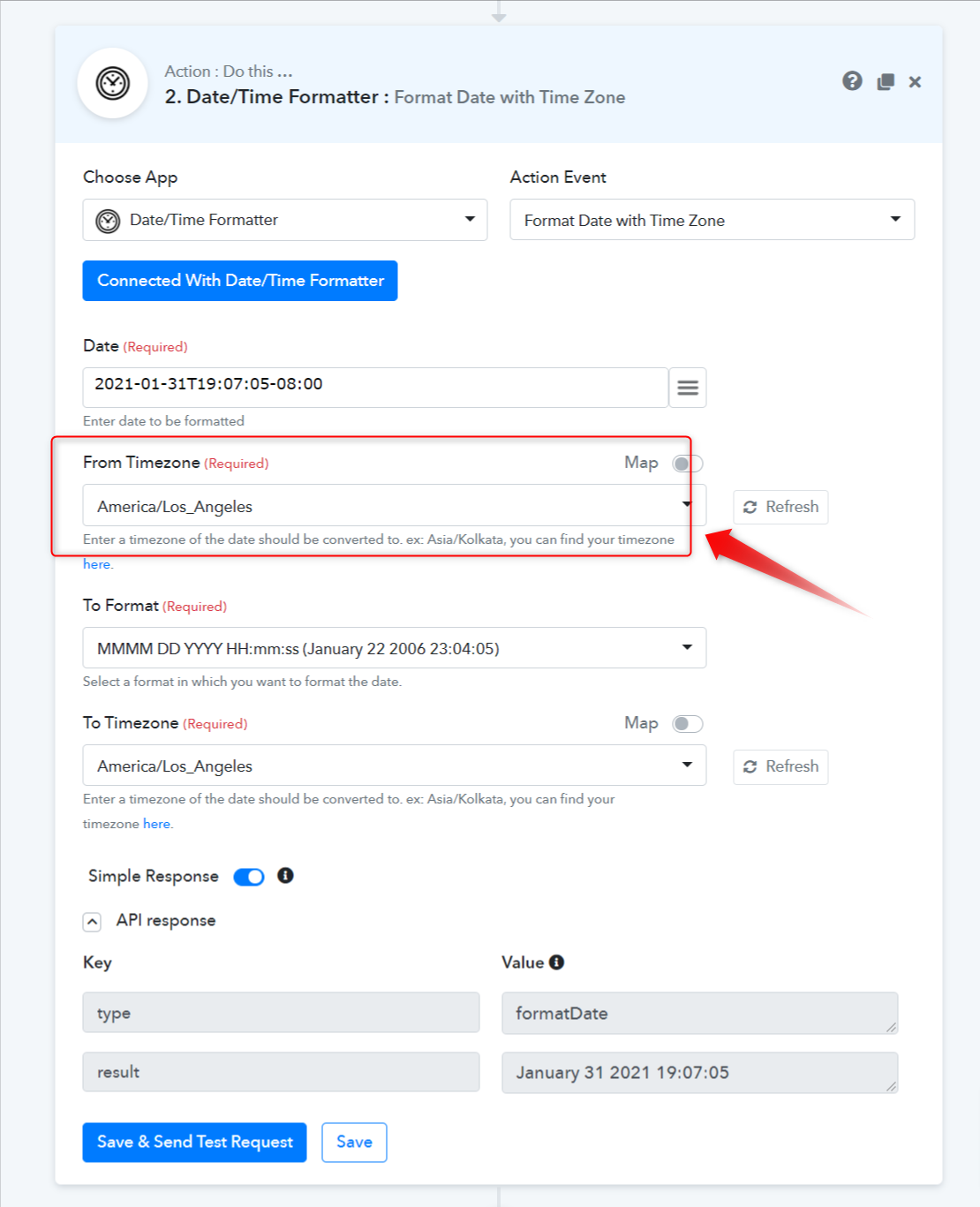
Please check here, it's way off still:
Thank you. I solve it. from : etc/GTM to : asia/seoul
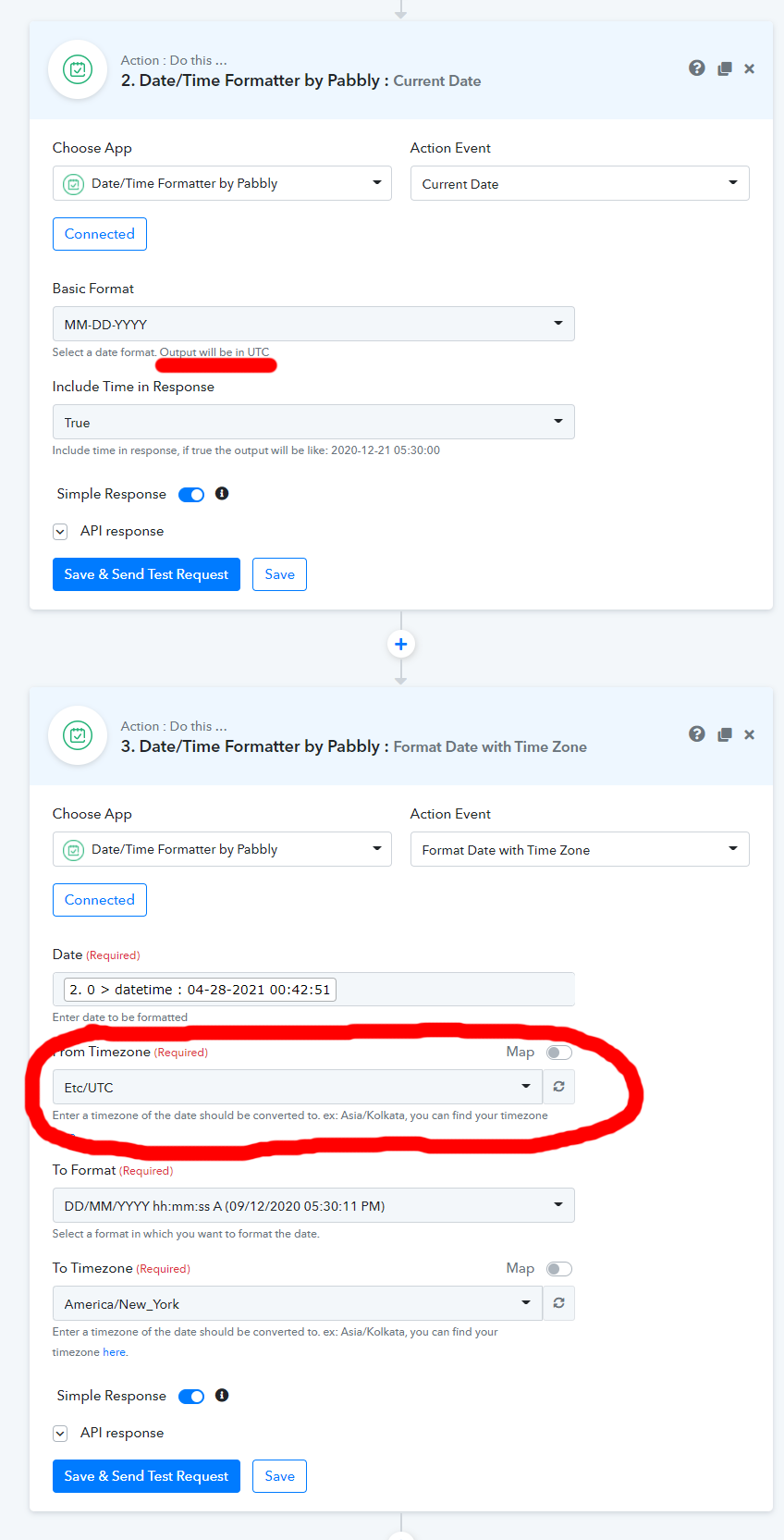
Thank you for letting me know. It does show the output should be 'UTC', so it's not working properly.
Hey @dlaw
In Date/Time Formatter, you can put the date format in a " YYYY-MM-DD HH-MM-SS " manner, to achieve your result.
From wherever you are taking the date, but map the data here, in that manner only.
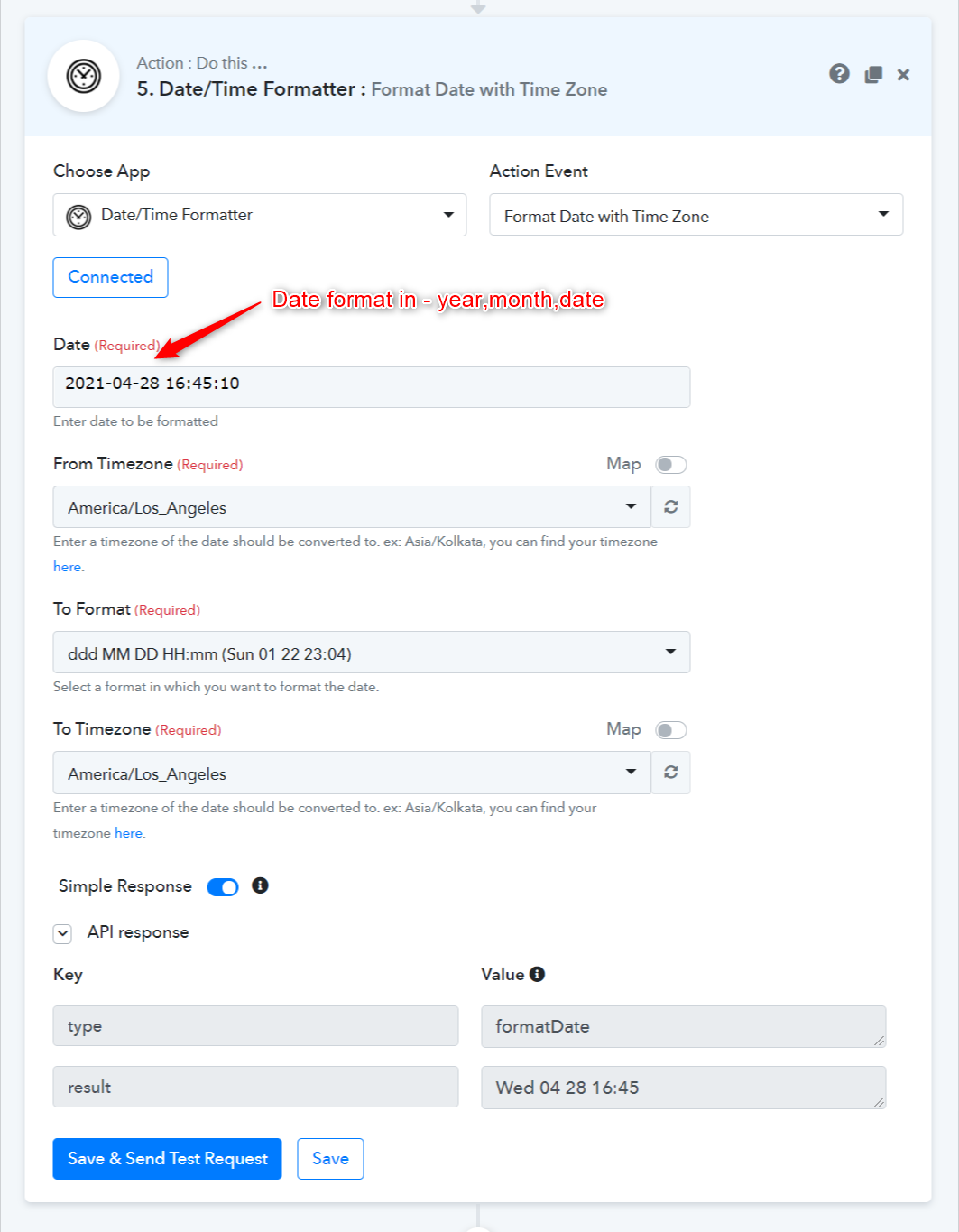
Please try this at your end and let us know if that works for you.
Hi @Supreme Verma, your reply shows just formatting a time, but doesn't include 'Current Date' where it shows output will be UTC.
Please try with similar settings:
-Get Current Time
-Format that time
(See attachment)
Attachments
Hey @dlaw
Please try the following workaround, this will meet up your demand.
In Date/Time Formatter, put the date format in a " YYYY-MM-DD HH-MM-SS " manner only.
Please Try accordingly to get the appropriate result.
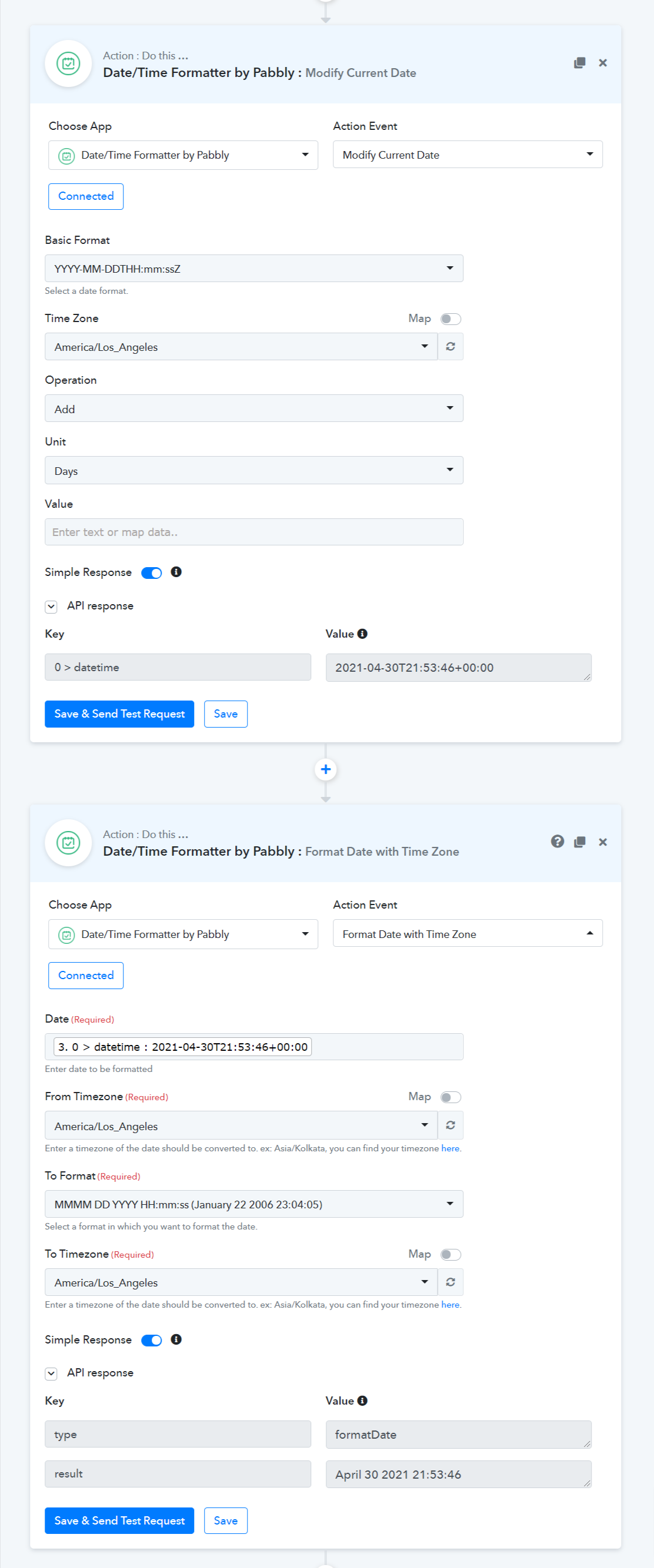
the workaround worked, will this be fixed?
Hey @dlaw
We are working on that as well and it will be fixed in the next update soon.
Hi @Supreme Verma I don't need time on the final thing but because the timezone is set to UTC, the date is off by a day in many cases. Possible to make timezone default to the Accounts-profile timezone?
Hi @Supreme Verma I don't need time on the final thing but because the timezone is set to UTC, the date is off by a day in many cases. Possible to make timezone default to the Accounts-profile timezone
Step - 1
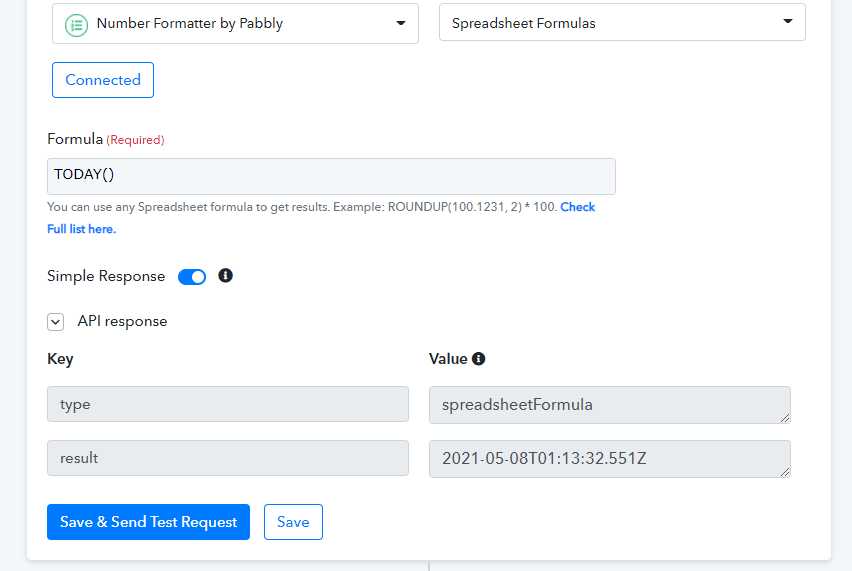
Step - 2
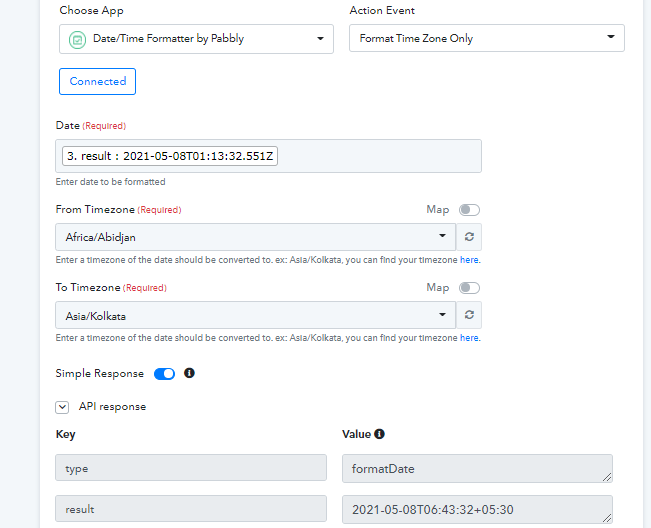
Step - 3 -
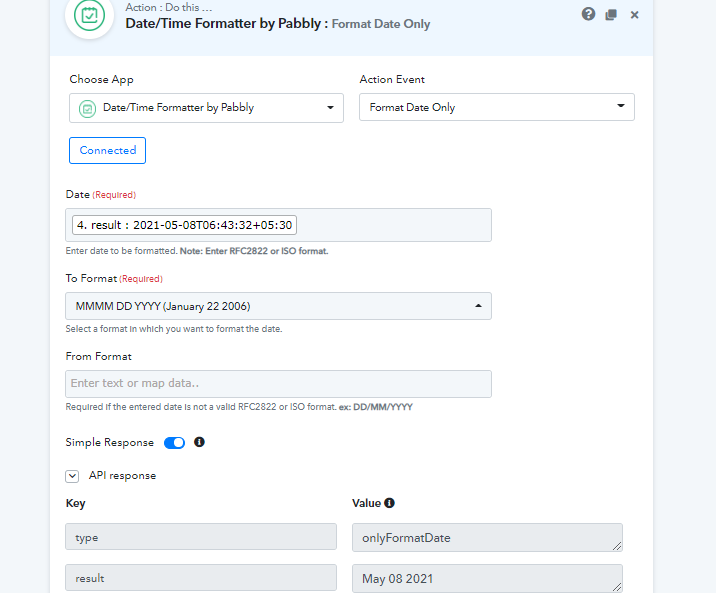
Three steps for this. ?
Three steps for this.
If it helps - Step 1 will not use any tasks.
Three steps for this. ?
Pabbly Connect does not cost you tasks for internal functions -